














Summary:
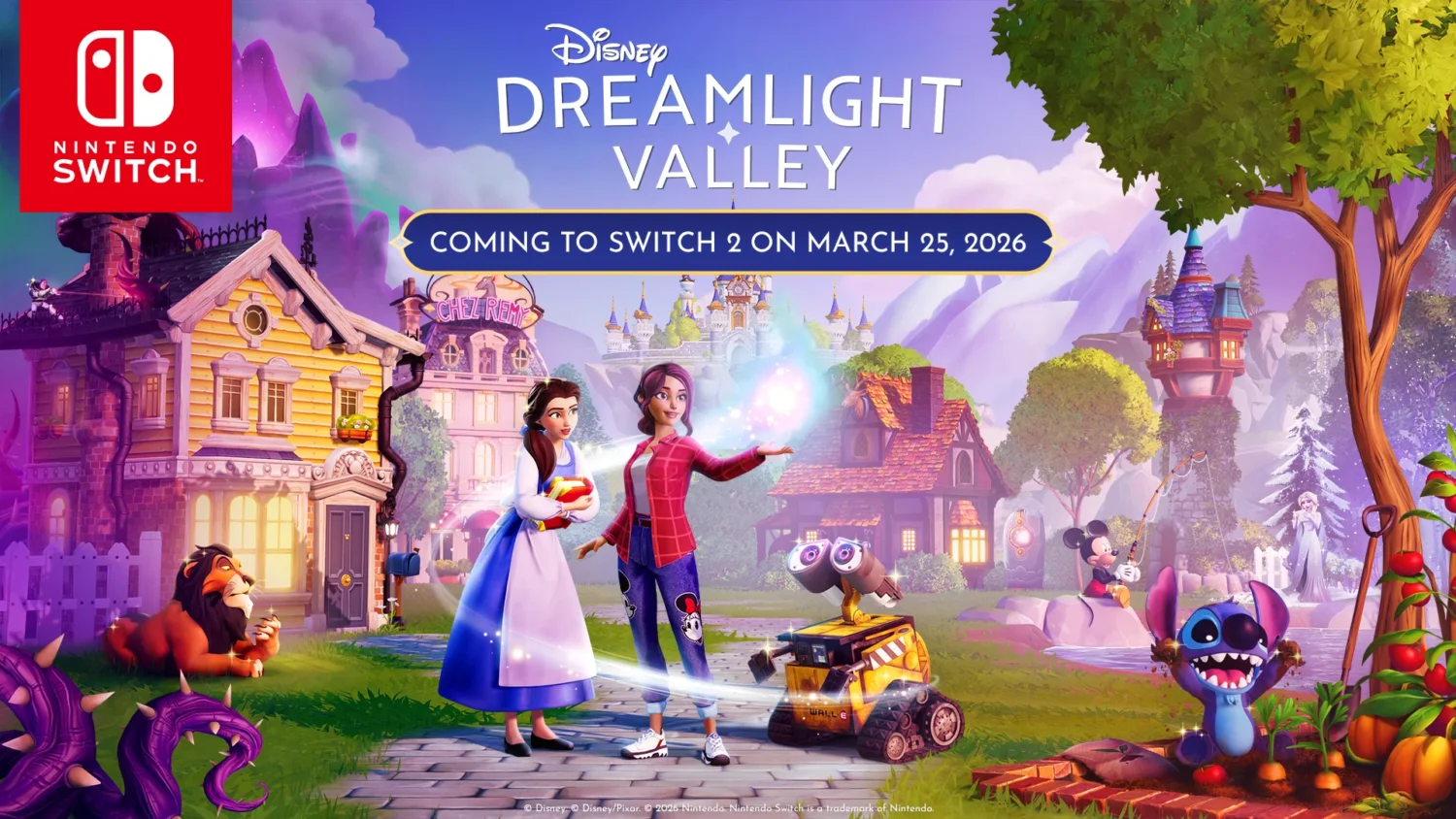
We finally have the kind of upgrade news that makes cozy game fans sit up straight. Gameloft has confirmed a free Nintendo Switch 2 upgrade for Disney Dreamlight Valley, landing on March 25, 2026. That date matters because it turns months of “maybe someday” chatter into a real plan you can circle on the calendar. If you already own the Nintendo Switch version, the upgrade is not a paid re-buy. It is positioned as a free update that unlocks the Nintendo Switch 2 version, which is exactly the kind of move that keeps a long-running life sim feeling friendly instead of exhausting.
The headline improvements are the ones you feel every time you pick up the controller. We are talking about improved frame rate, increased resolution, faster loading times, and a higher item limit of 6,000. That last number is the quiet superstar, because decorating is the soul of many Valleys, and hitting an item ceiling can feel like being told to stop mid-sentence. With the Nintendo Switch 2 version pushing the limit up to match other platforms, we get more room to build neighborhoods, theme parks, gardens, and those overly ambitious “this will only take 10 minutes” projects that somehow eat an entire evening. Put it all together and the promise is simple: the same Valley, but smoother, sharper, quicker to hop into, and less likely to make us choose between a cute plaza and a functional farm.
Disney Dreamlight Valley Free Switch 2 upgrade
We have a clear date and a clear eligibility message. The Nintendo Switch 2 version of Disney Dreamlight Valley launches on March 25, 2026, and the upgrade is free for players who already own the original Nintendo Switch version. That combination is important because it answers two practical questions up front: when it happens, and whether we need to pay again to enjoy the Switch 2 improvements. Nobody likes the “double dip” feeling, especially in a game built around comfort and routine. If our Valley is already home, we want to carry that home forward without a toll gate. March 25 also gives us a nice runway to tidy up quests, finish decorating bursts, and make sure the game is updated and ready to go when the Switch 2 version becomes available.
What changes on Switch 2 and why it matters
Gameloft’s Switch 2 upgrade pitch is built around four pillars: improved frame rate, increased resolution, faster loading times, and a higher item limit of 6,000. On paper that can look like a standard platform upgrade checklist, but in a life sim it hits differently. Frame rate and loading are not just technical trivia – they are the rhythm of play. We load into the Valley constantly, we jump between biomes, we pop in and out of menus, and we spend long stretches decorating where the camera pans and zooms a lot. If those moments feel smoother, the whole experience feels calmer. Increased resolution and visual improvements also matter because this is a game that loves color, lighting, and little environmental details. When the picture is clearer and holds up better during busy scenes, the Valley feels more like a place and less like a compromise.
Frame rate improvements and what “smoother” really feels like
When a game promises an improved frame rate, what we really want to know is whether it feels stable during the messy moments. Disney Dreamlight Valley can get busy fast: multiple characters in a small area, particle effects from tools, lots of placed objects, and quick camera movement while you decorate. Reports around the Switch version have often pointed to performance struggles, especially when the Valley gets crowded or when we build heavily. The Switch 2 version is framed as smoother, and that matters because it is the difference between relaxing and babysitting the hardware. A more consistent frame rate makes movement feel more responsive, makes camera turns feel less jittery, and makes long decorating sessions less tiring on the eyes. It is like swapping a bumpy road for a freshly paved one – the destination is the same, but the ride stops shaking your teeth.
Resolution and graphics upgrades, plus what to expect in motion
Increased resolution and improved visuals are not just about bragging rights, they are about clarity. Dreamlight Valley is full of small details that sell the fantasy: fabric patterns, foliage, glowing effects, and the little sparkle that makes a Disney world feel alive. On weaker hardware, image quality can soften during busy moments, and that softness can make the world look a bit smeared when you move the camera or sprint through a packed area. The Switch 2 version is positioned as having increased resolution and improved visuals, which should translate to sharper edges, clearer textures, and a more stable image when things get lively. If you love taking screenshots, building scenic photo spots, or just walking around to admire your work, a cleaner picture is a real quality-of-life upgrade. It is the difference between “that looks nice” and “wait, that actually looks magical.”
Faster loading times and how they change daily play
Loading time is the hidden tax of cozy games. We pay it every time we boot up, every time we travel, and every time we hop between menus and realms. When loading is slow, it breaks the spell, because we are stuck staring at a screen instead of living in the Valley. Faster loading on Switch 2 should make short play sessions feel worthwhile again. If you only have 20 minutes, you do not want five of those minutes spent waiting to get in and out. Faster loading also makes the game feel more responsive when we are doing “just one more thing” loops, like popping into a building to talk to someone, then running out to harvest, then fast traveling to finish a quest step. In a life sim, speed is comfort. It keeps the flow going so we can stay in the mood we came for.
The 6000 item limit upgrade and why decorators will care
The jump to a 6,000 item limit is the kind of change that sounds simple until you have ever hit the ceiling. On the original Switch version, the lower limit has forced a lot of players to make painful choices: remove decorations to place something new, avoid building dense neighborhoods, or keep large areas plain just to stay under the cap. With Switch 2 raising the limit to 6,000, we get breathing room, and that breathing room changes how we design. We can layer detail the way the game encourages: paths plus fencing plus lighting plus plants plus furniture, all working together instead of fighting for space. The best part is that 6,000 is aligned with what other versions already use, which can reduce friction for players who move between platforms. For decorators, this is not a small upgrade. It is the difference between a sketch and a finished painting.
Decorating bigger without the old ceiling
With a higher item limit, we can finally decorate like we mean it. Instead of building one “showcase” area and leaving everything else bare, we can spread the love across the whole map. That means themed districts that actually look lived in: a market street that has stalls, seating, signage, and clutter that makes it feel real, not just a row of empty counters. It means gardens that look like gardens, with layered plants and lighting, not a few lonely bushes placed like apologetic punctuation. It also means we can indulge in the silly details that make a Valley personal, like a tiny picnic setup that exists purely for vibes. The funny thing is that these details are what make Dreamlight Valley feel like home, and a higher limit gives us permission to stop treating decoration like a strict budget spreadsheet.
Practical tips for planning a more detailed Valley
More item space is amazing, but it can also turn into chaos if we treat it like an excuse to place everything everywhere. The sweet spot is planning with intention. We can start by choosing a few anchor zones, like a central plaza, a residential area, and a themed biome build, then expanding outward so the Valley feels connected. We can also think in layers: paths and layout first, then big structures, then lighting, then small props that add personality. Another helpful approach is to set mini rules for ourselves, like limiting each area to a consistent palette or a specific vibe, so it looks cohesive even when it is packed with objects. And yes, we should absolutely leave some breathing space. Even Disney parks have benches and open walkways. A Valley that feels navigable is a Valley we actually want to run through every day.
Balancing detail and readability while you decorate
When we add more detail, we also want the Valley to stay readable. That means we should keep paths clear, avoid stacking too many tall items in tight corridors, and make sure important interactable spots are not buried behind furniture. It is easy to get carried away and accidentally create a beautiful trap where you cannot reach your own crafting station without doing a three-point turn. Another trick is to build “frames” around areas rather than filling every tile. Fences, hedges, and lighting can define a space without requiring hundreds of tiny props. We can also use repetition strategically: repeating a few key items makes an area feel designed, not cluttered. Think of it like seasoning food. A little salt brings out flavor. Dumping the whole shaker in does not make it better.
How the higher item limit affects switching between platforms
One of the most practical benefits of matching the 6,000 item limit used on other versions is reducing mismatch headaches when we play across devices. If we have ever tried to keep a shared save feeling consistent between platforms, we know how annoying it can be when one platform has stricter limits. A higher cap on Switch 2 means we can decorate more freely without worrying that our Valley design only “fits” on one device. It also helps with future-proofing. As the game continues to receive updates and players add more items over time, a higher limit gives the Valley room to grow instead of forcing constant compromises. Even if we only play on Nintendo hardware, matching the broader ecosystem’s limit makes the Switch 2 version feel like it belongs at the same table, not at the kids’ menu with smaller portions.
What to do before March 25, 2026
March 25 is close enough that preparation is worth doing, but not so close that we need to panic-clean our entire Valley like guests are coming over. The main goal is to make launch day smooth. We should keep the game updated on Switch so the transition is straightforward when the Switch 2 version goes live. It is also smart to take note of any account or sign-in details we use for Dreamlight Valley, because the last thing we want is to be locked out of our own progress due to a forgotten password on the day we are most excited. If we are mid-decorating a huge project, we might want to pause and take a quick mental snapshot of what we were doing, so we can pick it up easily after the upgrade. Think of it like tidying your desk before a big upgrade at work – not glamorous, but future you will be grateful.
What Switch 1 players should expect if they do not upgrade
If we stick with the original Switch hardware, the core experience remains the same, but the Switch 2 improvements are framed as a meaningful step up in smoothness, clarity, and limits. On Switch 1, the lower item limit has been a long-running pain point for decorators, and performance has often been cited as a frustration, especially as Valleys become more detailed. The Switch 2 version is positioned as the way to enjoy Dreamlight Valley with fewer compromises, which is not a moral judgment, it is just the reality of stronger hardware. If upgrading hardware is not on the table right away, we can still play, still decorate, and still enjoy the game. We just want to set expectations: the big leap in item limit and the promised performance boosts are tied to Switch 2. In other words, Switch 1 remains the cozy version with stricter boundaries, while Switch 2 aims to feel like the same home after a renovation.
Launch day checklist and common pitfalls to avoid
When March 25 arrives, we want the upgrade to feel like flipping a switch, not solving a mystery. A good checklist mindset helps. First, make sure the system and the game are updated so you are not stuck downloading a giant patch when you were planning to play right away. Second, confirm you can log into whatever account setup you use in Dreamlight Valley, because “I forgot my password” is the least magical quest line imaginable. Third, give the game a little time to settle after the first boot, since big updates can sometimes take a moment to rebuild caches or load new assets. Fourth, if you are eager to test the 6,000 item limit, do it gradually instead of dumping a thousand objects in one go, just so you can feel how the Valley behaves as you scale up. The goal is to enjoy the upgrade, not stress-test it like a lab technician in a Disney hoodie.
Conclusion
March 25, 2026 is shaping up to be a big quality-of-life moment for Dreamlight Valley on Nintendo hardware. A free upgrade for existing Switch owners is already a win, and the feature list targets the exact pain points that have defined the Switch experience: smoothness, clarity, loading speed, and decorating limits. Improved frame rate and faster loading should make everyday play feel calmer and more responsive, while increased resolution and visual upgrades help the Valley look closer to how we picture it in our heads. The 6,000 item limit is the real game-changer for decorators, because it removes the constant “what do we delete next?” pressure and lets creativity breathe. If we love the idea of carrying our Valley forward with fewer compromises, Switch 2 is positioned as the version that finally lets Dreamlight Valley stretch out and feel at home.
FAQs
- When is the free Switch 2 upgrade for Disney Dreamlight Valley available?
- The Switch 2 version launches on March 25, 2026, and the upgrade is free for players who already own the original Nintendo Switch version.
- What improvements does the Switch 2 version include?
- The Switch 2 version is set to include improved frame rate, increased resolution, faster loading times, and a higher item limit of 6,000.
- Does the upgrade cost anything for existing Switch owners?
- No. The upgrade is described as a free update for players who own Disney Dreamlight Valley on the original Nintendo Switch.
- What is the new item limit on Switch 2, and why does it matter?
- The Switch 2 version raises the item limit to 6,000, which gives more room for decorating and helps align the limit with other versions of the game.
- Will the Switch 1 version still work after the Switch 2 version launches?
- Yes, you can keep playing on Switch 1, but the announced performance and item limit upgrades are tied to the Switch 2 version.
Sources
- Your Valley Is Coming to Nintendo Switch 2!, Disney Dreamlight Valley, February 5, 2026
- Disney Dreamlight Valley is finally getting a free Switch 2 upgrade next month, Video Games Chronicle, February 5, 2026
- Disney Dreamlight Valley launching on Switch 2 in March, Pixelkin, February 5, 2026