














Summary:
Fallout 4: Anniversary Edition showing up on Nintendo Switch 2 feels like the kind of “of course it did” moment that still makes you do a double take. The Commonwealth is huge, messy, and full of little stories hiding behind busted doors, and Switch 2 finally gives us a way to take that whole trip on the go without it feeling like we’re dragging a refrigerator through sand. The headline detail is that Switch 2 players have performance choices, including a 60fps option, and that changes how the game feels more than it changes how it looks. Combat reads faster, turning and aiming feels less sticky, and even basic roaming gets a rhythm that fits the handheld vibe better.
At the same time, the Anniversary Edition label matters because it’s not just the base game tossed onto a new system. We’re getting the bundled experience: major expansions, extra add-ons, and a pile of official extras that can reshape your playstyle, whether you’re the kind of person who builds settlements for fun or the kind of person who treats building like a necessary evil on the way to the next quest marker. Price-wise, Switch 2 is asking full retail on the eShop, so the real question is value: who is this for, and what do you get for that spend? We’re going to walk through what’s included, how the frame-rate options affect real play, what to tweak for a smoother first session, and how to avoid the classic Fallout 4 trap of spending two hours in menus before you’ve even seen the sun.
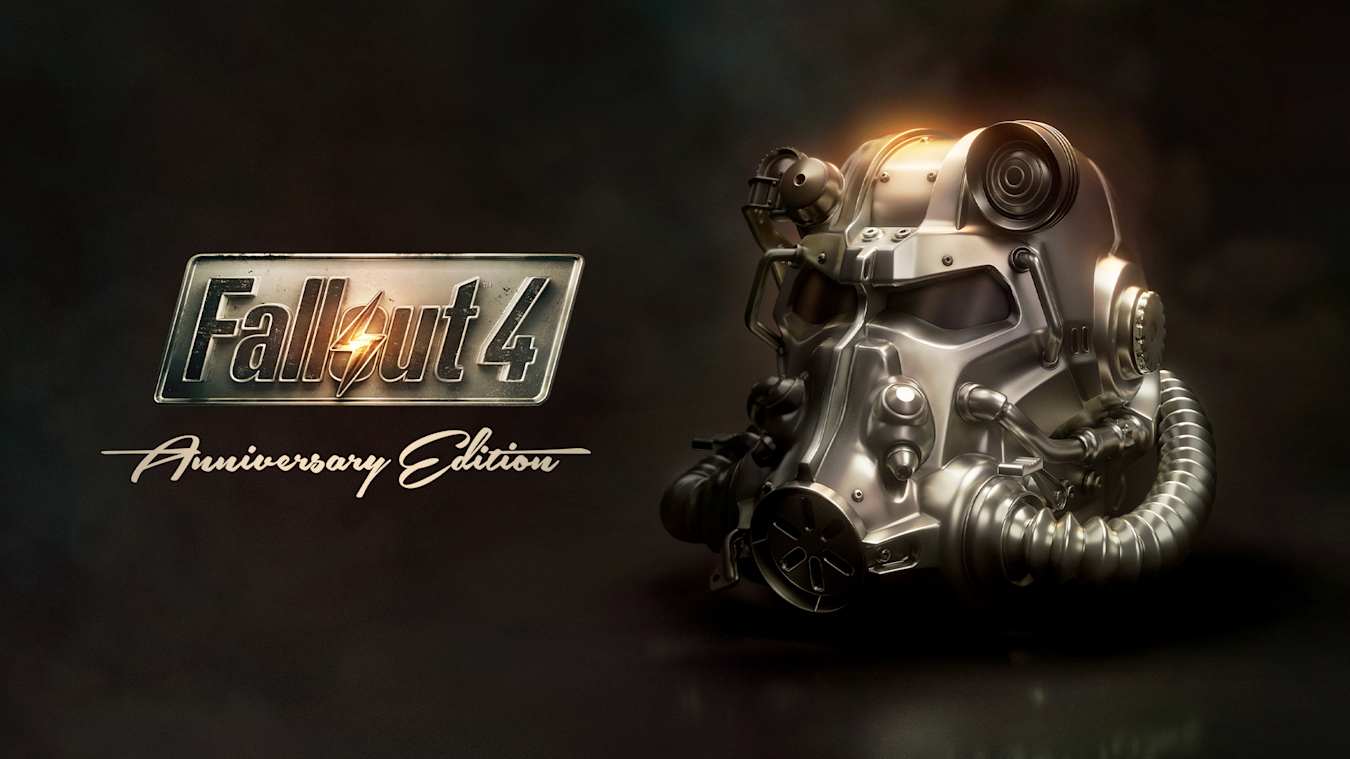
Fallout 4: Anniversary Edition arrives on Nintendo Switch 2
Fallout 4: Anniversary Edition is now available for Nintendo Switch 2 on the Nintendo eShop, which means the whole “leave Vault 111 and try not to immediately get eaten” routine can finally happen on Nintendo’s newest hardware. If you’ve played Fallout 4 before, you already know the loop: wander, loot, fight, get distracted by a side quest, and somehow end up rebuilding half the map because you picked up one piece of scrap and your brain decided that meant you were a settlement architect now. On Switch 2, the big win is simply having a modern handheld-friendly way to live in that loop. The game is still Fallout 4, with all its personality and chaos, but Switch 2 gives the experience room to breathe, especially once you start paying attention to how fluid it can feel when you pick the right performance option for how you play.

What “Anniversary Edition” actually includes
“Anniversary Edition” can sound like marketing frosting, so it helps to be blunt about what you’re paying for. This version bundles the base Fallout 4 experience with its major add-ons and a big stack of official extras, so you’re not starting from the “vanilla only” version that many people first played years ago. That matters because Fallout 4 is at its best when the world keeps surprising you, and the additions help keep that surprise going longer. It also changes how you build your character and plan your route through the map. Instead of thinking, “I’ll do the main story and maybe poke at settlements,” you can treat the Commonwealth like a buffet where you pick the flavor you want today. If you want more story and exploration, it’s there. If you want more systems and tinkering, it’s there too, and it’s all already in the package.
The six expansions and why they still matter
The six official expansions are the backbone of why this package feels like a “one purchase and you’re set” deal rather than a piecemeal shopping list. They add new quests, new spaces to explore, and new systems that can shift your priorities in a playthrough. Far Harbor, for example, leans into atmosphere and choice in a way that can make you slow down and actually listen to the world again, while Nuka-World is built to tempt you into playing with power and consequences. The workshop-focused expansions are a different kind of value: they’re not about a single dramatic story beat, they’re about giving you more toys to mess with. And that matters on Switch 2 because portable play often happens in bursts. Expansions that support “pick it up, do something satisfying, put it down” fit the hardware lifestyle really well.
Creation Club items and what they change in moment-to-moment play
On top of the expansions, Anniversary Edition comes with a large set of official Creation Club items, and the practical effect is variety. More gear options can change how you approach fights, because you’re not always defaulting to the same handful of weapons you remember. More cosmetics and building pieces can make settlements feel less like identical boxes and more like places you actually want to return to. Even small things can have an outsized impact in Fallout 4, because the game is a chain reaction machine. You equip one new item, which changes how you fight, which changes where you feel comfortable exploring, which changes the quests you bump into, which changes your whole night. The result is that the Commonwealth can feel “fresh” again, even if you swear you already know every corner of it.
Frame-rate options on Switch 2 and what 60fps really means here
Switch 2 players aren’t locked into a single performance target, and that’s the part that will matter to most people the moment they start moving. Reports and launch coverage point to multiple frame-rate modes, including 30, 40, and 60fps options, which is a genuinely meaningful set of choices because Fallout 4 is a game where feel is half the battle. A smoother frame rate can make aiming less fussy, sprinting through cluttered areas less tiring on your eyes, and general navigation feel more responsive. That doesn’t mean 60fps is a magic spell that makes every scene perfect. It means you get to pick what tradeoffs you’re willing to live with, and you can pick differently depending on whether you’re docked on a TV or playing handheld on the couch while pretending you’re totally listening to the conversation in the room.
Choosing between 30, 40, and 60fps based on how you play
Think of the frame-rate options like choosing shoes for the same hike. You can still reach the destination either way, but one choice might be better for your pace and comfort. If you’re the type who treats Fallout 4 like a sightseeing tour, 30fps can be fine because you’re soaking in the world and you may prefer stability and clarity. If you like a smoother feel but don’t want to push all the way, 40fps can land in a sweet spot, especially for portable sessions where you want motion to feel cleaner without making aggressive tradeoffs. If you’re combat-heavy, fast-looting, and you want the moment-to-moment motion to feel snappier, 60fps is the “make it feel quicker” option. The key is that you’re not married to a single answer. Try one for a session, switch, and treat it like tuning a radio until the signal feels right.
Handheld vs docked expectations without the sugarcoating
Handheld and docked play are two different worlds, and pretending otherwise is how people end up disappointed for no reason. Docked sessions tend to be where you notice big world shots and busy combat scenes because you’re sitting back and watching everything unfold on a larger screen. Handheld sessions are where you notice input feel, readability, and whether movement is comfortable during long stretches of exploration. Coverage around the Switch 2 release has noted that higher frame-rate modes can come with compromises, particularly in handheld, so the smart move is to decide what you personally notice most: do you hate blur and softness, or do you hate choppiness and input drag? Once you answer that honestly, the “best” mode becomes obvious for you. Fallout 4 is a long game. A setting that looks great but tires your eyes after an hour is not actually a win.
How to set up the best-feeling first hour
The first hour in Fallout 4 can set the tone for your whole run, because it’s the moment where you decide whether the game feels inviting or exhausting. On Switch 2, a little setup goes a long way. Start by picking a frame-rate mode that matches how you intend to play that day. If you’re docked and ready for a longer session, test 60fps and see how it feels in combat and in dense areas. If you’re handheld and mostly exploring, try 40fps and pay attention to how readable the world feels while moving. Then handle the little things that people always forget: control sensitivity, camera feel, and how you manage your inventory flow. Fallout 4’s menus and item juggling are part of the game’s DNA, so making them feel less annoying is like oiling a squeaky hinge. You won’t notice it once it’s fixed, but you will absolutely notice when it isn’t.
Display and control tweaks worth doing immediately
Before you sprint into the wasteland like you’re late for an appointment, take a minute to make the game feel like it belongs in your hands. Adjust aiming sensitivity so it doesn’t feel like you’re steering a shopping cart with a stuck wheel. If you’re playing handheld, prioritize readability: make sure HUD elements and subtitles are comfortable enough that you’re not squinting like you’re trying to read a street sign in the rain. If the game offers toggles that affect motion feel, test them in a low-stakes area first rather than during your first real fight. It’s also worth deciding early whether you’re going to lean into VATS as your main combat style or treat it as an emergency brake. That single choice changes how much you care about raw frame-rate smoothness versus overall clarity, because VATS can “mask” some chaos by slowing things down and making fights more tactical.
A smart “start path” that avoids early frustration
Fallout 4 loves to overwhelm new and returning players with options, and the classic mistake is trying to do everything immediately. A smarter approach is to treat the early hours like building a foundation. Focus on getting a reliable weapon setup, a steady supply of healing, and a basic sense of which fights you should avoid until you’re better equipped. Don’t get baited into hauling every piece of junk you see just because you can. Yes, you can use it for crafting, but you don’t need to turn your character into a walking landfill before you’ve even settled into the rhythm of exploration. If settlements are your thing, pick one location to care about at first instead of trying to fix the whole region like you’re the Commonwealth’s unpaid contractor. The point is to get momentum. Once momentum exists, Fallout 4 becomes addictive in the best way, because every small success leads to a bigger plan.
Value check: the eShop price and who this is for
On Switch 2, Fallout 4: Anniversary Edition is positioned as a full-price release on the eShop, and that means the purchase decision is about more than nostalgia. If you’ve never played Fallout 4, this is the “big bundle” version that lets you experience the game as a complete package, which can feel like buying the whole season instead of a single episode. If you played years ago and bounced off, Anniversary Edition can change the experience because the add-ons and extras give you more ways to approach the world. If you played it to death, the question becomes whether portability and performance options are enough of a reason to return. That depends on your habits. If you love long open-world games in handheld form, Switch 2 is a strong match for Fallout 4’s wandering nature. If you only play at home and you already own it elsewhere, you’re weighing convenience against cost, and that’s a personal call.
Newcomers, returning players, and “I bounced off it before” people
For newcomers, the biggest advantage is getting Fallout 4 with its major expansions in one place, on a system built for pick-up-and-play sessions. The game is huge, but it’s also naturally segmented into quests, scavenging loops, and quick settlement tasks that fit portable play well. For returning players, the value comes from revisiting the Commonwealth with different priorities. Maybe you ignored settlement building before and now you want to lean into it. Maybe you played as a heroic do-gooder and now you want to make messier choices. For the people who bounced off, the best angle is comfort: if frame-rate options and a smoother feel make the moment-to-moment play less annoying, you might finally connect with what Fallout 4 does best, which is making you feel like you’re living inside a world that keeps throwing weird little problems at you. The game doesn’t need to be perfect to be compelling. It needs to feel good enough that you want to keep going.
Download size, storage planning, and practical install tips
Fallout 4: Anniversary Edition is not a tiny download, and treating storage like an afterthought is how people end up doing the dreaded “delete three games to install one game” shuffle. The good news is that planning ahead is easy: check your available space, decide where you want it installed, and make sure you’re not trying to download a massive package on shaky internet right before you actually want to play. If you play a lot of large third-party releases, consider making your Switch 2 storage strategy boring on purpose. Put the big games in one place, keep a cushion of free space, and don’t let your system become a storage puzzle you have to solve every weekend. Fallout 4 is the kind of game you’ll want to keep installed because you’ll dip back in for “just one quest,” and then suddenly it’s midnight and you’re arguing with yourself about whether you really need to build a water purifier farm.
Keeping space free without turning your system into a junk drawer
We can borrow a Fallout lesson here: hoarding feels good until you can’t move. The simplest approach is to keep a buffer of free space so updates and downloads don’t become a crisis. If you know you rotate between a few “forever games” and a few shorter experiences, install Fallout 4 alongside the forever games and treat it as part of your regular lineup, not a temporary fling. If you’re the type who tries everything, be honest about what you actually play and archive what you don’t. A clean library makes returning to a big RPG easier because you’re not mentally exhausted before you even launch it. Also, if you’re planning a big download day, do it earlier, not five minutes before you want to play. Fallout 4 rewards spontaneous sessions, but the download process does not share that sense of humor.
The launch trailer and the vibe check
A launch trailer for Fallout 4: Anniversary Edition on Switch 2 is out, and it’s the classic “welcome back to the wasteland” pitch that reminds you why this world sticks in people’s heads. Fallout’s tone has always been a strange mix of bleak and absurd, like a tragedy wearing a party hat it found in the rubble. The trailer leans into that identity: you’re not just fighting for survival, you’re surviving in a place that still advertises a bright future while everything smolders around you. If you’re deciding whether to jump in, the trailer is useful less as a technical showcase and more as a mood test. Do you still want that Fallout flavor right now? Do you want wandering, scavenging, and making choices that feel meaningful even when the world is broken? If the answer is yes, Switch 2 is offering a pretty inviting way to say, “Alright, one more run,” even if we all know it’s never just one.
Conclusion
Fallout 4: Anniversary Edition on Nintendo Switch 2 is a familiar journey with some modern comforts that matter where it counts: how it feels in your hands and how flexible it is about performance. The full bundle approach makes it easier to commit without worrying about what you’re missing, and the frame-rate options give you control over the experience instead of forcing you into one compromise. The smartest way to enjoy it is to treat it like a long-term relationship, not a weekend fling. Pick the mode that matches your eyes and your playstyle, set up the first hour so it feels smooth, and then let the Commonwealth do what it always does: distract you, surprise you, and steal your time in ways you’ll somehow be happy about later.
FAQs
- How much does Fallout 4: Anniversary Edition cost on Nintendo Switch 2?
- On the Nintendo eShop, it’s listed at full price, including $59.99 on Nintendo’s U.S. store pages and €59,99 on Nintendo’s Netherlands listing, depending on region.
- Does the Switch 2 version really have a 60fps option?
- Launch coverage reports multiple frame-rate options for Switch 2, including a 60fps mode, with additional choices like 30 and 40fps so you can pick what feels best for your session.
- Is 60fps the best setting for everyone?
- Not automatically. A higher frame rate can feel smoother, but some coverage notes tradeoffs in certain situations, so it’s worth testing 40fps or 30fps if you prefer stability or a clearer look while moving.
- What is included in the Anniversary Edition bundle?
- It bundles the base game, all six official expansions, and a large set of official Creation Club items, giving you a more feature-packed version than the original base release.
- Where can we watch the Switch 2 launch trailer?
- The launch trailer is available on YouTube from Bethesda’s official channel, and it’s also referenced by major Nintendo-focused outlets covering the Switch 2 release.
Sources
- Enjoy your return to the surface in Fallout 4: Anniversary Edition!, Nintendo, February 24, 2026
- Fallout 4: Anniversary Edition (Nintendo Switch 2-games), Nintendo NL, February 24, 2026
- Fallout 4 Switch 2 Launch Trailer Gives Us A Better Glimpse At The Wasteland, Nintendo Life, February 24, 2026
- Fallout 4 ya está disponible en Nintendo Switch 2 y sorprende a los fans con una opción técnica, MeriStation (AS), February 24, 2026
- Fallout 4: Anniversary Edition – Nintendo Switch 2 – Launch Trailer, YouTube (Bethesda Softworks), February 24, 2026