














Summary:
If we’ve been waiting to try Final Fantasy VII Remake Intergrade on Nintendo Switch 2, today is a nice little surprise: the demo is available on the Switch 2 eShop right now, and it’s a real “hands on the controls” taste of what’s coming. The download is 7.9GB, so this is the moment to be practical about storage space instead of pretending our console magically stretches like a suitcase that closes itself. The best part is that the demo is not just a trailer with buttons – it’s playable, and progress can carry over to the full game when it launches on January 22, 2026. That means time spent learning menus, tuning settings, and getting comfortable with combat can pay off later, rather than feeling like a throwaway warm-up.
We’re also not stuck guessing what the demo covers. It’s built around the game’s iconic opening chapter in Midgar, which is perfect for newcomers because it sets the tone fast, and it’s perfect for returning players because it highlights the remake’s strengths right away: pacing, presentation, and that mix of action and strategy in battles. On top of that, playing the demo can unlock bonus items in the full game, giving one more reason to download it even if we’re already sold. From finding the demo in the eShop to freeing space quickly and avoiding common download headaches, everything here is about making the demo easy to grab, easy to run, and genuinely useful as a stepping stone into the full release.
Final Fantasy VII Remake Intergrade Demo snapshot: what we can play right now
The simplest headline is also the most exciting one: the Final Fantasy VII Remake Intergrade demo is available now on the Nintendo Switch 2 eShop, letting us try the game ahead of its full release on January 22, 2026. That matters because this isn’t a vague teaser or a “look but don’t touch” preview – it’s the kind of demo that tells the truth quickly. Within minutes, we can feel how movement responds, how menus behave, and whether the presentation matches what we want from a remake this famous. It’s also a low-pressure way to see if the game clicks with us personally, because hype is loud, but hands-on time is honest. If we’ve never played FF7 Remake before, the demo is a friendly first step. If we’ve played it elsewhere, it becomes a practical comparison point for how it feels on Switch 2.

How far the demo goes
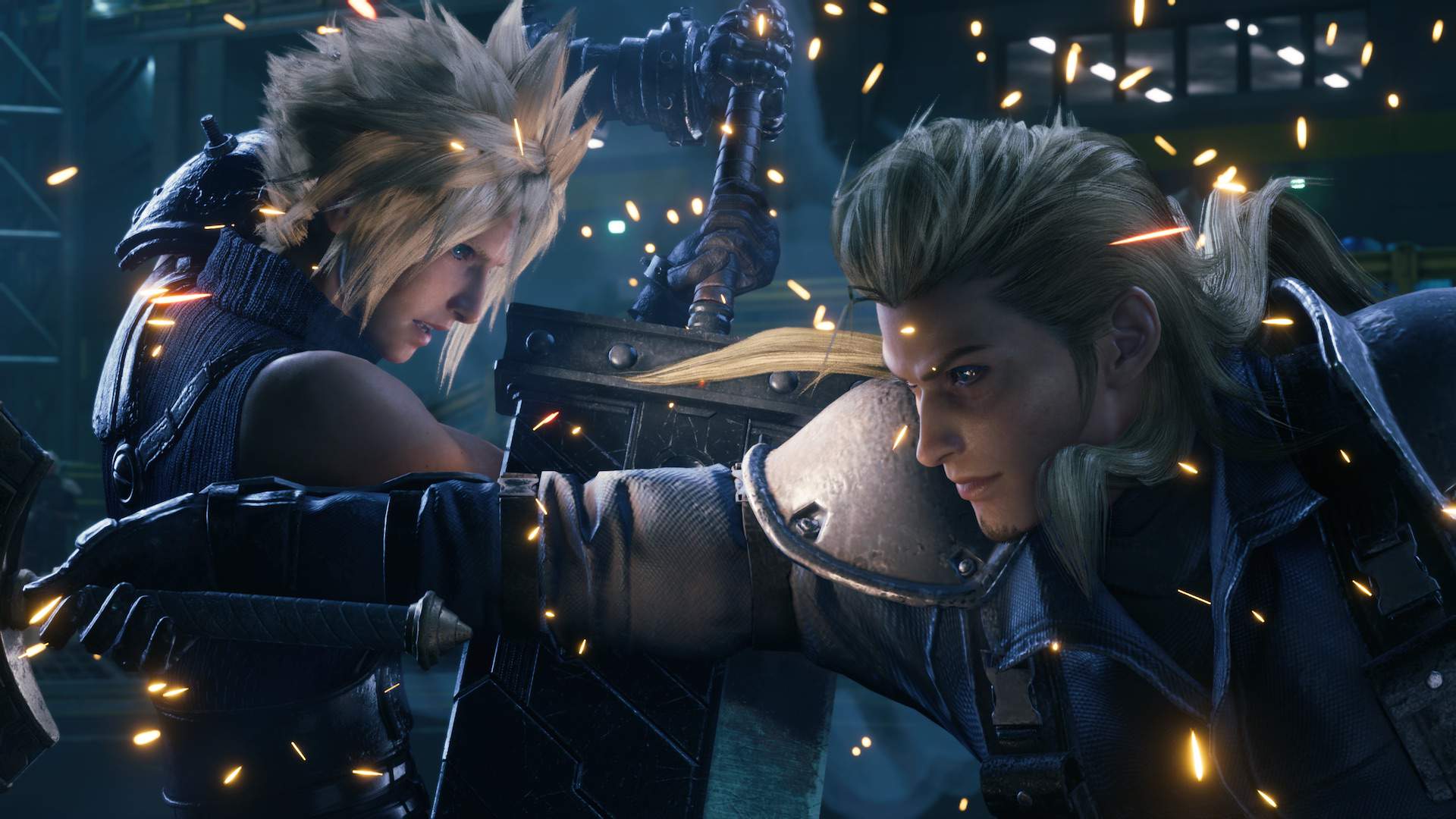
We don’t have to wonder what’s inside the demo, because it’s built around the game’s iconic opening chapter. That opening is a great “first bite” because it throws us into the world immediately, introduces the tone, and sets up the core conflict in a way that’s easy to follow even if we’ve somehow avoided Final Fantasy VII conversations for the last few decades. It’s also a strong slice of gameplay variety: movement, early combat, pacing, and the general rhythm of how the game wants to be played. For newcomers, it’s a clean first impression without needing a glossary. For returning players, it’s the ideal checkpoint because it’s familiar enough to judge changes, but still fun enough to replay without feeling like homework. In other words, it’s the perfect demo chapter: memorable, representative, and not afraid to show the real thing.
Save carryover and bonus items
One of the biggest reasons to bother with a demo – even when we’re already sure we want the full game – is when progress carries over. That’s exactly the situation here: save data from the demo can transfer into the full game, so time spent now can become your actual starting point later. That turns the demo into a head start rather than a disposable sample. On top of that, playing the demo can unlock bonus items in the full release, including the “Revival Earrings” and a “Survival Set.” That’s a small perk, but it’s the kind of small perk that feels nice because it rewards curiosity instead of punishing it. If we’re already planning to play on release day, the demo becomes a smart way to arrive prepared: controls learned, settings tuned, and early progress already in our pocket.
Download size and storage planning on Switch 2
The demo download size is 7.9GB, which is totally manageable, but only if we treat storage like a real thing and not a mythical creature that shows up when we clap our hands. On a busy console, 7.9GB can be the difference between “download started” and “download failed.” The good news is that planning this takes minutes, not hours. Check free space first, decide whether the console storage or a microSD card is the better destination, and then commit. If we’re the type who keeps every game installed “just in case,” this is the moment to be honest about what we actually play. Nobody needs five giant games installed if three of them are basically digital furniture. The demo is also a good excuse to tidy up now so release day feels smooth later.
Internal storage vs microSD card habits
Where should the demo live? There’s no single perfect answer, but there is a simple way to think about it: keep the experience smooth and keep your storage flexible. Internal storage is often the easiest choice because it avoids juggling cards and keeps everything centralized, but it can fill up quickly if we’re installing bigger releases. A microSD card can be a lifesaver for breathing room, especially if we rotate through a lot of games. The key is consistency. If we use the card for larger downloads and leave internal storage for system needs and frequently used games, life gets simpler. Also, demos are sneaky little things: they feel small emotionally, but they still take real space. The 7.9GB number is a friendly reminder that even “just a demo” deserves a quick storage check before we hit download.
A quick space checklist before downloading
Before we tap download, a quick checklist saves time and prevents that annoying moment where the eShop politely tells us “no.” First, confirm we have at least 10GB free, not because the demo is larger than 7.9GB, but because downloads and installs can be happier with breathing room. Second, check whether we’re installing to internal storage or a microSD card, and make sure the destination has the space too. Third, scan for obvious cleanup wins: unused demos, old capture videos, and games we haven’t touched since the weather was different. Fourth, consider moving one large game to the microSD card if internal space is tight, because swapping installs is often faster than deleting and re-downloading later. Think of it like clearing a path before carrying a couch through the hallway. It’s still the same couch, but now we’re not bruising our shins.
Finding the demo on the Nintendo Switch 2 eShop
Sometimes the only hard part about downloading a demo is actually locating it. Stores can be weird like that: a demo exists, but it doesn’t always wave at us from the front page. The practical move is to use search first, because search is direct and doesn’t rely on whatever the store is promoting at the moment. Type the full game name, look for the correct listing, and then check for a demo option. If we’re browsing categories, it can still show up, but browsing is like wandering a supermarket hungry – we might find it fast, or we might leave with three things we didn’t plan to buy. Search keeps it simple. Once we find the demo listing, confirm the download size and destination storage, then let it ride.
Search tricks and regional quirks
It’s worth knowing that availability and visibility can vary depending on region and storefront behavior, even when the demo is officially out. If the demo doesn’t show up immediately, try searching “Final Fantasy VII,” “FF7 Remake,” or “Intergrade,” because store search sometimes favors shorter terms. Also check whether there are multiple listings for the same title, because separate pages can exist for editions or bundles. If we still can’t see the demo, a quick console restart and another search can refresh store data. The goal here isn’t to turn this into a scavenger hunt – it’s to avoid wasting time. The demo is available now, so if it’s not visible at first glance, it usually means the store UI is being unhelpful, not that we’re doing something wrong.
What Intergrade means on Switch 2
“Intergrade” can sound like a mysterious subtitle, but it’s really about getting the enhanced edition of Final Fantasy VII Remake rather than a stripped-down version. That’s important because when a game arrives on a new platform, the big question is always: what exactly are we getting? Here, the answer is that Switch 2 is lined up for the Intergrade version, which is the expanded package of the remake experience. That’s good news for newcomers because it means starting with a version that’s positioned as the complete offering, not a compromise. It’s also good for returning players because it frames Switch 2 as a legitimate home for the game, not a “bonus port that we ignore.” The demo is the first chance to confirm how that package feels in our hands on this system.
The “Intergrade” bundle in plain language
In plain language, Intergrade is the upgraded edition of Final Fantasy VII Remake, and it includes additional story content as part of the package. The big takeaway is that we’re not just buying the base experience and then wondering what’s missing – we’re getting the edition that’s been positioned as the enhanced release. That matters because the remake is built with strong cinematic pacing and a combat system that mixes real-time action with command decisions, and the Intergrade edition is meant to represent that vision in its best form. For people who missed the game on other platforms, this is the cleanest entry point: one name, one package, and a demo that lets us test the vibe before committing. If we already know we love the remake, Intergrade on Switch 2 is about convenience and preference – playing where we want, not where we have to.
Getting ready for release day
The full release date is January 22, 2026, which makes the demo feel like a perfectly timed warm-up rather than a random drop. Release days can be chaotic: patches, downloads, and the classic “why is my storage full now?” panic. The demo helps us avoid most of that. If we download 7.9GB today, we’ve already confirmed we can make space, our internet behaves, and the eShop is cooperating. That’s a small victory, but small victories add up when we’re excited and impatient. The other advantage is familiarity. When release day hits, we’re not learning menus while the story is trying to emotionally punch us in the face. We’ll already know how the game wants to be played, which makes the first hours feel smoother and more enjoyable.
Preload mindset, updates, and day-one housekeeping
Even without getting into complicated planning, a simple mindset helps: treat release day like a trip and pack the night before. That means keeping storage clean, leaving some free space for updates, and making sure the console is ready to download without drama. If we’re the type who likes to play the moment a game unlocks, we should avoid filling storage right up to the edge, because big releases often come with updates that need extra room. The demo is also a good time to check that downloads run reliably on our network. If we see slow speeds or frequent errors now, we can fix them before January 22 instead of troubleshooting while the game is calling our name. Future us will be grateful, and future us is famously hard to impress.
Tips for first-time players starting with the demo
If this is our first time with Final Fantasy VII Remake, the demo is the best kind of introduction: immediate, playable, and not overwhelming if we let it breathe. The smartest approach is to slow down just enough to learn the basics without turning it into a study session. Pay attention to how movement feels, how camera sensitivity sits, and how menus are laid out. These small adjustments can make the experience feel “right” in your hands, which matters a lot in action-focused combat. Also, don’t stress about playing perfectly. The goal is comfort, not bragging rights. Think of it like trying on shoes. We’re checking fit, not running a marathon. If we finish the demo feeling confident, the full game will feel welcoming instead of intimidating.
Combat and settings that make the first hour click
The combat system rewards a balance of action and decision-making, so the demo is a great place to practice that rhythm. Try a mix of basic attacks, defensive movement, and command-based actions to get a sense of flow. If the camera feels too fast or too slow, adjust it early – tiny tweaks can prevent frustration later. Also, take a moment to look at accessibility and difficulty-related options if they’re available to you, because comfort settings are not “cheating,” they’re customization. The demo’s opening chapter is designed to teach by doing, so let it. If we treat the demo as a practice run, the full game becomes less about fumbling with buttons and more about enjoying the moment-to-moment experience. And yes, it’s totally acceptable to pause mid-fight to remember what a menu option does. We’re not being judged, and if we are, that judge is imaginary.
Tips for returning players replaying on Switch 2
If we’ve already played Final Fantasy VII Remake on another platform, the demo can still be worthwhile because it answers a different question: how does this version feel for us on Switch 2? Returning players can use the demo like a calibration tool. We already know what happens, so we can focus on responsiveness, comfort, and whether the experience suits how we like to play. It’s also a chance to see whether we want to replay the story now, or whether we’d rather treat Switch 2 as the platform we’ll use for future entries in the trilogy. Either way, it’s a low-risk test. And honestly, revisiting that opening chapter is like rewatching the first episode of a show you love – familiar, punchy, and weirdly comforting, even when you already know every beat.
What to focus on when you already know the beats
Returning players get to be picky, and that’s a gift. Use the demo to pay attention to controls, camera feel, and how quickly you can move between action and commands. Check how readable the UI feels in handheld play if that’s your style, because text clarity and menu comfort matter over a long RPG. Also consider how you want to approach January 22. Do we want to carry over demo progress and start the full release with momentum, or do we want a fresh start on launch day for the full “new game” feeling? Both are valid. The carryover option simply gives flexibility. The demo is also a good reminder that nostalgia is not the same as muscle memory – you might remember the story perfectly and still need five minutes to remember your preferred combat rhythm. That’s normal, and the demo is the perfect place to shake that rust off.
Troubleshooting downloads and installs
Even a smooth demo drop can run into real-world problems: slow downloads, store hiccups, or storage warnings that show up at the worst time. The best troubleshooting approach is boring, because boring usually works. Start with the basics: confirm storage space, confirm a stable internet connection, and restart the eShop if it’s acting weird. If the download stalls, pause it, wait a few seconds, and resume. If the store won’t load properly, closing the eShop and reopening it can refresh the listing. These steps aren’t glamorous, but they’re reliable. The key is to avoid random button-mashing out of frustration. We want a calm, repeatable process. The demo isn’t going anywhere, and spending five minutes fixing the setup is better than spending an hour getting angry at a progress bar.
Fixes for slow downloads, errors, and stuck installs
If downloads are slow, the simplest win is to reduce network competition: pause other large downloads on the console and avoid heavy streaming on the same connection if possible. If an error appears, take note of it, then try restarting the console before doing anything more dramatic. A restart clears out temporary glitches more often than we’d like to admit. If the demo is visible but the download button fails, try searching the title again and entering the listing through search rather than a store banner. If storage is the issue, delete or archive something large, then retry with at least a few extra gigabytes beyond the 7.9GB requirement. When installs get stuck, patience matters, but so does decisiveness: cancel, restart, and begin again once the system is stable. It’s like untangling headphones – gentle at first, firm when needed, and always slightly annoying.
After the demo: what comes next
Once we’ve finished the demo, the path forward is refreshingly clear. If we liked what we played, we can look ahead to the full release on January 22, 2026 and decide whether we want to carry our save forward or restart for that clean “launch day” feeling. If the demo didn’t click, that’s useful too, because demos are supposed to protect us from buying something that doesn’t fit our taste. The other big benefit is confidence. We’ll know the tone, the pacing, and the basic feel of the game, which means we can step into the full release without uncertainty. The demo is essentially a handshake: a quick introduction that tells us whether we want to hang out for the next several dozen hours. And let’s be real – that’s a commitment. It’s nice to go in with eyes open.
Staying spoiler-free while still feeling ready
It’s easy to get pulled into online discussion after trying a demo, but if we want to stay spoiler-free, the best move is to keep curiosity contained. The demo already gives a strong sense of what the experience is about, so there’s no need to chase plot summaries or comparison videos that might reveal more than we want. Instead, focus on practical readiness: storage space, comfort settings, and whether you want to keep the demo installed for quick revisits. If we’re excited, we can channel that excitement into getting our setup ready for January 22 rather than hunting for information that could ruin surprises. The whole point of this demo is that we can feel prepared without needing the internet to explain every detail. Let the game speak for itself. It’s louder than any comment section anyway.
Conclusion
The Final Fantasy VII Remake Intergrade demo landing on the Nintendo Switch 2 eShop is the kind of surprise that actually helps, not just hypes. With a 7.9GB download, it’s big enough to be a real slice of the experience, but still manageable if we do a quick storage check and clean up a few unused installs. More importantly, the demo covers the opening chapter, which is the perfect place to judge whether the combat flow, pacing, and overall feel match what we want. The fact that demo progress can carry over into the full game makes it even more worthwhile, because time spent now can become your real starting point on January 22, 2026. Add in the bonus items tied to demo save data, and it’s hard to see a downside. Whether we’re brand new to the remake or returning for a Switch 2 playthrough, downloading the demo is a smart, low-risk way to step into Midgar before launch day arrives.
FAQs
- How big is the Final Fantasy VII Remake Intergrade demo on Switch 2?
- The demo download size is 7.9GB, so it’s worth checking free space before starting the download.
- Does demo progress carry over to the full game?
- Yes, demo save data can carry over to the full game, so you can continue from where you left off when the full release arrives.
- When does Final Fantasy VII Remake Intergrade release on Nintendo Switch 2?
- The full game launches on January 22, 2026.
- What does the demo include?
- The demo lets you play the game’s iconic opening chapter, giving a strong sense of the combat and overall feel.
- Are there any rewards for playing the demo?
- Players with demo save data can unlock bonus items in the full game, including the Revival Earrings and a Survival Set.
Sources
- Games coming to Nintendo Switch 2 and Nintendo Switch in 2026, Nintendo UK, December 16, 2025
- Final Fantasy VII Remake Intergrade Switch 2 and Xbox demos now available, RPG Site, December 16, 2025
- Surprise! Final Fantasy VII Remake Intergrade’s Free Switch 2 Demo Is Now Live, Nintendo Life, December 16, 2025
- Surprise, You Can Start Playing Final Fantasy 7 Remake Right Now On Switch 2 And Xbox, GameSpot, December 16, 2025
- A free demo for the Switch 2 and Xbox Series X/S versions of Final Fantasy 7 Remake Intergrade is available now, VGC, December 16, 2025