














Summary:
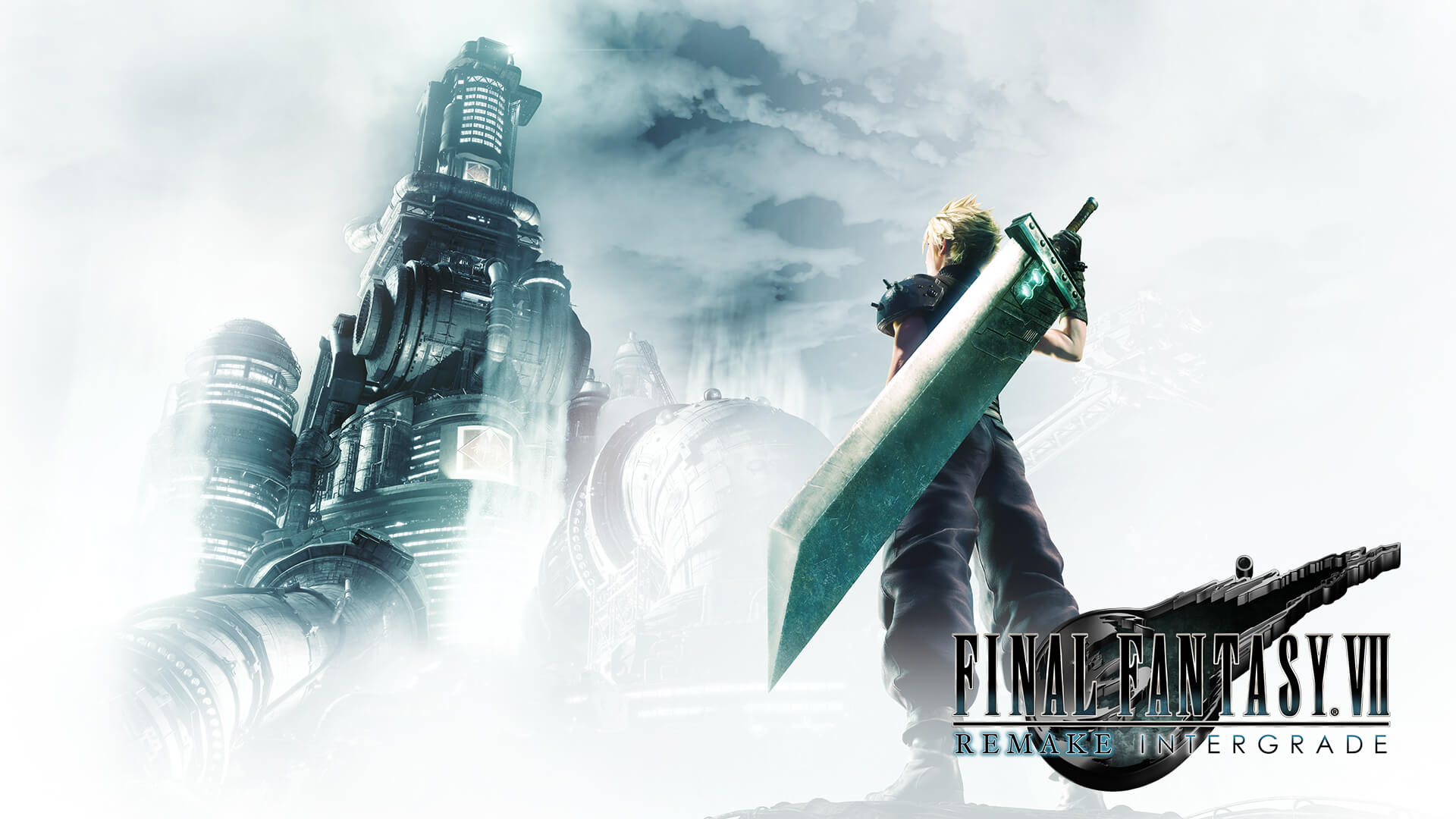
Now that FINAL FANTASY VII REMAKE INTERGRADE has landed on Nintendo Switch 2, the demo has quietly been updated on the Nintendo eShop, and that small detail is doing a lot of heavy lifting. A demo is the handshake before the long conversation, and if the handshake feels weird, people back away. Reports about the demo update also point out the awkward part: there are no public patch notes explaining what changed. So instead of guessing, we can treat the update like a checklist moment. We can confirm the basics that matter most to anyone on the fence: how it looks in docked and handheld play, how the controls feel, whether the performance stays stable when fights get loud and flashy, and whether the demo still does what it is supposed to do, which is make the jump to the full game feel easy and tempting.
We can also use this moment to get practical about the bigger reality of this release. Nintendo’s official store listing for the US notes a January 22, 2026 release date, while Nintendo’s Dutch site lists February 1, 2026, which is a nice reminder that regional storefronts can tell slightly different timing stories. The Switch 2 version also carries a serious file size, so storage planning is not optional. And because the demo has been promoted as something that can carry progress forward, it is worth approaching it with intention: set up shortcuts, test a couple of materia combinations, and use a short play session to decide whether this version fits how we actually play on a Switch. If we do that, the update stops being a mystery and starts being a useful nudge.
The Final Fantasy VII Remake Switch 2 release and why it matters
FINAL FANTASY VII REMAKE INTERGRADE arriving on Nintendo Switch 2 is a big deal because it is not a tiny bite sized spin off. It is the modern rebuild of a classic, packaged in a way that is meant to feel premium on current hardware. If you have been waiting to play this story on a Nintendo system, this is the moment where the door finally opens and the music hits before you even step inside. The Switch angle also changes how we live with the game. We can play a heavy cinematic RPG on the couch, then pick it up later in handheld mode like it is a paperback novel we cannot stop reading. And if we are already juggling a backlog the size of a small mountain, the demo is the sensible way to see if this is the climb we want to start today.
Release dates and regional timing
One small wrinkle is that storefront dates can differ by region, and Switch 2 is showing that in plain text. Nintendo’s US store page lists the release date as January 22, 2026, while Nintendo’s Dutch site lists February 1, 2026. That does not mean one of them is lying, it usually means regional timing, storefront rollout, or listing conventions are not perfectly synchronized. The practical takeaway is simple: we should trust our local eShop for the moment that matters, which is when we can actually download and play. It is like planning a train trip with two apps that disagree by a few minutes. The train still arrives, but we wait on the platform that matches our ticket.
What Intergrade includes on Switch 2
Intergrade is not just the base game with a new sticker on it. Nintendo’s product description spells out that it includes the full game plus FF7R EPISODE INTERmission, the add on chapter centered on Yuffie. That matters because it is the version many people point to as the modern baseline, not an optional upgrade for later. If you are shopping, this helps you avoid the annoying feeling of buying something and immediately learning there is a second receipt you did not expect. It also frames how we should treat the demo. The demo is not trying to sell you on a small slice, it is trying to sell you on a package that can eat weeks of your free time if you let it. And yes, it will try to.
Episode INTERmission and Yuffie’s role
The Yuffie episode is more than a bonus character cameo. It is a parallel story thread that expands the broader picture of Midgar and adds a different energy to the pacing and combat feel. Nintendo’s Dutch listing describes INTERmission as a storyline running alongside Cloud’s adventure, offering another perspective. That is a helpful way to think about it even if we are trying to stay spoiler light. If Cloud’s side is the main highway, Yuffie’s chapter is the side road that shows what the map looks like beyond the guardrails. For players who like seeing how systems evolve, it also means more chances to experiment with combat tools and build choices after we have learned the basics.
The eShop demo update and the mystery factor
The demo getting updated after the full game is available is the kind of detail that makes people lean closer to the screen. It is not unheard of, but it is not everyday either, and that is why it stands out. The key point is that the update exists, and people noticed it because the version changed, not because Square Enix published a flashy announcement with bullet points. My Nintendo News specifically notes the update and also points out that there are no patch notes explaining what changed. That lack of notes does not automatically mean something dramatic happened. It usually means the change was technical, a small fix, or something Square Enix did not think needed a marketing moment. Still, we can be smart about how we respond: we can test the parts of the demo that matter most, and treat the update as a reason to re check our first impressions.
What we can confirm about the update
What we can confirm is straightforward: the demo has been updated on the eShop, and as of February 2, 2026, at least one report says there are no patch notes published alongside it. That means we should avoid pretending we know the exact changes, because we do not have an official public list to quote. Instead, we can do the player version of due diligence. We can check whether the demo boots faster, whether any stutters we noticed are reduced, whether audio sync feels cleaner in cutscenes, and whether menus respond more quickly. Those are the kinds of invisible fixes that matter in practice. If a demo is the front door, an update often fixes the squeaky hinge, not the living room furniture.
Why patch notes sometimes do not exist for demos
Patch notes are great when a change affects how we play, but demos often live in a weird space. They are not always treated like a full live service build with a public update history, especially if the update is small or purely technical. A demo might get an adjustment to stability, a fix for a specific crash, a tweak to download behavior, or changes to how it hands off save data. None of those are exciting, but all of them prevent frustration. And frustration is the one thing a demo cannot afford. A demo is already asking you to invest time without the full payoff. If it then wastes your time with a crash or a messy download, it feels like getting offered a free sample and then being handed an empty cup. Nobody likes that.
How to use the demo like a proper test drive
If we treat the demo like a casual snack, we will miss the point. The smarter move is to treat it like a test drive with a short route and a clear goal. We are not trying to beat everything or squeeze every secret out of it. We are trying to answer a few practical questions: does it look good on our screen, does it feel good in our hands, and does the combat click fast enough that we want more. This is also where the demo update matters most, because it encourages a fresh look. If you tried the demo earlier and bounced off, the update is a nudge to try again with a slightly different mindset. Sometimes you do not hate the car, you just hated the seat position.
Visual checks in docked and handheld play
Start by checking visuals in the mode you will actually use most. It is easy to obsess over docked performance if you mostly play handheld, or the other way around, and that is how we trick ourselves into the wrong buying decision. A Tom’s Guide piece published on January 28, 2026 highlights how strong the game can look on Switch 2, especially in handheld play, while also noting tradeoffs like frame rate expectations compared to more powerful platforms. That tells us what to look for without turning it into a pixel counting contest. In handheld, check character detail, lighting, and how readable the UI feels at a smaller size. Docked, check whether the image stays clean in motion and whether big spell effects turn the screen into glitter soup.
Audio, controls, and accessibility quick checks
Next, pay attention to the things people forget to test until it is too late. Audio is one of them. Listen for balance between voices, music, and combat effects, and see whether dialogue stays clear even when the scene gets noisy. Controls are the other big one. The remake’s combat is a hybrid system that wants you to move in real time but think in bursts, and that only feels good if inputs are responsive. Spend five minutes in the menu and set up shortcuts in a way that matches your habits. If you know you panic in fights, give yourself a panic proof layout. There is no shame in building guardrails. The best players do it, they just call it preparation.
Controller feel and shortcut setup
This is where we make the demo feel like it belongs to us instead of feeling like a borrowed save file. The shortcut system is the bridge between real time action and tactical choices, and the bridge only works if we actually walk across it. Set a couple of abilities you like, assign a spell you will actually cast, and make sure you can reach them without thinking. If you play docked with a Pro style controller, test that. If you play handheld, test that too, because the grip and button feel can change what you prefer. We are basically training muscle memory in a short session. And muscle memory is petty. It will not adapt just because we politely asked.
A quick loadout we can try in the demo
If you want a simple setup that makes the demo feel smoother fast, keep it practical. Give one character a basic healing option so you are not relying on items every time you get clipped. Give another character a straightforward damage spell or ability you can use when enemies are pressured. Then map your most used actions to shortcuts so you stop pausing like you are trying to solve a math problem mid punch. The point is not to chase an optimal build, it is to reduce friction. Friction is what makes people say the combat feels busy when it is really just unfamiliar. Once the controls stop fighting you, the system starts feeling like a rhythm game where you finally learned the beat. And when that clicks, the demo stops being a demo and starts being a threat to your free time.
Combat lessons the demo teaches without saying a word
The combat system is the heart of why this remake works. It is flashy, yes, but it is also surprisingly structured once we stop button mashing and start reading what the game is asking for. The demo is basically a small classroom with explosions. We learn that attacking builds ATB, ATB fuels abilities and spells, and smart swaps keep momentum going. It rewards you for being active and for thinking ahead, which is a fun mix because it makes you feel clever without making you feel slow. If you are new, the demo is where you learn that the game is not asking you to be perfect, it is asking you to be intentional. If you are returning, it is where you remember why the flow feels so good when you stop resisting it.
ATB flow, pressure, and smart swapping
ATB is the engine, and pressure is the signal that the engine is working. The simplest way to play is to keep attacking to build ATB, then spend ATB on abilities that push enemies into pressured states, then capitalize with stronger moves. The trick is that you do not want one character doing everything while everyone else stands around like they are waiting for a bus. Swap often. Build ATB on multiple characters. Spend it in a way that keeps the fight moving forward. When you do this, combat stops feeling like chaos and starts feeling like conducting a loud orchestra. And yes, sometimes the orchestra includes a guy with a sword the size of a kitchen counter. That is the charm.
Materia choices that pay off early
Materia can look intimidating if you are new because it feels like you are being asked to build a character sheet while enemies are actively trying to delete your health bar. The demo is a safe place to get comfortable. Focus on a small set of tools that solve common problems: staying alive, dealing consistent damage, and exploiting weaknesses when you spot them. Even if you do not know every enemy type, you will feel the difference when you have a reliable answer to pressure moments. Materia is less about making a perfect build and more about making sure you always have at least one good option. It is like packing a bag for a day trip. You do not need everything you own, you just need the things you will actually use.
Story expectations for newcomers and returning players
The remake retells the Midgar portion of the original story, but it does it with more scenes, expanded character moments, and a more cinematic pacing. Nintendo’s product descriptions emphasize that it is a partial remake of the 1997 game and the first title in a multi part series, focused on the Midgar stretch. That framing is important because it sets expectations. We are not buying the entire original journey in one package. We are buying a focused chapter that has been rebuilt with modern presentation and a lot more room to breathe. If you go in expecting a full retelling of everything, you will feel confused. If you go in expecting a big, dramatic first act with a clear arc, you will probably be thrilled.
If this is your first time in Midgar
If you are new, the best mindset is to let the city be the main character for a while. Midgar is not just a backdrop, it is a machine that shapes everything: the way people live, the way power works, and the way our heroes and villains justify what they do. The demo is often enough to show tone, stakes, and the push and pull between ordinary people and massive systems. Do not worry about catching every reference. You do not need a dictionary to enjoy a good story. Focus on whether you like the characters, whether the pacing pulls you forward, and whether the combat loop feels like something you want to live inside for dozens of hours. If the answer is yes, the rest can be learned naturally.
If you already know the beats
If you are returning, the fun is in noticing how scenes are staged and how character moments are given more space. The remake is not trying to be a museum exhibit that you walk through silently. It is trying to be a performance. Use the demo to see whether the Switch 2 version captures the mood you remember, especially in handheld play where the experience can feel more personal. Also pay attention to the small stuff: menu responsiveness, camera feel, and how quickly fights load and flow. Those are the quality details that decide whether this becomes your preferred way to replay. A good port is not just playable, it is comfortable, like a favorite jacket that still fits.
Before we buy: storage, editions, and save carryover
This is the part where we put on the responsible hat for two minutes, even if it does not match our outfit. Nintendo’s US store listing shows a game file size of 90.4 GB. That is not a tiny download you casually squeeze in between screenshots and optimism. If you are on a smaller storage setup, you may need to plan, archive, or move data. The upside is that knowing this early helps you avoid the worst case scenario: being ready to play and then staring at a download bar while your evening disappears. Also, because Intergrade is positioned as a complete package, we should check which edition we are buying and what extras are included, so we do not accidentally double purchase something later.
File size reality and planning space
A roughly 90 GB file size means storage is part of the buying decision, not a footnote. If you mostly play big releases on Switch 2, you already know the drill: rotate games, archive what you are not using, and keep enough free space so updates do not ambush you. Think of storage like refrigerator space. You can buy all the groceries you want, but if there is no room, you are still eating cereal for dinner. The demo is a good moment to check your available space and decide whether you want this game living on internal storage for speed and convenience. It is not glamorous, but it saves headaches.
Save data carryover and what it means
One of the most practical reasons to care about the demo is save carryover. GoNintendo’s post about the demo being live notes that save data will transfer over to the full game, which is exactly what we want from a time investment standpoint. It means the demo is not just a trailer you control, it is progress you can keep. That changes how we should approach it. If you are leaning toward buying, play the demo with intention. Explore enough to feel the systems, set up your preferences, and leave yourself in a spot that feels like a clean starting line. It is like laying out your running shoes the night before. You are making it easier for your future self to say yes.
Troubleshooting the demo: the boring fixes that work
Even great releases have small friction points, and demos can be especially sensitive because they are meant to download quickly and run smoothly for as many players as possible. If you run into download issues, slow installs, or weird behavior, do not spiral into conspiracy mode. Start with the basics: check your connection, restart the system, and try again. If a demo was recently updated, caches and downloads can sometimes behave oddly for a short period, especially if your system grabbed an older version and then had to reconcile it. Think of it like a vending machine that needs a second to realize it is supposed to give you the new snack, not the old one.
Download issues, account checks, and restarts
If the demo will not download or will not boot, confirm you are signed into the correct Nintendo Account and that your system has enough storage space to complete the install. Then fully restart the console, not just sleep mode, because sleep mode loves to hold onto tiny problems like they are souvenirs. If you are downloading over Wi Fi, try moving closer to your router or switching networks temporarily. It is not exciting advice, but it works more often than people want to admit. If the demo shows up but behaves strangely, delete it and reinstall so you are confident you are on the updated build. That is the clean slate approach, and it usually clears the fog.
What we hope Square Enix does next on Switch 2
A demo update with no public notes is a quiet move, but it signals that Square Enix is paying attention to first impressions on Switch 2. The next step we want is simple communication. Even a short note saying the update improves stability or addresses specific issues would help players feel informed without turning it into a marketing circus. Beyond that, we want continued support so the Switch 2 version stays healthy as the broader remake series evolves. If you are the kind of player who double dips, you want confidence that this version will age well. If you are buying for the first time, you want reassurance that Switch 2 is not the side platform, it is a real priority. The best outcome is that the demo feels polished, the full game feels solid, and we spend our time fighting Shinra instead of fighting settings.
Conclusion
The demo update is a small headline with a practical takeaway: this is a good moment to re check how FINAL FANTASY VII REMAKE INTERGRADE feels on your Switch 2. We cannot point to official patch notes that explain the changes, but we can still be smart about what we test. Use the demo to check visuals in your preferred play mode, set up shortcuts so combat feels natural, and confirm you have the storage headroom for a very large download. If the demo clicks, the full game is already positioned as the complete package, including the Yuffie episode, which makes the jump feel less like a gamble and more like a confident step forward. In other words, we do not need mystery to enjoy the moment. We just need a controller, a little curiosity, and a willingness to let Midgar steal an evening or ten.
FAQs
- Is the FINAL FANTASY VII REMAKE INTERGRADE demo really updated on Switch 2?
- Yes, reports note that the demo on the Nintendo eShop has been updated, but there are no public patch notes describing the exact changes.
- Do we know exactly what changed in the updated demo?
- No official public change list has been shared alongside the update, so the safest approach is to test practical areas like stability, visuals, and responsiveness.
- Does demo progress carry over to the full game on Switch 2?
- Yes, the demo has been promoted as supporting save data transfer to the full game, which means time spent learning controls and settings can pay off later.
- How much storage do we need for the full Switch 2 version?
- Nintendo’s US store listing shows a game file size of 90.4 GB, so we should plan storage space before buying or downloading.
- Why does the release date look different across regions?
- Nintendo’s US store lists January 22, 2026, while Nintendo’s Dutch listing shows February 1, 2026. Regional storefront timing and listings can differ, so the local eShop is the best final reference.
Sources
- Final Fantasy VII Remake demo has been updated, My Nintendo News, February 2, 2026
- FINAL FANTASY VII REMAKE INTERGRADE demo now live on Switch 2 (UPDATE), GoNintendo, February 2, 2026
- FINAL FANTASY VII REMAKE INTERGRADE for Nintendo Switch 2, Nintendo, January 22, 2026
- FINAL FANTASY VII REMAKE INTERGRADE, Nintendo NL, February 1, 2026
- I just played Final Fantasy VII Remake on Nintendo Switch 2 and it’s stunning – especially in handheld mode, Tom’s Guide, January 28, 2026