














Summary:
When Digital Foundry says Final Fantasy VII Remake Intergrade on Nintendo Switch 2 lands somewhere between the PlayStation 4 and PlayStation 5 versions, we should read that as a compliment with a checklist attached. It’s a compliment because the Switch 2 is clearly delivering a version that feels modern, sharp, and consistent in the ways that matter minute to minute. It’s a checklist because “between” is doing a lot of work here – some parts lean closer to PS5-style assets and presentation, while other parts remind us this is still a carefully balanced console with real limits and real priorities.
The headline numbers tell the story in a way that’s easy to picture. Docked play targets around 1080p, handheld sits around 720p, and performance is basically locked at 30fps in both modes. That kind of consistency is the difference between a version you tolerate and a version you actually relax with. You don’t spend your time bracing for stutter when the camera swings, and you don’t feel like every fight is a technical stress test. Then there’s loading. Switch 2 loads faster than PS4, which is the kind of upgrade you feel constantly because it affects every boot, every retry, every fast travel moment. It’s still not playing in the PS5 league for raw speed, but it doesn’t need to – it just needs to keep you moving, and it does.
Put it all together and the Switch 2 version comes off like a well-packed suitcase. We’ve got the essentials, we’ve got a few nice extras, and we’re not dragging three heavy coats we’ll never wear. If you’re deciding where this version fits in your life, the real question is simple: do you want a stable, good-looking, portable way to play one of the most talked-about RPG reimaginings in years? If the answer is yes, the tech story lines up with that choice.
Why Digital Foundry’s Final Fantasy VII Remake Intergrade verdict matters
Digital Foundry has a reputation for cutting through console hype with the sort of detail that makes people argue about shadows like it’s a sport. That’s exactly why their take on Final Fantasy VII Remake Intergrade on Switch 2 carries weight. When a team like that says they’re impressed, it usually means the basics are solid – image quality is doing what it should, performance isn’t wobbling all over the place, and the overall presentation is coherent rather than patchwork. For you and me, that matters because ports live or die on feel. If the numbers look good but moment-to-moment play feels uneven, we notice fast. This time, the story they’re describing is a Switch 2 version that aims for steady results: roughly 1080p docked, around 720p handheld, and a 30fps target that’s close to locked. That’s not flashy, but it’s smart. It’s the difference between “neat demo” and “I can actually play this for hours without thinking about the tech.”
Where the Switch 2 version sits between PS4 and PS5
The “between PS4 and PS5” line is easy to repeat and surprisingly tricky to unpack. It doesn’t mean Switch 2 is constantly flipping a coin between two presets. It means the version borrows strengths from both sides and then commits to a consistent performance target. Compared with PS4, the Switch 2 version can present a cleaner-looking image and faster loading, which changes how modern the whole experience feels. Compared with PS5, it may not match the same loading speed tier, and it isn’t trying to chase higher frame rate modes here – it’s prioritizing stability at 30fps. That balance is why the label fits. Some assets and presentation elements can lean “newer,” while other aspects reflect a more measured budget. If you’ve ever cooked a meal with limited ingredients, you know the trick: pick what matters, nail it, and don’t burn the kitchen trying to do everything at once.
Visual feature mix – what looks PS5-like and what doesn’t
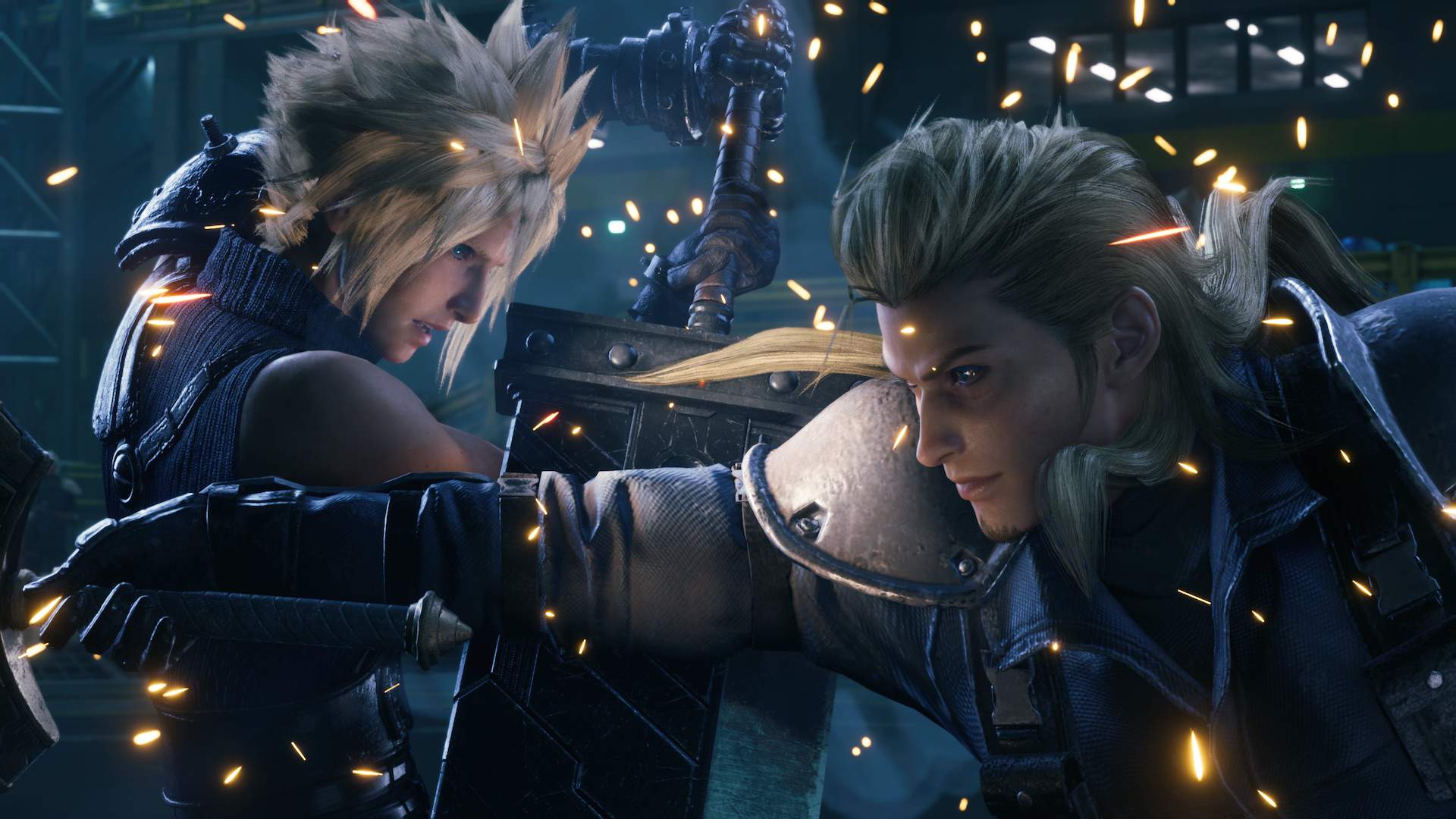
This is where the Switch 2 version gets interesting, because it’s not just a blunt downgrade. Digital Foundry’s general framing is that we’re seeing a blend – parts of the Intergrade upgrades show up, and the overall look can land closer to PS5 than you might expect in still moments, while other areas can feel more grounded. In practical terms, that can show up as certain textures or lighting touches that feel richer than a straight “last-gen” impression, paired with choices that keep performance steady. The result is a version that can surprise you when you stop and look around, then quietly reminds you it’s optimized for consistency when things get busy. That’s also why people describe it as a hybrid rather than a simple port. It’s not trying to win a screenshot contest against PS5. It’s trying to look good enough that you forget you’re making a comparison at all.
Texture selection and lighting upgrades
Textures and lighting are the easiest places to spot the intent behind a port, because they shape how “expensive” a scene looks at a glance without necessarily changing gameplay. Reports around the Switch 2 version point to upgraded elements being present, with the overall image often reading sharper than you’d expect from a PS4-like baseline, while still being selective about what gets the full treatment. That selectivity is important. If every surface demanded top-tier assets at all times, something else would have to give – usually frame pacing or resolution. Instead, the Switch 2 approach reads like a careful curation: keep the look appealing and coherent, make sure key spaces and characters hold up, and avoid the kind of wild swings that make a port feel uneven. It’s a bit like stage lighting in a theater – you don’t illuminate every corner equally, you light what the audience should care about.
What “hybrid” really means in day-to-day play
“Hybrid” can sound vague until you translate it into real play habits. Day to day, it means we’re getting a version that can feel more modern than PS4 in some presentation details, while still choosing a conservative performance profile that keeps battles and exploration smooth at 30fps. It means you’ll sometimes notice areas where the image clarity and asset choices feel surprisingly close to what you associate with the upgraded release, then you’ll hit a moment that reminds you the system is balancing a lot at once. The key point is that this balancing act is mostly invisible when it’s done well. You’re not constantly watching the frame counter in your head. You’re watching Cloud move, reading the battlefield, and reacting. A good hybrid is like a good remix – you recognize the original, you hear the improvements, and you don’t feel like anything is fighting for attention.
Resolution targets in docked and handheld
The resolution targets are straightforward on paper and meaningful in practice. Docked play sits around 1080p, while handheld is around 720p, and the game aims to keep that paired with a steady 30fps. That’s a sensible pairing for a cinematic, effects-heavy action RPG where clarity and stability matter more than chasing peak numbers. In docked mode, 1080p is the difference between readable detail and soft blur when you’re sitting a few feet from a TV. In handheld, 720p can still look sharp on a smaller screen, especially when the reconstruction and scaling do their job well. The point isn’t just “more pixels.” It’s that the image stays predictable. When the resolution target doesn’t bounce wildly, your eyes settle, and the game feels more polished. Nobody wants Midgar to look like it’s breathing in and out every time the action heats up.
How upscaling changes the feel of 1080p and 720p
Upscaling is one of those behind-the-scenes tricks that can either make a port look oddly smeared or surprisingly crisp, and Switch 2’s results are being discussed as a positive part of the package. When docked output is presented around a 1080p target and handheld lands around 720p, reconstruction can help maintain detail without forcing the system to brute-force every pixel the hard way. The practical benefit is consistency. Edges look cleaner, fine detail holds together better in motion, and the overall image avoids that “washed” look that older ports sometimes suffer from. It’s not magic, and it won’t turn a handheld screen into a PS5 showcase, but it can make the experience feel intentionally authored rather than merely squeezed in. Think of it like a good pair of glasses: the world doesn’t change, but suddenly you stop squinting.
The 30fps story – stability over ambition
Let’s talk about the number people love to argue about at parties nobody enjoys attending: frame rate. The Switch 2 version is described as basically locked to 30fps in both docked and handheld play. For a game like Final Fantasy VII Remake Intergrade, that choice makes sense because the combat presentation is dense – particle effects, cinematic camera moves, lots of animation layers, and big set-piece moments that can crush weaker builds. A stable 30fps is not a compromise if it’s paired with good frame pacing and consistent responsiveness. It’s a design decision that protects the feel of the game. You can learn timings, trust the camera, and stop worrying that performance will dip the moment you cast something flashy. In a way, it’s like choosing a train that leaves on time over a sports car that only hits top speed downhill.
Why a locked 30 can feel better than a shaky 60
A shaky 60fps is the gaming equivalent of a confident handshake that turns into a limp noodle halfway through. It sounds great until it doesn’t, and when it doesn’t, you notice constantly. A locked 30fps, on the other hand, can feel smooth because it’s predictable. Your inputs align with what you see, camera motion stays readable, and combat doesn’t turn into a strobe light when effects stack. That predictability matters even more in handheld mode, where you’re often playing in shorter bursts and want the experience to feel reliable. You pick up the system, you clear a chapter, you put it down, and you don’t feel like you spent the session wrestling the hardware. For Switch 2, the real win is that both modes aim for the same performance vibe, so you don’t have to “re-learn” how the game feels when you undock. Consistency is comfort, and comfort is what gets you to the next boss.
Loading times – the quiet win you feel every session
Loading is the part of gaming nobody puts on a poster, but it’s the part that shapes your patience. Here, the Switch 2 version is described as loading faster than PS4, while still not matching the PS5’s speed tier. That’s a very useful middle ground. Faster-than-PS4 loads mean less dead time between attempts, less friction when you restart after a rough fight, and less “phone check” behavior while the game catches up. Not matching PS5 is understandable because PS5 is built around a very specific storage pipeline that has become a defining feature of that console generation. The good news is that Switch 2 doesn’t need to be the fastest on the planet to feel modern – it just needs to be fast enough that you stop thinking about it. When loading fades into the background, the pacing of the story and the rhythm of play start to shine.
Comparing Switch 2, PS4, and PS5 without hand-waving
Comparisons get messy when people turn them into identity wars, so it helps to keep this simple. PS4 is the baseline many players remember: great game, but loading that can feel like a pause button on momentum. PS5 is the high-water mark for speed, where transitions can feel almost instantaneous and the flow is noticeably tighter. Switch 2, based on the performance breakdowns being shared, lands in a practical sweet spot: meaningfully quicker than PS4 and not pretending to be PS5. That’s the honest comparison, and it’s actually good news for the Switch audience. It means Square Enix and the port team aimed for improvements you’ll notice constantly, without overpromising. If you’ve ever upgraded your internet from “painful” to “finally normal,” you know the feeling – you’re not suddenly living in the future, but the daily annoyance is gone.
Handheld mode reality check
Handheld mode is where a lot of ambitious ports either become miracles or become cautionary tales. The Switch 2 version targeting around 720p in handheld while staying basically locked at 30fps is a strong sign that this isn’t a “dock-only” success story. Handheld play is more demanding in some ways because you’re dealing with power limits, heat limits, and the reality that you’re playing on a smaller screen where motion clarity can be more noticeable. A stable 30fps matters here because it keeps camera movement readable and keeps combat from feeling like it’s dropping frames every time an effect goes off. It also makes the game feel like it belongs on a portable system rather than merely running there. If you’re commuting, traveling, or just stealing time on the couch while someone else owns the TV, the best handheld port is the one that feels natural.
Battery, thermals, and why consistency is the point
Even when we’re not staring at battery charts, we can feel when a handheld experience is pushing too hard. Fans ramp, heat builds, performance can start doing little dances, and suddenly the session feels less relaxing. A 30fps target paired with sensible resolution goals is often the antidote to that problem because it keeps the workload more predictable. Predictable workload tends to mean predictable thermals, which tends to mean a steadier experience across longer sessions. In other words, the port isn’t just chasing a nice-looking first five minutes. It’s trying to hold up when you’re an hour in and the game has thrown multiple big scenes at you. That’s especially important for an RPG where people love to play “just one more chapter” until it’s suddenly midnight. Handheld success is rarely about peak performance – it’s about staying pleasant.
Storage, downloads, and what to plan for
This is the part where we all sigh and start deleting screenshots we swear we’ll organize someday. Final Fantasy VII Remake Intergrade is a big modern release, and on Switch 2 it’s being listed with a very large file size on the official store page. That matters because big downloads change how you plan your library. If you like having multiple large releases installed at once, you’ll want to think ahead – not because it’s scary, but because it’s annoying to manage storage on the day you want to play. The upside is that Switch 2 is clearly being treated as a platform where these “huge game” launches are normal, not rare. The downside is simple: space disappears quickly. If your play style involves bouncing between a few big games, a storage plan is not optional. It’s the new “do I have enough AA batteries?” moment.
Internal space, microSD, and the “big game” era
The official listing for the Switch 2 version shows a substantial download requirement, and that’s your cue to think about how you want to use internal storage versus expansion storage. Internal space is usually where you want your most-played games, especially if you value quick access and fewer management headaches. Expansion storage can be a lifesaver for keeping multiple large releases on hand, but it’s still worth treating it like a closet: if you keep stuffing it without organizing, you’ll end up frustrated. The practical move is to decide what you actually play every week, keep that installed, and rotate the rest like a seasonal wardrobe. It’s also worth remembering that big RPGs are time commitments. If you’re settling into this one for a while, you can make space confidently, knowing you’re not likely to abandon it after two evenings.
How this port sets expectations for Rebirth and Part 3
Final Fantasy VII Remake Intergrade on Switch 2 is more than a single release – it’s a signal about what Square Enix thinks the hardware can handle, and how it wants the trilogy to reach more players. If this version is landing with stable performance and a respectable presentation, it becomes a proof point for what comes next. That doesn’t mean Rebirth will be identical in demands. Rebirth is a different beast in scope and structure, and anyone pretending otherwise is selling something. But a strong Intergrade release on Switch 2 is still meaningful because it shows the team can deliver a modern Unreal Engine-driven experience with consistent frame rate and sensible image targets on Nintendo hardware. It also sets the tone for what players will expect: stable performance first, smart visual choices second, and portability as the headline benefit.
What Square Enix’s director has hinted about future ports
Statements around the trilogy’s future on Switch 2 point toward an intent to keep the experience aligned across platforms, which is exactly what you want to hear if you’re investing time in a multi-part story. The ideal situation is simple: you play Part 1 on Switch 2, you feel confident the next releases won’t suddenly become “cloud-only” compromises or wildly inconsistent versions, and you can stick with the same platform if that’s your preference. Of course, every release will come with its own technical realities, but the direction matters. It suggests Switch 2 isn’t being treated as an afterthought. It’s being treated as a place where major JRPG releases can live with pride. If Intergrade is the opening handshake, the message is clear: Square Enix wants this relationship to last.
Settings to tweak first for the best experience
When a port is already stable, the best tweaks are about comfort and clarity rather than rescue missions. With a steady 30fps target and clear resolution goals, your first adjustments should be the ones that fit how you play. Docked players often benefit from dialing in TV settings that reduce unwanted smoothing or sharpening that can make motion look strange. Handheld players often benefit from small camera and control tweaks that make motion feel comfortable on a smaller screen. The goal is not to “fix” the game – it’s to tailor it to your eyes and your habits. Final Fantasy VII Remake is cinematic by design, and the better your setup matches that, the more the story beats land. You don’t want to fight your display while the soundtrack is trying to break your heart, right?
Display, motion clarity, and camera feel
If you’re playing docked, start by checking that your TV isn’t forcing heavy motion interpolation, because that can make 30fps look oddly slippery and introduce artifacts that feel worse than the original motion. A more natural presentation often looks cleaner and makes camera movement easier to read. If you’re playing handheld, pay attention to how camera sensitivity feels during exploration and combat, because a small adjustment can make the difference between “smooth” and “slightly dizzy.” Also, give yourself permission to value stability. A consistent 30fps with good pacing can look better than higher targets that can’t hold. The best part is that once you’ve tuned these basics, you can stop thinking about settings entirely and just play. The game is dramatic enough without you wrestling a menu like it’s a mini-boss.
Conclusion
Final Fantasy VII Remake Intergrade on Nintendo Switch 2 lands in a genuinely appealing spot: a version that Digital Foundry and other tech-focused coverage describe as a PS4-PS5-style blend, with roughly 1080p docked output, around 720p handheld play, and performance that’s basically locked at 30fps in both modes. The load time story is just as important as the pixels – faster than PS4, not in PS5 territory, but fast enough to keep momentum intact. Put all that together and we get a release that feels less like a miracle and more like a confident, well-planned port. If you’ve been waiting for a portable way to experience Midgar with stable performance and respectable presentation, Switch 2 is making a strong case. It’s not trying to be the absolute best version on Earth. It’s trying to be the version you can actually live with, and that’s the kind of win that lasts.
FAQs
- Does Final Fantasy VII Remake Intergrade run at 60fps on Switch 2?
- Based on reported tech analysis, it targets 30fps and is described as basically locked at that frame rate in both docked and handheld play.
- What resolution does the Switch 2 version run at?
- Coverage summarizing the tech review describes it as roughly 1080p docked and around 720p in handheld mode.
- How do Switch 2 loading times compare to PS4 and PS5?
- Loading is described as faster than PS4, but still not in the same speed tier as PS5.
- Is the Switch 2 version closer to the PS4 version or the PS5 version visually?
- The common takeaway is that it sits between them, sometimes leaning closer to PS4 and sometimes closer to PS5, depending on the scene and the feature in question.
- How much storage space should we expect to need?
- The official Switch 2 store listing shows a very large estimated file size, so planning storage space ahead of time is a smart move.
Sources
- Digital Foundry Delivers Its Tech Review Of Final Fantasy VII Remake On Switch 2, Nintendo Life, January 22, 2026
- Digital Foundry confirms Final Fantasy VII Remake Intergrade is largely an excellent Switch 2 port, Nintendo Wire, January 21, 2026
- Digital Foundry examines Final Fantasy VII Remake on Nintendo Switch 2, My Nintendo News, January 21, 2026
- Final Fantasy VII Remake Intergrade (Nintendo Store listing), Nintendo, January 2026
- FF7 Remake Switch 2 port achieves PS5-tier visuals at 30 FPS, Notebookcheck, January 22, 2026
- The Final Fantasy VII Remake Intergrade Switch 2 version is better than I expected, TechRadar, January 2026