














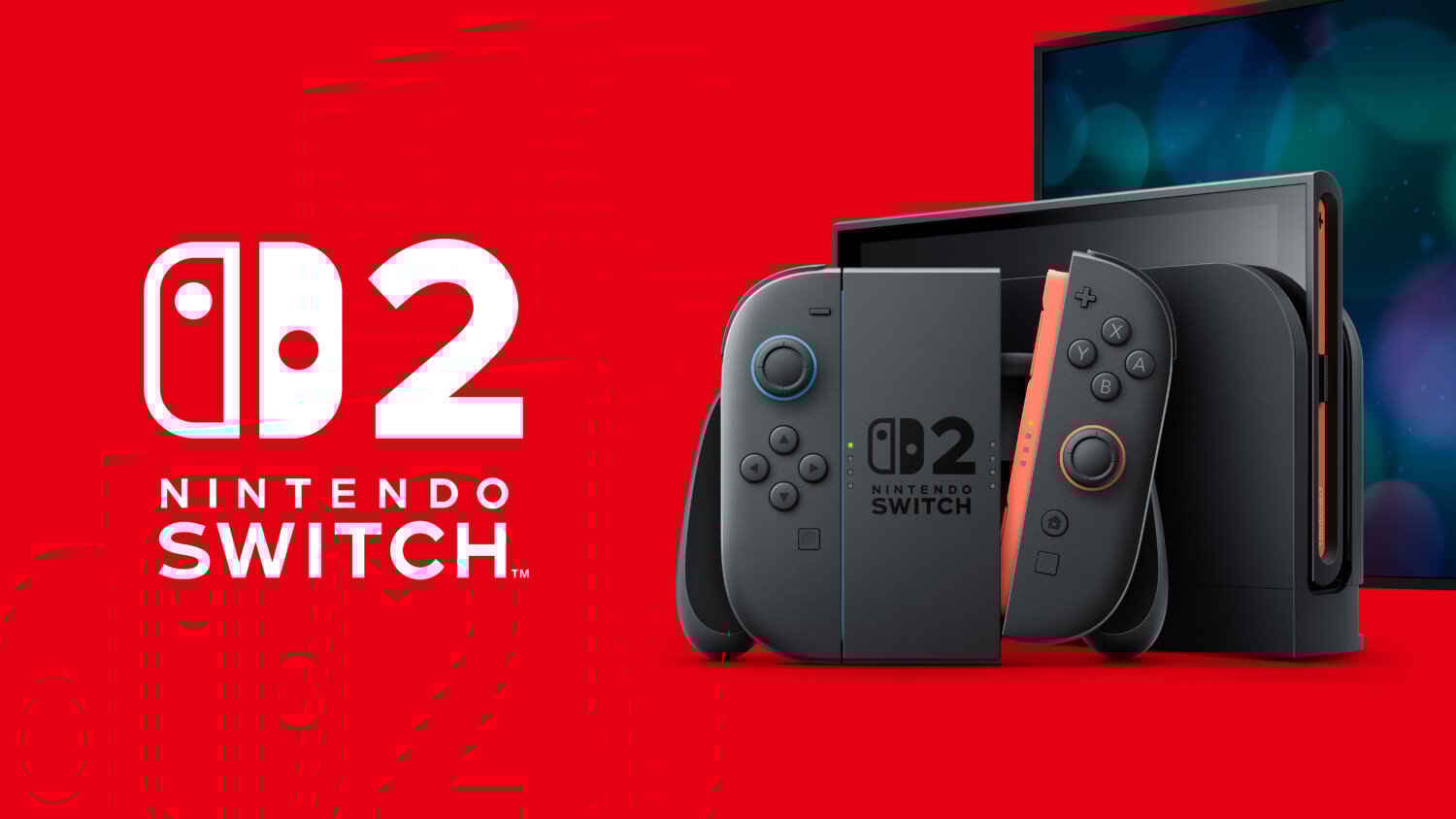
Summary:
Nintendo has started rolling out system update version 21.0.1 for both Nintendo Switch and Nintendo Switch 2, and this time the changes are more meaningful than a quick stability line buried in the patch notes. The update targets two stubborn error codes, 2011-0301 and 2168-0002, that could repeatedly appear while using local communication to transfer a system from a Switch to a Switch 2. For anyone who has been nervous about moving years of save data, digital purchases and profiles to new hardware, that is a big quality of life boost. On top of that, Switch 2 owners receive an extra fix that addresses moments where wireless controllers and Bluetooth audio devices refused to reconnect after waking the system from Sleep Mode or switching Airplane Mode off. The result is a smoother experience when you pick the console back up after a break and a safer path when you finally decide to upgrade from an original Switch to a Switch 2. Installing the update is straightforward through the system settings, and doing so now helps avoid annoying interruptions later, especially if you are planning a system transfer in the near future.
What Nintendo Switch and Switch 2 update 21.0.1 actually changes
Update 21.0.1 focuses on a small set of issues that had the potential to ruin someone’s evening if they showed up at the wrong moment. The first change targets situations where Error Code 2011-0301 or 2168-0002 kept appearing while using local communication to transfer data from a Nintendo Switch to a Nintendo Switch 2. Instead of a smooth handover, some players ran into a loop of failures that could be confusing if you are not used to reading error codes. The new firmware is designed to stop that cycle and make transfers behave the way people expect: you start the process, wait, and then move on with your library intact. For Nintendo Switch 2, there is another improvement that deals with Bluetooth connections after Sleep Mode or Airplane Mode. Before the update, a handful of users saw wireless controllers or Bluetooth audio devices refuse to reconnect until they fiddled with settings or tried again. With version 21.0.1 installed, waking the system or turning wireless features back on should be far less dramatic, keeping headphones and controllers paired without drama while the usual stability tune ups run quietly in the background.
Fixing error codes 2011-0301 and 2168-0002 during system transfers
Those mysterious error numbers are more than random digits, they are shorthand for very specific situations inside the Switch ecosystem. Error Code 2011-0301 tends to show up when the system detects a problem that prevents it from completing certain operations, including tasks like system transfers or updates. Error Code 2168-0002 is another general fault that can interrupt processes or force a restart depending on what the console is trying to do. When you are in the middle of migrating from a Nintendo Switch to a Switch 2, seeing either of these codes pop up repeatedly can be stressful because you are worried about losing data. Version 21.0.1 directly targets the scenario where those codes kept reappearing while using local communication for transfers between the two systems. The goal is not just to reduce how often they are seen, but to eliminate that specific loop so that the transfer path is reliable. With this update in place, starting a system transfer should feel more predictable, and if you follow Nintendo’s recommended steps you are far less likely to be bounced out of the process by those particular codes.
More reliable wireless controllers and Bluetooth audio after Sleep Mode
Nintendo Switch 2 adds more modern touches around wireless audio and controllers, so it is especially frustrating when these conveniences misbehave. Before update 21.0.1, some players noticed that after waking the system from Sleep Mode or switching off Airplane Mode, their wireless controllers or Bluetooth headphones refused to reconnect properly. That meant extra time spent diving into pairing menus, toggling settings or even restarting the device when all you wanted to do was jump back into a race, match or story chapter. The new version addresses this by refining how the system handles reconnections during those wake up moments. Instead of losing track of accessories, the console should now pick them up again as long as they are powered on and within range. The result is that you can close the system, take a break and then resume without wondering if your audio is about to route through the wrong output or if your controller will suddenly stop responding. It is a subtle improvement, but it adds up every time you dock or undock the console or move between different play spaces at home.
Why these stability fixes matter for everyday players
On paper, patch notes for 21.0.1 look short: a couple of explicit bug fixes followed by the usual line about stability improvements. In practice, these small changes can dramatically change how confident people feel when they interact with features that are used rarely but carry a lot of weight, like a full system transfer. Most players only migrate from one main console to another a few times across a generation, so they need that process to feel predictable rather than fragile. Knowing that Nintendo has targeted specific error codes that interrupted transfers removes one of the biggest psychological barriers to upgrading from a well loved Switch to a shiny new Switch 2. The Bluetooth and wireless refinements also feed into daily comfort. When controllers and headphones simply work after Sleep Mode, the console feels more like a friendly handheld and less like a small PC that might need troubleshooting. That is the kind of polish people expect from a mature system that has already found its audience, and version 21.0.1 quietly pushes both Switch and Switch 2 closer to that feeling.
How to download and install update 21.0.1 on Switch and Switch 2
Getting to version 21.0.1 is straightforward for both consoles, and you do not need any special tricks beyond a stable internet connection. On either Nintendo Switch or Nintendo Switch 2, you start from the HOME Menu and head into the System Settings icon that looks like a small gear. From there, scroll down the left side to the System section, then choose System Update on the right. The system will briefly check Nintendo’s servers to see if a newer version is available. If 21.0.1 has not yet been installed, you will see a prompt to start the download and installation. It is a good idea to keep the console plugged in or docked during this process to avoid interruptions. The download is not massive, but letting it run without background distractions means the console can focus on writing the new firmware safely. Once it finishes, the system will usually restart on its own and apply the update before returning you to the HOME Menu, where you can confirm the version number.
Checking your current system version in the settings menu
Before you even start the update, you might want to confirm whether your Switch or Switch 2 already grabbed version 21.0.1 in the background. Nintendo systems are known to quietly download new firmware while connected to the internet, leaving only the installation step for you to confirm. To see where you stand, go into System Settings, scroll down to System and look at the System Update screen without pressing any extra buttons. Here, you can see the current version number displayed clearly. If you already see 21.0.1 listed, that means the console has it installed and there is nothing else you need to do. If the version is lower, select the update option and let the system do the rest. This quick check is useful if you own both a Switch and a Switch 2 and want to make sure both are on the same page before starting a system transfer or connecting new accessories. It is also a handy habit any time new patches are announced so you can verify that your hardware has caught up.
Steps to trigger the update on each console
Although Nintendo Switch and Nintendo Switch 2 share very similar menus, it can still help to walk through the process in a calm, step by step way, especially if you are not used to tweaking settings. Start with the console powered on and at the HOME Menu. Select System Settings, then scroll down until you reach the System entry near the bottom. Choose System Update and let the console check for new firmware. If version 21.0.1 is available, the system will offer to download and install it. Accept the prompt, put the console on a safe surface and avoid pressing extra buttons while the update is in motion. Once the download has finished, the system will restart to apply the firmware, which may take a few minutes. When you are back at the HOME Menu, repeat the quick version check so you know the update succeeded. Doing this on both your original Switch and your Switch 2 keeps them aligned, which is very useful if you plan a system transfer or share accessories between them.
What to try if the download or installation fails
Occasionally, an update might stall or throw an error of its own, especially if your internet connection drops or the console loses power during the process. If that happens with version 21.0.1, do not panic. Start by restarting the console using the power button and try the System Update option again with the system closer to your router or connected through a more stable network. If the error persists, Nintendo recommends using Recovery or Maintenance Mode to perform a system update without booting fully into the HOME Menu, which can bypass certain software conflicts. Entering this mode usually involves holding the volume buttons while turning the console on, then choosing the update option from the special menu that appears. It is also worth checking Nintendo’s support pages for specific guidance if you see a particular code over and over again. Following those official steps keeps your data safer than trying random solutions, and in many cases a clean update from Recovery or Maintenance Mode is enough to get things moving again.
What error codes 2011-0301 and 2168-0002 actually mean
While you do not need to memorise every error code the Switch family can display, understanding the general idea behind 2011-0301 and 2168-0002 can make their appearance less scary. Both codes are linked to situations where the system encounters a problem that stops it from completing an operation, such as updating firmware, handling a system transfer or running certain software. The numbers help Nintendo’s support tools map the issue to likely causes, but to players they mostly serve as a signal that something went wrong. That is why update 21.0.1 specifically calling out these codes in the patch notes matters so much. It shows that Nintendo has reproduced the conditions that triggered them during local communication transfers between Switch and Switch 2, and that the company believes it has fixed the underlying bug. So if you hit those codes in the past while trying to move systems, the new firmware is almost like a peace offering that says it is safe to try again, as long as you follow the recommended transfer checklist.
When to contact Nintendo support about persistent errors
Even with a targeted fix like this, there is always a chance that an individual console might still behave oddly. If error codes 2011-0301 or 2168-0002 continue to appear after you have installed update 21.0.1 and checked for any additional updates, it may be time to lean on Nintendo’s official support channels. Start by following the troubleshooting steps outlined on the support site, which often include restarting the console, updating in Recovery or Maintenance Mode and restoring settings while keeping your user data. These steps are designed to resolve issues without wiping your saves or purchases. If the problems remain after you have patiently worked through those suggestions, the support page will usually recommend sending the hardware in for inspection or repair. That might sound dramatic, but it is better than gambling with a half working console that breaks in the middle of a transfer or update. Having clear guidance about when to escalate also keeps you from wasting time on folk remedies that may do more harm than good.
Safe habits for future system transfers between Switch and Switch 2
Beyond installing new firmware, there are simple habits that make system transfers more relaxing. Before you start, make sure both the original Nintendo Switch and the Switch 2 are fully updated to the latest versions, including 21.0.1 at minimum. Plug both consoles into power so they will not run out of battery halfway through the process. If you rely heavily on wireless networks, consider doing the local communication transfer in a place with minimal interference, such as away from crowded Wi Fi environments. It is also helpful to briefly tidy your storage by archiving software you are not currently playing, which can shorten transfer times. Follow Nintendo’s on screen prompts slowly, reading each step rather than rushing through them. If anything feels unfamiliar, you can pause and review the support diagrams before moving forward. With these habits and the fixes included in version 21.0.1, moving from Switch to Switch 2 begins to feel like a normal upgrade instead of a high risk procedure.
Why stability updates still matter late in the Switch lifecycle
It can be tempting to dismiss stability updates as background noise, especially when a console family has already been around for years and the headlines focus on new releases or big feature patches. Yet the reality is that many of the most unpleasant gaming moments come from little failures that do not make trailers: a transfer that refuses to start, a controller that disconnects at a key moment, or a Bluetooth headset that picks the wrong output at the worst time. Updates like 21.0.1 are Nintendo’s way of quietly sanding down those rough edges so that your attention stays on the games rather than on the menus. For families who share hardware, for players who travel often with their Switch, or for anyone looking to move a carefully built library to new hardware, that kind of reliability is priceless. Even if you have never personally seen the error codes mentioned, installing this update builds a safety net around rare but frustrating scenarios, and that is a smart move for anyone who wants their evenings to stay focused on fun.
Should you install update 21.0.1 right away
In short, yes, you are better off installing version 21.0.1 sooner rather than later, especially if you own a Nintendo Switch 2 or have any plans to upgrade from an original Switch. The patch targets very specific pain points that can hit at important moments, such as a once in a generation system transfer or the start of an online session with friends. There is no pattern of widely reported downsides associated with this update based on the patch notes and current coverage, and Nintendo’s usual testing and support paths are in place if unexpected issues surface. Waiting offers almost no benefit, since major feature changes are not involved here, while updating now allows you to forget about error codes and simply enjoy your library. For players who have already experienced connection issues with Bluetooth audio or controllers after Sleep Mode on Switch 2, this patch is particularly valuable. Once installed, you can confidently pick up your console, know that accessories will reconnect more reliably and focus on the titles that brought you to the platform in the first place.
Conclusion
Version 21.0.1 might look like a small step on paper, but it tackles issues that sit at the heart of how people use Nintendo Switch and Switch 2 every day. By fixing repeated appearances of error codes 2011-0301 and 2168-0002 during local system transfers, Nintendo is making the path from one console generation to the next less intimidating and more trustworthy. The extra attention to Bluetooth accessories and wireless controllers after Sleep Mode on Switch 2 also sends a message that the company is listening to real world frustrations, not just headline grabbing feature requests. Add in the usual stability improvements and you get a firmware version that feels like a quiet but important layer of protection around your games, saves and accessories. Updating both your Switch and Switch 2 brings them in line with Nintendo’s latest thinking on reliability, which is exactly what you want before your next transfer, marathon session or commute. It is one of those upgrades that aims to disappear into the background, leaving you with a smoother, calmer experience every time you power the system on.
FAQs
- Do I need to install update 21.0.1 before transferring from Switch to Switch 2?
- Installing update 21.0.1 on both consoles before a system transfer is strongly recommended, because this version directly addresses error codes 2011-0301 and 2168-0002 that could repeatedly interrupt transfers using local communication. Updating first makes the process more reliable and reduces the risk of being forced to restart the migration when you are already halfway through moving your data.
- Why does my Switch 2 lose Bluetooth audio after Sleep Mode and will this update help?
- Some Nintendo Switch 2 owners reported that wireless controllers or Bluetooth headphones sometimes refused to reconnect after waking the system or turning off Airplane Mode. Update 21.0.1 includes a targeted fix for this scenario, so after installing it your accessories should reconnect more consistently as long as they are powered on, paired and within range of the console.
- What should I do if I still see error codes 2011-0301 or 2168-0002 after updating?
- If those codes continue to appear after installing version 21.0.1, start by restarting the console and trying the System Update option again, preferably with a stable internet connection. If the issue persists, follow Nintendo’s official troubleshooting steps, which may include updating in Recovery or Maintenance Mode and restoring settings while keeping user data. When none of that works, it is time to contact Nintendo Support, as the system may need professional inspection.
- Is update 21.0.1 different on Nintendo Switch and Nintendo Switch 2?
- The core change around error codes 2011-0301 and 2168-0002 during local system transfers applies to both systems. However, Nintendo Switch 2 also gains an additional fix that addresses cases where wireless controllers or Bluetooth audio devices would not reconnect properly after Sleep Mode or Airplane Mode. Both consoles also receive the usual system stability improvements that aim to keep day to day usage smooth.
- Can updating to 21.0.1 delete my save data or games?
- Under normal circumstances, installing a system update like 21.0.1 does not delete save data or installed games. Nintendo designs regular firmware updates to leave your library intact while improving reliability. Still, it is always smart to back up cloud eligible saves through Nintendo Switch Online where possible and avoid interrupting the update with forced power offs. Following those basic precautions keeps the already low risk even lower.
Sources
- Nintendo Switch System Update Information, Nintendo Support, November 24, 2025
- System Update Information for Nintendo Switch 2, Nintendo Support, November 25, 2025
- Error Code: 2011-0301, Nintendo Support, November 2025
- Error Code: 2168-0002, Nintendo Support, November 2025
- Nintendo Switch 2 and Switch update 21.0.1 out now, patch notes, Nintendo Everything, November 25, 2025
- Nintendo Switch 2 system update 21.0.1 is now live, here are the full patch notes, Nintendo Life, November 25, 2025
- Nintendo Switch 2 system update 21.0.1 patch notes, Nintendo Insider, November 25, 2025