














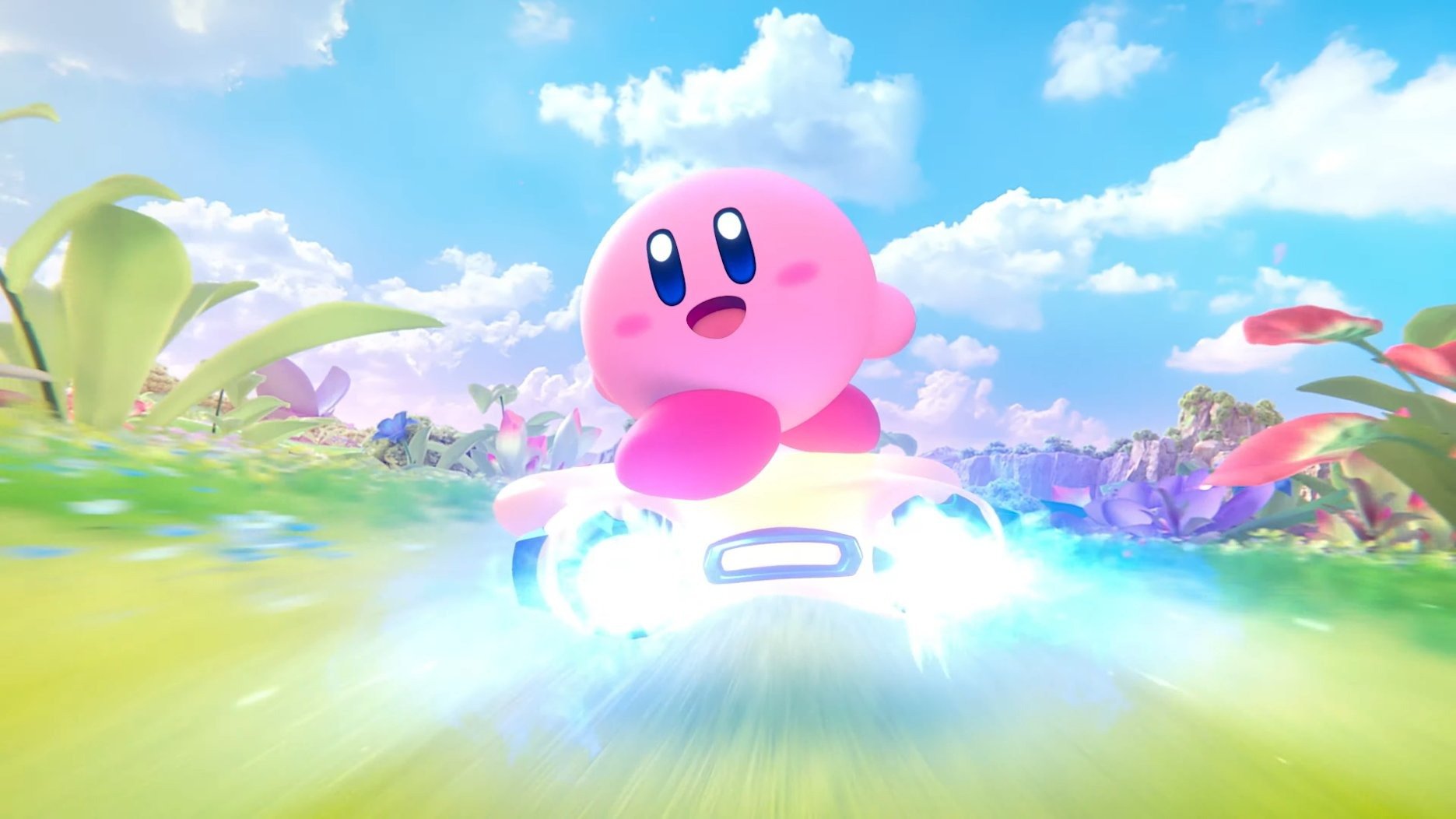
Summary:
Kirby Air Riders has only just landed on Nintendo Switch 2, yet players are already seeing Nintendo step in to keep things running smoothly. Shortly after launch, the company used its support account on X to confirm that two specific gameplay issues have slipped through: the City Trial event built around Dyna Blade appears less often than intended, and the timer in Free Run mode can start behaving oddly if you leave the mode running for a very long time. These quirks will not crash your system or corrupt your save, but they can make certain challenges and long practice runs feel less fair than they should.
At the same time, Nintendo has made it clear that a patch is on the way, even if it has not stamped a firm date on that update yet. That reassurance matters, because Kirby Air Riders leans heavily on random City Trial events and repeatable practice in Free Run, especially for players chasing checklist goals and 100 percent achievements. Until the update arrives, it helps to understand how these bugs behave, who is most affected, and how you can continue to enjoy the racer without burning yourself out waiting for a rare bird to swoop into town. We also look at how to prepare your Nintendo Switch 2 for future patches so that you are ready the moment the fix goes live.
Kirby Air Riders bugs Nintendo has acknowledged
Kirby Air Riders is barely out of the gate, yet Nintendo has already taken the unusual step of publicly outlining two specific problems that it plans to address in a future update. The first issue sits in City Trial, the beloved mode where you roam a shared city, power up your machine, and react to surprise events before a final showdown. Here, the field event featuring Dyna Blade – the giant mechanical bird who swoops into the map – is appearing less often than intended. The second problem lives in Free Run mode, a space meant for relaxed practice with no pressure, where the on-screen timer can start acting strangely if the mode is left running for an extended stretch of time. Taken together, these bugs do not break the racer, but they do chip away at the reliability of two of its most replayable modes.
The City Trial Dyna Blade event showing up too rarely
City Trial’s Dyna Blade event is supposed to be one of those moments that make the mode unforgettable. You are cruising through the city, gathering power-ups, when a warning flashes on screen and the massive bird tears across the sky. Catching a ride or landing a hit on Dyna Blade is baked into several checklist goals, so players expect to bump into the event a reasonable number of times while naturally playing the mode. Instead, many players report playing dozens of City Trial rounds offline without seeing Dyna Blade even once, causing some to wonder if they were simply unlucky or missing a hidden requirement. Nintendo’s confirmation that the appearance rate is lower than intended finally puts those doubts to rest. It is not your imagination, and you are not doing anything wrong – the underlying event trigger is bugged and will be adjusted in a future patch so that Dyna Blade appears more often.
The Free Run timer glitch in ultra long sessions
The Free Run timer bug is more subtle, and for most players it will sound almost like a tall tale. In Free Run, you can pick a track, a machine, and just lap the circuit without opponents while a timer quietly tracks your session. Some dedicated players like to leave the game running to push endurance tests or to see how long they can keep a flawless rhythm going, sometimes for days. Nintendo’s statement, amplified by tech-savvy fans, highlights that when Free Run is left active for a very long time, the timer can glitch out and stop counting properly. In clips shared online, timers have been seen maxing out or freezing after wildly unrealistic play sessions that stretch far beyond normal use. The good news is that regular practice runs of a few minutes or even a couple of hours are not affected, so most players will never notice this quirk unless they deliberately push the game to extremes.
Why these issues matter for different kinds of players
On paper, it might sound like these bugs are minor details that only hardcore fans would ever care about. In reality, they hit two groups of players in very different ways. The Dyna Blade event problem strikes City Trial fans who want to see everything the mode offers, complete their checklists, and unlock machines that rely on event-related tasks. When a key event appears far less often than design intended, the grind becomes unpredictable, and players may start to wonder if they are wasting time waiting for something that will never happen. The Free Run timer glitch, on the other hand, mostly impacts enthusiasts who treat the mode as a sandbox for long tests and time-based challenges. Short bursts of practice remain fine, but ultra long runs can lose their meaning if the timer becomes unreliable. Understanding who is affected helps you decide how to spend your time until Nintendo delivers the promised patch.
Checklist hunters and achievement chasers feel it most
If you are the type of player who cannot leave a single checklist box empty, the Dyna Blade situation probably stings the most. Kirby Air Riders is packed with goals that ask you to witness specific events, land tricky hits, or unlock parts by completing very particular tasks. Many of those objectives are tied directly to the randomness of City Trial’s events, and that randomness is usually part of the charm. When Dyna Blade barely ever appears offline, though, a fun hunt turns into a frustrating waiting room. Players have reported running dozens or even hundreds of rounds without seeing the bird, only to watch the event pop almost immediately when they switch to online play. Until Nintendo adjusts the event frequency, the most efficient path may be to step back from obsessively grinding City Trial for that one missing mark, focus on other goals, and come back once the patch restores the intended odds.
Casual racers may never notice anything is wrong
On the flip side, plenty of players are simply hopping into Air Ride races, Top Ride tracks, Road Trip, or a few City Trial rounds with friends and never once think about checklists or ultra long Free Run sessions. For that crowd, Kirby Air Riders already feels like a polished, energetic racer that runs well on Nintendo Switch 2, with flashy visuals and a strong performance profile. If you only play City Trial occasionally, you might have already seen Dyna Blade and shrugged off her rarity as standard randomness. Likewise, if you use Free Run for a handful of practice laps and then move on, the timer bug is something you will only ever read about in patch notes or social posts. That perspective is important, because it means you do not have to put the game aside and wait in fear of a broken experience. The core racing action is intact, and these targeted fixes are more about fairness and long-term goals than urgent damage control.
How Nintendo is responding with a planned update
Nintendo’s communication around Kirby Air Riders has followed a clear rhythm: launch the racer, celebrate the positive reception, then quickly acknowledge and frame the emerging issues. Through its customer support account on X and coverage from enthusiast sites, the company has explained that it is actively preparing an update that will tackle both the Dyna Blade event frequency and the Free Run timer bug. The wording makes it clear that these problems have been confirmed internally, not just brushed off as unlucky random behavior, and that engineers are already working on adjustments. While there is no confirmed version number or date on the patch, the message that “we are currently working on an update and aim to distribute it soon” sets expectations that this is a near-term fix rather than something tied to a distant content drop or major expansion.
What the official X statement tells us
The original Japanese statement, shared by Nintendo’s support account and translated by well-known dataminer and tech commentator OatmealDome, is short but revealing. It explicitly lists Kirby Air Riders by name, cites City Trial’s Dyna Blade event and Free Run’s timer as confirmed issues, and states that the team is working on an update to address them. It also includes a standard apology for any inconvenience caused, which is a familiar line for anyone who has followed Nintendo’s support notes across earlier Switch and 3DS generations. That combination of clarity and humility helps frame the bugs as known, reproducible issues with a fix on the way, rather than vague “we are looking into it” comments that sometimes drag on for months in other games. For players, that kind of direct acknowledgment is often the difference between feeling ignored and feeling looked after.
What the first Kirby Air Riders patch is likely to change
Although Nintendo has not publicly published detailed patch notes yet, the nature of these bugs gives us a decent idea of what the first update is aiming for. On the City Trial side, the easiest fix is to adjust the internal event scheduling so that Dyna Blade’s appearance rate lines up with the original design targets. That might involve changing how often the event is allowed to trigger within a single session, or how its random chance interacts with other field events. For Free Run, the likely change will be a correction to how the mode’s timer handles very large values over long sessions, stopping it from overflowing or freezing after extreme play times. Given how quickly Nintendo addressed matchmaking and stability back in the Global Test Ride demo with a focused 1.0.1 update, it is reasonable to expect a similarly tight, bug-focused patch here rather than a sweeping overhaul.
How to enjoy Kirby Air Riders while you wait for the patch
Knowing that a fix is coming is reassuring, but it does not magically make the wait disappear. The good news is that there is still a lot you can do in Kirby Air Riders without butting heads with the current bugs. If you are offline and trying to see everything City Trial has to offer, you might decide to treat any Dyna Blade appearance as a happy bonus rather than a locked-in goal for now. Focus on other events, machine pieces, and checklist tasks that are not tied to her arrival. In parallel, you can always explore Road Trip, Air Ride, and Top Ride to unlock characters, machines, and cosmetics that carry across modes. Free Run remains a fantastic space for machine testing and line practice as long as you keep sessions to reasonable lengths, so you can still refine your racing skills while avoiding sessions that run into triple-digit hours and risk tripping the timer issue.
Smart ways to approach City Trial and Dyna Blade goals
If you are determined to chase Dyna Blade-related achievements even before the patch, a little planning goes a long way. One option is to prioritize online City Trial events where anecdotal reports suggest that Dyna Blade may appear more often than in offline runs, possibly because of different matchmaking conditions or server-side tweaks. Even if the underlying odds turn out to be identical, playing with real opponents helps the grind feel less monotonous. Another trick is to set yourself a hard cap on how many City Trial rounds you will run in one sitting while waiting for the patch. For example, you could decide to play ten rounds, then move on to another mode or a different game entirely. That kind of boundary keeps the hunt from turning into a joyless, endless loop. Most importantly, remember that nothing in the current bug state is permanently missable. Once the patch lands, Dyna Blade should start showing up at a healthier rate, and those checklist goals will fall more naturally.
Using Free Run without worrying about the timer bug
Free Run is easiest to manage: as long as you treat it like a practice tool rather than a week-long science experiment, the timer glitch practically disappears as a concern. If you mostly want to test new machines, experiment with boost timing, or learn the ins and outs of tricky corners, you can do all of that in short sessions that last a few minutes at a time. You might choose to reset the mode between tests or hop out to another mode once you feel you have learned what you wanted from a specific setup. That habit keeps your timers accurate and your brain fresher. For players who enjoy endurance challenges, the safest move is to postpone any “leave this running for days” goals until after the patch notes explicitly mention that the timer issue has been resolved. That way, any records you chase in the future will rest on a stable foundation instead of a bugged timer.
Getting your Nintendo Switch 2 ready for future updates
While we wait for Nintendo to publish the exact release date and version number of the Kirby Air Riders bug fix, it is worth taking a minute to make sure your Nintendo Switch 2 is set up to grab the update as soon as it arrives. Start by checking that your console is connected to the internet and that automatic software updates are enabled in the system settings. When that option is turned on, the Switch 2 will quietly download patches like this while it sleeps, so the next time you launch Kirby Air Riders you may already be on the latest version. You can also manually check for updates from the game’s icon if you prefer a more hands-on approach. Keeping your system firmware up to date is also a smart habit, since major system updates sometimes tweak how the console handles background downloads and storage management for modern titles.
Checking your Kirby Air Riders version and update settings
It is easy to forget which version of a game you are on, especially so soon after launch when patches can arrive quickly. On Nintendo Switch 2, you can highlight Kirby Air Riders on the home screen, open the options menu, and look for the version listed near the software update entry. That small detail helps you confirm at a glance whether you are still on the launch build or whether an update has already rolled out while you were away from the console. While you are there, it is worth checking your storage space to make sure you have enough room left for future patches, since modern racers can grow as new events or features arrive. With those basics set, you can relax and simply enjoy the game, knowing that when Nintendo pushes the Dyna Blade and Free Run fixes, your system will be ready to pull them down without any extra effort on your part.
Remembering what makes Kirby Air Riders worth sticking with
Amid bug reports and patch discussions, it is easy to lose sight of why players care about Kirby Air Riders enough to notice these issues in the first place. This sequel to the GameCube cult classic Kirby Air Ride taps into a special blend of chaotic racing, light brawling, and machine customization that feels very different from standard kart racers. City Trial remains the beating heart of the experience, turning every session into a little story about chance encounters, sudden power spikes, and last minute upsets. The new Road Trip and modern online features layer long-term goals and shared chaos on top of that foundation, while the Switch 2 hardware gives the team room to push denser cities, flashier effects, and smoother performance. A few launch quirks do not erase that charm. If anything, Nintendo’s quick acknowledgment and promise of a fix make it easier to invest time now, knowing that the systems you love are on track to become more reliable in the near future.
Conclusion
Kirby Air Riders is off to a strong start on Nintendo Switch 2, even if a couple of rough edges have sneaked past testing. The City Trial Dyna Blade event is not appearing as often as it should, and the Free Run timer can misbehave during extreme marathon sessions, but Nintendo has clearly acknowledged both problems and committed to fixing them in an upcoming update. That transparency, backed by a track record of fast, focused patches on the earlier Global Test Ride demo, suggests that these quirks are temporary bumps rather than lasting scars. In the meantime, players can keep enjoying most of what the racer offers by managing expectations around Dyna Blade, avoiding unrealistic Free Run marathons, and exploring other modes and goals. When the patch lands, City Trial should feel fairer, long practice runs should be more trustworthy, and Kirby’s latest high-speed outing will be closer to the ideal experience the developers had in mind.
FAQs
- What issues has Nintendo confirmed in Kirby Air Riders?
- Nintendo has confirmed two main issues affecting Kirby Air Riders. In City Trial, the Dyna Blade field event currently appears less often than intended, making related checklist goals and achievements harder to chase than they should be. In Free Run mode, the timer can start to behave incorrectly during extremely long sessions, sometimes freezing or maxing out after the mode has been left running for a very long time. Both problems are acknowledged, and an update is in development to correct them.
- Do these Kirby Air Riders bugs affect online play?
- The confirmed bugs primarily relate to how often the Dyna Blade event triggers and how the Free Run timer behaves over long periods, and they apply to the game logic rather than a specific offline or online setting. Many reports of Dyna Blade’s rarity come from offline City Trial runs, while some players say they see the event more often online simply because they are playing more matches with other people. The Free Run timer issue only appears during ultra long sessions, regardless of whether you were previously online or offline, so standard play and typical online races remain largely unaffected.
- Should I stop playing City Trial until the patch arrives?
- There is no need to completely stop playing City Trial while waiting for the update. The mode is still fun and functional for casual racing, machine collection, and most checklist goals. The main caveat is that hunting Dyna Blade-related achievements can feel inefficient right now, since the event appears less often than intended. A practical approach is to keep enjoying City Trial for general play and other objectives, but avoid grinding specifically for Dyna Blade until after the patch increases her appearance rate to its planned level.
- Can I avoid the Free Run timer glitch in Kirby Air Riders?
- Yes, avoiding the Free Run timer glitch is straightforward in normal play. The bug shows up during extremely long sessions where Free Run is left active for many hours on end, far beyond typical practice runs. If you use Free Run for short bursts to test machines, learn lines, or refine cornering, you should not encounter any timer problems. As a rule of thumb, treat Free Run as a mode for focused practice rather than multi-day endurance tests, and wait for the patch before attempting any ultra long, timer-based challenges.
- When is the Kirby Air Riders bug fix update coming out?
- Nintendo has not announced a specific release date or version number for the Kirby Air Riders bug fix yet. The company has simply stated that it is working on an update and aims to distribute it soon, which suggests that the patch is intended as a near-term fix rather than a distant overhaul. To be ready when it arrives, keep your Nintendo Switch 2 connected to the internet, enable automatic updates if you prefer a hands-off approach, and periodically check for software updates from the Kirby Air Riders icon on your home screen.
Sources
- Don’t Worry, Nintendo’s Working On A Fix For Some Kirby Air Riders Bugs, Nintendo Life, December 5, 2025
- Nintendo says it will fix some known issues in Kirby Air Riders, My Nintendo News, December 5, 2025
- Nintendo Prepares Update to Resolve Kirby Air Riders Gameplay Issues, Twisted Voxel, December 5, 2025
- [Kirby Air Riders] Nintendo is aware of some bugs and is working to fix them in an update, OatmealDome on X, December 5, 2025
- Kirby Air Riders | Nintendo Switch 2 games, Nintendo UK, November 20, 2025
- Kirby Air Riders Surprises With Forward-Thinking Rendering, Digital Foundry, November 27, 2025