














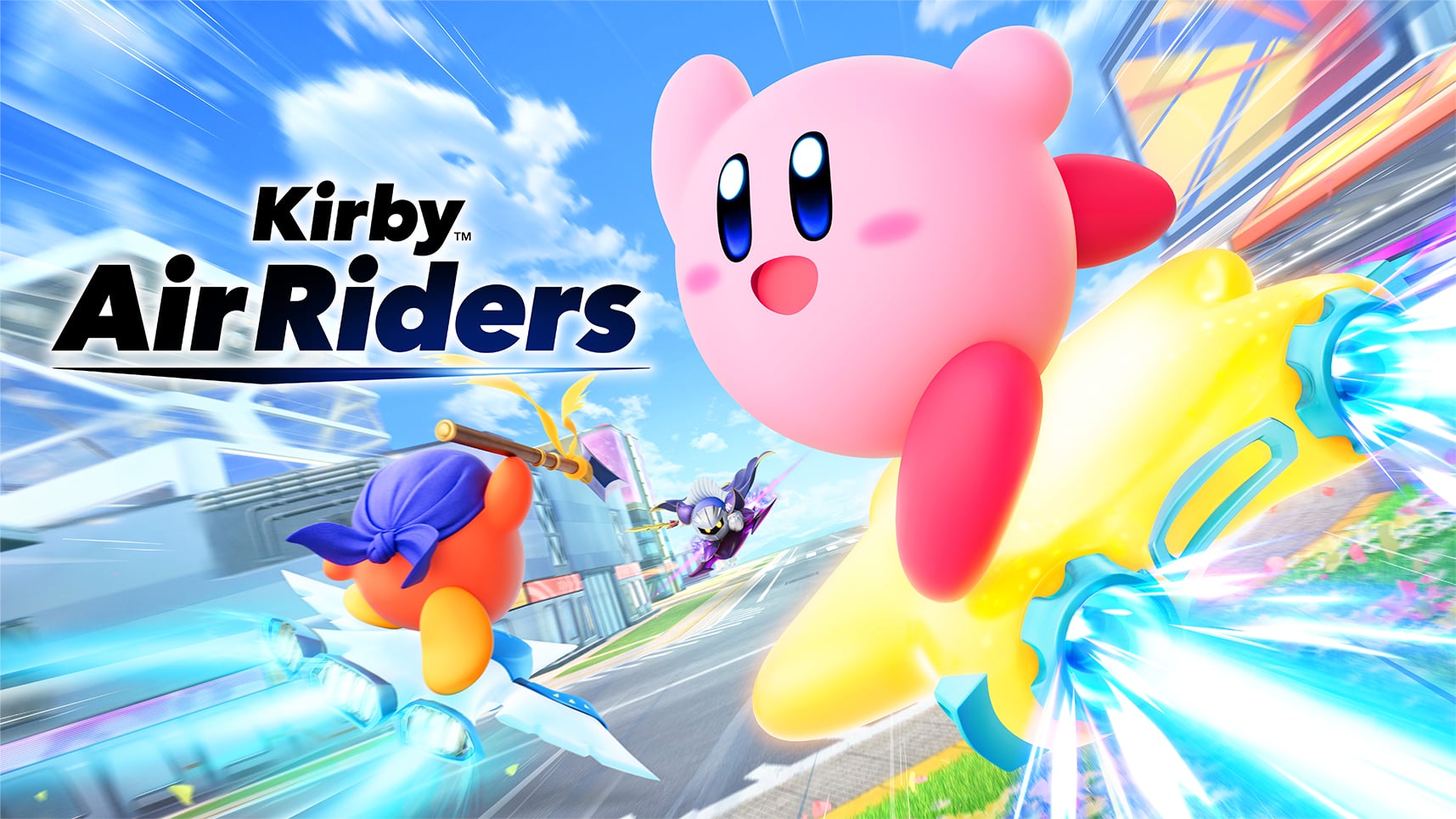
Summary:
Ver. 1.3.1 for Kirby Air Riders on Nintendo Switch 2 is the kind of update that looks simple at first glance, then keeps revealing little quality-of-life wins the more you read. Yes, the headline is amiibo support for three new figures, which is always going to grab attention because it’s the fun, collectible-facing part of the game. But the real story is how much housekeeping this patch does for everyday play: online stability, checklist tracking, reward unlocks, and a long list of those oddly specific bugs that only show up when thousands of players start doing weird, creative things at speed.
On the amiibo side, we now have support for Meta Knight & Shadow Star, King Dedede & Tank Star, and Chef Kawasaki & Hop Star. Meta Knight & Shadow Star has a clear launch window, while the other two are still waiting on firm dates, which is the classic “one is ready, two are queued” situation. Meanwhile, balance adjustments touch riders, machines, and Copy Abilities, which matters because this game lives and dies on feel. A tiny tweak can turn a favorite build from “unstoppable” into “still good, but you need to drive like you mean it.”
Then come the fixes: checklist counters that didn’t count, checklist rewards that wouldn’t unlock, a tricky online task that refused to validate, City Trial oddities like duplicate legendary parts, and course-specific issues where physics could behave like they’d just drank three energy drinks. Add in the replay compatibility warning, and we’ve got a patch that’s less about flashy additions and more about keeping the whole experience sturdy, fair, and less likely to ruin your night at the exact moment you’re finally on a personal-best pace.
Kirby Air Riders Ver. 1.3.1 actually changes things at a high level
Ver. 1.3.1 is built around three pillars: new amiibo support, balance tuning, and bug fixes that target both online play and mode-specific quirks. If we think of the game like a theme park ride, amiibo are the new souvenirs in the gift shop, balance changes are the engineers adjusting the track so the turns feel fair, and bug fixes are the crew tightening every bolt so the cart doesn’t wobble at the worst possible moment. The patch notes call out rider, machine, and Copy Ability adjustments, which signals that match flow and build choices may feel slightly different right away. On the stability side, improved communication during online play is a big umbrella statement that usually covers disconnect behavior, sync issues, and the tiny hiccups that make competitive sessions feel inconsistent. And then there’s the checklist, which gets a lot of attention here because progress tracking and rewards are only fun when they actually work.
New amiibo support and what it can mean in practice
The update adds support for three additional amiibo sets: Meta Knight & Shadow Star, King Dedede & Tank Star, and Chef Kawasaki & Hop Star. Even if you’re not an amiibo collector, this matters because amiibo support usually ties into unlocks, training-style features, or cosmetic and progression hooks that give you another reason to keep experimenting. It also tends to refresh the community conversation, because new figures bring new combinations, new “best picks,” and new debates that are half science and half superstition. If you are an amiibo fan, the practical upside is simple: you can scan them without the game shrugging at you like, “Nice try.” If you’re not, the important takeaway is that this patch makes the game more future-proof for the next wave of figure-driven features, events, or bonuses that may appear later.
Meta Knight & Shadow Star: timing, availability, and expectations
Meta Knight & Shadow Star is the one with the clearest timing right now, and that clarity is useful because it lets you plan rather than guess. Stores and official listings point to early March 2026 availability, and the patch arriving in late February is exactly what you’d expect when a game is preparing for a new physical tie-in. That sequencing matters: support lands first, then the figure arrives, and nobody has to wait for a day-one compatibility patch while holding a brand-new box in their hands. If you like keeping your setup tidy, the best move is updating now, confirming your version, and then you’re ready the moment the amiibo is in circulation. It’s the difference between a smooth launch day and the “Why isn’t this working?” spiral that always seems to happen five minutes before you have to leave the house.
King Dedede & Tank Star and Chef Kawasaki & Hop Star: what we know and what we don’t
For King Dedede & Tank Star and Chef Kawasaki & Hop Star, the update confirms support, but release timing is still the fuzzy part. That can feel a little annoying, like being told dessert exists but you can’t see the menu yet, yet it’s also a good sign because it means the game side is ready ahead of the retail side. In other words, once the dates are locked, the figures can show up without needing another emergency patch just to make them function. If you’re deciding whether to pre-order or wait, this is where your own habits matter: collectors often prefer early orders to avoid stock chaos, while casual buyers can simply watch for official storefront updates. Either way, the game is now prepared for all three figures, which is the key point Ver. 1.3.1 settles.
Balance adjustments: riders, machines, and Copy Abilities
Balance adjustments can sound vague, but they’re often the most impactful part of a patch because they affect every match, not just a rare bug scenario. The notes mention changes to certain riders, some machines, and some Copy Abilities, which suggests the team is nudging the overall meta rather than rewriting it. Think of it like adjusting a recipe: the dish is still the same dish, but the salt level changes just enough that you notice. If a rider or machine was overperforming, these tweaks can reduce “auto-win” moments and put more weight back on decision-making. If something was underused, a small boost can make it viable, which is how a game stays fresh without inventing entirely new systems. The best way to feel these changes is to run a few familiar setups in the same modes you normally play and pay attention to cornering, acceleration windows, and how often a Copy Ability flips a race in your favor.
Why balance changes hit differently in online matches
Online play has a special talent for amplifying balance issues because humans are ruthless in the most entertaining way. If there’s a single option that’s even slightly better, someone will find it, master it, and use it against you like they’re auditioning for a highlight reel. That’s why balance adjustments can feel more dramatic online than offline: you’re not racing “average behavior,” you’re racing optimized habits. When performance tweaks land, the immediate effect is often psychological as much as mechanical. Players test, rumors spread, and suddenly everyone is switching builds, even if the actual numbers changed only a little. The smartest approach is to treat the first few days after a balance patch like a warm-up week. Experiment, watch what shows up in lobbies, and keep a backup pick ready so you’re not stuck forcing a setup that no longer fits your muscle memory.
Bug fixes that matter day to day
The bug-fix list in Ver. 1.3.1 is long, and that’s a compliment, not a complaint. It’s the kind of list that reads like a detective novel where each chapter is a new, oddly specific mystery: checklist counters that didn’t count, tasks that wouldn’t validate, course sections that could throw riders off the track, and physics interactions that sometimes went full cartoon. These are the issues that don’t always hit everyone, but when they hit you, they hit hard, because they waste time and break momentum. The update also tackles online stability, which is the foundation for everything else. A perfect balance patch doesn’t matter if the match stutters, desyncs, or drops at the worst moment. So while amiibo support gets the spotlight, the stability and progression fixes are the parts that quietly make the whole experience feel more trustworthy.
Improved online communication stability, and why that’s a big deal
“Improved communication stability during online play” is a short line that carries a lot of weight. Online racing games live in a fragile ecosystem where timing, position data, and event triggers need to stay in sync across multiple consoles, Wi-Fi conditions, and player behaviors. When stability improves, you typically see fewer disconnects, fewer matches that feel “off,” and fewer moments where the game seems to disagree with what you clearly saw on your screen. Even small reductions in instability can make competition feel fairer, because the outcome is determined more by driving and less by network weirdness. If you’ve ever lost a clean run to a sudden hiccup, you know the emotional arc: first confusion, then anger, then the quiet promise to “take a break” that lasts exactly three minutes. Stability fixes are the patch notes version of preventative medicine, and you usually appreciate them most after you realize you stopped thinking about them entirely.
Checklist fixes: counts, rewards, and task validation
The checklist system is meant to be a steady drumbeat of goals and rewards, but it only works if it tracks progress correctly. Ver. 1.3.1 fixes an issue where event, machine, rider, and other counts weren’t being recorded properly for certain tasks, and it also fixes cases where rewards for completing all tasks across modes could not be obtained. That’s not just a minor annoyance, it’s a progression-blocker, the kind of problem that makes dedicated players feel like their time is being ignored. The patch also addresses a specific online validation issue with a Kaboombs-related task, which suggests the game previously tracked the action differently online than offline. When a task system becomes inconsistent across modes, players stop trusting it, and that’s when motivation drops. These fixes aim to restore that trust, so checklist progress feels like a reliable record of what you’ve actually done.
Restoring incorrect counts by restarting the game
One detail here is especially practical: if the counting issue has already occurred, the fix can restore counts to the correct number by restarting the game. That’s a rare and welcome bit of “we can fix the past, not just the future” thinking. In plain terms, if you suspected your checklist was lying to you, the patch gives you a simple first step before you start panicking or wiping data. Update to Ver. 1.3.1, fully close the game, relaunch it, and then check the affected tasks again. It’s not glamorous, but it’s effective, like turning something off and on again, except this time it’s actually the intended solution. If you’re the kind of player who loves ticking boxes, this is the moment where the patch pays you back in sanity. The checklist should feel like a scoreboard, not a haunted diary.
The “Hit 2 riders with Kaboombs” online task finally behaving
Tasks that fail to validate in online matches are uniquely frustrating because you can do everything right and still get told “no.” The fix for the Kaboombs task specifically mentions that it previously wouldn’t be considered accomplished online even when conditions were met. That implies the trigger logic, the validation window, or the online event reporting had a mismatch. With Ver. 1.3.1, the game should now recognize the achievement properly in online play, which matters because online conditions are often harder to replicate consistently than offline. If you’ve been chasing that task, the best strategy is to try it again in a controlled session: set up a plan with friends if possible, focus on clean hits rather than chaotic pileups, and confirm the checklist updates after the match. When the system finally credits you, it feels like the universe correcting a typo with your name on it.
City Trial and course-specific fixes you’ll actually notice
City Trial is where weird things happen by design, so when a bug shows up, it can blend into the chaos until it becomes impossible to ignore. Ver. 1.3.1 fixes cases where multiple copies of the same legendary-machine parts could appear during online matches, and it also addresses item spawning issues in the underground area when destroying crystals with Knuckle Joe’s automatic attack. Those are the kinds of issues that can tilt a session: duplicate legendary parts can skew power curves, while missing items can make the underground area feel unrewarding or inconsistent. On the course side, fixes target moments where riders could go off course after leaving grind rails, visual effects that didn’t line up with reality, and physics edge cases that could create abnormal speeds. If you play often, these are not “maybe you’ll see it once” fixes, they’re “thank goodness” fixes that remove the small cracks where matches can fall apart.
Legendary parts duplicates and underground item spawns
Duplicate legendary-machine parts in online City Trial can create an unfair snowball, especially if one player stumbles into a stacked build while others are stuck assembling scraps. Fixing that restores the intended sense of discovery and competition, where luck plays a role but doesn’t break the entire session. The underground item-spawn fix tied to Knuckle Joe’s automatic attack is also important because it suggests an interaction was preventing rewards from appearing when they should. That can quietly push players away from certain routes or strategies, not because they’re bad, but because the game wasn’t paying out correctly. After the patch, those paths should feel worth your time again, which is crucial for a mode that thrives on improvisation. City Trial should feel like a treasure hunt, not like you brought a shovel to a beach and the sand refused to move.
Cyberion Highway and Crystalline Fissure physics getting reined in
Two course-specific fixes stand out because they involve the kind of physics behavior that can wreck a run instantly. In Cyberion Highway, riders could sometimes go off course after getting off grind rails and be unable to return, which is basically the racing equivalent of falling off the sidewalk into a hedge and living there now. That’s the sort of issue that turns a competitive match into a shrug. In Crystalline Fissure, riders could reach abnormally fast speeds when jumping out of the half-pipe using the Drill Copy Ability, which sounds fun until you realize it can break balance and readability. Fixing these issues keeps the courses challenging in the intended way, not challenging because the physics decided to improvise. When speed and positioning are everything, predictable behavior is not boring, it’s fairness.
Transform Star, Specials, and timing edge cases
Ver. 1.3.1 also cleans up several timing and state-related issues that read like they came straight from players stress-testing the game. There’s a fix for Quick Spin behavior on grind rails just before a specific rider’s Special ends, where the Special would not end as expected. There’s also a Transform Star fix where it would sometimes not accelerate if a Boost Dash was performed when a mode switch finished. These are edge cases, but they’re meaningful because they can change how confident you feel using certain tools. If a Special might linger or a transform might fail to accelerate, you start hesitating, and hesitation is slow. The patch also addresses a scenario where certain Copy Abilities wouldn’t work properly after Scarfy’s angry state ended while abilities were active, which again points to state transitions not cleaning up correctly. Fixing these is like tightening timing belts in an engine: you don’t see it, but you absolutely feel it.
Quick Spin on rails and the “my Special won’t end” problem
The Quick Spin fix is a classic “only happens when you’re playing well” issue. You’re on a rail, you time a Quick Spin right near the end of a Special, and instead of the game cleanly returning to normal rules, it gets stuck in an unintended state where the Special doesn’t end. That can create unfair advantages or confusing moments where you’re not sure what the game thinks you’re doing. By fixing it, Ver. 1.3.1 restores predictability to a high-skill interaction. That matters because advanced movement should reward timing, not reward a glitch lottery. If you love pushing mechanics to their limit, this is good news, because it means the game is more likely to respect your inputs without accidentally handing you a weird, unintended bonus. Skill expression stays skill-based, not bug-based, and that’s the balance you want.
Free Run personal-best data loading and mode-switch headaches
Free Run gets a practical fix tied to personal-best data when using Transform Star in different modes. The issue described is that after recording a Personal Best with Transform Star in one mode, the Best Run data could not be loaded when trying to start a race in a different mode. That’s the sort of thing that makes time-trial minded players groan because it interrupts routine. You set a great run, you want to compare, you want to iterate, and the game basically says, “Nope, not like that.” With the fix, your best-run data should behave more consistently across modes, which makes Free Run feel like a proper practice space again. When you’re chasing tiny improvements, you need your tools to be reliable. A training mode that can’t load your best data is like a stopwatch that sometimes forgets what numbers are.
Replay compatibility warning, and how not to lose what you care about
Replay compatibility is the one part of the patch notes that asks you to slow down before updating, because Ver. 1.3.1 may not be compatible with replays from Ver. 1.3.0, and it is not compatible with replays from Ver. 1.2.0 and earlier. That’s not unusual in games that adjust physics, timing, or networking, because replays often depend on deterministic playback of old logic. When the logic changes, the replay can desync, or the game can refuse to play it. The patch notes also point out a method to convert replays you want to keep into video files by selecting Record on the playback settings screen within Cached Data and Data Replay before downloading the update, with a note that a microSD Express card is required for that function. If you have a replay you genuinely love, treat it like a photo in your phone: back it up before you do anything that might overwrite it.
Best practices right after updating to Ver. 1.3.1
Once Ver. 1.3.1 is installed, a few small habits can help you get the smoothest experience immediately. First, restart the game fully, especially if you were impacted by checklist counting issues, because the patch explicitly says restarting can restore counts to the correct number. Second, do a quick spot-check of the modes you play most: one online match to see if stability feels better, one checklist check to confirm rewards and task progress are behaving, and one City Trial session if that’s your home base. Third, if you care about replays, make sure you’ve preserved what matters before you update, and if you already updated, focus on recording new highlights going forward. Finally, keep your expectations realistic with balance changes: your favorite setup might feel slightly different, and that’s normal. Give yourself a handful of races to adapt before you decide something is “ruined” or “broken.” Most of the time, it’s just your hands recalibrating to a fairer, cleaner version of the game.
Conclusion
Kirby Air Riders Ver. 1.3.1 is the kind of patch that earns its value through steadiness rather than spectacle. Amiibo support is the flashy headline, and it’s genuinely nice to see the game ready for Meta Knight & Shadow Star, plus the upcoming King Dedede and Chef Kawasaki sets. But the real quality here is in the fixes that protect your time: online stability improvements, checklist progress and reward repairs, and a long list of edge-case bugs that could derail matches or make certain goals feel impossible. Add the balance adjustments across riders, machines, and Copy Abilities, and the patch also nudges the overall experience toward fairer competition and cleaner match flow. The one thing to treat with care is replay compatibility, because highlights are only fun if you can actually keep them. Update smart, restart the game if your checklist was acting strange, and then get back to doing what this series does best: turning a simple race into a chaotic story you’ll want to tell someone five minutes later.
FAQs
- What does Ver. 1.3.1 add to Kirby Air Riders on Switch 2?
- It adds support for three new amiibo sets and delivers balance adjustments and a large set of bug fixes, including online stability improvements and multiple checklist-related repairs.
- Which amiibo are supported in Ver. 1.3.1?
- Meta Knight & Shadow Star, King Dedede & Tank Star, and Chef Kawasaki & Hop Star are now supported by the game.
- My checklist counts looked wrong before – what should I do after updating?
- Update to Ver. 1.3.1, then fully restart the game. The patch notes state that restarting can restore the counts to the correct number even if the issue already occurred.
- Why are my old replays not working after the update?
- Replay compatibility can break when game logic changes. Ver. 1.3.1 may not work with Ver. 1.3.0 replays and does not work with Ver. 1.2.0 and earlier replays, so saving important replays as video before updating is recommended.
- What’s the most noticeable gameplay improvement for online players?
- The patch notes call out improved communication stability during online play, and several fixes also target online-specific issues like checklist validation and City Trial behavior in online matches.
Sources
- How to Update Kirby Air Riders, Nintendo Support, February 24, 2026
- Kirby Air Riders Gets A New Update Today, Here Are The Full Patch Notes, Nintendo Life, February 25, 2026
- Kirby Air Riders 1.3.1 update out now, patch notes, Nintendo Everything, February 25, 2026
- Meta Knight & Shadow Star – amiibo Detail, Nintendo, February 2026
- Meta Knight & Schaduwster-amiibo (Kirby Air Riders), Nintendo Store (NL), March 2026