














Summary:
Mario Tennis Fever is stepping onto the Nintendo Switch 2 court with that unmistakable launch-day buzz – the kind where everyone’s either already swinging for winners or hovering over the buy button, pretending they’re “just checking something.” The big headline is simple: the game is out now, it’s available both at retail and on the Nintendo eShop, and a Version 1.0.1 update is already in the mix. The patch notes are short on drama and long on practicality, with Nintendo describing it as a fix-focused update that addresses issues and improves gameplay. In other words, it’s not a flashy “new modes” situation – it’s the classic day-one tidy-up that helps everything feel steadier from the first serve.
That might sound boring, but it’s the good kind of boring. Launch day is when millions of different play styles collide with real-world networking setups, weird controller habits, and people doing things no tester would ever think to do – like pausing mid-rally because someone yelled that snacks are ready. A small stability patch is basically a fresh roll of athletic tape: you don’t celebrate it, but you’re glad it’s there. We’re also seeing reports that this update is tied to online access, which fits the modern reality of multiplayer games. So if you’re planning on jumping into online matches, it’s smart to treat updating as part of the setup, right alongside picking your character and deciding whether you’re playing seriously or just here to cause chaos with friends.
Mario Tennis Fever hits Switch 2 today
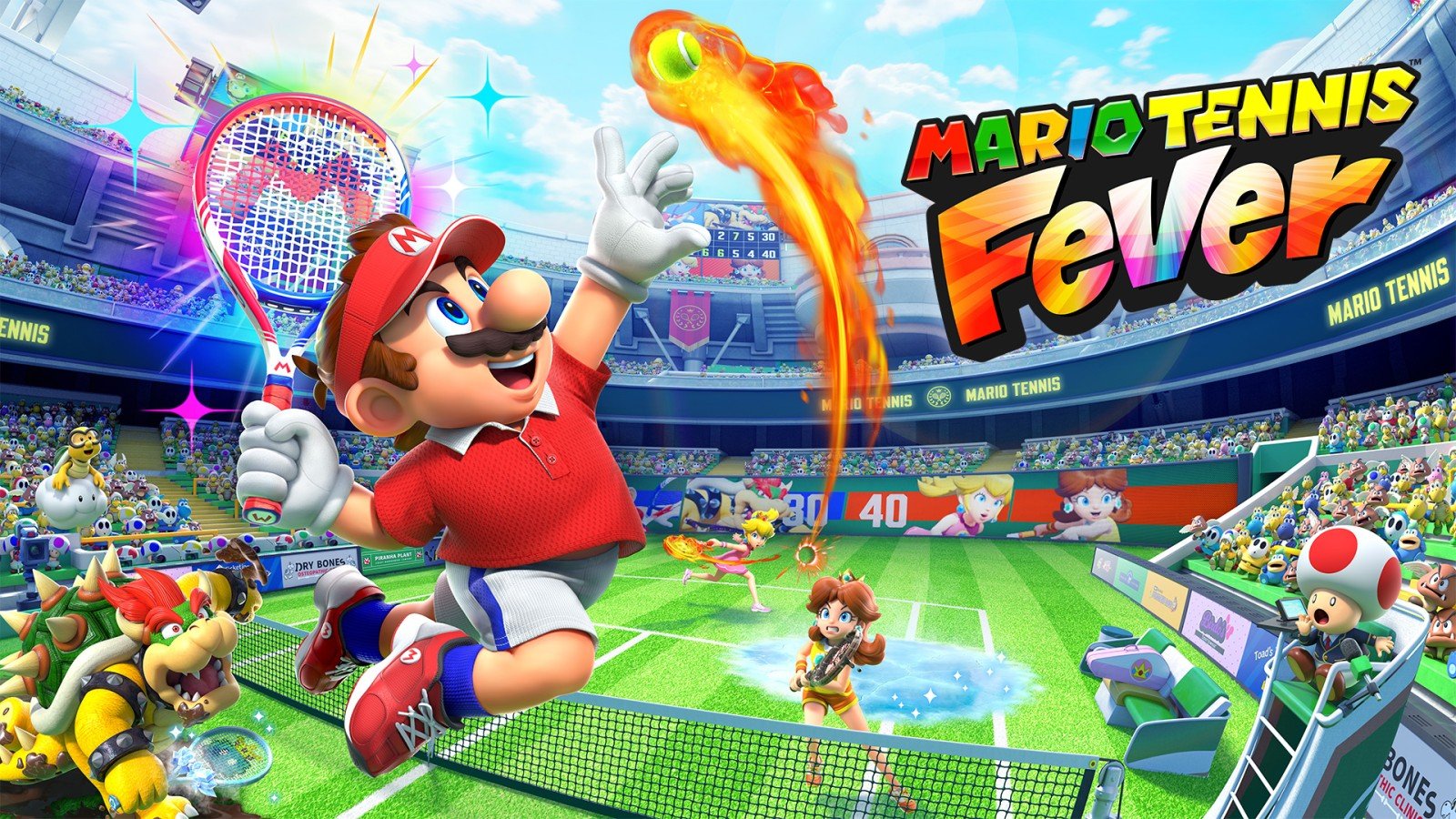
Launch day always has that “new shoes on a clean court” feeling, and Mario Tennis Fever arriving on Nintendo Switch 2 taps straight into it. If you’ve been waiting for a fresh Mario sports fix, this is the moment where the waiting turns into actual matches, actual rallies, and actual bragging rights. We’re seeing the game listed as available from February 12, 2026 in Nintendo’s regional news highlights, and it’s positioned as a Nintendo Switch 2 title. That availability matters because it removes the guesswork – you can either grab it at retail if you like having a box on the shelf, or go digital on the Nintendo eShop if you want to be playing five minutes from now. Either way, it’s game time, and the vibe is simple: pick a character, pick a court, and start swinging like you’ve got something to prove.
The Version 1.0.1 update is already live
Right out of the gate, Mario Tennis Fever comes with a Version 1.0.1 update, and the patch notes are about as brief as a perfectly placed drop shot. Multiple outlets report the same core message from Nintendo: issues were fixed to improve gameplay, without calling out a big list of changes. That can feel almost funny in a world where some patch notes read like a small novel, but it’s also pretty normal for day-one updates. The idea is that the launch build gets one final polish pass once everything is locked and ready for release, and that polish often gets packaged into an update you download as soon as you boot up. If you’re the type who loves details, you might wish for more specifics, but if you’re the type who just wants smoother matches, this is the kind of update you quietly appreciate.
Why “small” patches still matter on launch day
A small patch can do a lot of heavy lifting, especially on day one when the entire player base becomes a giant stress test. Think of it like opening night for a theater show – rehearsals are one thing, but a real crowd exposes every tiny squeak in the floorboards. Even if the notes only say “fixed several issues,” those issues can include things that would annoy you fast, like unexpected crashes, odd menu behavior, or matchmaking hiccups that make online feel sluggish. A patch like this also sends a signal that Nintendo is watching the launch closely and wants the first impressions to land well. And let’s be real: the first hour is when we decide whether a game feels “tight” or “off.” A small update that makes rallies feel cleaner is worth more than a long list of changes that don’t affect the moment-to-moment play.
What “several issues corrected” usually covers
When patch notes stay vague, it usually means the fixes are technical, scattered, or not the kind of thing that’s easy to explain without a wall of developer jargon. “Several issues corrected” often points to stability improvements, minor bug fixes, and gameplay adjustments that smooth out edge cases. That could mean addressing weird camera moments, improving how the game handles certain inputs, or ironing out rare situations where a match doesn’t behave the way it should. It can also include online-related tuning, because online play is where small problems become loud problems. Nobody wants to lose a set because the connection stuttered at the worst time. Even if we don’t get a bullet list of every fix, we can treat the update as the “make launch day feel normal” patch – the one that helps everything run like it should from the start.
How to confirm you’re on the latest version
If you want a quick peace-of-mind check, confirming your version is easy and saves you from guessing. On Nintendo systems, you can highlight the game icon, open the options menu, and look for the version information and update prompt – that’s the fastest way to see what’s installed. The goal is simple: make sure you’re running Version 1.0.1 before you start troubleshooting anything else. If online features are involved, being on the latest version can be the difference between jumping into matches and staring at an error message like it personally insulted you. It’s also a smart habit for launch week in general. Updates can roll out quickly, and getting current early means you spend more time playing and less time wondering why something feels weird.
Online play expectations and what the update unlocks
Online is where Mario sports games either become a weekly tradition or a “we tried it once” story, and that’s why the day-one update matters. Reports around Version 1.0.1 tie it to online access, which lines up with how modern multiplayer usually works – everyone needs to be on the same build so matches are fair and stable. If you’re planning to play online, treat the update like your ticket through the door. It also helps set expectations: launch-day online can be busy, sometimes messy, and occasionally hilarious in the way only competitive strangers can be. But when the version is unified, the experience tends to be more consistent. If your plan is to hop online and test your skills against real people, updating first is the simplest way to avoid needless friction and get straight to the point – winning rallies and stealing games.
Retail vs Nintendo eShop – picking the right buy option
Buying Mario Tennis Fever comes down to what kind of player you are when it comes to ownership and convenience. Retail is great if you like having something physical, sharing or trading, and building that little lineup of games you can point at and say, “Yeah, that’s my collection.” The Nintendo eShop is the opposite vibe – instant access, no trip, no waiting, and you can be playing as soon as the download finishes. Both routes land you in the same place once you’re updated, so it’s less about “which is better” and more about what fits your habits. If you’re the type who buys on impulse and wants to play right now, digital is the obvious win. If you love the ritual of owning games physically, retail scratches that itch. Either way, you’ll still be grabbing Version 1.0.1 and stepping onto the court.
A quick refresher on what makes Mario tennis so addictive
Mario tennis works because it sits in that sweet spot between simple and sneaky. You can pick it up, swing a few times, and feel like you’re doing fine, but then it starts asking real questions. Do you control the pace or react to it? Do you aim safe or go for angles that make your opponent panic? The characters also give the game personality, because playing as a heavy hitter feels different than playing as someone quick and slippery. Add the classic Nintendo charm – expressive animations, recognizable sound cues, and that tiny sting of embarrassment when you whiff a shot in front of friends – and you’ve got a multiplayer magnet. It’s the kind of game where “one more match” turns into three, and suddenly you’re negotiating for a rematch like it’s a serious legal matter. That’s the magic, and it’s why launch day feels like an invitation.
First-hour checklist – settings, controls, and comfort
The first hour is where you quietly set yourself up for a better time, even if you don’t think of it that way. Start by making sure your controllers feel right – stick sensitivity, motion controls if you use them, and any accessibility or camera options that help you track the ball comfortably. Then look at your display setup. If you’re playing docked, you want a clean view where timing feels natural. If you’re handheld, comfort matters more than you’d expect because tense hands make timing worse, not better. Think of this like tightening your shoelaces before you run. You can still run with loose laces, but you’re going to regret it at the worst moment. Get your settings dialed in early, then you can stop thinking about them and start thinking about winning points.
Multiplayer plans – couch chaos and friendly rivalries
Mario Tennis Fever is built for the kind of multiplayer where laughter and shouting live in the same sentence. Couch play is the classic format – quick matches, quick resets, and the kind of rivalry where someone claims the controller is “broken” the moment they lose a point. If you’re planning a local session, the best move is to agree on match length and rules before emotions get involved, because nothing starts a debate faster than “best of one” turning into “best of seven” mid-argument. Online multiplayer adds another layer. It’s more competitive, more unpredictable, and sometimes more intense, because strangers don’t care about your feelings. That can be fun if you like testing yourself, but it’s also why updating matters – you want the smoothest experience possible when the competition is real. Whether you’re playing locally or online, the game shines when it becomes a shared routine, not a one-off novelty.
Staying sharp – tips that help you win more points
If you want to win more, the trick isn’t some secret combo – it’s consistency. Focus on timing first. Clean returns keep you in rallies longer, and longer rallies create more chances for your opponent to make mistakes. Next, learn your character’s strengths and lean into them instead of trying to play every matchup the same way. Big characters can bully space, fast characters can steal angles, and balanced characters reward steady play. Also, don’t ignore positioning. Being in the right place early is like arriving at the station before the train – you don’t have to sprint, and you don’t have to panic. Finally, treat every match like feedback. If you lose points the same way repeatedly, that’s not bad luck, that’s a pattern. Spot the pattern, fix the pattern, and suddenly you’re the annoying friend who “somehow always wins.”
If something feels off – quick troubleshooting after updating
Even with a day-one patch, launch week can still bring a few odd moments, so it helps to have a simple troubleshooting routine. First, confirm you’re actually on Version 1.0.1, because half of “weird issues” are just version mismatches. Next, restart the game after updating. It sounds too simple, but it clears out lingering states and can fix menu weirdness or connection hiccups. If online feels unstable, check your connection and consider testing another online game to see if the problem is system-wide or specific to this title. If you’re playing locally and something feels delayed, double-check controller battery levels and any wireless interference in the room. The goal isn’t to turn your night into tech support, it’s to get back to playing quickly. Think of it like wiping fog off a mirror – small steps that bring clarity fast.
Keeping up with future updates without overthinking it
Once you’re past launch day, updates tend to become background noise, and that’s a good thing. The best approach is to let your system handle it naturally – keep online connectivity available, and check for updates if you notice matchmaking issues or see others mention a new version. You don’t need to obsess over every patch note like it’s a cliffhanger ending. Most updates are about stability, balance, or online consistency, and they’re designed to keep the experience smooth for everyone. If you’re the kind of player who loves certainty, you can make it a habit to glance at the version number before a competitive session, especially if you’re jumping online. That tiny check helps you avoid compatibility headaches and makes sure your matches feel fair. Updates should feel like maintenance on a well-loved bike – not exciting, but essential if you want the ride to stay smooth.
What to play next once the hype settles
After the first rush of launch day, the game becomes what it’s meant to be: a regular part of your rotation. That’s when you start experimenting more – trying different characters, learning different courts, and setting little challenges for yourself. If you’ve got a group, consider making it a weekly thing, because Mario sports games thrive when they become a shared habit rather than a one-night event. If you’re solo, mix modes to keep it fresh, and use online matches as a way to test what you’ve learned. The best part is that Mario Tennis Fever doesn’t ask you to commit to marathon sessions. It’s built for short bursts that still feel satisfying, like grabbing a snack that actually hits the spot. Play a few matches, laugh at the chaos, and walk away feeling like you did something fun, not like you clocked into a second job.
Conclusion
Mario Tennis Fever landing on Nintendo Switch 2 with a Version 1.0.1 day-one update is the most modern kind of launch: jump in fast, patch early, and get straight to the rallies. The patch notes may be brief, but that’s not a bad sign – it usually means the update is focused on smoothing the experience rather than changing what the game is. If you’re planning to play online, treat updating as part of the setup, and if you’re playing locally, a quick version check still helps everything run cleanly. With availability both at retail and on the Nintendo eShop, it’s easy to choose the buying style that fits you and get on court. Then comes the real point of the whole thing: picking your character, finding your rhythm, and turning “one match” into an entire evening of friendly rivalry.
FAQs
- What does the Mario Tennis Fever Version 1.0.1 update do?
- It’s described as a small update that fixes issues to improve gameplay, without a long list of detailed changes.
- Do we need Version 1.0.1 to play online?
- Reports indicate the update is required for online features, so it’s smart to update before jumping into online matches.
- Where can we buy Mario Tennis Fever on Nintendo Switch 2?
- It’s available at retail and digitally via the Nintendo eShop, so you can pick whichever option fits your habits.
- How can we check which version is installed?
- Highlight the game icon, open the options menu, and look for the version number and update option to confirm you’re current.
- What should we try first after installing and updating?
- Dial in your controls and comfort settings, then start with a few quick matches to learn timing and character feel before going fully competitive.
Sources
- Mario Tennis Fever Takes To The Court With A Small Day One Game Update, Nintendo Life, February 2026
- Mario Tennis Fever 1.0.1 update out now, patch notes, Nintendo Everything, February 11, 2026
- Mario Tennis Fever Update 1.0.1 Patch Notes, Nintendo Insider, February 12, 2026
- Mario Tennis™ Fever for Nintendo Switch 2, Nintendo.com, February 2026
- Nintendo eShop-hoogtepunten – 12-02-2026, Nintendo (NL/BE), February 12, 2026