














Summary:
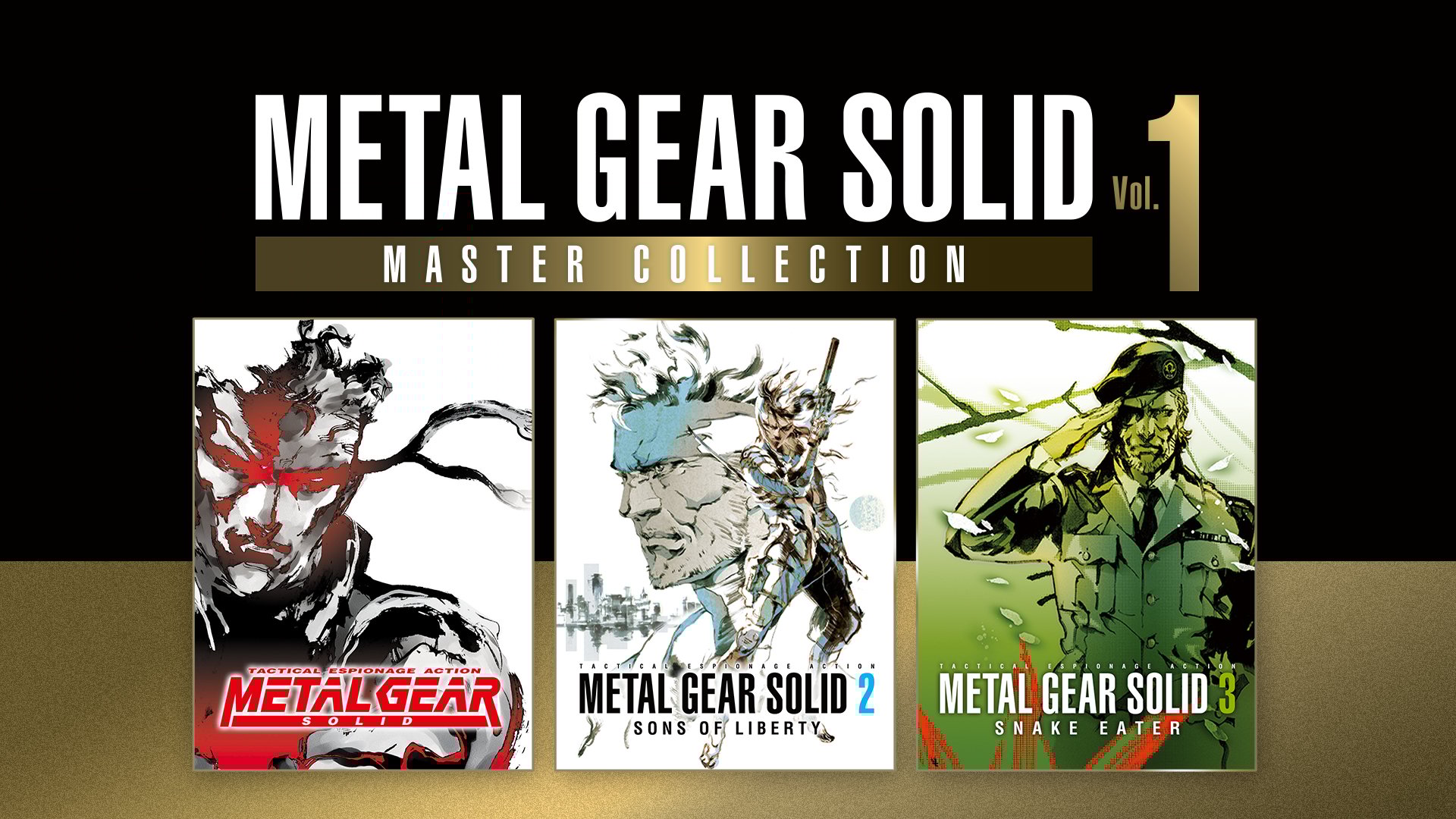
Konami calling this the final major update for Metal Gear Solid: Master Collection Vol. 1 matters, because it turns the Switch 2 version into something that finally matches how these games feel in your memory. If you have ever played Metal Gear Solid 2 or Metal Gear Solid 3 and thought, “This is legendary, but why does it feel like it is jogging in heavy boots?” then the jump to 60fps is the moment where those boots come off. Movement looks cleaner, aiming feels less mushy, and camera turns stop looking like a flipbook. It is not about chasing flashy modern tricks, it is about getting out of the way and letting the classics breathe.
On top of that, Switch 2 owners get a sharper option set through High Resolution Mode for Metal Gear Solid and Metal Gear Solid 3: Snake Eater, handled through a toggle in the settings. That one little switch is more important than it sounds, because it gives you control over what you care about most: smoother performance, crisper detail, or a balanced middle ground. Think of it like choosing between a cozy, film-grain vibe and a freshly cleaned window. Both are valid, and now you can pick without guessing. The cherry on top is that Konami has also confirmed Metal Gear Solid: Master Collection Vol. 2 for Nintendo Switch and Nintendo Switch 2, which makes this Vol. 1 update feel like a “ready the runway” moment rather than a quiet farewell.
What makes this the final Metal Gear Solid: Master Collection Vol. 1 update
When a publisher labels something as the final major update, it is basically them putting a bow on the package and saying, “This is the version we want you to remember.” That is why this one lands so well for Nintendo Switch 2 owners. Vol. 1 has always had the weight of history on its shoulders, because these are not just old stealth games, they are cultural landmarks with a fanbase that notices everything. The final update feels like Konami taking the loudest practical feedback seriously, then aiming it directly at the Switch 2 experience. Instead of tiny tweaks that you need a magnifying glass to appreciate, we are talking about changes you can feel in the first minute: smoother motion, clearer presentation options, and a more flexible setup menu that lets you choose what looks best to your eyes. If Vol. 1 is going to stand on its own for the long haul, it needed that kind of finishing touch.
The 60fps change and why it feels different
Going from 30fps to 60fps is one of those upgrades that sounds technical until you actually play it, then your hands immediately get what the numbers mean. At 60fps, the image updates twice as often, which makes animation and camera movement look more continuous. In stealth games, that matters a lot, because you are constantly reading motion: guard patrols, quick turns, peeking around corners, snapping the camera to check your surroundings. At 30fps, those movements can feel slightly chunky, like you are watching through a security monitor with a lower refresh rate. At 60fps on Switch 2, it becomes smoother and easier to track, and that smoothness can make you feel more confident when you commit to a plan. It is like walking on a freshly swept floor instead of one covered in tiny pebbles. You can still move either way, but one is less distracting.
Which games benefit most from 60fps on Switch 2
The biggest winners are Metal Gear Solid 2 and Metal Gear Solid 3, because their 3D camera, movement, and aiming systems put more demands on fluid motion. When you are lining up a tranquilizer shot, spinning the camera during an alert, or weaving through tight spaces, extra frames make the whole experience feel less resistant. Metal Gear Solid 1 has its own charm and pacing, but Vol. 1’s most obvious “this should be smoother” moments usually show up in the later entries. If you have played these games across different platforms, you already know how much feel matters here. The story is iconic, sure, but gameplay rhythm is the glue that holds all those dramatic scenes together. With 60fps on Switch 2, we get a version that feels more like the one your brain has been insisting existed all along.
High Resolution Mode on Switch 2
High Resolution Mode is the other half of the Switch 2 story, because not everyone cares about the same thing when they boot up a classic. Some people want the smoothest possible movement. Others want sharper image clarity, cleaner edges, and more detail in textures and environments. High Resolution Mode is essentially Konami acknowledging that both groups are right, then handing you the keys instead of locking you into a single preset. For Metal Gear Solid and Metal Gear Solid 3: Snake Eater on Switch 2, this mode is available via a toggle, which means you are not stuck guessing what the system is doing behind the scenes. You can make a choice, see the result, and switch back if it does not fit your taste. It is a practical approach that respects the fact that your screen, your distance from it, and your preferences are not the same as anyone else’s.
The toggle options and where to find them
The key thing is that this is not hidden behind some secret cheat-code style menu. The toggle is presented as an option you can choose, so you can treat it like a normal part of your setup routine. If you are the kind of player who changes brightness and subtitles before you even hit “New Game,” you will feel right at home. The important habit is to check the screen or display options before you commit to a long session, especially if you switch between handheld and docked play. What looks perfect on a big TV can look overly crisp or slightly different on a smaller screen, and vice versa. Think of it like seasoning your food: the best amount depends on the plate you are eating from. The good news is that a toggle means you are never locked in, so it is easy to experiment without feeling like you are messing up your save.
A simple settings checklist for best results
Start by deciding what your priority is for the session you are about to play. If you are going into a stealth-heavy stretch where reaction and camera control matter most, lean toward the option that favors smoothness. If you are settling in for exploration, cinematics, and soaking in atmosphere, High Resolution Mode can be the nicer fit. Next, confirm your display context: handheld, tabletop, or docked. After that, make sure you are comfortable with how the image looks in motion, not just in a paused screen, because these games are full of fast camera pans and sudden alerts. Finally, stick with your choice for at least fifteen minutes before judging it, because your eyes adjust quickly and first impressions can be misleading. It is a little like trying a new pair of shoes – you need a short walk, not just a glance in the mirror.
Docked vs handheld expectations
Switch 2 play styles are basically two different living rooms: one is the big-screen setup, the other is the close-up personal screen you hold in your hands. That difference changes what you notice. In docked mode, clarity and sharpness can stand out more because you are looking at a larger image, and your TV’s own processing can play a role in how motion looks. In handheld mode, the screen is smaller and closer, which can make high detail look especially crisp, but it can also make aliasing and small artifacts feel more noticeable if you stare too hard. The practical takeaway is simple: do not assume your favorite setting in docked mode will automatically be your favorite in handheld mode. Give yourself permission to treat them like two separate profiles, even if the system does not label them that way. If you do that, you end up with a setup that feels “right” wherever you play, instead of one that feels like a compromise everywhere.
Storage and download considerations
Whenever higher-resolution assets enter the conversation, storage becomes the unglamorous but very real side quest. If you are installing optional packs or higher-res files, it can add up quickly, and Switch systems are famously the kind of devices where your storage vanishes like snacks at a party. The best move is to check your available space before you hit download, especially if you are juggling multiple big games. If you use a microSD card, make sure it is reliable, because large installs and updates can expose flaky cards fast. Nobody wants their evening derailed by a corrupt download when they were five minutes away from reliving an iconic boss fight. It is not a flashy tip, but it is the difference between a smooth upgrade and a “why is my system yelling at me” moment.
Small quality-of-life wins that matter
Big headline upgrades like 60fps and resolution toggles get the spotlight, but it is usually the smaller comfort fixes that keep you playing. Menu clarity, option presets, and platform-specific settings all add up to a better day-to-day experience, especially when you are bouncing between entries in a collection. The Switch 2 angle matters here because it is not just raw power, it is also about how the software recognizes the hardware and gives you appropriate choices. When you can quickly find the setting you want and understand what it does, you spend more time playing and less time squinting at menus like you are trying to defuse a bomb. Metal Gear is already intense enough. The settings screen should not feel like part of the boss fight.
Performance snapshot for Switch 2 sessions
If you want a simple mental model, treat the final update as two dials you can turn: smoothness and sharpness. 60fps is the smoothness dial, and it changes the feel of movement and camera flow right away. High Resolution Mode is the sharpness dial, and it changes how detailed the image looks depending on your screen and preferences. Between those two, Switch 2 owners can tune Vol. 1 to match how they play, rather than accepting a one-size-fits-all setup. That flexibility is the real victory here, because it respects that different players notice different things. Some of us chase flawless motion. Some of us want crisp visuals. Most of us want a balance, and now the collection is much closer to that sweet spot.
How this update changes the value of Vol. 1
Vol. 1 has always been about access and preservation, but the Switch 2 improvements shift it into a more comfortable “play it now” recommendation for people who care about feel. If you already own the collection, the update is the kind of thing that can pull you back in, because it makes familiar sections feel fresher without changing what they are. If you do not own it yet, the Switch 2 version now has a clearer selling point: it is not only portable, it is also smoother and gives you sharper options for key entries. That matters because classics do not compete with new releases purely on story, they compete on whether they still feel good in your hands. With this final update, Vol. 1 is better positioned to be something you return to, not just something you respect from a distance.
Vol. 2 is confirmed for Switch and Switch 2
Konami confirming Metal Gear Solid: Master Collection Vol. 2 for Nintendo Switch and Nintendo Switch 2 changes the vibe of this final Vol. 1 update. It stops feeling like a quiet ending and starts feeling like a handoff. When a publisher is building toward the next release, it makes sense to polish the current one so the series looks consistent across the platform. For Switch 2 owners, it is also reassuring: support is not a one-and-done situation, and Konami is actively treating Nintendo hardware as part of the lineup. If you are someone who likes having a clean series shelf, digitally or physically, that matters. It is like seeing the next book announced right after the author releases a revised edition of the first volume. You get the sense that the publisher wants the whole set to sit nicely together.
Why Vol. 2 talk matters for people buying Vol. 1 now
When Vol. 2 is on the horizon, Vol. 1 becomes more than a standalone purchase. It becomes your entry point, your foundation, and the thing you will compare everything else to. That is why the Switch 2 upgrades are so well-timed: they reduce the chance that Vol. 1 feels like the “awkward early release” next to whatever Vol. 2 brings. If you are considering buying Vol. 1 now, the question is not only “Do I want these games?” but also “Do I want them on the platform where I plan to play Vol. 2?” For Nintendo players, the answer can be simpler than it used to be, because Vol. 1 is now less compromised in the ways people notice first. And honestly, if you are the kind of person who replays Metal Gear, you already know you are going to want a setup that feels good for the long run.
What to do next if you own or want to buy Vol. 1
If you already own Vol. 1 on Switch 2, the smartest move is to update, then spend ten minutes testing settings before you commit to a long session. Flip the High Resolution Mode toggle, move the camera around in a busy area, and see which option makes you forget about the screen and focus on the mission. If you do not own it yet, think about how you actually play. Are you mostly handheld, mostly docked, or constantly switching? Let that answer guide whether you prioritize smoothness, sharpness, or flexibility. Either way, the final update makes Vol. 1 feel less like “a collection that exists” and more like “a collection you will actually enjoy playing.” And if Vol. 2 is coming to the same platform, setting yourself up now means you will be ready when the next batch lands. No stress, no scrambling, just you, a cardboard box, and the eternal question: are we really going to sneak past that guard, or are we about to make this extremely loud?
Conclusion
The final major update for Metal Gear Solid: Master Collection Vol. 1 is exactly the kind of Switch 2 moment people hope for – a clear, tangible upgrade that respects classic games instead of treating them like museum pieces. 60fps makes the most demanding entries feel smoother and more natural, and High Resolution Mode gives you a practical toggle for dialing in the look you prefer. The result is a collection that feels more confident on Nintendo hardware, whether you are playing docked on a big screen or handheld on the go. Add in Konami confirming Vol. 2 for both Switch and Switch 2, and this update starts to look like a statement: the series is being positioned to live comfortably on the platform, not merely visit it. If you love Metal Gear, this is the kind of patch that makes replaying feel less like nostalgia and more like a proper return.
FAQs
- Does the final Vol. 1 update add 60fps on Nintendo Switch 2?
- Yes. Reports and published patch coverage indicate the Switch 2 version receives 60fps improvements, especially for Metal Gear Solid 2 and Metal Gear Solid 3, which were previously capped lower on Switch.
- Which games get High Resolution Mode on Switch 2?
- High Resolution Mode is supported for Metal Gear Solid and Metal Gear Solid 3: Snake Eater on Switch 2, and it is presented as a toggle option so you can choose how you want the image to look.
- Where do we find the High Resolution Mode toggle?
- The toggle is found in the display or screen-related options within the game menus, allowing you to switch modes without needing external tools or complicated steps.
- Will the update automatically choose the best settings for handheld and docked?
- It is better to treat handheld and docked as two different viewing setups and test your preferred mode in each. What looks perfect on a TV can feel different on the handheld screen.
- Is Metal Gear Solid: Master Collection Vol. 2 confirmed for Switch and Switch 2?
- Yes. Konami has announced Vol. 2 for Nintendo Switch and Nintendo Switch 2, alongside other platforms, which makes Vol. 1’s final update feel like a strong foundation for what is next.
Sources
- Metal Gear Solid: Master Collection Vol. 1 Update Now Available, Adds Switch 2 Support, Nintendo Life, February 12, 2026
- Metal Gear Solid: Master Collection Vol. 1 2.1.0 update out now, includes Nintendo Switch 2 improvements, Nintendo Everything, February 12, 2026
- Metal Gear Solid: Master Collection Vol. 1 updated for Switch 2, Vooks, February 14, 2026
- METAL GEAR SOLID: MASTER COLLECTION Vol. 2 announcement, KONAMI, 2025
- Metal Gear Solid Master Collection Vol. 1 got its final big update, PC Gamer, February 2026