














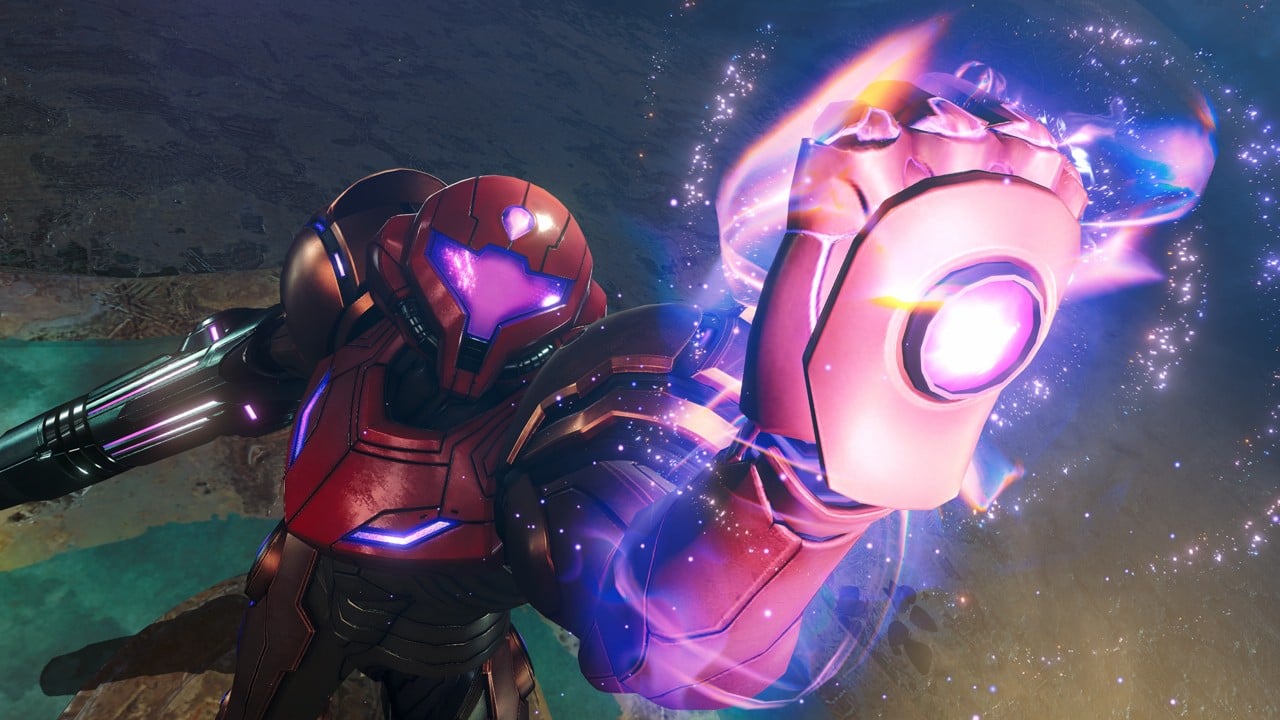
Summary:
Metroid Prime 4: Beyond finally gives players a clear look at how the game will feel in their hands by laying out difficulty options and display modes before launch. From the moment you start a new file you can choose between Casual Mode and Normal Mode, which already sets the tone for how relaxed or tense your first expedition on the planet Viewros will be. Finish Normal Mode once and Hard Mode unlocks as a badge of honor, giving veterans a fresh reason to revisit every corridor and boss fight with sharper reflexes and deeper knowledge of each area. Alongside these difficulty options, Nintendo Switch 2 players can pick between Quality Mode and Performance Mode, trading pure visual detail for smoother motion or the other way around. Quality Mode focuses on sharp resolution and HDR lighting, while Performance Mode targets higher frame rates that can reach up to 120 fps on compatible displays. Together, these choices let you decide how cinematic or how responsive your adventure should feel. The result is a setup where you are not locked into a single way to experience Samus Aran’s new mission, but can tune Metroid Prime 4: Beyond to match your comfort level, your screen and even your mood on launch day.
Metroid Prime 4: Beyond difficulty and display modes in a nutshell
Metroid Prime 4: Beyond is built around one simple idea: let you shape the experience before the first door even opens. Instead of dropping everyone into the same settings, the game starts by asking how you want to play. Do you want a calmer trip through Viewros where you can soak in every glowing corridor without worrying about every hit you take, or do you prefer a classic Metroid Prime challenge that keeps your health bar honest from the first encounter? That question is answered through Casual Mode and Normal Mode, with Hard Mode waiting as a reward for players who clear the game on Normal. At the same time, especially on Nintendo Switch 2, you decide how the adventure should look and feel on your screen, with a choice between a sharp, HDR powered Quality Mode and a fast, ultra responsive Performance Mode. Instead of feeling like a technical menu, these switches quietly reshape the rhythm of combat, exploration and even puzzle solving. You end up building your own version of Metroid Prime 4: Beyond, tuned to your skills, your display and how much pressure you want on your shoulders during that first trip into the unknown.
Understanding the three difficulty modes in Metroid Prime 4: Beyond
The difficulty settings in Metroid Prime 4: Beyond are not just labels slapped on enemies. They control how much punishment Samus can take, how tough foes are and how stressful each room feels as you push through Viewros. Casual Mode and Normal Mode are available right away, which already shows that the game respects different starting points. Casual Mode lowers enemy HP and reduces the damage Samus takes, turning many encounters from potential walls into stepping stones. Normal Mode keeps things closer to the traditional Metroid Prime balance, where mistakes sting a little more and boss patterns demand closer attention. Hard Mode, which unlocks after clearing the game on Normal, pushes everything further, turning familiar encounters into tense duels where every missile, charge shot and dodge matters. Instead of hiding the full experience behind a single difficulty curve, Metroid Prime 4: Beyond invites you to pick the path that fits your reflexes, your patience and even the kind of mood you are in when you sit down to play.
How Casual Mode keeps the focus on exploration
Casual Mode is perfect if you care more about discovering every corner of Viewros than proving how tough you are. By lowering enemy HP and reducing incoming damage, it makes wandering off the main path less risky, which is a big deal in a series that loves hiding upgrades behind suspicious walls and out of the way platforms. You can experiment more with new tools, poke at secrets and even make a few clumsy jumps without feeling punished for it. This does not turn Metroid Prime 4: Beyond into a walk in the park, since bosses still have attack patterns you need to respect and environmental hazards still hurt, but it cuts down on the kind of harsh spikes that can scare new players away. If you are coming from 2D Metroid games and feel a little nervous about full 3D movement, or if you simply want a relaxed first tour of the story and atmosphere, Casual Mode works like a safety net. It lets you learn the language of the game at your own pace while still feeling the thrill of progression whenever you pick up a new ability or open up a fresh shortcut.
Why Normal Mode feels like the classic Metroid Prime journey
Normal Mode is where Metroid Prime veterans will feel right at home. Here, enemies hit harder, their health pools are not trimmed down and your mistakes show up clearly on the health bar. That tension is part of the charm. Every time you enter a new room, you pause for just a heartbeat to read enemy placements, think about the best visor or weapon to equip and line up the first strike. Bosses turn into puzzles made of attacks and weak points, and learning their patterns becomes its own reward. You will still find plenty of save points and resources, especially if you explore actively, but there is less room for sloppy play. This mode also makes upgrades feel more meaningful. Picking up an energy tank before a big fight gives you a noticeable comfort boost, while unlocking a new beam that pierces armor or a suit that resists heat can completely change how a tough area feels. If you loved the balance in earlier Metroid Prime entries and want that familiar push and pull between danger and empowerment, Normal Mode is the best starting point.
Hard Mode as the ultimate reward for skilled players
Hard Mode is not available from the start, and that is intentional. You unlock it only after finishing Metroid Prime 4: Beyond on Normal Mode, which means you have already climbed the learning curve, discovered the flow of the main areas and seen the story through to the end at least once. When you go back in Hard Mode, the game expects that knowledge and leans into it. Foes hit much harder, tolerate fewer mistakes and demand sharper positioning in both cramped corridors and wide arenas. Even basic enemies can turn into real threats if you drift into autopilot. This makes every decision count more, from which upgrades you chase first to how aggressively you push during boss phases. Instead of being just a numbers tweak, Hard Mode feels like a remix built for players who want each victory to leave their palms a little sweaty. It is also perfect for people who enjoy replaying games, because it nudges you to refine strategies, experiment with sequence breaks where possible and pay attention to details you might have rushed past on your first run.
Choosing the right difficulty for your first run
Picking a difficulty in Metroid Prime 4: Beyond is a bit like choosing hiking gear before stepping into a huge, unfamiliar landscape. If you pack too light, the climb might feel rough. If you overprepare, the trip might lose some of its bite. For newer players or anyone who has bounced off 3D Metroid games in the past, starting in Casual Mode can be the difference between finishing the adventure and abandoning it halfway through. You still enjoy exploration, puzzles and boss encounters, but the game is more forgiving when you misjudge an attack or get turned around on the map. On the other hand, if you have cleared earlier Metroid Prime titles or similar first person adventures, Normal Mode gives you a satisfying balance without feeling unfair. The key thing to remember is that there is no shame in changing your mind. If you start on Normal and find yourself frustrated more than excited, stepping down to Casual is perfectly valid. Likewise, if Casual starts to feel too gentle, you can always tackle Hard Mode later after a full Normal clear, turning your second run into the intense challenge you were craving.
Helping new Metroid players feel at home
For newcomers, it is easy to feel intimidated by a long running series with a passionate fanbase. Metroid Prime 4: Beyond does a lot to smooth that worry out, and choosing Casual Mode is one of the best tools it offers. With less punishing damage values and softer enemy health, you have room to learn how Samus moves, how lock on aiming works in three dimensional space and how scanning your surroundings reveals useful story and gameplay hints. You can take time to appreciate Viewros itself, which is shaping up to be more than just yet another alien planet. Environmental storytelling, strange ruins and new characters hit harder when you are not staring at the energy bar every few seconds. By the time the credits roll, you arrive at the end with confidence instead of exhaustion, and that confidence carries over if you decide to tackle Normal Mode or even Hard Mode later. If you have ever wished you could enjoy Metroid without worrying that every mistake would send you back to a save room, this setup is quietly designed with you in mind.
What veterans should think about before locking in a mode
If you already know your way around Tallon IV and other classic Metroid locations, your instinct might be to chase the hardest option available. Since Hard Mode sits behind a Normal clear, though, it can actually be smarter to treat that first playthrough as a scouting mission. Normal Mode lets you learn every boss, every route and every secret with a healthy level of pressure but not outright cruelty. You can experiment with risky strategies, poke at sequence breaks and get a feel for how the new abilities and weapons reshuffle Metroid’s familiar rhythms. When Hard Mode unlocks, you then have a mental map of the entire journey, which makes it easier to route a faster replay or a more stylish, no nonsense run. If you crave a challenge right away, you can always self impose extra rules on Normal, like avoiding unnecessary damage or skipping certain pickups, then let Hard Mode become the place where the game itself turns those instincts into strict requirements.
Quality Mode and Performance Mode on Nintendo Switch 2
On Nintendo Switch 2, Metroid Prime 4: Beyond does something just as important as its difficulty settings by letting you choose how the game uses the extra power in the system. Quality Mode is built for players who want the sharpest image possible, with support for 4K resolution in TV mode and HDR lighting that makes every charged shot and alien glow pop on compatible displays. Performance Mode, by contrast, aims for a higher frame rate that can reach up to 120 fps at 1080p when your display supports 120 Hz, focusing on responsiveness and fluid motion. Both modes keep the spirit of Metroid Prime intact, but they emphasize different aspects of the experience. Quality Mode leans into cinematic views of Viewros, where distant structures look crisp and atmospheric details stand out, while Performance Mode makes fast movement, quick aiming and frantic dodging feel silky smooth. Having this choice means you are not locked into a one size fits all visual profile. You tailor the feel of the game to your hardware and your priorities in a way that used to be rare on Nintendo systems.
Quality Mode – sharp resolution and HDR for cinematic exploration
Quality Mode is ideal if you enjoy pausing just to spin the camera and admire the scenery. By targeting 4K resolution in TV mode and pairing it with HDR support, it turns Viewros into a showcase of bright highlights, deep shadows and rich color contrast on capable screens. Metallic surfaces on Samus’s armor catch environmental light more convincingly, glowing alien flora and energy fields pop against darker backgrounds, and distant geometry looks clean instead of fuzzy. Even in handheld style setups, the focus on clarity at 1080p has benefits, making small interface elements easier to read and distant threats easier to spot. The trade off is that the frame rate caps at 60 fps, which is still very smooth for a Metroid game. For many players this balance feels just right, and it matches the exploratory nature of the series. If you plan to take things slow, read every log entry and enjoy the blend of mood and mystery, Quality Mode on Nintendo Switch 2 gives you a stylish canvas without sacrificing responsiveness entirely.
Performance Mode – smoother motion and up to 120 fps action
Performance Mode is the choice for players who care most about how the game feels moment to moment in combat. By dropping the resolution target to 1080p and focusing on frame rate, Metroid Prime 4: Beyond can reach up to 120 fps in TV mode on displays that support 120 Hz. Even if your screen tops out at 60 Hz, the extra performance headroom can translate into more stable frame pacing under load. You notice the difference when circle strafing around a boss, lining up rapid shots with the beam or weaving through overlapping projectiles in tight spaces. Movement feels more immediate, boosting with Samus’s new mobility options becomes more satisfying and aiming with either traditional controls or supported mouse input gains a subtle edge. The world might look a little less razor sharp than in Quality Mode, but for players who thrive on responsive controls, that is a trade worth making. If you intend to replay the game on Hard Mode, chase speedruns or spend hours simply perfecting your routes, Performance Mode will probably become your default.
Nintendo Switch vs Nintendo Switch 2 – how each version plays
Metroid Prime 4: Beyond is not leaving original Nintendo Switch owners behind, which is important given how long people have been waiting for this adventure. On the base Nintendo Switch, the game aims for a more traditional setup, focusing on a solid experience without the extra bells and whistles offered by Nintendo Switch 2. You still get the same story, the same planet Viewros, the same bosses and puzzles and the same core difficulty structure of Casual, Normal and unlockable Hard. If you later upgrade to Nintendo Switch 2, an upgrade pack lets you step up to the enhanced edition without buying a whole separate copy. On Nintendo Switch 2, meanwhile, you gain access to higher resolutions, HDR support, Quality and Performance Modes and even optional mouse controls when supported. The experience becomes more flexible and more in step with modern displays, especially large 4K televisions and high refresh monitors. Put simply, the original Switch version makes sure nobody is left out, while the Switch 2 Edition lets you squeeze more out of your hardware if you have made the jump to the new system.
What stays the same across both systems
At the heart of things, Metroid Prime 4: Beyond is the same adventure on Nintendo Switch and Nintendo Switch 2. Samus still explores the same interconnected map, uncovers new abilities, fights the same enemies and chases the same story threads. Difficulty modes behave the same way, with Casual and Normal available from the start and Hard unlocking after a Normal clear. All players experience the same narrative beats, key cutscenes and main boss encounters, which means you never have to worry about missing important plot points just because you have not upgraded your console yet. Save room placements, puzzle layouts and item locations line up as well, keeping online discussions and community discoveries compatible across both platforms. If you only own a Nintendo Switch, you still get a complete Metroid Prime 4: Beyond experience. If you later decide to move to Nintendo Switch 2, your expectations about how the game plays moment to moment will already be set, and the extra visual and performance options will feel like a welcome enhancement rather than a requirement.
Where the Nintendo Switch 2 Edition really pulls ahead
The Nintendo Switch 2 Edition stands out once you start paying attention to finer details. Higher resolution and HDR support mean that dark areas gain subtle gradations instead of turning into flat black shapes, and glowing elements like energy doors and charge shots have a more pleasing intensity. Quality Mode’s 4K target in TV mode makes environmental textures and distant structures feel cleaner, which suits a game that loves showing you far off landmarks before letting you reach them. Performance Mode, with its focus on up to 120 fps at 1080p when paired with the right display, changes how responsive the game feels during fast platforming and frantic firefights. On top of that, optional mouse support in compatible setups gives players a new way to aim and look around, echoing classic PC style control schemes in a console space. None of these features rewrite the core game, but together they create a smoother, sharper and more flexible way to experience Samus’s latest mission, especially if you are the kind of player who notices input latency and frame pacing.
Recommended setups for different types of players
With multiple difficulty levels and two main display modes on Nintendo Switch 2, it can feel like there are almost too many knobs to turn before you even step onto Viewros. The upside is that you can tailor Metroid Prime 4: Beyond to fit your preferences rather than twisting your playstyle around a single preset. The easiest way to think about it is to pair your own habits with a simple combo. If you usually play games to relax after work and do not care about being tested to your limits, a softer difficulty and a more cinematic visual profile will feel great. If you get a kick out of mastering systems, beating bosses without taking damage and shaving seconds off your route, a tougher difficulty and a snappier performance profile will speak your language. There is also room in the middle, where you might want a fair challenge but not a punishing one, and a good looking image without chasing every last technical perk. Looking at a few examples can help make those choices more concrete before launch.
Relaxed explorers
If you mainly play to unwind and you love soaking in atmosphere, you will probably enjoy Casual Mode paired with Quality Mode on Nintendo Switch 2. This setup lets you focus on the story, the scenery and the feeling of stepping deeper into Viewros without worrying too much about getting stuck. Enemies still matter, but they are less likely to shut you down completely if you misjudge an attack or wander into a fight without full health. Quality Mode’s sharper image and HDR lighting make slow exploration and sightseeing especially pleasant on a large TV, turning every new area into something you might want to screenshot. On original Nintendo Switch, the same spirit applies if you simply choose Casual Mode and do not stress about technical trade offs. The point is to make Metroid Prime 4: Beyond feel welcoming, not exhausting. If you have friends or family watching you play, this combination also makes it easier for them to follow what is happening since the game is not constantly punishing every mistake.
Balanced players
Maybe you want a fair challenge but still like to breathe between tough battles. In that case, Normal Mode combined with Quality Mode is a strong pick on Nintendo Switch 2. Normal Mode keeps tension alive in every boss encounter and many regular rooms, making upgrades feel earned and victories satisfying. Quality Mode keeps the image looking sharp without sacrificing a steady frame rate, which suits players who want both style and stability. On a base Nintendo Switch, simply choosing Normal Mode will hit a similar sweet spot. This combination is ideal if you are familiar with first person games in general but might be newer to Metroid Prime specifically. It respects your skills without assuming mastery of every series quirk. You still get those magical Metroid moments where a previously hostile area suddenly feels safe thanks to a new ability, but you do not feel like the game is constantly trying to push you off a cliff for fun.
Challenge hunters
For players who love pushing their limits, the natural end goal will be Hard Mode on Nintendo Switch 2 with Performance Mode enabled. It takes some time to get there, since you have to clear Metroid Prime 4: Beyond on Normal first, but that journey works like training. By the time Hard Mode is unlocked, you know every major encounter and can route your upgrade path more strategically. Performance Mode then steps in to give you the smoothest possible motion at up to 120 fps on compatible screens, which pairs nicely with the increased difficulty. Quick dodges, precise jumps and snap aiming all benefit from faster and more stable frame delivery. On original Nintendo Switch, Hard Mode will still provide that tougher challenge even without the extra performance perks. If you enjoy sharing clips online, chasing in game records or simply testing your reflexes against the hardest version the game offers, this combination turns Metroid Prime 4: Beyond into a long term project rather than a one weekend experience.
Speedrunners and replay addicts
Some players will inevitably treat Metroid Prime 4: Beyond as a playground for routing, sequence breaking and time attacks. For them, performance and familiarity matter more than anything else. Starting on Normal Mode to learn the full layout, then shifting to Hard Mode with Performance Mode active on Nintendo Switch 2, is likely to become the standard pattern. Performance Mode’s focus on high frame rates at 1080p and low input lag is particularly useful for precise movement tricks, tight wall jumps and any scenario where a single frame can decide whether a shortcut works. Replays also benefit from the flexible difficulty structure. You can refine Casual or Normal routes for specific goals, like 100 percent item runs, before committing to a Hard Mode route where mistakes hit much harder. This layered structure means that even months after launch, there will be reasons to come back and try new paths, new self imposed rules and new combinations of difficulty and settings.
Conclusion
Metroid Prime 4: Beyond is shaping up to be more than just a long awaited sequel. By offering clear difficulty options from the start, with Hard Mode unlocked after a Normal clear, and by adding modern display choices like Quality and Performance Modes on Nintendo Switch 2, it quietly hands control to you. Whether you want a gentle first trip through Viewros, a faithful Metroid Prime style challenge or a high intensity campaign tuned for smooth 120 fps action, there is a combination that fits. Original Nintendo Switch players still get the full journey, while Nintendo Switch 2 owners gain extra flexibility and visual polish. Taken together, these systems mean that when launch day arrives, you are not just starting a new Samus Aran mission. You are tuning that mission to your own tastes, your own screen and your own skill level so that the first time you step onto Viewros feels just right.
FAQs
- Which difficulty should I choose for my first Metroid Prime 4: Beyond playthrough?
- If you are new to Metroid or 3D first person adventures, Casual Mode is usually the best starting point, since it reduces enemy HP and damage so you can focus on learning movement, aiming and exploration. If you already feel comfortable with similar games or previous Metroid Prime titles, Normal Mode gives a more traditional balance between danger and reward without being overwhelming for most players.
- How do I unlock Hard Mode in Metroid Prime 4: Beyond?
- Hard Mode is not available right away when you start Metroid Prime 4: Beyond. To unlock it, you need to complete the game on Normal Mode at least once. After the credits roll on that Normal clear, Hard Mode becomes selectable from the difficulty menu for new runs, letting you revisit the story and areas with much tougher enemies and higher overall pressure.
- What is the difference between Quality Mode and Performance Mode on Nintendo Switch 2?
- On Nintendo Switch 2, Quality Mode targets higher resolution visuals with support for 4K output in TV mode and HDR lighting on compatible screens, while capping the frame rate at up to 60 fps. Performance Mode lowers the resolution target to 1080p in TV mode so the game can prioritize higher frame rates that can reach up to 120 fps on 120 Hz displays, making movement and aiming feel smoother and more responsive during fast action.
- Do I need a Nintendo Switch 2 to enjoy Metroid Prime 4: Beyond?
- No, you do not need a Nintendo Switch 2 to enjoy Metroid Prime 4: Beyond. The game is available on both Nintendo Switch and Nintendo Switch 2, and the full story, core gameplay, difficulty structure and main content are present on the original system. Nintendo Switch 2 simply adds extra features like higher resolutions, HDR support, Quality and Performance Modes and optional mouse controls where supported.
- Can I change difficulty or display settings after starting the game?
- Display settings such as Quality Mode and Performance Mode on Nintendo Switch 2 are designed to be adjustable from the options menu, so you can switch between them to see which feel better on your screen. Difficulty is usually locked for a given save file, so if you want to experience another difficulty level, you may need to start a new run. It is a good idea to decide how much challenge you want before committing to a fresh save, especially if you are chasing Hard Mode later.
Sources
- Metroid Prime 4 Launches With Casual And Normal Modes, With Hard Mode Unlockable, My Nintendo News, November 28, 2025
- Nintendo Reveals Difficulty Levels For Metroid Prime 4: Beyond, Nintendo Everything, November 28, 2025
- Metroid Prime 4: Beyond – Nintendo Switch 2 Edition, Nintendo, April 12, 2025
- Metroid Prime 4: Beyond Will Run At 4K@60 FPS On Nintendo Switch 2 In Quality Mode, Wccftech, April 2, 2025
- After 18 Years, Metroid Prime 4: Beyond Is A Surprisingly Magical Return To Nintendo’s Legendary Series, GamesRadar, November 2025