














Summary:
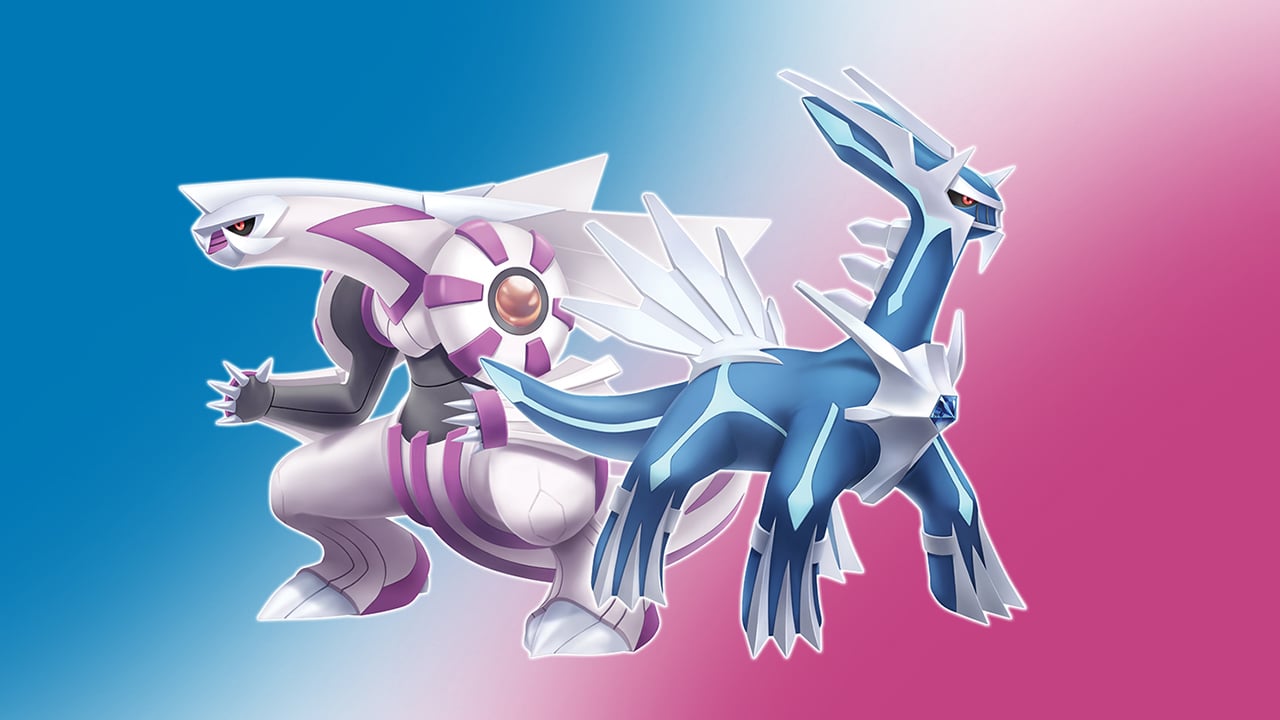
Good news first, because we all deserve a little peace when we press “A” to launch a game. Nintendo has now confirmed that the unexpected crashing some players were seeing in Pokémon Brilliant Diamond and Pokémon Shining Pearl on Nintendo Switch 2 is resolved. That matters more than it might sound on paper, because random crashes are the ultimate mood-killer: you can be mid-battle, mid-cave, or mid “one more thing before bed,” and suddenly you’re staring at the Home Menu like it personally betrayed you. With the crash issue addressed, BDSP goes back to being what it should be on Switch 2: a reliable way to revisit Sinnoh without feeling like we’re rolling dice every session.
But Nintendo also flagged a new wrinkle: Kirby’s Return to Dream Land Deluxe can run into audio problems in certain areas when played on Switch 2. That doesn’t mean the game is unplayable, but it does mean we should keep our expectations realistic and our troubleshooting instincts sharp. Audio bugs can be oddly specific, sometimes tied to particular sections, effects, or transitions, which makes them feel like a ghost that only shows up when nobody else is watching. We’re going to walk through what Nintendo confirmed, what these compatibility labels really mean, what we can do if anything still feels off, and how to build a simple routine that keeps Switch 2 backward compatibility running smoothly. Think of it like keeping your kitchen tidy: a couple of small habits now can save you from a big mess later.
What Nintendo confirmed about Pokemon Brilliant Diamond & Shining Pearl Switch 2 compatibility
Nintendo’s latest compatibility notes are basically a progress report on how Switch games behave on Switch 2, and the headline is clear: the Pokémon Brilliant Diamond and Shining Pearl crashing issue is no longer an active problem. That’s the kind of change you feel immediately, because stability is the invisible foundation under everything else. When it’s solid, we stop thinking about it. When it’s shaky, every play session comes with that annoying little voice in the back of our head saying, “Is it going to crash again?” Nintendo also identified a separate issue that goes the other direction: Kirby’s Return to Dream Land Deluxe may have audio problems in some areas on Switch 2. In other words, one long-standing complaint got knocked out, and one new caution label appeared. This is exactly what an active compatibility program looks like in real life: fixes roll out, edge cases get discovered, and the official status pages evolve as Nintendo keeps testing and updating.
The Pokémon Brilliant Diamond and Shining Pearl crash issue and why it mattered
Crashes are different from most glitches because they don’t just look weird, they end the moment. In BDSP, players reported unexpected crashes on Switch 2 that could happen during normal play, which is the worst kind of problem because it feels unpredictable. Even if it only happens “sometimes,” it changes how we play. We rush. We save more than usual. We avoid longer sessions because we don’t want to lose progress. And if you’re the type who plays in short handheld bursts, a crash can turn a relaxing 20 minutes into a full-on sigh-and-quit moment. Nintendo confirming the issue is resolved is a big deal because it restores trust. It also suggests the problem was tied to how Switch 2 handled the game under backward compatibility rather than some new bug inside BDSP itself. When the platform layer gets adjusted, the whole experience can snap back into place.
What “resolved with an update” means when we sit down to play
When Nintendo says previously identified issues were resolved with an update, we should read that as a practical promise: the known crash scenario has been addressed through a system or compatibility update, so we shouldn’t expect that same pattern to keep repeating. That doesn’t mean every player will never see a crash in their life again, because any game can still hit a rare error. What it does mean is that the specific Switch 2 compatibility issue that was tracked publicly is no longer considered an active problem. In everyday terms, it’s the difference between “this bridge has a missing plank” and “we replaced the plank.” We can cross without doing that weird little hop. If someone was avoiding BDSP on Switch 2 because they didn’t want to risk losing progress, this update changes the recommendation. We can play normally again, with normal expectations, and that’s the whole point of backward compatibility done right.
How Nintendo communicates Switch 2 compatibility status
Nintendo’s compatibility communication is basically a set of labels and notes that tell us what kind of experience to expect before we boot a game. That’s important because “supported” can mean different things depending on the title. Some games run exactly as they did on the original Switch. Others run, but with small behavior differences. And some have specific known issues that Nintendo calls out so players aren’t blindsided. This approach is less dramatic than a big splashy announcement, but it’s far more useful day-to-day. If you’re deciding what to play this weekend, you don’t want a vague promise. You want a clear status, and ideally a plain-language note if something odd can happen. The BDSP situation shows the upside of this system: a known issue gets tracked, then later the status changes to reflect that it’s fixed. The Kirby situation shows the other side: a new note appears to warn us about a specific problem.
Reading the labels on compatibility pages and store listings
Those compatibility labels are like the little stickers on a suitcase: they don’t tell the whole story of your trip, but they tell you what to watch out for. When a listing says a game is supported and behavior is consistent, we should expect the game to run in line with how it behaves on Nintendo Switch. When it says supported but behavior may vary, that’s Nintendo hinting that the game runs, but the experience might not be identical in every situation. And when Nintendo adds a specific note like “users may experience audio problems in some areas,” that’s the key detail we should take seriously, because it’s not a general disclaimer, it’s a targeted warning. For BDSP, the important part is that Nintendo’s tracked issue moved into the “resolved” category, which is exactly what we want to see. For Kirby, the important part is the opposite: a specific caution note exists, and that means we should be ready for a slightly uneven ride until Nintendo ships a fix.
Pokémon Brilliant Diamond and Shining Pearl on Switch 2 now run without the crash issue
Now that Nintendo has confirmed the BDSP crash problem on Switch 2 is resolved, we can treat these games like normal picks again instead of “maybe later” games. That’s especially nice for anyone who uses BDSP as a comfort play loop: a bit of exploring, a bit of battling, a bit of tinkering with your team, then saving and calling it a night. Stability makes that loop feel effortless. It also matters for longer sessions, like grinding levels, doing Underground runs, or pushing through a dungeon stretch without constant saving paranoia. The key takeaway is simple: if you stopped playing because you were getting unexpected crashes on Switch 2, the official word is that the issue is fixed now. So the smart move is to update your system, make sure the game is fully updated, and then play normally. No weird rituals required, no “save every two minutes” panic, just a clean return to Sinnoh.
What we should do first if we still see instability
If someone updates and still feels like something is off, we should approach it like troubleshooting a flickering lamp: start with the simplest checks before assuming the wiring in the walls is haunted. First, confirm the Switch 2 system firmware is updated to the latest version available. Then confirm BDSP itself is updated. After that, reboot the console. A full restart sounds basic, but it clears out lingering state and can resolve odd one-off behavior that survives after an update. If the game is digital, checking for a clean re-download can help if a file was corrupted during a previous download. If the game is physical, ensuring the game data and any updates installed correctly still matters, because the cartridge doesn’t magically include every patch. The big point is that Nintendo marked the known Switch 2 crash issue as resolved, so repeated crashes after updates would be a different situation than the one that was publicly tracked. That’s when we pivot from “known compatibility bug” to “let’s gather details and narrow it down.”
A quick stability checklist before we blame the game card
Before we point fingers at the cartridge or the console, it helps to run a short checklist that eliminates the usual suspects. Make sure the system has enough free storage, because low storage can create weird behavior during patching and caching. Check that the game launched after the update without any interrupted downloads in the background. If you use microSD storage, confirm the card is healthy and recognized properly, because storage issues can mimic software issues in frustrating ways. Try launching another updated game to see if the console behaves normally in general. Then return to BDSP and play for a while in the same kind of scenario that used to trigger the crash, whether that was a certain area, a specific activity, or just general play time. If the problem is gone, great, we’re done. If it isn’t, the next step is to note what you were doing, where you were, and whether the crash repeats in a similar way. That information turns a vague complaint into something Nintendo can actually act on.
Kirby’s Return to Dream Land Deluxe has audio problems in some areas on Switch 2
While BDSP got the happy update, Kirby’s Return to Dream Land Deluxe picked up a warning label: Nintendo notes that players may experience audio problems in some areas when playing on Switch 2. That’s the kind of issue that can be confusing because it might not show up everywhere, and it might not show up for everyone. One player could finish a whole session without noticing anything. Another could hit a specific spot and immediately think, “Wait, why does this sound wrong?” Audio issues can range from tiny hiccups to obvious dropouts, and the experience can vary depending on whether you’re docked, using TV speakers, using a headset, or playing handheld. The important part is not to panic and not to invent theories. Nintendo has identified the issue, which means it’s on the radar, and we can treat it as a known compatibility problem rather than a personal hardware failure. That alone is reassuring, because it tells us we’re not imagining it.
What the audio issue can look and sound like in real play
Audio problems can show up in a few ways, and the reason they feel slippery is that sound is layered. Music, sound effects, and voice-like cues can be handled differently. So one symptom might be music stuttering while sound effects remain normal. Another might be a brief dropout during a transition, then everything snaps back. Some players might describe it as crackling, muffling, or a split-second delay that makes actions feel out of sync. And because Kirby is a game with constant movement, effects, and musical energy, even small audio weirdness can stand out. The key here is Nintendo’s phrasing: “in some areas.” That suggests location or context matters, not just “the game is broken.” If you notice the issue, it helps to remember where it happens and whether it repeats when you revisit that spot. That pattern is often what developers use to reproduce and fix a bug.
Why audio glitches can be sneaky and inconsistent
Audio glitches are sneaky because they can be tied to timing, loading, or transitions rather than a single obvious trigger. A frame-rate dip is visual, so we notice it immediately. Audio problems can be subtle, especially if we’re playing casually or the room is noisy. They can also be affected by output method. Handheld speakers, TV speakers, and Bluetooth or wired audio routes can behave differently, and the same game moment can sound fine in one setup and weird in another. That doesn’t mean the player is doing something wrong. It means the compatibility layer and the game’s audio pipeline can interact in complicated ways. If Nintendo flagged the issue publicly, it’s because they found a repeatable problem during testing or gathered enough reports to confirm it. So if you experience it, you’re not alone, and you’re not “breaking” anything by playing. The practical goal is to minimize annoyance while we wait for an update that addresses the compatibility note.
Known symptoms to listen for
If we want to describe the problem clearly, we should focus on what we can actually observe rather than guessing at causes. Listen for brief audio dropouts where the sound disappears and then returns. Watch for stuttering where music or effects repeat a fragment like a scratched CD, the old-school kind that made you tap the player like that would help. Pay attention to moments where sound effects trigger late, like a jump landing sound arriving after Kirby already landed. Notice if the problem happens during area transitions, cutscene-like moments, or busy combat scenes, because those are common stress points for audio systems. Also note whether it happens only docked, only handheld, or in both. That detail matters because it can separate a general compatibility issue from something tied to a specific output path. The goal isn’t to become an audio engineer overnight. It’s to capture a few concrete observations that make the issue easy to recognize and easy to report.
Practical workarounds we can try while waiting for an update
Nintendo hasn’t described a specific player-side fix for the Kirby audio issue, so the best approach is a set of low-risk workarounds that reduce frustration and help narrow the behavior. Start with a full reboot of the console, because it’s the simplest way to clear weird temporary states. If you’re playing docked, try another HDMI port or confirm your TV audio settings are normal, not because we think your TV caused the bug, but because it’s an easy elimination step. If the issue seems tied to a specific section, leaving the area and returning can sometimes reset whatever sequence triggered it. If you’re using headphones, try switching between handheld speakers and headphones to see whether the symptom changes. If it does, that’s useful information. If it doesn’t, that’s also useful information. The main point is to keep playing in a way that feels comfortable, while keeping an eye on updates that may change the compatibility note in the future.
Docked vs handheld checks that can narrow down the cause
Docked and handheld modes are like two different stages for the same play. The script is identical, but the lighting and sound system can change. In docked mode, your audio path usually runs through the dock, HDMI, and your TV or receiver. In handheld, it’s the console speakers or a direct headphone connection. Testing both modes can tell you whether the problem is tightly linked to one audio route. If the glitch only happens docked, you can temporarily play handheld for that section, or try a different audio output option on your TV setup. If it happens in both modes, that supports the idea that it’s a game compatibility issue rather than an output quirk. Also, keep your system volume at a normal level, because extremely low or extremely high levels can make certain distortions feel more noticeable, even if they aren’t the root cause. These checks won’t magically patch the game, but they can help you find a setup that feels less annoying until Nintendo releases an update that clears the compatibility note.
Best habits for smoother Switch 2 backward compatibility going forward
If we zoom out, the BDSP fix and the Kirby audio note tell the same story: Switch 2 backward compatibility is actively maintained, and our experience improves when we keep things current and stay alert to official status changes. The best approach is not to treat compatibility like a one-time promise, but like a living system that gets refined. That sounds dramatic, but the habit itself is simple. Keep system firmware updated. Keep games updated. Pay attention to compatibility notes, especially when Nintendo calls out a specific issue. And when something feels wrong, take a breath, gather a few details, and then decide whether it’s a quick personal troubleshooting moment or something worth reporting. This mindset saves time and stress. It’s also kinder to your future self, because nothing is worse than sitting down to relax and instead spending 30 minutes wondering if your console is dying when it’s actually a known issue.
Keep system firmware and game versions current
Updates are the quiet heroes of compatibility. In this case, Nintendo tied the BDSP fix to an update that changed how Switch 2 handles that game under backward compatibility. That only helps if we actually install the update. The same logic applies to Kirby: when Nintendo ships a fix, it will almost certainly arrive through a system update, a game update, or both. So keeping auto-updates enabled, checking for updates before a long play session, and occasionally restarting the console are simple habits that pay off. It’s like keeping your phone updated: you rarely notice the benefits until you skip updates for months and then everything feels weird. If you share the console with family, it can also help to set a routine, like updating overnight, so nobody gets stuck waiting when they just want to play. Compatibility improves fastest when we keep our system aligned with the latest fixes.
Storage, downloads, and avoiding update hiccups
Updates go smoother when storage and downloads are handled cleanly. If your system storage is nearly full, downloads can fail, patches can stall, and the whole process becomes more annoying than it needs to be. Keeping a comfortable buffer of free space can prevent that. If you use a microSD card, choose a reliable one and keep an eye out for unusual behavior like slow installs or repeated download errors, because storage issues can masquerade as game issues. Also, avoid interrupting downloads mid-update if possible. Let the system finish its work, then launch the game. If something seems stuck, a reboot can help, but it’s best used as a clean reset, not a habit of panic-clicking. These are boring steps, sure, but boring is good here. Boring means predictable. Predictable means we spend more time playing and less time troubleshooting.
When it’s time to contact support or report a problem
Sometimes the right move is to report what you’re seeing, especially if it persists after updates or looks different from the known issue description. If BDSP crashes repeatedly even after Nintendo’s fix and after you’ve confirmed updates, that’s worth escalating, because it may indicate a different bug, a corrupted install, or a more specific edge case. For Kirby, if the audio problem is severe, repeatable, and disruptive, reporting it can help Nintendo prioritize and reproduce it. The trick is to report with clarity rather than frustration. We’ve all been there, but “it’s broken” doesn’t help anyone. A good report is calm, specific, and filled with details that can be tested. That’s how issues move from “random complaint online” to “reproducible bug with a fix.”
The details that make a report actually useful
If we want to be helpful, we should include what we were playing, where the issue happened, and what the symptom looked like. For crashes, note the rough time into the session, what you were doing, and whether it happened again when repeating the same action. For audio, note the area, the mode you were playing in, and whether the output was TV speakers, console speakers, or headphones. Mention whether your system and game were updated at the time. If you can describe the symptom in a short sentence like “music stutters during this transition,” that’s gold, because it gives a tester a clear target. Also note whether restarting the console changed anything. These details turn your experience into a map someone else can follow. And when enough people provide maps that point to the same spot, fixes happen faster. It’s not glamorous, but it works.
Conclusion
We’ve got a classic compatibility trade: BDSP’s Switch 2 crash issue is now marked as resolved, which means we can return to Sinnoh without treating every session like a gamble. At the same time, Nintendo has flagged Kirby’s Return to Dream Land Deluxe for audio problems in some areas on Switch 2, so it’s smart to go in with eyes open and ears ready. The best move is simple and practical: keep your Switch 2 firmware updated, keep your games updated, and use quick troubleshooting steps like rebooting and testing docked vs handheld if something feels off. If BDSP still crashes after updates, gather details and escalate, because that’s no longer the expected behavior based on Nintendo’s current status. If Kirby’s audio glitch shows up, you’re not alone, and you can reduce the annoyance by narrowing the conditions and choosing the setup that behaves best for you. Compatibility improves in steps, and right now, this step is a win for Pokémon and a temporary caution sign for Kirby.
FAQs
- Is Pokémon Brilliant Diamond and Shining Pearl fully fixed on Nintendo Switch 2 now?
- Nintendo has confirmed the previously identified crashing issue for these games on Switch 2 has been resolved with an update, so the known compatibility crash problem is no longer active.
- Do we need to update the game itself, or just the Switch 2 system software?
- Install the latest Switch 2 system update and also confirm the game is updated, because compatibility fixes and stability improvements can rely on having both layers current.
- What issue did Nintendo identify with Kirby’s Return to Dream Land Deluxe on Switch 2?
- Nintendo notes that players may experience audio problems in some areas when playing Kirby’s Return to Dream Land Deluxe on Nintendo Switch 2.
- What can we do if Kirby’s audio starts acting weird?
- Restart the console, test docked vs handheld, and try different audio output options like TV speakers vs headphones to see if the symptom changes while waiting for an update.
- When should we contact Nintendo support about these issues?
- If BDSP continues to crash after all updates are installed, or if Kirby’s audio problems are severe and repeatable, collect details about when and where it happens and contact support with those specifics.
Sources
- Pokemon Brilliant Diamond and Shining Pearl finally fixed on Nintendo Switch 2, plus other Switch 1 backwards compatibility updates, Nintendo Everything, January 13, 2026
- Switch 2 backwards compatibility update for Jan. 13th, 2026, GoNintendo, January 13, 2026
- Pokemon Brilliant Diamond & Shining Pearl has been fixed on Nintendo Switch 2, My Nintendo News, January 14, 2026
- Nintendo Switch Game Compatibility with Nintendo Switch 2, Nintendo, June 5, 2025