














Summary:
A curious Nintendo Support listing briefly put the words “Nintendo Switch 2” and “Wii Remote” in the same place, and that’s the kind of combo that makes people sit up straight. We get why. The Wii Remote is one of Nintendo’s most iconic controllers, tied to an era where motion controls turned living rooms into bowling alleys and tennis courts. So when a support page suggests a Wii Remote is connected to Switch 2, it feels like a secret door cracked open.
Still, what matters is what we can verify from what’s actually visible. Reports noted that the page itself does not offer concrete product details, and that attempts to use the related links can route people to general support or repair destinations rather than a full product breakdown. That’s not how a typical “here’s the new accessory” moment looks. It’s much more consistent with how large support sites behave when they’re driven by databases, templates, and internal tagging systems that can surface odd pairings.
So the grounded takeaway is simple: a support listing exists, people noticed it, and it sparked understandable speculation. But the listing alone does not confirm Wii games are coming, does not confirm a Wii Remote is being manufactured for Switch 2, and does not confirm new motion-control hardware plans. If anything, it’s a reminder that support infrastructure is often built to handle future categories, edge cases, and routing rules. We can enjoy the “what if” energy, but we should keep our feet on the ground until Nintendo shares specifics through official announcements, product pages with real details, or storefront listings that clearly describe what’s being sold.
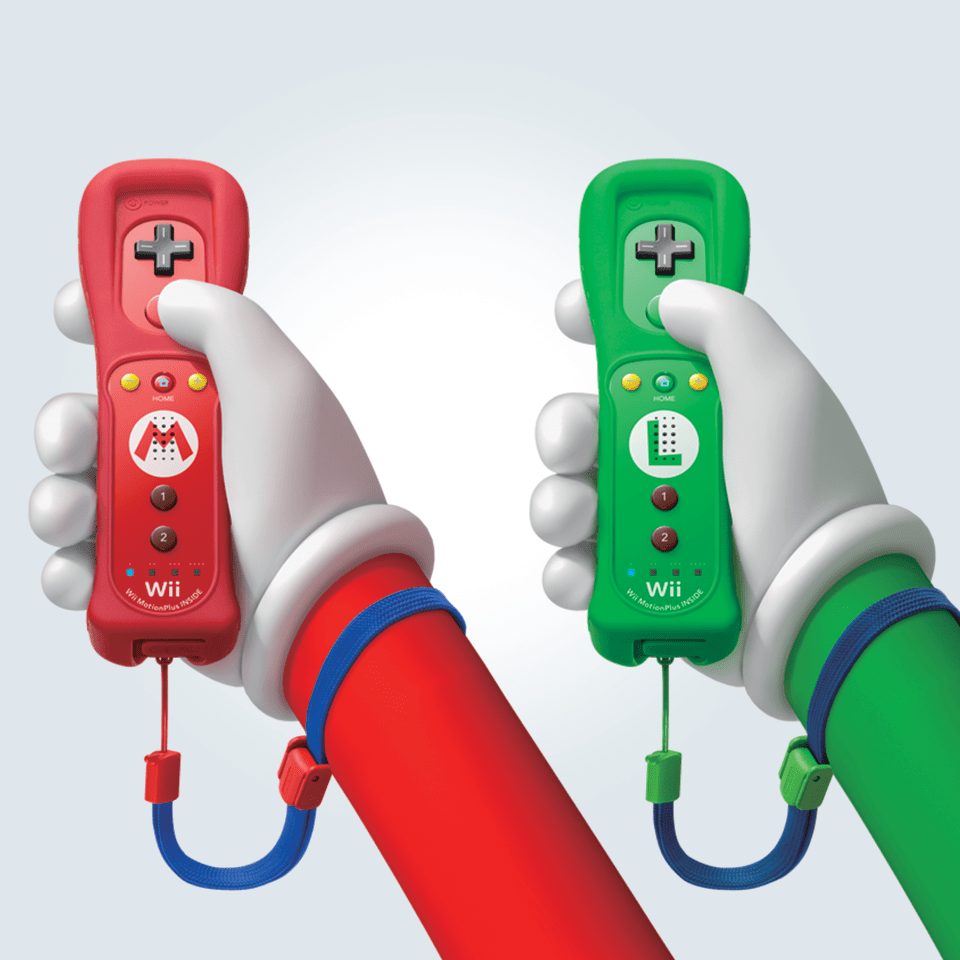
A Wii Remote for the Nintendo Switch 2 appeared on Nintendo Support
The spark for all of this is straightforward: a Nintendo Support entry surfaced that labels “Nintendo Switch 2” alongside “Wii Remote,” and it was visible enough for people to share and discuss widely. That wording matters because it reads like a product relationship, not a random forum thread. At the same time, what people saw was not a rich product page with photos, specs, compatibility tables, or instructions. The reporting around the listing also pointed out a practical detail that changes the vibe fast: clicking through did not reliably lead to a clear, dedicated support page that explains what the “Switch 2: Wii Remote” actually is. Instead, routes can land on broader support flows. In other words, we’re looking at a label and a breadcrumb trail, not a fully formed disclosure. That distinction is the difference between “Nintendo announced something” and “Nintendo’s support system contains an entry that looks weird in public.”
What the page does and does not confirm
Let’s keep it clean and honest. A support listing can confirm that a string of text exists on Nintendo’s support domain, and that the system is capable of associating certain product names together. That’s it. It does not confirm that a retail accessory is shipping, it does not confirm that Switch 2 can pair with an original Wii Remote, and it definitely does not confirm that Wii software is about to land somewhere. If a new controller or adapter were being unveiled, we’d expect to see the kinds of details that have to exist for real customers: model numbers, setup instructions, troubleshooting steps, and clear purchase or compatibility messaging. The absence of those “consumer-ready” details is the loud part. It doesn’t prove nothing is coming, but it strongly suggests the listing is not, by itself, an announcement. Treat it like seeing a movie title on a theater scheduling system before the trailer drops – interesting, but not proof that the premiere is tomorrow.
Why support sites show strange product pairings
Support sites are not built like marketing pages. They’re closer to airports than to art galleries. The job is to route huge numbers of people to the right place as fast as possible, even if the route starts from messy inputs. That means databases, category trees, templates, and tagging systems that can be reused across regions and across years. When those systems hiccup, or when internal placeholders accidentally become public, we can get odd combinations that look meaningful even when they’re not. The “Switch 2: Wii Remote” phrasing also fits a pattern where a product family is paired with an accessory name to drive routing, not to reveal a new SKU. It’s boring infrastructure work that can accidentally look like exciting disclosure. And yes, boring infrastructure is absolutely capable of ruining everyone’s sleep schedule for a night.
How Nintendo Support organizes products and topics
Nintendo Support generally works by letting you start from either a product category or a problem category. You pick a system, then you pick a topic like internet, accounts, repairs, or usage. Accessories can show up as their own entries, but they can also appear as tags inside articles, so a single troubleshooting page can be associated with multiple systems. That “many-to-many” structure is efficient, but it also means labels can surface in unexpected ways. If an accessory tag exists in the database and a system tag exists in the database, the site can generate a page that looks like an official pairing even if no customer-facing explanation is attached yet. The key point is that “generated” does not automatically mean “announced.” It can simply mean “the site knows these terms and can build a landing page shell around them.” When a site is designed to scale globally, that kind of shell is common, even when the real details are still private or not relevant to the public.
Why placeholder pages can exist without a real device
Placeholders exist because support teams plan ahead. Sometimes they plan for accessories that are real but not public yet. Sometimes they plan for edge cases like repair intake forms, controller replacements, or legacy device references. And sometimes, bluntly, the system contains entries that are only meant to help staff classify tickets, not to educate customers. A placeholder can also appear when a template expects an accessory list and the database feeds it a label, even if nothing else is attached. That’s why a page can feel “empty” – it’s a frame without a picture. If we’ve learned anything from modern web platforms, it’s that databases don’t care about our hype. They care about fields being filled. When the fields aren’t filled, you still might get a page, just one that tells you almost nothing.
Why “Wii Remote” grabs attention in 2026
The Wii Remote isn’t just a controller, it’s a cultural memory. People remember the wrist straps, the pointer cursor, the motion swing that felt like magic the first time, and the way it made games playable for family members who never cared about gamepads. So the phrase “Wii Remote” instantly brings up a specific fantasy: motion controls returning in a big, official way. That’s why this listing spreads fast. It’s like hearing a familiar song through a wall and rushing to see who’s playing it. But emotional recognition can also trick us into overreading thin evidence. A support entry can be interesting without being predictive. The smart move is to admit the emotional pull, enjoy the conversation, and keep a clear boundary between “this would be cool” and “this is confirmed.”
Motion controls, pointer play, and the nostalgia factor
There’s a practical reason the Wii Remote remains intriguing: it solved a few interaction problems in a very “Nintendo” way. Pointing at the screen is intuitive. Waving to swing feels natural. Even simple gestures can make menus and party games feel more physical. If Switch 2 ever supported something like that, it could open doors for certain classic experiences and certain modern party designs. But it also comes with real hurdles that people forget in the nostalgia glow, like sensor requirements, calibration, lighting issues, and the difference between “fun for ten minutes” and “comfortable for fifty hours.” The Wii Remote worked best when the whole system was designed around it, not when it was an optional afterthought. That’s why any real return would need clear hardware messaging, not just a support label. Without that messaging, the most responsible stance is to treat the excitement as a fun idea rather than a factual trajectory.
What we can say about Nintendo Classics right now
We can be specific here because Nintendo has publicly positioned classic libraries as a continuing part of its Switch ecosystem, and Switch 2 has been tied to that strategy as well. Notably, Nintendo has a GameCube-focused Nintendo Classics app that is described as exclusive to Switch 2, with a growing library accessible through a Nintendo Switch Online + Expansion Pack membership. That is real, it’s documented on Nintendo’s own regional sites, and it gives context for why people jump from “Wii Remote” to “Wii games.” If GameCube lives in a dedicated classic app, it’s natural for fans to wonder what other systems could follow in that same app-style structure. The important part is not to turn that curiosity into certainty. A “next system” is always a question until Nintendo says it out loud.
GameCube is already part of the Switch 2 Classics lineup
Nintendo’s own store and regional pages describe a Nintendo GameCube – Nintendo Classics app for Switch 2, with the pitch being access to a growing selection of GameCube games through the Expansion Pack tier. That existing setup matters because it proves Nintendo is comfortable tying a specific legacy platform to Switch 2 rather than treating all classic systems as identical. It also shows Nintendo’s preference for dedicated apps per platform family, which is a pattern people recognize from earlier classic offerings. So when a Wii Remote label appears anywhere near Switch 2, brains immediately connect dots: “controller equals platform equals app equals library.” It’s a very human leap, like seeing a suitcase and assuming there’s a trip. But a suitcase can also be sitting in a closet because someone cleaned the attic. The GameCube app is a confirmed piece of the puzzle, while the Wii Remote listing is not a confirmed new piece. They can be related, but they do not have to be.
What that expansion pattern can and cannot tell us
Patterns are useful, but they’re also dangerous when we treat them like promises. Yes, Nintendo has expanded classic libraries over time, and yes, dedicated apps make it easier to add more platforms in the future. But an expansion pattern can only tell us what Nintendo has done before, not what it will do next or when it will do it. It also can’t tell us what controller approach Nintendo would choose for a new platform library. Even with GameCube, Nintendo has shown that it can offer a modern controller option while also selling specialty controllers for fans who want the authentic feel. If Wii ever joined the lineup, Nintendo could theoretically go in many directions, from motion-focused accessories to modern remaps to entirely new approaches. The support listing does not provide enough information to choose among those possibilities. So the responsible takeaway is modest: Nintendo’s classic strategy creates fertile ground for speculation, but the Wii Remote label does not convert speculation into fact.
Realistic scenarios behind a “Switch 2: Wii Remote” listing
If we want to be useful, we should talk scenarios that fit how big support platforms work. One scenario is a simple database artifact: a tag exists, a page is generated, and it becomes visible by accident. Another scenario is routing for repairs or support intake, where the system needs an option for “Wii Remote” under multiple categories because customers might select the wrong product when seeking help. A third scenario is internal planning that leaks through a public-facing template, which can happen even when the plan is only preliminary. What these scenarios share is a key point: none of them require a new Wii Remote accessory to be on shelves. They only require a support platform that is designed to handle many products, many regions, and many workflows. That’s why the most grounded interpretation is procedural, not prophetic. It’s less “Nintendo just revealed something” and more “Nintendo’s support taxonomy briefly showed its wiring.”
Database entry or taxonomy artifact
A taxonomy artifact is a fancy way of saying “the filing cabinet labels became visible.” Support systems often use shared accessory labels across product families, because troubleshooting knowledge overlaps. If the database includes “Wii Remote” as a concept, it might be linked to general controller troubleshooting, pairing guidance, or repair flows. If “Nintendo Switch 2” is also a product family in the support system, the site might allow those labels to coexist on an autogenerated page even if no one intended the pairing to be meaningful publicly. Reports also highlighted that similarly odd pairings appeared, like a Wii Remote being listed in connection with other platforms where it clearly doesn’t belong. That kind of inconsistency is a strong hint that we’re seeing a system glitch or a templating quirk rather than a deliberate teaser. In plain terms, it looks like the website tripped over its own shoelaces, not like Nintendo slipped a secret note under the door.
Repair flow routing rather than product disclosure
Repair and support routing is another boring explanation that fits the observed behavior. If clicking a “Wii Remote” support item routes users toward a generic repair center or general support hub, that suggests the page is acting as a junction, not a destination. Junction pages exist to prevent dead ends, especially when the site cannot confidently determine what the user needs. That means the page can exist even when there is no consumer-facing documentation. It can also exist to catch misdirected searches, because people will type anything into a search box when their controller won’t cooperate. So a “Switch 2: Wii Remote” label could simply be a catch-all mapping rule that says, “If you ended up here, go here next.” That’s helpful for customer service metrics, even if it causes internet chaos. And yes, the internet will always choose chaos.
What we should watch for next
If anything meaningful is happening, Nintendo will eventually leave clearer footprints than a thin support label. The strongest signals would be a real product page with specifications, compatibility notes, and purchasing information on official storefronts, or a dedicated support article that explains setup steps in a way that only makes sense if the accessory exists. Another strong signal would be an official announcement tied to a classic library expansion that mentions control methods explicitly, because Wii-era experiences often hinge on input design. Short of that, the best approach is to monitor for consistent, repeated appearances of the same information across multiple official surfaces, not just a single support page instance. Consistency is the difference between a glitch and a rollout. Until we see consistency, the smartest posture is curiosity with restraint. We can keep the conversation fun, but we shouldn’t treat a stray label like a press release.
Conclusion
The “Switch 2: Wii Remote” support listing is interesting because it touches a nerve that Nintendo fans have had for years: the idea that classic platforms and classic control styles could return in a modern, polished way. But the listing, as observed and reported, doesn’t come with the supporting detail that would turn it into a confirmed product reveal. The most grounded read is that we’re seeing the behavior of a large support platform driven by databases, templates, and routing logic, sometimes with glitches that create weird pairings. Meanwhile, Nintendo’s existing Nintendo Classics strategy on Switch 2, including a confirmed GameCube app presence, explains why people immediately start connecting dots. The dots are real, but the line between them is not. For now, the right stance is simple: note it, enjoy the speculation, and wait for Nintendo to provide the kind of clear, customer-ready information that can’t be explained away by a backend hiccup.
FAQs
- Does the Nintendo Support listing confirm a Wii Remote accessory for Switch 2?
- No. A support listing can exist without confirming a retail product, and the observed page behavior does not provide consumer-ready details that would confirm a new accessory.
- Does this mean Wii games are coming to Nintendo Classics on Switch 2?
- No. The listing alone does not confirm software plans. It only shows that “Wii Remote” text appeared in a Switch 2 support context, which can be explained by support taxonomy or glitches.
- Why would Nintendo’s support site show something that looks wrong?
- Support platforms often use databases and templates that can surface placeholders, tag mismatches, or routing pages. When something misfires, odd product pairings can appear publicly.
- Is GameCube part of Nintendo Classics on Switch 2?
- Yes. Nintendo has official pages describing a Nintendo GameCube – Nintendo Classics app for Switch 2 tied to Nintendo Switch Online + Expansion Pack.
- What would count as a real confirmation next?
- A clear official announcement, a storefront listing with specs and purchase info, or dedicated support documentation with setup steps that only make sense if a Switch 2-compatible Wii Remote solution is actually shipping.
Sources
- Don’t get too excited over Nintendo’s mysterious “Nintendo Switch 2: Wii Remote” page – it’s probably just a glitch, with the same controller also listed for the long-dead 3DS, GamesRadar, February 6, 2026
- Nintendo Support has a page for a Wii Remote for the Nintendo Switch 2, My Nintendo News, February 6, 2026
- Nintendo Support heeft een Wii remote pagina voor de Switch 2, Daily Nintendo, February 6, 2026
- Nintendo GameCube – Nintendo Classics, Nintendo, June 5, 2025
- Switch 2 adds GameCube games to Nintendo Switch Online, Polygon, April 2025