














Summary:
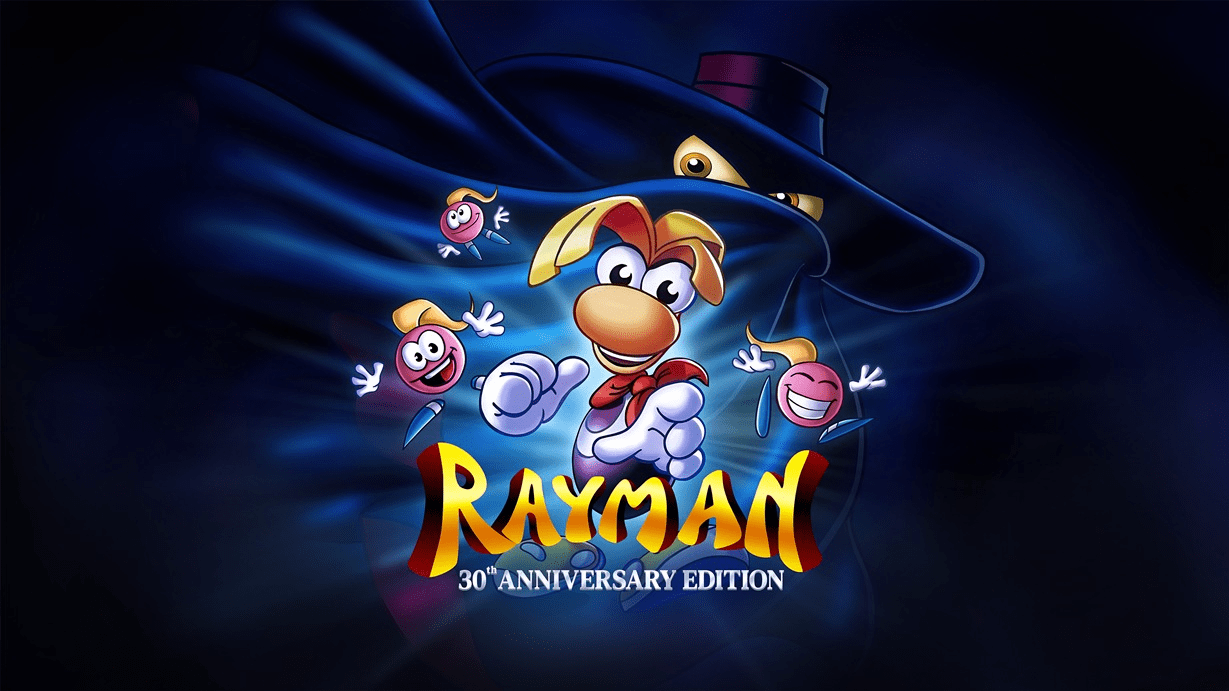
Rayman 30th Anniversary Edition nails the warm-and-fuzzy vibe in all the ways we want from a retro celebration, until one detail drops a piano on our toes: multiple reports say the Atari Jaguar and MS-DOS versions simply do not keep progress the way a normal save system should. Players describe hitting save points, seeing the game claim it saved, and then discovering that a reset can wipe everything, leaving empty slots like the run never happened. That is not a minor inconvenience, because Rayman is the kind of platformer where momentum matters. A single evening can represent dozens of tight jumps, learned enemy patterns, and that slow conversion from “this level is impossible” to “okay, we’ve got this.”
The frustration escalated when a player shared a response from Ubisoft support that suggested post-launch support had ended and the issue would likely remain. That message hit a nerve because saving is not a bonus feature in a platformer with long levels and punishing sections. It is the basic contract between the game and the player. Later discussion around the situation added more noise, with reports indicating mixed messaging about whether support truly ended, but what matters for anyone playing right now is simple: if saving is unreliable in specific versions, we need to treat those versions differently. We can still enjoy the collection, but we should do it with our eyes open, pick safer versions for longer play sessions, and adopt habits that reduce the odds of losing a run to a single menu action.
Why the Rayman 30th anniversary save problem hits so hard
Saving is the quiet promise that makes old-school difficulty feel fair. Rayman is not just about beating a level, it is about slowly building confidence through repetition. We learn the rhythm of moving platforms, we memorize where an enemy pops out, and we get that satisfying “one more try” energy because we believe our progress will still be there tomorrow. When saving fails, the entire tone changes. Suddenly, it is not a charming retro challenge, it is a tightrope walk over a pit labeled “start over.” That is why players react so strongly to a save bug in a classic platformer. It is not about being precious with our time, it is about the game respecting the time we already gave it. If we cannot trust the file select screen, every session feels like we are borrowing progress instead of earning it.
What players are reporting in the Jaguar and MS-DOS versions
The reports share a consistent shape: the Atari Jaguar and MS-DOS versions inside the collection appear to behave differently from what people expect when they use save points. Players describe touching a save point, getting confirmation on-screen, and then later finding their file slots empty after a reset. The key detail is not just “saving is broken,” it is that the experience can look normal right up until it does not. That makes it extra nasty, because we might play for hours thinking we are safe. By the time we learn the truth, the loss has already happened. In a collection that includes multiple versions side by side, this also creates confusion because other versions can appear to save normally, so the player assumes the whole package follows the same rules.
The “saved” message versus what actually sticks
A save indicator is supposed to mean one thing: our progress is written to persistent storage that survives resets and restarts. The reports around these two versions suggest that the message can be misleading, because the state that gets preserved may not be a true file-based save. If a save point triggers something closer to a temporary state, it can feel like it works during the same session, then collapse the moment the game is reset. That mismatch between the game’s message and the outcome is what turns frustration into anger. We do not mind hard games when the rules are honest. We absolutely mind being told “game saved” and then being handed a blank slate.
The reset button as the real trapdoor
Reset is normally a harmless option, especially in retro-styled releases where it is treated like a convenience. Here, reset is described as the moment the floor opens. If the Jaguar and MS-DOS versions are not writing genuine saves, resetting can effectively discard everything we thought was secured. That means the risk is not only “did we save,” it is also “did we press the one option that exposes the problem.” It is a sneaky hazard because reset is a natural thing to do if a run is going poorly, if we want to switch versions, or if we just like starting fresh for a level. With these reports in mind, reset stops being a harmless button and becomes a sign that says: do not touch unless you are willing to lose progress.
How this changes the way we should approach a playthrough
If we treat all versions the same, we set ourselves up for disappointment. The smarter approach is to treat the Jaguar and MS-DOS versions like a “for fun” museum visit, not the safest path for a long campaign run. That might sound dramatic, but it is just practical. When a version’s saving is in question, the most reasonable move is to pick a different version for serious progress, and use the risky versions for short sessions where we would not be crushed by a wipe. Think of it like taking a classic car out on a sunny Sunday, not commuting through a storm. We can enjoy the vibe, the differences, and the historical quirks, but we do not stake our whole week on it.
When a classic becomes a high-stakes run
Without reliable saving, the difficulty curve feels steeper than it is. Suddenly we are not only fighting tricky jumps, we are fighting the anxiety of losing everything. That anxiety changes how we play. We get cautious. We stop experimenting. We avoid risks that make platformers fun. We might even rush, because we want to “lock in” progress before something goes wrong, even though there is no real lock. That is the opposite of what a celebration release should feel like. A retro package should let us appreciate the original challenge while giving us modern comfort where it makes sense. If the comfort layer fails in specific versions, the best way to keep the experience enjoyable is to adjust how we use those versions rather than letting them sour the whole collection.
The emotional tax of lost progress
Losing progress is not just losing time, it is losing confidence. One wipe can make us second-guess the entire experience. Did we misunderstand how saving works? Did we miss a menu option? Did we do something wrong? That self-doubt is exhausting, and it can push people away from a game they were genuinely enjoying. It is also why this topic spreads fast. Everyone recognizes that sinking feeling of booting up a game and seeing nothing where their file should be. It is like coming back to the fridge, already tasting the leftovers in your head, and finding an empty plate with a note that says “oops.” Funny in theory, brutal in practice.
The support response, and why it sparked backlash
A major flashpoint here is the shared support reply that communicated a bleak outlook: the message indicated that post-launch support had stopped, the team had moved on, and the issue would most likely remain. People reacted strongly because saving is not a niche request. It is not someone asking for a new character skin or a bonus mode. It is basic functionality, especially when the package invites us to play lengthy versions of a challenging platformer. When a support reply sounds final, it can feel like the door is being shut on a core fix. That is why this became more than a “bug report.” It turned into a trust issue, and trust is everything in a nostalgia-driven release.
What the ticket reply communicated
The key takeaway from the shared message is not every line of wording, it is the overall signal: the player reported that progress was deleted after a reset, and the response suggested no further updates were planned. That kind of statement has consequences. It changes buying decisions. It changes whether players start a long run at all. It also encourages people to warn others loudly, because the most basic consumer advice becomes: do not assume your progress is safe in those versions. Even if a message like this comes from a support channel rather than a developer patch note, it carries weight because it presents itself as an official answer to “will this be fixed.”
The follow-up chatter and the uncertainty it created
After the support reply spread, additional discussion suggested mixed messaging about whether support truly ended. From a player perspective, the practical reality is still the same: until a patch lands and players can verify saving works after resets, the risk remains. Mixed messaging is its own problem because it leaves people stuck between hope and caution. Hope is nice, but caution protects progress. The healthiest approach is to avoid treating any single comment as a guarantee. We can simply watch for a real update, then verify behavior in the affected versions once it exists. Until then, the best move is to play as if the issue is still present, because that is the only assumption that does not punish us later.
Why saving can break in a multi-version retro package
Retro collections are a balancing act. They often combine original code behavior, emulation layers, modern menus, and quality-of-life features like rewind or quick options. When everything is stitched together, saving can become tricky, especially if different versions originally handled saving in different ways. Some games saved directly to cartridge memory, some wrote files, some depended on specific hardware behavior, and some used quirky internal rules that emulators must replicate. That does not excuse a broken save experience, but it helps explain how a bug can appear in specific versions while others seem fine. The package can be solid overall and still have one or two versions that behave strangely because their original saving assumptions do not map cleanly to the modern wrapper.
Emulator layers and version-specific quirks
If the reported behavior is accurate, one possibility is that the save point triggers a state capture rather than a persistent save write. A state capture can feel like it works temporarily because it restores you to a moment in time during the same session, but it is not the same as writing a file that stays across resets. Another possibility is a permissions or file-path issue in how those versions store data under the collection’s system. If the collection routes saves through a unified system, one version might not be properly hooked into it. In plain language, the game could be shouting “I saved!” into a phone with no signal. The message goes out, nothing lands.
Why two versions can fail while others behave
It is also common for different versions of the same game to have different internal triggers, memory mapping, or save routines. The PlayStation version and handheld versions might be integrated in a more straightforward way, while Jaguar and MS-DOS could require extra handling. When one version is slightly off, it might not show up until you do a specific action like resetting. That is why a bug like this can slip through: testers can play, hit save points, see confirmation, and move on, without always stress-testing the exact scenario that exposes the failure. Again, none of this is a free pass. It is simply the realistic shape of how multi-version packages can stumble.
Practical ways to lower your risk right now
Until there is a confirmed fix that players can verify, the safest approach is to act like the Jaguar and MS-DOS versions are “unstable for long progress.” That does not mean we cannot enjoy them. It means we should be intentional about when we choose them and how we end sessions. The goal is to keep the fun and reduce the heartbreak. If you are the kind of player who likes to sample differences between versions, you can still do that. Just avoid building a long campaign run on the versions that are being singled out in reports. Put your serious progress in a version that is not associated with the issue, then treat Jaguar and MS-DOS as bonus flavor.
Choose safer versions for long sessions
If you want a steady playthrough where you can return to your file tomorrow without holding your breath, pick a version that is not being flagged by players for this behavior. The collection includes multiple options, and the point of a multi-version package is choice. Use that choice strategically. You can still hop into Jaguar or MS-DOS to feel the historical differences, but do it in shorter bursts, like tasting a spicy sauce rather than pouring the whole bottle on dinner. If you are planning a weekend marathon, you want boring reliability more than authenticity points.
Habits that reduce accidental wipes
When a specific action is described as the trigger for disaster, avoid it. If reset is the trapdoor, treat it like wet paint. Do not press it casually. If you want to switch versions, back out carefully. If you are experimenting, assume that anything that resembles a hard reset could erase what looks like progress. Also, keep your sessions goal-oriented. If you are playing Jaguar or MS-DOS anyway, decide in advance what “a good session” looks like, so if you lose progress you are annoyed, not devastated. That mental framing matters. It is the difference between “I lost everything” and “I lost a test run.”
A “seatbelt checklist” before you quit
Before ending a session in a version that might be risky, pause and ask a few simple questions. Have we done anything that could trigger a reset? Are we about to hit a menu option we do not fully trust? Are we treating a save message as proof, or as a hopeful suggestion? It sounds paranoid, but it is really just defensive driving. If you have ever double-checked your wallet before leaving the house, you already understand the vibe. The goal is to prevent the one careless click that turns a relaxing night into a rant. And yes, sometimes the most heroic move in gaming is closing the menu slowly and choosing the safer option.
What a fix would likely involve, without the guesswork
A real fix would make saving behave like saving, not like a temporary trick. In practical terms, that means a save point should write progress to persistent storage that survives resets, version switching, and relaunching the game. It also means the file select screen should accurately reflect what was stored. If the current behavior is closer to a session-only state, the fix is not just cosmetic. It would require the affected versions to properly interface with the collection’s save system, or to implement a reliable mapping from the original save behavior to modern storage. The good news is that this is the kind of problem that can be verified clearly: if it is fixed, players will be able to save, reset, and still see their file.
What “real saving” should do in these versions
We should be able to touch a save point, quit, relaunch, and continue. We should be able to reset without losing a file. We should be able to switch to another version, come back, and still see our progress. Those are basic expectations, and they are easy to test. That is why any future update, if it arrives, will either restore confidence quickly or fail loudly. There is not much middle ground here. Either the file survives, or it does not. The moment it does, the conversation shifts from warning people to celebrating that the collection is safe for long runs again.
What players should look for in patch notes
If an update is released, the most important thing to look for is explicit language about saving in the Atari Jaguar and MS-DOS versions. Vague notes like “stability improvements” will not help anyone feel safe. Clear notes like “fixed an issue where progress could be lost after reset” are the kind that matter. After that, the community will do what it always does: test it in the most brutal way possible, because trust is rebuilt through repetition, not promises. When enough players confirm files survive resets, the fear fades and the collection gets to be what it wants to be: a fun celebration, not a cautionary tale.
If we care about preservation, this matters beyond one release
Retro releases are not only entertainment, they are preservation with a price tag. When a collection brings together multiple historical versions, it becomes a reference point. People will use it to compare versions, to learn about design history, and to experience the game in forms they never had access to. That is why fundamentals like saving carry extra weight. A preservation-minded release should feel dependable. If a key feature breaks in specific versions, it undermines the whole mission, even if the rest of the package is excellent. It also creates weird incentives, where people abandon the official release and hunt for alternate ways to play simply because they want their progress to stick.
Trust is part of nostalgia
Nostalgia is not just visuals and music. It is also the feeling that we are in safe hands. We can handle old-school difficulty, we can handle quirky design, and we can even handle occasional oddities. What we struggle to accept is the sense that the product cannot be relied on for basic play. Trust is the invisible quality-of-life feature. When it is there, we relax and enjoy ourselves. When it is gone, every session becomes tense. That tension is not what anyone wants from a game that is supposed to feel like opening a time capsule.
Collections live or die by small details
A retro package can have brilliant extras, documentary material, and multiple versions, but one sharp bug can dominate the conversation. That is not fair, but it is real. Saving is one of those details that decides whether we recommend something to friends without caveats. If you have ever recommended a restaurant and then added “but avoid the chicken,” you know the feeling. People remember the warning more than the praise. Fixing issues like this is not just about technical correctness, it is about letting the best parts of the package be the story again.
Buying decisions, refunds, and what to communicate clearly
If you are deciding whether to buy, the simplest approach is to ask yourself how you plan to play. If you want a stable long-form run, you might choose to wait until the saving behavior in the flagged versions is clearly resolved, or commit to playing other versions in the collection for your main file. If you already bought it and ran into the problem, your best leverage is clarity. Document what happened, describe the exact steps, and keep it focused. Support channels respond better to reproducible scenarios than emotional summaries, even when the emotion is fully justified. The goal is to turn “this is broken” into “here is the exact sequence that wipes a file.”
What to document if you contact support
Write down which version you were playing, what platform you were on, and the exact sequence of actions: touching a save point, seeing the save confirmation, pressing reset, and then returning to file select. If you can capture video, even better. Keep it short, clear, and direct. Mention whether you tested the behavior more than once. That matters because it moves the report from “maybe a one-off” to “repeatable problem.” The more specific you are, the easier it is for the issue to be escalated to someone who can actually validate it.
What to ask for, and what not to waste time on
Ask for acknowledgement of the issue and a clear statement on whether a fix is planned for the affected versions. Avoid getting dragged into side arguments about difficulty settings or optional features, because that is not the point. The point is persistence of progress. If you are seeking a refund through a storefront, focus on the practical impact: progress loss in a core gameplay system. Keep it calm, factual, and centered on the broken expectation. The easier you make it for someone to understand the problem in one read, the better your odds of getting a useful response.
The bottom line for anyone booting it up tonight
Rayman 30th Anniversary Edition can still be a joyful nostalgia hit, but the reported saving behavior in the Atari Jaguar and MS-DOS versions changes how we should play right now. If you want to protect your time, treat those versions as short-session experiments until saving is verified to persist through resets. Put your serious progress into versions that are not associated with the wipe reports, and be extra cautious with any reset option if you are testing the flagged versions anyway. The situation also shows why clear communication matters: when saving is on the line, vague answers are not comforting. What is comforting is a fix that can be tested in ten seconds by anyone. Until that exists, the smart move is to play in a way that keeps the fun intact and keeps that empty file select screen from ruining your evening.
Conclusion
If the Jaguar and MS-DOS versions are behaving as players describe, the safest mindset is simple: do not build a long run on a foundation you cannot trust. Rayman is at its best when we can learn, improve, and come back tomorrow with our progress waiting like a friendly handshake. Choose a safer version for your main playthrough, treat the risky versions like a quick nostalgia tour, and avoid reset actions that can trigger a wipe. The collection has a lot to love, and with a bit of caution we can keep the experience enjoyable while the community watches for clear, verifiable fixes.
FAQs
- Which versions are players saying do not save properly?
- Reports focus on the Atari Jaguar and MS-DOS versions, where players describe save points showing confirmation but progress disappearing after a reset.
- What action seems to trigger the worst outcome?
- Players describe the reset option as the key trigger, because after resetting they can return to file select and find their progress gone.
- Can we still enjoy the collection without risking a wipe?
- Yes. Use other versions for long play sessions and treat the Jaguar and MS-DOS versions as short, experimental sessions until saving persistence is clearly verified.
- What should we include if we contact support about it?
- Provide the platform, the exact version, the step-by-step sequence (save point used, save message seen, reset used, file missing), and video if possible.
- What would confirm the issue is truly fixed?
- A reliable test is saving in the affected version, using reset or fully relaunching, and then seeing the file still present and loadable afterward.
Sources
- Rayman 30th Anniversary Edition has a bug regarding save …, Reddit, February 15, 2026
- Rayman 30th Anniversary Edition has a save data bug …, ResetEra, February 15, 2026
- Rayman 30th anniversary has save data bug and Ubisoft support says post launch support has ended, My Nintendo News, February 15, 2026
- Rayman: 30th Anniversary Edition is out tomorrow, and features 5 versions of the 1995 classic, as well as a lost SNES prototype, PC Gamer, February 13, 2026
- Rayman: 30th Anniversary Edition Is Getting A Physical Switch Release, Nintendo Life, February 15, 2026