














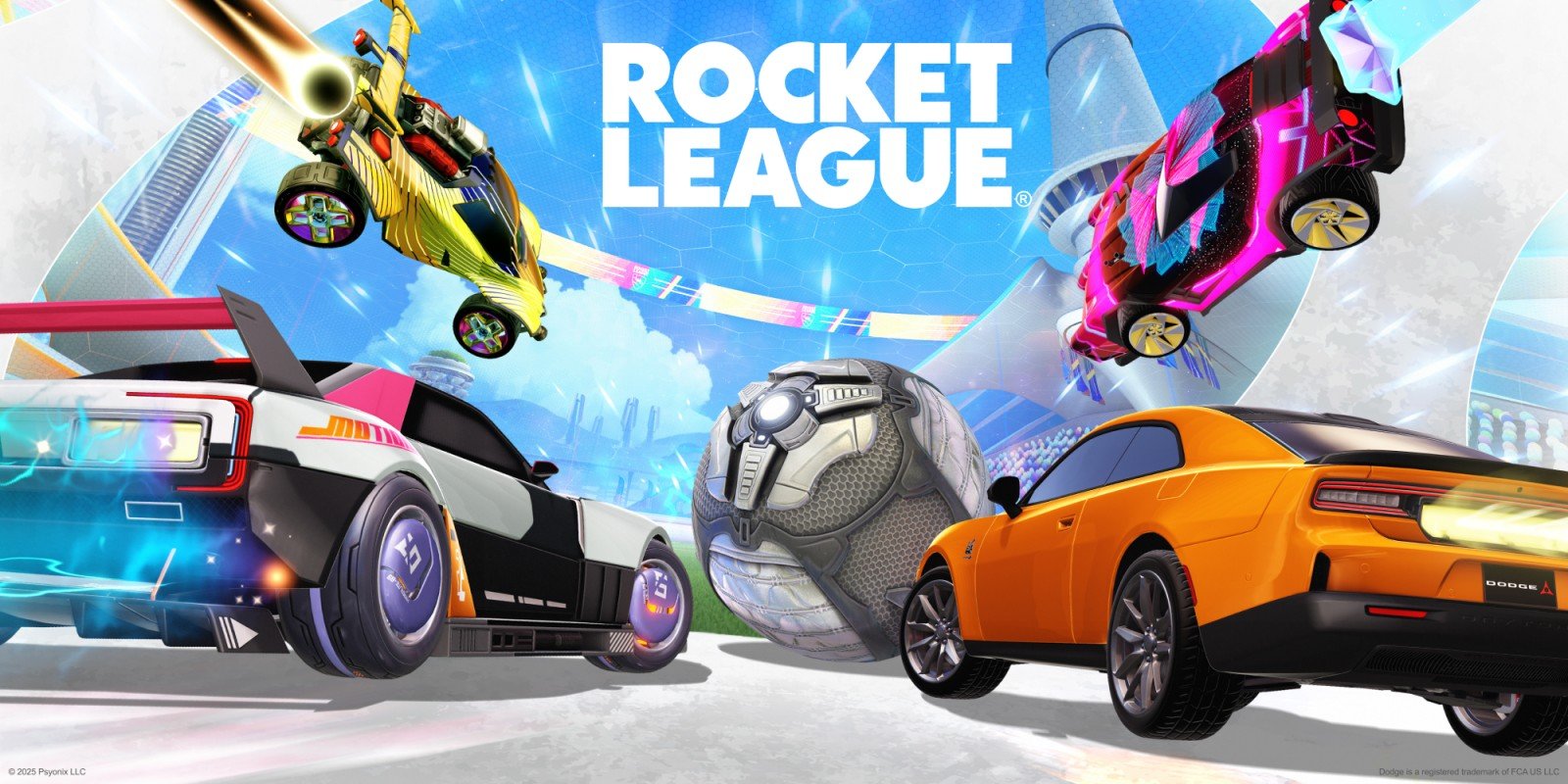
Summary:
Rocket League’s Nintendo Switch 2 patch is one of those updates that sounds simple on paper, then feels surprisingly meaningful the moment you boost into your first kickoff. The headline is clear: the game now aims for 1080p at 60 FPS in both docked and handheld play, with docked mode locked to 1080p and handheld mode targeting 1080p through dynamic resolution that can scale down when the action gets heavy. That’s not a flashy “new mode” or a gimmick – it’s a quality-of-life upgrade for your eyes and your muscle memory. You’re no longer bouncing between two different graphics presets either, because the old Quality and Performance toggle is gone. Instead, Switch 2 uses a single combined approach that pulls the best parts of both, which means fewer menu debates and more time actually playing.
Beyond resolution and frame rate, the patch leans into the details that shape how the game reads at speed. World detail is increased, handheld texture quality is raised to match docked, and anisotropic filtering is improved so surfaces like turf, ramps, and arena materials look cleaner when viewed at angles. Lighting gets attention too, with improved lighting effects, ambient occlusion for better depth, and higher-resolution shadows that can make scenes feel less muddy. The big catch is also simple: there’s no 4K option here. Instead, the patch focuses on a stable, sharp baseline that fits Rocket League’s real priority – responsiveness and clarity when every split-second touch matters. If you care about competitive consistency, or you just want your car to stop looking like it’s been lightly smeared with petroleum jelly in handheld mode, this update is doing the right kind of work.
Rocket League on Switch 2 – what the new patch really changes
We’re not talking about a reinvention here – it’s more like someone finally cleaned your glasses and tightened the screws on your controller at the same time. Psyonix prepared a Switch 2-focused patch that bundles visual and performance improvements into one tidy package, and the effects are aimed at the moments that matter most in Rocket League: fast reads, quick reactions, and clear visual feedback when the ball pinballs across the box. The big structural change is that Switch 2 no longer asks you to pick between Quality and Performance settings, because that toggle has been removed in favor of a single approach that uses the best parts of both. On top of that, resolution behavior is improved in both play styles. Docked is now locked to 1080p at 60 FPS, while handheld targets 1080p at 60 FPS but can dynamically lower resolution if it needs breathing room to keep gameplay smooth. Then come the extra polish layers: increased world detail, higher texture quality in handheld to match docked, stronger anisotropic filtering for cleaner surfaces, improved lighting effects, ambient occlusion, and higher-resolution shadows. It’s a “less fiddling, more playing” kind of update – and honestly, that’s the kind Rocket League benefits from most.
Why 1080p at 60 FPS is the headline
Rocket League lives and dies on feel. If the game responds instantly and the ball reads cleanly, you’re happy – even if you’re whiffing open nets like it’s your hobby. That’s why 1080p at 60 FPS matters more than a marketing-friendly number like 4K for this specific game. At 60 frames per second, motion is smoother, inputs feel more predictable, and the micro-adjustments you make while air rolling or shadow defending don’t feel like you’re fighting the screen. The 1080p target also helps with clarity. You’re tracking a small ball, often against busy backgrounds, while cars streak around leaving boost trails and explosions. A sharper baseline means fewer “Was that a touch?” moments and more “Yep, I read that” confidence. The patch also makes the promise in plain terms: docked is locked at 1080p, 60 FPS, while handheld aims for 1080p at 60 FPS but can reduce resolution to keep the frame rate stable. In other words, the patch is prioritizing playability first, then layering in visual improvements where they won’t mess with the core rhythm. That’s the right order for Rocket League, because nobody wants to lose a kickoff because the screen decided it was time to be artistic.
Docked mode – locked 1080p, locked 60, and what “locked” feels like
When we say docked mode is locked at 1080p and 60 FPS, the key word is locked – because it suggests consistency, not just a best-case scenario. In practical terms, docked play is often where you care most about a stable look: bigger screen, more distance from the display, and usually longer sessions where small imperfections start to bug you. A fixed 1080p output helps the image stay crisp and predictable, which is great for reading the ball’s spin, judging fast bounces off the wall, and spotting subtle car movements during challenges. The 60 FPS target is equally important in docked mode because Rocket League is all about timing. You’re reacting to touches that happen in fractions of a second, and you want that chain of “see it – decide – act” to feel uninterrupted. This docked setup also pairs nicely with the patch’s extra visual upgrades, like improved lighting, ambient occlusion, and higher-resolution shadows, because those enhancements are easier to appreciate on a larger display. You’re not squinting to see if the arena looks nicer – you just notice that the scene reads cleaner, the surfaces look less blurry, and the overall presentation feels more modern without changing how Rocket League plays at its core.
Handheld mode – a 1080p target with dynamic scaling to stay smooth
Handheld mode is where Switch versions of fast games usually make you compromise, because the system is working harder with less headroom. The patch’s approach is a smart one: handheld play targets 1080p at 60 FPS, but dynamic resolution can reduce resolution when needed to keep gameplay smooth. That last part is the real hero. It’s basically the game saying, “We’ll aim high, but we won’t let the frame rate fall off a cliff just to keep the pixels pretty.” Rocket League is the kind of game where a sudden performance wobble feels worse than a temporary resolution dip, because your timing relies on stable motion. Dynamic resolution is like a bouncer at a crowded club – it keeps things orderly when chaos hits, even if it has to make a few sacrifices. The other big win is handheld texture quality being raised to match docked mode. That’s a huge deal for consistency because it means your car and arena surfaces won’t suddenly look softer the moment you undock. If you bounce between couch play and portable sessions, the game should feel like the same experience, not two distant cousins who only see each other at holidays. With this patch, handheld play is aiming to feel less like a “portable compromise” and more like “Rocket League, just smaller.”
One graphics profile now – the Quality and Performance split is gone
The removal of the Quality and Performance toggle is one of those changes that sounds minor until you remember how people actually behave in menus. We all like to pretend we’ll pick a setting and stick to it, but in reality we toggle back and forth like we’re trying to tune a radio with emotional damage. On Switch 2, that decision is gone. Rocket League now uses a single graphics approach that combines the best parts of the old Quality and Performance settings, which means the game is making the call for you based on what the system can deliver reliably. That’s not just convenience – it’s also consistency. When everyone is on the same baseline, your experience is less likely to change because you accidentally flipped a setting after a late-night session. It also helps keep expectations clearer. Instead of wondering if you’re losing clarity because you picked the wrong option, you can assume the game is already using the best combined setup Psyonix prepared for Switch 2. The result is a cleaner “pick up and play” feel, which fits Rocket League’s identity perfectly. This is a game built for quick sessions, instant rematches, and “one more game” spirals that end at 2 a.m. The fewer barriers between you and the next kickoff, the better.
World detail and texture upgrades – the stuff you notice mid-match
Visual upgrades in Rocket League are at their best when they don’t demand your attention, but they quietly make everything easier to read. That’s the vibe here. The patch increases world detail and improves texture quality, including raising handheld textures to match docked mode. Those changes matter because arenas are full of angled surfaces, patterned materials, and fast camera movement that can turn lower-quality textures into a smear. If you’ve ever boosted across the field and felt like the turf was turning into a watercolor painting, you already understand why better texture handling helps. More world detail can also make arenas feel less flat without changing gameplay. It’s like swapping a low-resolution photo for a sharper one – you’re still looking at the same moment, but now you can actually see what’s going on. These upgrades also pair with anisotropic filtering improvements, which specifically help surfaces look cleaner at steep viewing angles. In Rocket League, you spend a lot of time looking across the pitch at low angles, especially when you’re lining up a shot or watching a pass develop. Cleaner surfaces and sharper texture detail reduce distraction and can make the game feel more “solid.” It’s not about being pretty for the sake of pretty – it’s about clarity when everything is moving fast and you have half a second to decide if you’re challenging or rotating back.
Handheld texture parity – matching docked so it feels consistent
Matching handheld texture quality to docked mode is a bigger deal than it sounds, because it addresses one of the most common frustrations with portable play: the “why does this suddenly look worse” moment. When handheld textures are noticeably softer, the game can feel less crisp even if performance is fine. With this patch, handheld texture quality is raised to match docked, which helps the overall image feel more uniform across play styles. That consistency is especially nice for people who play Rocket League in short bursts – a few matches on the TV, then a couple more in handheld while someone else steals the screen. Your brain doesn’t have to re-adjust to a different visual baseline. It also means cosmetics and car designs hold up better in portable sessions. Decals, paint finishes, and subtle details on car bodies can get lost if textures are downgraded too aggressively. When textures are stronger, your car looks closer to how you expect it to look, and the arena materials feel less like they’re dissolving at the edges. That’s not vanity – it’s familiarity. Rocket League is a game of repeated patterns and muscle memory, and anything that makes the experience feel consistent helps you settle into that flow faster.
Anisotropic filtering – why turf, decals, and ramps look cleaner
Anisotropic filtering sounds like something you’d hear in a science lab, but in practice it’s about one simple thing: making textures look sharper when viewed at an angle. Rocket League is basically a highlight reel of angled views. You’re driving across the field with the camera slightly behind you, you’re lining up wall plays where the pitch stretches into the distance, and you’re constantly seeing surfaces at steep perspective. Without strong anisotropic filtering, textures can look blurry, shimmery, or smeared as they recede, which can make the whole image feel less stable. The patch specifically calls out increased anisotropic filtering and even explains the goal in plain language – reducing jagged lines and blurry edges on surfaces. That means the turf pattern should hold together better as you move, ramps and walls should look cleaner, and details like decals and arena materials can appear crisper during motion. The best part is that this kind of upgrade doesn’t usually scream for attention. It’s more like you suddenly realize the game looks less “fuzzy” while you’re playing, especially in handheld where angled texture blur can be more noticeable. It’s a subtle polish, but Rocket League is built on subtle reads, so subtle visual clarity is exactly what we want.
Lighting, ambient occlusion, and shadows – the quiet upgrade trio
Lighting changes can be risky in competitive games, because too much drama can make visuals harder to read. The patch doesn’t present these upgrades as theatrical, though – it frames them as improvements: improved lighting effects, ambient occlusion, and higher-resolution shadows. In a fast game, these elements matter when they improve depth and definition without adding noise. Better lighting can help cars and the ball stand out more cleanly from the environment, and it can make arenas feel more “real” without turning them into a glare factory. Ambient occlusion is about depth shading – it helps objects feel grounded by darkening creases and contact points, which can make scenes look less flat. Higher-resolution shadows reduce the fuzzy, pixelated edges that can make movement look messier than it is. Put together, these upgrades should make the image feel more stable and more readable, especially in motion. That’s the key point: Rocket League isn’t a slow scenic walk. It’s chaos with rules. If lighting, shadows, and shading make it easier to interpret what’s happening at speed, they’re doing their job. If they just make the arena look moodier, they’re a distraction. Based on how the patch describes them, the intent is firmly on clarity and polish, not on turning every match into a cinematic trailer.
Ambient occlusion – depth that helps scenes read better
Ambient occlusion is one of those visual features you don’t notice until it’s missing, and then everything looks like it’s floating slightly above the ground like a cheap sticker. With ambient occlusion, corners, creases, and contact points get subtle shading that adds depth. In Rocket League, that can make arena geometry feel more defined, and it can help separate objects visually when the camera is moving quickly. The trick is subtlety. Good ambient occlusion adds depth without making the scene look dirty or overly dark. The patch calls it out as part of the Switch 2 upgrades, which suggests we’re getting a more modern shading pass that helps the arena feel less flat. That matters because you’re constantly scanning the field for positioning cues: where the ball is, where cars are rotating, where the next touch might land. Better depth cues can make that scan feel more natural. It’s not going to magically improve your rank, but it can reduce visual ambiguity – and Rocket League is full of moments where ambiguity costs goals. If you’ve ever hesitated because you couldn’t quite read a bounce off the wall, you already get why cleaner depth perception is valuable.
Higher-resolution shadows – fewer fuzzy edges when things get fast
Shadows in fast motion can either help or hurt. When they’re low resolution, they can shimmer, crawl, or look like a blurry blob under moving objects, which adds visual noise at exactly the wrong time. The patch’s higher-resolution shadows aim to clean that up. Cleaner shadows can make movement feel more grounded and less jittery, especially when multiple cars are clustered in tight space near the ball. They can also improve readability in arenas where lighting and shading define the scene’s contrast. The benefit here isn’t about admiring shadows like you’re judging an art contest – it’s about reducing that subtle “messiness” that can build up when the camera whips around at speed. Higher-resolution shadows generally mean sharper edges and less pixelated breakup, which makes the scene look more stable as you rotate, jump, and boost. In handheld play, where screen size and viewing distance can make aliasing artifacts feel more obvious, cleaner shadows can also reduce distraction. Again, it’s a polish feature, but Rocket League is a game where polish can translate into comfort. The less your eyes have to fight the image, the longer you can play without feeling fatigued – and the fewer “my brain is melting” moments you’ll have after a long session.
What the merged settings mean for play – less tinkering, more matches
The best part of merged settings is that it removes a common mental trap: blaming your setup instead of your decisions. When there are multiple modes, it’s easy to lose an hour flipping options, chasing the perfect balance, and convincing yourself the next tweak will fix your reads. With Switch 2, that toggle is gone, and the game is built to deliver a combined “best of both” experience by default. That’s good for competitive play because consistency matters. You want the image and performance to feel the same from match to match, so your timing stays predictable. It’s also good for casual play because Rocket League is often a pick-up-and-play game. You’re not launching it to run a benchmark – you’re launching it because you’ve got 20 minutes and you want to score a ridiculous redirect that makes you laugh out loud. The patch’s performance goal is clear: 60 FPS in docked at 1080p, and a handheld 1080p target that can scale down to stay smooth. That approach prioritizes responsiveness, and responsiveness is Rocket League’s heartbeat. The visual upgrades then add clarity – better textures, better filtering, better lighting, better shading, better shadows – without asking you to sacrifice that core feel. If we had to summarize the practical effect, it’s this: fewer reasons to fiddle, more reasons to just queue up again.
Quick setup checklist – getting the best look on day one
Because the patch simplifies graphics options on Switch 2, setup is mostly about making sure you’re actually seeing what the update is trying to deliver. First, confirm you’re updated to the version that includes the Switch 2 rendering enhancements, then restart the game after the update so everything loads cleanly. In docked play, make sure your display input is set properly and that your TV or monitor isn’t forcing an odd scaling mode that can soften the image. A locked 1080p output should look sharp, but heavy-handed TV processing can blur it, so disabling overly aggressive sharpening or motion smoothing can help keep the picture natural and responsive. In handheld play, the big thing is expectation management: the game targets 1080p at 60 FPS, but it can reduce resolution when needed to keep gameplay smooth. That means in intense moments, the image may soften slightly, and that’s okay – it’s the game choosing responsiveness over vanity. Finally, give yourself a few matches to adjust, because improved clarity can subtly change how you perceive speed and spacing. You’re still playing Rocket League, but a cleaner image can make touches feel different simply because you’re reading the scene with less visual blur.
Small things to watch for after the update
After a visual and performance patch like this, it’s worth paying attention to the little signals that tell you how the experience is settling in. In handheld play, watch for when the dynamic resolution steps in. You might notice a slight softness during very busy moments, especially when boosts, explosions, and quick camera turns all stack together. That’s not a failure – it’s the system protecting frame rate, and frame rate is the priority in this game. In docked play, notice how stable the image feels during fast rotations and aerials. A locked 1080p output at 60 FPS should feel consistent, which can reduce that subtle “shimmer” you sometimes see on surfaces when the camera pans. Also keep an eye on how lighting and shadows affect readability in different arenas. Improved lighting effects, ambient occlusion, and higher-resolution shadows should make the scene feel more defined, but if any arena feels oddly dark or overly contrasty, that’s the kind of feedback players tend to share quickly. The bigger point is simple: this patch is aiming for comfort. If your eyes feel less strained after a long session, if the field looks cleaner at speed, and if you spend less time thinking about graphics and more time thinking about rotations, the update is doing its job.
Conclusion
Psyonix’s Switch 2 improvements for Rocket League are the kind of update that respects what the game actually is. Rocket League isn’t a slow cinematic showcase, so chasing a 4K checkbox would miss the point. Instead, the patch focuses on the things that make matches feel better: a locked 1080p, 60 FPS target in docked mode, a handheld 1080p target at 60 FPS with dynamic scaling to keep gameplay smooth, and a simplified setup that removes the Quality and Performance toggle in favor of one combined approach. Then it adds the visual polish that helps the game read cleaner at speed – increased world detail, handheld textures brought up to match docked, improved anisotropic filtering for sharper angled surfaces, plus lighting upgrades that include ambient occlusion and higher-resolution shadows. The end result is a more consistent experience across docked and portable play, with fewer menu decisions and fewer visual compromises. If you want Rocket League on Switch 2 to feel sharper, steadier, and more modern without changing the core rhythm, this patch is exactly that kind of upgrade.
FAQs
- Does Rocket League on Switch 2 support 4K?
- No. The Switch 2 improvements focus on 1080p and 60 FPS behavior rather than adding a 4K option, with docked mode locked at 1080p and handheld targeting 1080p through dynamic resolution.
- What happened to the Quality and Performance graphics settings?
- The toggle is removed on Switch 2. The game now uses a single combined setup that pulls the best parts of both, so you don’t have to choose between them.
- Is handheld mode always 1080p now?
- Handheld mode targets 1080p at 60 FPS, but it can reduce resolution when needed to keep gameplay smooth. So it aims high, then scales as needed during heavier moments.
- What visual upgrades should we expect besides resolution?
- The patch includes increased world detail, improved texture quality in handheld to match docked, stronger anisotropic filtering for crisper surfaces, improved lighting effects, ambient occlusion, and higher-resolution shadows.
- Will this change how Rocket League feels to play on Switch 2?
- The goal is a smoother, more consistent experience. A stable 60 FPS target and cleaner visuals can make reads feel more reliable, while the merged settings reduce time spent adjusting options.
Sources
- Rocket League Patch Notes v2.64, Rocket League, January 22, 2026
- Rocket League update released, includes Nintendo Switch 2 improvements, Nintendo Everything, January 22, 2026
- PSA: Switch 2 Visual And Performance Improvements Included In New Rocket League Update, Nintendo Life, January 24, 2026