














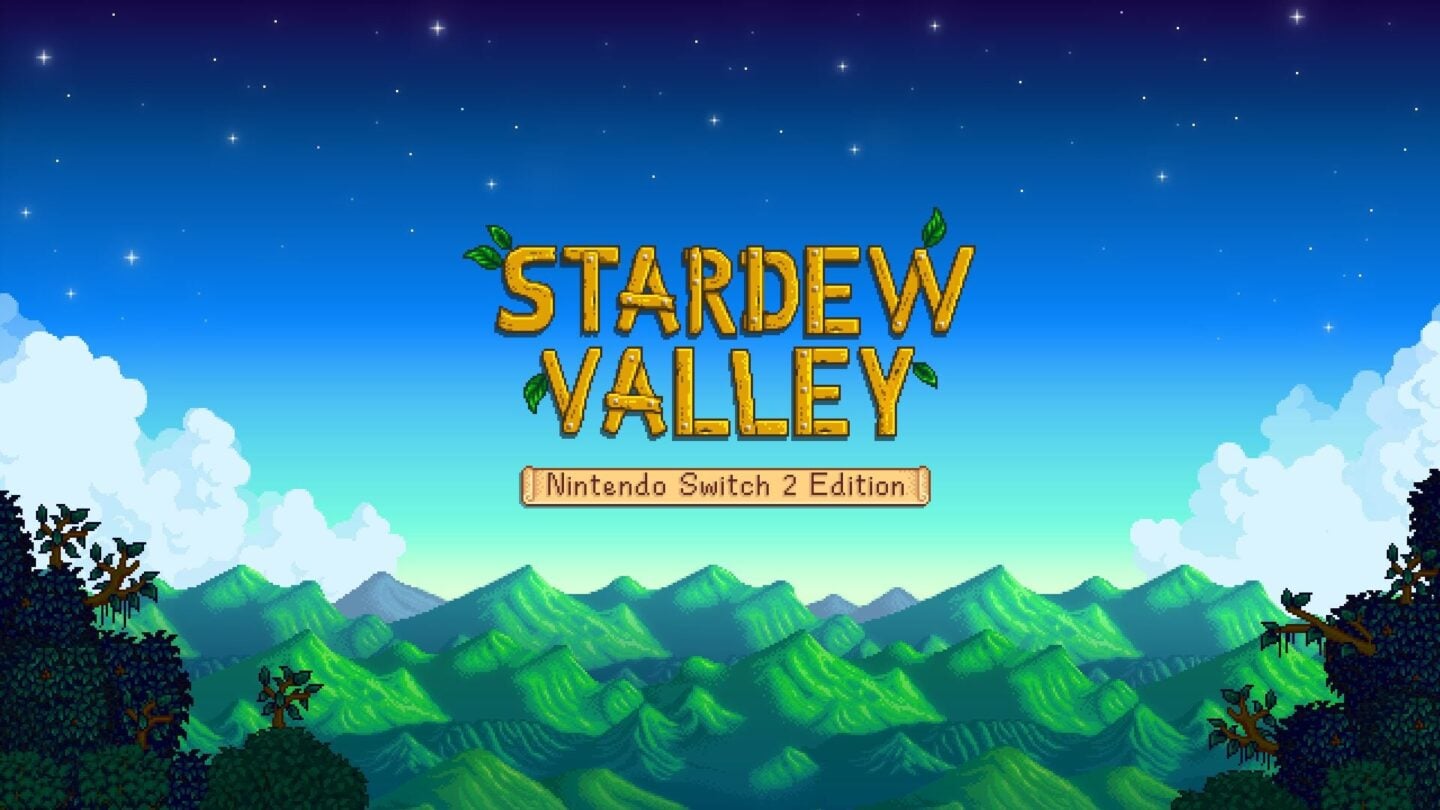
Summary:
Stardew Valley showing up as a Nintendo Switch 2 Edition is the kind of upgrade that feels quietly huge once you actually play it. On paper, the pitch is simple: the Switch 2 Edition is priced at $14.99 on the Nintendo eShop, and if you already own the Nintendo Switch edition, you can grab a free upgrade pack to move over without paying again. In practice, that changes the “should we buy it?” conversation into “who’s hosting tonight?” because the feature set is built around smoother control and easier multiplayer.
The big quality-of-life swing is mouse controls. That one line sounds small until you start decorating, dragging items around, or doing that classic Stardew shuffle where you open three chests and forget why you walked into the shed in the first place. With a pointer-style approach, placing furniture and organizing inventory becomes faster and less fiddly. On the multiplayer side, local split-screen co-op supports up to four players, which is perfect for couch play without turning it into a two-person-only affair. Online multiplayer supports up to eight players, giving larger friend groups room to run a shared farm without someone always being the “extra” who sits out.
Then there’s GameShare. With one copy, you can invite up to three friends to play even if they don’t own the game, which feels like Nintendo bringing back that “everyone can jump in” energy. Put it all together and the Switch 2 Edition lands as a friendly, practical step forward: easier interaction, more ways to play together, and a free path for existing owners that removes the usual upgrade friction.
Stardew Valley lands on Nintendo Switch 2
Stardew Valley has always been a “one more day” kind of game, the one where you swear you’re going to bed and then suddenly it’s summer, your parsnips are thriving, and you’ve emotionally adopted a chicken. The Nintendo Switch 2 Edition keeps that same cozy heartbeat, but it arrives with a sharper focus on how we actually play on a console in 2025: faster interactions, easier management, and more flexible multiplayer options. Nintendo’s own listing calls out multiplayer support and GameShare compatibility, which is a strong hint that this isn’t just a quiet re-release with a new label. It’s Stardew tuned for the way people share games and play together now. If your farm has ever turned into a mess of chests because inventory juggling felt like doing taxes, you’re going to notice the quality-of-life upgrades quickly.
Pricing and the free upgrade pack
Let’s talk money without making it awkward. If you’re coming in fresh, the Nintendo Switch 2 Edition is listed at $14.99 on the Nintendo eShop, which keeps the barrier to entry low for a game that can easily eat a whole winter weekend. If you already own Stardew Valley on the original Nintendo Switch, the free upgrade pack is the real headline because it removes the usual “double dip” sting. That free path matters in a way that’s bigger than a single purchase, because it sets expectations: upgrades can be additive without being punitive. In other words, we get to spend our energy planning sprinkler layouts instead of debating whether the upgrade is worth it. It’s a clean setup: buy once, upgrade if eligible, and get on with the important work of befriending villagers and chasing that perfect crop schedule.
How to claim the upgrade pack on the eShop
Claiming an upgrade pack should feel like opening a door, not solving a riddle, so here’s the simple mental model: you’re not buying the full game again, you’re adding the Switch 2 Edition upgrade entitlement to what you already own. Search the Nintendo eShop for the Stardew Valley: Nintendo Switch 2 Edition Upgrade Pack, confirm it’s the upgrade pack version, and then download it. Nintendo’s store listing for the upgrade pack shows a price of $0.00, which matches the “free for existing owners” idea people care about most. After that, your console handles the rest like it’s supposed to, and you can launch the Switch 2 Edition with the added features available. If anything looks off, the quickest sanity check is making sure you’re signed in with the same Nintendo Account that owns the original purchase, because ownership is the key that unlocks the free upgrade.
Mouse controls that actually feel natural
Mouse controls on a console can sound like a gimmick until you remember what Stardew Valley actually asks us to do all the time: move items, place objects, arrange rooms, swap tools, and do a hundred tiny actions that add up to the rhythm of play. Nintendo’s upgrade pack description calls out intuitive mouse controls specifically for placing furniture and organizing inventory, and that’s exactly where a pointer-style input shines. Think of it like switching from boxing gloves to bare hands for delicate work: suddenly the little adjustments stop feeling clumsy. This doesn’t replace the classic controller feel that many people love, it just adds a faster lane for tasks that used to take longer than they should. If you’re the kind of player who redecorates the farmhouse at midnight because the rug is “one tile wrong,” congratulations, you just found your new favorite feature.
Furniture placement without the usual fuss
Furniture placement is where many Stardew players discover a special form of irritation: you can see exactly what you want in your head, but your hands can’t quite make it happen on the first try. With mouse controls, moving a chair, lining up a table, or nudging a lamp into the perfect corner becomes less like wrestling a shopping cart with a wobbly wheel and more like simply putting the thing where it belongs. That matters because decorating in Stardew isn’t just cosmetic, it’s part of the emotional glue of the farm. We build a space that feels like ours, and the game rewards that sense of ownership. When placing objects is easier, we experiment more, iterate more, and end up with homes, sheds, and barns that feel intentional instead of “good enough, I guess.”
Inventory and chest management with a pointer mindset
Inventory management is Stardew’s quiet time sink, the one that sneaks up on you when you’re trying to be productive. You head out to mine, come back with loot, then spend ten minutes doing the chest shuffle because your gemstones are in the wrong box and your forage stash is overflowing. The Switch 2 Edition upgrade pack description directly mentions organizing inventory being easy with mouse controls, and that’s a big deal for day-to-day flow. A pointer approach makes sorting feel quick instead of sticky, especially when you’re moving stacks, splitting items, or doing rapid swaps between storage and your backpack. It’s the difference between tidying your desk with a clear plan versus throwing everything into a drawer and calling it a day. The more friction we remove from these little tasks, the more time we spend doing the fun stuff: exploring, farming, fishing, and accidentally making a villager mad because we gifted them the wrong flower.
Local split-screen co-op for up to four
Local multiplayer in Stardew is peak “pass the snacks and keep the vibes good,” and the Nintendo Switch 2 Edition leans into that by supporting local split-screen cooperative play for up to four players. That’s a meaningful jump for households and friend groups because it turns Stardew into a proper couch experience instead of a two-person limit that forces someone to spectate. Four-player local co-op also changes how a farm evolves. One person can focus on crops, another can mine, another can fish, and the fourth can be the charming chaos goblin who spends all day talking to villagers and somehow still contributes by unlocking friendships and recipes. It’s a cozier kind of teamwork, and it suits Stardew’s tone perfectly. The game becomes a shared routine, like a weekly board game night, except your board game has turnips, weather, and a suspiciously addictive “just one more day” loop.
Making couch co-op work in a real living room
Four people on one screen sounds like pure fun, but it also raises practical questions: can we actually see what we’re doing, and will this turn into accidental chaos? The trick is treating roles like lanes on a road. If everyone is trying to manage the same chest at the same time, it’s going to feel like four shopping carts colliding in a supermarket aisle. If we split tasks and use simple habits – like dedicated storage chests, clear tool organization, and quick check-ins before ending the day – couch co-op stays smooth. Stardew’s charm is that it supports different play styles without punishing anyone for taking it slow, so a living room farm works best when everyone agrees on the vibe. Are we speed-running profit, or are we vibing and making the farm look cute? Either answer is valid, but agreeing up front saves a lot of “wait, why did you sell my rare fish?” moments.
Online multiplayer for up to eight
Online multiplayer scaling up to eight players is where Stardew Valley starts feeling like a proper community project. Nintendo’s upgrade pack description explicitly lists online multiplayer support up to eight players, and Nintendo’s store listing backs up the broader multiplayer range as well. This isn’t just about bigger numbers, it’s about flexibility. Friend groups rarely come in neat pairs, and coordinating schedules is already hard enough without the game limiting who can join. With a larger cap, we can run a shared farm where people drop in, help out, and contribute without the whole thing collapsing if one person can’t make it. It also unlocks a different kind of fun: specialization. Bigger groups naturally create roles, routines, and little jokes that become part of the farm’s identity. One friend becomes the mining legend, another becomes the fishing machine, someone else becomes the decorator, and somehow there’s always one person obsessed with optimizing kegs like they’re running a small business.
Farm roles, pacing, and not stepping on each other’s toes
Eight-player co-op is amazing, but it needs a tiny bit of structure to stay fun. The easiest way to keep things smooth is to treat the farm like a shared kitchen: label the shelves, agree on what’s communal, and don’t steal someone’s “special ingredients” without asking. In Stardew terms, that means having clear storage categories, deciding how money is shared, and setting expectations around big purchases like buildings or tool upgrades. Pacing matters too. If half the group wants to sprint the Community Center and the other half wants to roleplay cozy farmer life, friction can sneak in. A simple fix is rotating priorities by season or week so everyone gets their moment. It sounds formal, but it actually keeps the mood light, because nothing kills cozy faster than feeling like you’re playing someone else’s farm instead of ours.
GameShare: one copy, more friends
GameShare is the feature that makes people do a double-take, because it turns “who owns the game?” into a much smaller problem. The Nintendo Switch 2 Edition upgrade pack description says that with GameShare, one copy is enough to invite up to three friends to play, even if they don’t own the game. That’s a big accessibility win for group play, especially for families or friend circles where not everyone wants to buy the same game immediately. Nintendo also explains that GameShare is designed to share supported games with friends and family, even if they don’t have the game, with rules around who can initiate sharing. The vibe here is classic Nintendo: make multiplayer easier to start. It’s the difference between planning a big night weeks in advance versus texting “want to hop on?” and actually having it work. For Stardew, where co-op is often about relaxed time together, that convenience is the whole point.
What GameShare sessions are best for
GameShare shines when you want low-friction sessions: a quick farm evening with friends, a local hangout where someone forgot to buy the game, or a “try it with us” moment for a friend who’s curious but not committed yet. Nintendo’s own GameShare explanation also makes it clear that there are constraints around how GameShare is initiated and how online sharing ties into GameChat, so it’s smart to treat GameShare like a hosted experience rather than permanent access. In Stardew terms, it’s perfect for shared routines: tending crops together, doing a mine run, or knocking out a season goal with the group. It’s also great for teaching new players without them spending money first. We’ve all had that friend who says “I don’t get why you love this game,” and then two in-game days later they’re emotionally attached to a cow and asking what hardwood is used for. GameShare helps that conversion story happen.
A quick checklist before starting your first Switch 2 farm
Before we sprint into day one like we’re late for a train, it helps to do a quick setup check so the fun starts immediately. First, confirm whether you’re buying the Switch 2 Edition for $14.99 or claiming the free upgrade pack based on existing ownership. Next, decide how you want to control the game: standard controls for cozy lounging, mouse controls for faster inventory and decorating, or a mix depending on what you’re doing. If you’re playing locally, sort out who’s on which controller and agree on a simple storage plan early, because chaos multiplies fast when four people are grabbing items at once. If you’re going online, agree on money sharing and big purchase rules so nobody feels blindsided. And if you’re using GameShare, make sure the host understands the session flow and any online requirements. Do those five things and your farm starts like a picnic, not like moving day.
Who this edition is perfect for
The Nintendo Switch 2 Edition is a great fit for three kinds of players: newcomers, returning players, and social players. If you’ve never played Stardew Valley, the $14.99 price makes it an easy “sure, why not?” purchase, and you’re getting a version that’s tuned for smoother interaction and bigger multiplayer possibilities. If you already own it on Switch, the free upgrade pack is the obvious win because it rewards loyalty instead of charging for it. And if you’re the person who treats games as a way to hang out, this is where the edition really pops. Four-player local split-screen and eight-player online support create room for groups that don’t fit into neat little boxes. Add GameShare on top and suddenly you’re not negotiating purchases, you’re planning who’s bringing snacks and who’s mining for iron. Stardew has always been about community, and this edition makes that community easier to build.
Tips to get the most out of the new tools
To get real value out of the Switch 2 Edition features, it helps to use them intentionally instead of treating them like a novelty. Mouse controls are most useful in “precision moments,” like decorating, reorganizing storage, or cleaning up an inventory after a long mine run. Local four-player split-screen is best when everyone has a lane, so assign early-season jobs and rotate if someone gets bored. Online eight-player farms benefit from light coordination, so set up a shared chest system and a simple rule like “ask before selling rare stuff.” And for GameShare, lean into it as a welcoming tool: use it to bring new friends in, run short cozy sessions, or let someone join spontaneously without turning it into a shopping decision. Most importantly, keep the spirit of Stardew intact. The point isn’t to optimize the soul out of it. The point is to make the farm feel like a place you want to return to, alone or with friends, day after day.
Conclusion
Stardew Valley on Nintendo Switch 2 Edition lands with upgrades that target how we actually play: smoother interaction, easier management, and more ways to share the valley with people we like. The Switch 2 Edition sits at $14.99 for new buyers, while existing Nintendo Switch owners can use a free upgrade pack, which is the best kind of upgrade story because it removes friction instead of adding it. Mouse controls make decorating and inventory organization feel quicker and less fiddly. Local split-screen co-op expands up to four players, and online multiplayer stretches up to eight, which opens the door for larger groups that want a shared farm. GameShare adds a social shortcut too, letting one copy host up to four players together by inviting friends who don’t own the game. Put all of that together and the Switch 2 Edition feels like Stardew’s cozy routine, just with fewer speed bumps and more seats at the table.
FAQs
- How much does Stardew Valley Nintendo Switch 2 Edition cost?
- The Nintendo Switch 2 Edition is listed at $14.99 for new buyers on the Nintendo eShop.
- Is the upgrade pack really free if we already own the Nintendo Switch version?
- Yes. The Nintendo Switch 2 Edition Upgrade Pack is listed as $0.00 for eligible owners, meaning it’s free to claim if your account owns the required version.
- What do mouse controls improve the most?
- They’re especially useful for placing furniture and managing inventory, making those frequent small actions feel faster and more precise.
- How many players can we play with on one console?
- Local split-screen cooperative play supports up to four players on the same system.
- How does GameShare help friends play if they don’t own the game?
- GameShare lets a host invite up to three friends to play with just one copy, as long as the game supports GameShare and the session is started through the proper Switch 2 sharing flow.
Sources
- Stardew Valley: Nintendo Switch 2 Edition for Nintendo Switch 2, Nintendo, December 25, 2025
- Stardew Valley: Nintendo Switch 2 Edition Upgrade Pack for Nintendo Switch 2, Nintendo, December 25, 2025
- Nintendo Switch 2 GameShare: How It Works, Nintendo, December 27, 2025
- Stardew Valley Nintendo Switch 2 Edition Out Now With Mouse Controls, Local Split-Screen, And More, Game Informer, December 26, 2025
- Stardew Valley is getting a major upgrade on Switch 2 with mouse controls, as well as 4-player co-op with just 1 copy thanks to GameShare, GamesRadar+, September 12, 2025