














Summary:
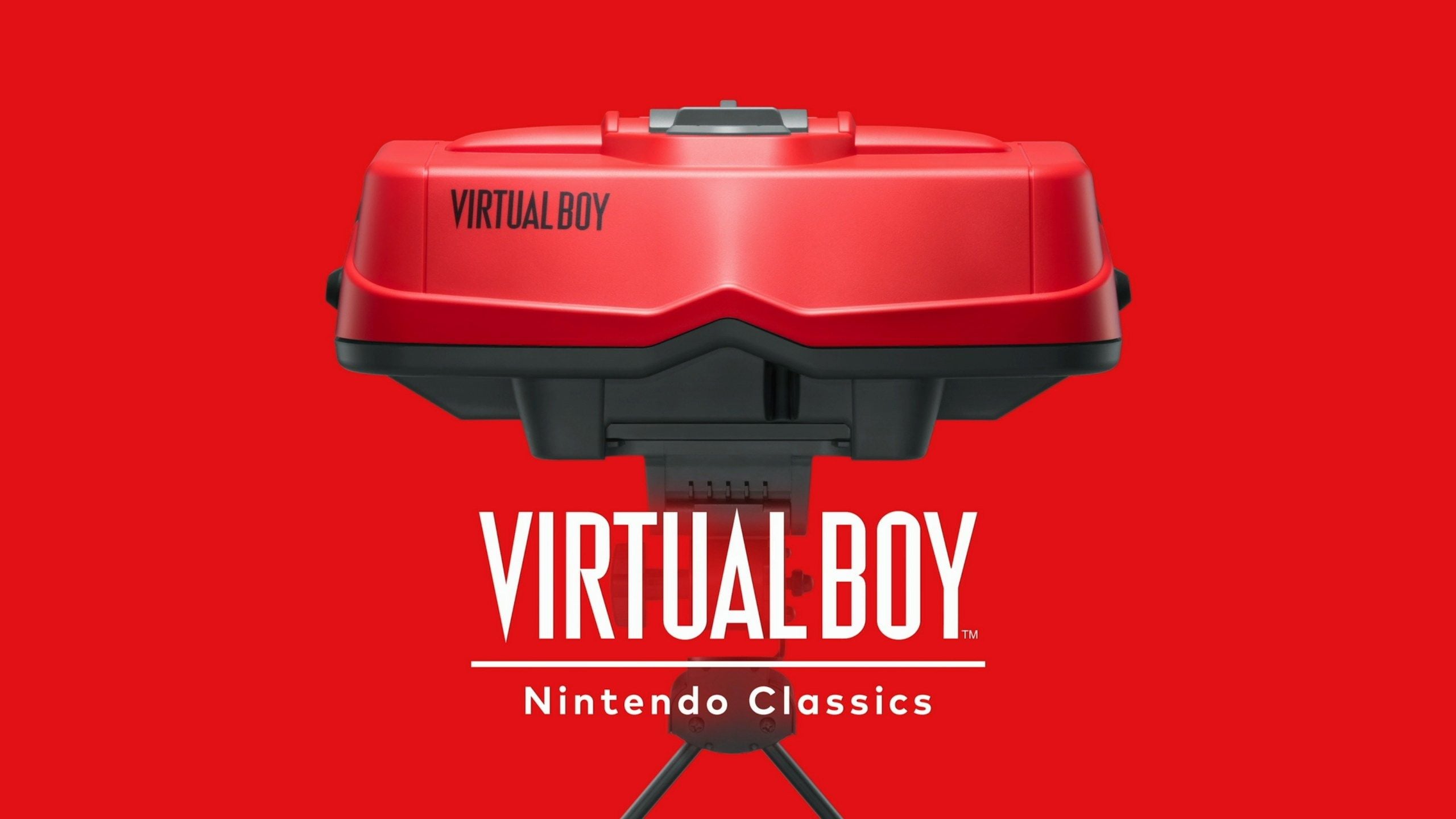
Virtual Boy – Nintendo Classics is now available to download from the Nintendo eShop, bringing Nintendo’s most unusual 90s library to Nintendo Switch 2 and Nintendo Switch through Nintendo Switch Online + Expansion Pack. The big catch is also the whole point: to play, we need a viewer accessory, either a dedicated Virtual Boy-style replica headset or a cheaper cardboard model. That requirement turns this from a simple app download into a very specific experience, more like putting on a pair of “retro goggles” than launching a standard game collection.
Once we are set up, we get access to a lineup that includes Virtual Boy Wario Land right away, alongside other early picks that show off the system’s punchy, high-contrast stereoscopic look. Nintendo also lists upcoming additions, with Mario’s Tennis on the way, so the library is positioned as something that grows over time rather than a one-and-done drop. The result is a neat mix of convenience and commitment: we can play on modern hardware, but we still have to meet the platform halfway by using the viewer that makes Virtual Boy feel like Virtual Boy.
If you are wondering whether this is actually comfortable, how the 3D works, what’s included now, and what’s confirmed for later, we can walk through the essentials without making it feel like homework. Think of it like setting up a tiny retro exhibit in your living room, except you get to be the museum visitor and the exhibit at the same time.
Virtual Boy joins Nintendo Classics on Switch 2 and Switch
Virtual Boy – Nintendo Classics has officially joined the Nintendo Classics lineup for Nintendo Switch Online + Expansion Pack members, and it lands with the same kind of oddball energy Virtual Boy has always had. We are not just tapping an icon and calling it a day, because Virtual Boy’s identity is tied to stereoscopic 3D. Nintendo leans into that by making the viewing hardware part of the experience, so this feels less like “another retro app” and more like a deliberate throwback. If you ever wondered why Virtual Boy stood out in the first place, this is Nintendo basically saying, “The weirdness is the feature.” It also means the barrier to entry is higher than most classic libraries, but the payoff is that you are actually seeing the games the way they were designed to be seen. For longtime fans, it is a second chance at a cult curiosity. For everyone else, it is like opening a time capsule that still insists on wearing its original outfit.
Where to download and what the membership unlocks
We download Virtual Boy – Nintendo Classics from the Nintendo eShop, and access is tied to a paid Nintendo Switch Online + Expansion Pack membership. That membership piece matters because it frames the app as a service library: once we are subscribed at the right tier, the games inside the app are available to play without buying each one separately. The app itself is presented as a dedicated hub for Virtual Boy titles on Nintendo Switch 2 and Nintendo Switch, rather than being mixed into another emulator menu. In plain terms, we are getting a curated Virtual Boy shelf inside Nintendo’s broader classic ecosystem. If you already use Expansion Pack for other classic libraries, this becomes another door that opens with the same key. If you do not, the decision is a bit more “all-in,” because the accessory requirement makes it feel like a hobby purchase, not just a subscription toggle. Either way, the download part is straightforward, and the real decision comes next: what we are using to actually view the 3D.
The required viewer accessories and why they matter
To play these games, we need one of the supported viewer accessories: the dedicated Virtual Boy replica-style accessory or the Virtual Boy (Cardboard Model) alternative. This is not optional, and it is not a cosmetic extra, because the app is built around stereoscopic 3D presentation rather than a flat fallback mode. That one design choice changes the whole vibe. Instead of treating Virtual Boy as a list of ROMs, Nintendo treats it like a specific way of playing, where your eyes, the optics, and the screen are all part of the “controller.” It is the same reason a karaoke app feels different when you actually have a mic in your hand. The accessory requirement also signals that Nintendo wants consistency, so the experience is predictable across homes, lighting conditions, and setups. If you have ever tried to enjoy 3D visuals on a bad screen at a bad angle, you already know why Nintendo would rather control the viewing setup.
Replica viewer versus cardboard model: what changes in practice
The replica-style viewer is the premium option, designed to echo the look and feel of the original Virtual Boy hardware, while the cardboard model is the budget-friendly alternative that still gets us into the same library. In day-to-day use, the difference is mostly about build, comfort, and how “serious” the setup feels when we bring it out. The replica accessory is meant to be a more durable, purpose-built piece of kit, while the cardboard model is more like a clever, lightweight viewer you can assemble and store easily. The cardboard option also makes this whole thing feel less intimidating for curious players, because it lowers the “I am buying hardware for one retro library” hurdle. The replica, on the other hand, is for people who want the full tactile throwback, the kind of accessory you leave on a shelf because it looks cool even when you are not using it. Either way, the goal is the same: lock in the viewing geometry so the 3D effect lands the way it is supposed to.
Launch lineup: what is playable right now
The library starts with a set of included games available immediately in the app, and Nintendo positions it as a growing collection rather than a fixed bundle. That means we can jump in today, but we also have something to keep an eye on later as more titles roll in. At launch, Virtual Boy Wario Land is part of the playable lineup, which is a smart choice because it is one of the most beloved games on the platform and a great “this is why Virtual Boy mattered” showcase. The included list is built to represent different styles of Virtual Boy design, from action to arcade-like experiences, and it gives us a decent spread of moods. If you are approaching this as a first-timer, think of the launch lineup like the opening act at a concert: it is setting the tone, proving the sound system works, and getting you to stick around for the rest of the set. The main thing is that we are not waiting to play something good on day one, because the headliner is already on stage.
Included games available now
Nintendo’s included list features Virtual Boy Wario Land among the playable titles available right away, alongside other launches such as Galactic Pinball, RED ALARM, Teleroboxer, GOLF, The Mansion of Innsmouth, and 3-D Tetris. That mix is important because it shows Virtual Boy’s range: some games lean into depth perception as a gameplay tool, while others use it mostly for vibe and readability. If you are the kind of person who likes to sample, the lineup supports quick “five minutes each” testing without feeling like you are only playing the same genre in different hats. It also helps new players understand the Virtual Boy look fast, because switching between a pinball table, a boxing arena, and an action platformer highlights how the stereoscopic effect changes from game to game. The best approach is to treat the first session like a tasting menu. Find what clicks, then settle in with a longer run once your eyes and brain have adjusted to the style.
Upcoming games to watch for
Nintendo also lists a set of upcoming additions, including Mario’s Tennis, which is the Virtual Boy-era tennis entry many people casually refer to as Mario Tennis. The upcoming list includes multiple confirmed titles, signalling that the service is planned as a steady rollout rather than a one-time drop. That matters for expectations: if your favorite is not available on day one, the plan is not “maybe someday,” it is “it is on the schedule.” It also gives the launch library more breathing room, because we are not judging the whole effort by a single starting lineup. For players who are here specifically for Mario’s Tennis, the good news is simple: it is named on Nintendo’s upcoming list. In the meantime, we can still get a feel for the 3D presentation, controls, and overall comfort so we are ready when the tennis court opens up.
How stereoscopic 3D translates to modern play
Virtual Boy’s signature is stereoscopic 3D, and the Nintendo Classics app is built around that identity rather than trying to sand it down into something flat and ordinary. On modern Switch hardware, the concept remains the same: each eye sees a slightly different image, and your brain stitches them into depth. The viewer accessories exist to make that work reliably, because the distance, angle, and alignment are everything. When it clicks, the effect is surprisingly readable, like looking into a tiny diorama where sprites sit on different layers instead of being painted on a single sheet of paper. When it does not click, it can feel like your eyes are arguing with each other. That is why setup and session habits matter more here than they do with other classic libraries. The good news is that once we get a comfortable alignment, the experience becomes less “tech demo” and more “oh, this is just how these games live.” It is unusual, but it is also the point.
Comfort, safety, and smart session habits
Because this is stereoscopic 3D, comfort is not just a nice-to-have, it is part of making the experience enjoyable. We get the best results by keeping play sessions reasonable, taking breaks, and making small adjustments when something feels off instead of pushing through it like a hero in a movie montage. If the image feels strained, it is usually a sign the viewer alignment or your posture needs a tweak, not a sign you should “get used to it.” Lighting also matters more than you might expect, because glare and reflections can mess with how cleanly you perceive depth. The simple trick is to treat this like wearing glasses: if the fit is wrong, everything feels worse, and you are not going to have fun. Once it is comfortable, though, the novelty becomes charming instead of exhausting. It starts to feel like playing inside a little red-and-black stage set that only you can see.
Practical setup tips that make the first session smoother
We can make the first session smoother by doing a quick checklist before launching into a long play. First, we set up in a spot where we can sit comfortably without hunching, because neck strain will ruin the vibe faster than any dated menu screen. Next, we make sure the viewer is positioned securely and the image is centered, since even small misalignment can make the 3D feel “swimmy.” Then we start with a slower-paced game for a few minutes, so your eyes can adapt before jumping into something hectic. If you wear glasses, we keep comfort in mind and avoid forcing an awkward fit, because discomfort is a distraction. Finally, we build in breaks like we would with any screen time, except here it is extra useful because stereoscopic visuals can be more demanding than normal play. The goal is simple: we want the hardware to disappear so the games can take over.
Safety notes for younger players
Nintendo includes clear warnings around 3D visuals, including that the app and required accessories are not recommended for children aged 6 and under, and that supervision is advised for children using the product. The logic is straightforward: prolonged 3D viewing can be harder on developing vision, and not everyone perceives stereoscopic images the same way. Even among older players, there are individual differences, and some people may not be able to see the 3D effect properly. The practical takeaway is to treat age guidance seriously, keep sessions sensible, and pay attention to comfort signals like headaches or eye strain. If you are setting this up for a family, it helps to think of it like a ride with a height requirement. It is not about being strict for the fun of it, it is about making sure the experience is actually safe and enjoyable for the people trying it.
Spotlight on Virtual Boy Wario Land
Virtual Boy Wario Land is the kind of game that makes people say, “Okay, I get it now.” It is a strong action platformer with Wario’s classic attitude baked into the pacing, the movement, and the sense that every treasure is a personal insult if you do not grab it. Nintendo highlights it as part of the available lineup, and it is a smart flagship because it shows how depth layering can help readability and spatial judgment in a platformer. The game also carries that mid-90s confidence where everything is bold, chunky, and immediate. You are not easing into the action for twenty minutes. You are in it, dodging hazards, chasing loot, and pushing forward with that stubborn Wario energy. For players trying Virtual Boy for the first time, this is a great place to start because it is engaging even if you are still getting used to the stereoscopic look. If you only play one game to decide whether the whole setup is worth it, this is the one that gives the format its best shot.
Spotlight on Mario’s Tennis
Mario’s Tennis is listed by Nintendo as an upcoming addition, and its reputation is tied to being one of the most recognizable names on the Virtual Boy roster. Even if you never touched the original hardware, the idea is instantly readable: Mario and friends, tennis, quick matches, clean rules, and that satisfying arcade snap when you land a shot just right. What makes it interesting in a Virtual Boy context is that depth can help the court feel layered, like you are judging distance in a miniature arena rather than a flat rectangle. It is also a reminder that Virtual Boy was not only about strange sci-fi experiments. Nintendo tried to put familiar, accessible series into the format too. When Mario’s Tennis arrives in the app, it will likely become a go-to “show this to a friend” pick because tennis is easy to understand in thirty seconds. You do not have to explain a complicated system. You just hand someone the controller and let the first rally do the talking.
Who this is for: nostalgia, curiosity, and first-timers
This setup makes the most sense for three types of players. The first is the nostalgia crowd, the people who love Nintendo’s odd corners and want the satisfaction of revisiting a platform that was always more legend than mainstream. The second is the curiosity crowd, the folks who have heard jokes about Virtual Boy for years and want to finally answer the question, “Was it actually that bad?” The third is the first-timer collector type, someone who enjoys unusual gaming hardware experiences and does not mind a slightly ritualistic setup. What it is not, realistically, is the most casual option for someone who only wants a quick retro fix between other games. The accessory requirement means you have to mean it at least a little bit. But if you do, the payoff is that this feels like a real event when you use it. It is not just another menu. It is a tiny retro ceremony: grab the viewer, get comfortable, and step into a slice of Nintendo history that still refuses to behave like anything else.
Quick start checklist for getting set up fast
If you want to go from “I heard it is available” to “I am playing” with minimal friction, a simple checklist helps. First, we confirm we have Nintendo Switch Online + Expansion Pack, because the app’s library access depends on that tier. Next, we download Virtual Boy – Nintendo Classics from the Nintendo eShop on Nintendo Switch 2 or Nintendo Switch. Then we make sure we have the required viewer accessory, either the dedicated replica-style accessory or the cardboard model, since we cannot play without one. After that, we choose a comfortable play spot, because posture and alignment matter more here than with standard play. Finally, we start with a launch title like Virtual Boy Wario Land so the experience makes a strong first impression. Once you have done this once, the whole thing becomes easier, like learning where you keep the extra Joy-Con. The first setup is the “new ritual” moment, and after that it is just part of your retro rotation.
Conclusion
Virtual Boy – Nintendo Classics arriving on Nintendo Switch 2 and Nintendo Switch is a very Nintendo move: it is playful, a bit weird, and surprisingly committed to doing the thing properly instead of watering it down. We can download the app from the Nintendo eShop, but we also have to meet it on its own terms by using a viewer accessory, either the replica-style headset or the cardboard model. The launch lineup already includes Virtual Boy Wario Land, which gives the library a strong anchor right out of the gate, and Nintendo’s upcoming list confirms more additions, including Mario’s Tennis. If you want a retro library you can boot instantly in handheld mode on the couch, other apps will always be easier. If you want a retro experience that feels like opening a secret door in Nintendo’s attic, this one has a charm that is hard to fake. The best way to approach it is simple: set it up comfortably, take breaks, and let the novelty turn into a grin instead of a squint.
FAQs
- Where do we download Virtual Boy – Nintendo Classics?
- We download it from the Nintendo eShop on Nintendo Switch 2 or Nintendo Switch, and the library access is tied to Nintendo Switch Online + Expansion Pack.
- Do we really need a viewer accessory to play?
- Yes. Nintendo lists the dedicated Virtual Boy accessory or the Virtual Boy (Cardboard Model) as required to use the app’s game library.
- Is Virtual Boy Wario Land available right now?
- Yes. Nintendo lists Virtual Boy Wario Land among the included games available in the app at launch.
- Is Mario’s Tennis included in the library?
- Nintendo lists Mario’s Tennis as an upcoming game for the service, meaning it is confirmed to arrive later rather than being part of the initial included set.
- Is this suitable for young children?
- Nintendo warns that the app and required accessories are not recommended for children aged 6 and under, and advises supervision due to 3D visual considerations.
Sources
- Virtual Boy – Nintendo Classics, Nintendo UK, February 17, 2026
- Nintendo Switch Online + Expansion Pack members can now dive into these stereoscopic 3D games, Nintendo (US) What’s New, February 17, 2026
- Virtual Boy – Nintendo Classics, Nintendo (US) Store, February 17, 2026
- Virtual Boy games are coming to Nintendo Switch Online, The Verge, September 12, 2025
- Nintendo’s Virtual Boy app is now available on Switch Online with seven games at launch, Video Games Chronicle, February 17, 2026