














Summary:
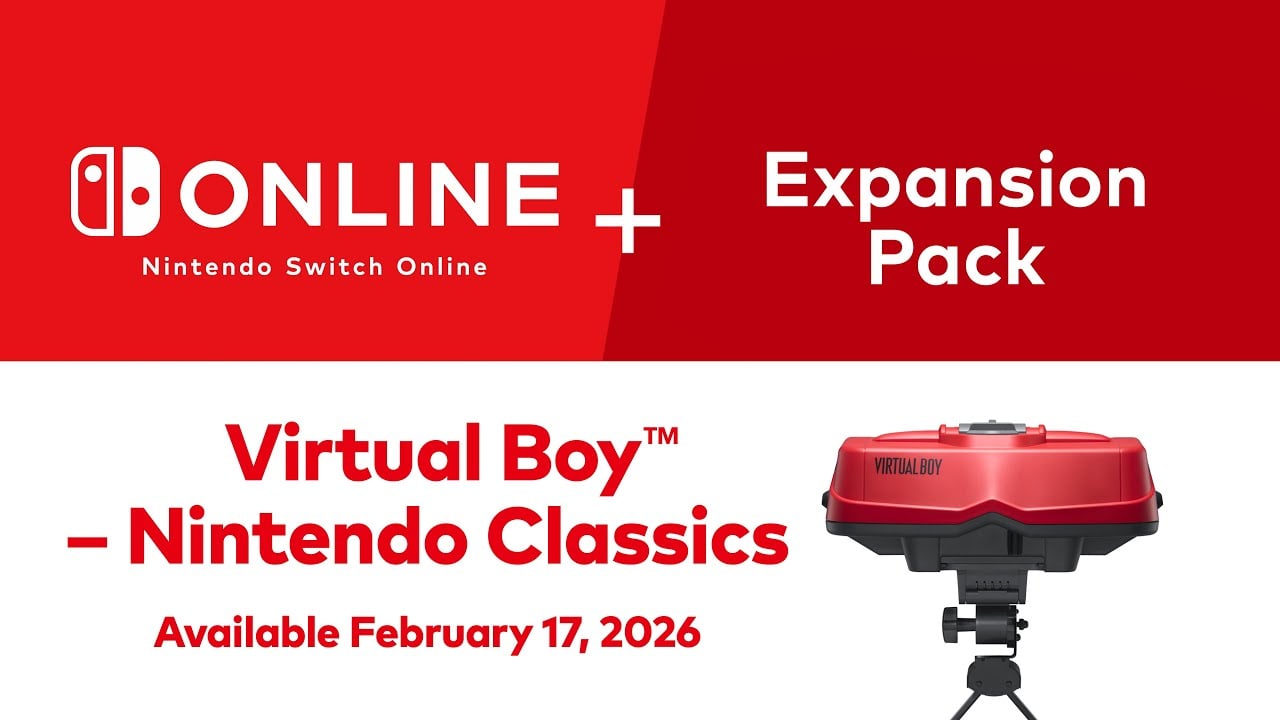
Virtual Boy is back in a way that feels both nostalgic and oddly modern. On February 17, 2026, Virtual Boy – Nintendo Classics lands as part of Nintendo Switch Online + Expansion Pack on Nintendo Switch and Nintendo Switch 2, and it’s not a “tap an icon and play” situation. We’ll need a dedicated 3D viewing accessory – either the replica-style Virtual Boy unit or the cardboard model – because this software is built around stereoscopic 3D and doesn’t offer a flat 2D option. That one decision changes everything: how we set up, how long we play, and even where we play, because comfort suddenly matters as much as game choice.
At launch, we’re getting seven games: Teleroboxer, Galactic Pinball, Red Alarm, Golf, Virtual Boy Wario Land, 3-D Tetris, and The Mansion of Innsmouth. It’s a lineup that mixes “classic Nintendo weirdness” with a couple of genuinely respected standouts, especially Virtual Boy Wario Land and Galactic Pinball. On top of that, Nintendo is adding modern conveniences like save states and additional customization features, plus visual options that can shift the traditional look of Virtual Boy graphics. Put it all together and we’ve got a retro collection that isn’t pretending it’s 1995 – it’s trying to make those games workable in 2026, with today’s expectations around convenience, control, and quick pick-up play.
Virtual Boy joins Nintendo Switch Online + Expansion Pack
Virtual Boy is officially getting its own home inside Nintendo Switch Online + Expansion Pack, and that’s a big deal for anyone who’s ever tried to track down the original hardware or rare cartridges. Instead of treating Virtual Boy like a footnote, we’re seeing it positioned as a proper “Nintendo Classics” library that sits alongside other retro collections. The headline detail is simple: Virtual Boy – Nintendo Classics becomes playable on February 17, 2026, on both Nintendo Switch and Nintendo Switch 2. The more interesting part is what that implies – Nintendo isn’t just dumping ROMs into an app and calling it a day. This rollout comes with dedicated viewing hardware, modern play features, and a curated launch lineup that tries to represent the system’s personality. If you’ve always been curious about the Virtual Boy era but never wanted to deal with original tech, this is the closest thing to a clean, official on-ramp.
What Virtual Boy – Nintendo Classics is on Switch and Switch 2
Virtual Boy – Nintendo Classics is a collection app built specifically around the Virtual Boy’s signature feature: stereoscopic 3D. That matters because these games weren’t designed to “look nice” on a flat screen first and foremost – they were designed to pop outward and sink inward, using depth as part of the experience. On Switch and Switch 2, Nintendo is keeping that identity intact rather than flattening it into a standard retro emulator feel. The trade-off is that we’re not treating this like a casual handheld collection you can fire up anywhere without thinking. We’re using a viewing accessory that turns your system into the display unit, and that’s the price of getting a faithful 3D presentation. It’s a slightly strange concept in 2026, but it’s also kind of charming – like rebuilding a classic arcade cabinet out of modern parts.
Why Nintendo is bringing Virtual Boy back now
Nintendo has always had a complicated relationship with Virtual Boy. It’s famous, but not for the reasons the company would normally want. Still, time has a funny way of turning “failed experiment” into “cult curiosity,” and Virtual Boy fits that pattern perfectly. Bringing it back through a subscription service solves two problems at once: preservation and accessibility. We’re no longer relying on aging screens, brittle plastic, and collectibles pricing to experience these games. Instead, Nintendo can present Virtual Boy as part of its broader retro lineup, with a clear entry point and ongoing additions over time. There’s also a strategic angle: Switch 2 is arriving in an era where people are hungry for novelty again, and a 3D-focused library – with hardware you can actually buy – is a weird little differentiator. It’s Nintendo leaning into its own history and saying, “Yes, that happened. Yes, it was odd. Let’s have fun with it anyway.”
The required 3D viewing accessories, explained
Here’s the part that will make some people blink and re-read the announcement: to play Virtual Boy – Nintendo Classics, we need a dedicated Virtual Boy viewing accessory. Nintendo is offering two official options, and either one is required because the software displays 3D images and does not support 2D play. In practice, that means we’re inserting a Nintendo Switch or Switch 2 system into the accessory so the display aligns with the lenses for a stereoscopic effect. This design choice keeps the identity of Virtual Boy intact, but it also changes the vibe. We’re not casually holding the console at any angle and wandering around the house. We’re setting something up, getting comfortable, and playing in a more deliberate way. It’s the difference between watching a video on your phone and sitting down for a movie night – the setup signals that we’re about to commit, even if only for twenty minutes.
Standard accessory vs cardboard model
Nintendo’s two accessory options are basically two takes on the same idea: recreate the Virtual Boy viewing experience without requiring original hardware. The standard accessory is the replica-style unit that looks and feels closer to the classic device, while the cardboard model is the lighter, cheaper, “fold it and play” approach. Both are made to work with Nintendo Switch and Nintendo Switch 2, and both are tied to Nintendo’s membership ecosystem for purchasing. The practical difference comes down to how you want this to fit into your life. Do you want something sturdier that feels like a real piece of hardware you can keep on a shelf and set up with intention, or do you want the simplest possible way to try the library without spending much? Either way, the key takeaway is the same: Virtual Boy – Nintendo Classics is a 3D-first experience, and the accessory is not optional.
Setup tips that save you from instant frustration
If we want this to feel fun instead of fiddly, setup matters more than usual. Start with stability – use a solid surface, keep the accessory from wobbling, and make sure the console is seated properly so the screen aligns with the lenses. Then think about comfort like you’re setting up a reading lamp: you want a position that doesn’t strain your neck or shoulders, because 3D play gets annoying fast if your body is fighting you. Lighting helps too, not because the lenses need it, but because your overall comfort and focus improves when you’re not squinting in a dark corner. Finally, keep your controllers ready. The accessories don’t include controllers, and we’ll be using Joy-Con, Joy-Con 2, or compatible Pro controllers to actually play. A clean setup is the difference between “this is cool” and “why is this making me work so hard for nostalgia?”
A quick comfort and safety check before we play
Virtual Boy’s 3D effect can be a blast, but it’s also the kind of thing that can bother some people. Nintendo’s own messaging around 3D viewing has always acknowledged that not everyone perceives stereoscopic images the same way, and some users may not be able to see the 3D effect at all. That’s not a flaw in you or the device – it’s just how human vision works. The smart move is to pace yourself: start with short sessions, take breaks, and stop if you feel eye strain or discomfort. If kids are involved, supervision and age guidance matter even more, because prolonged 3D viewing can be a concern for younger users. Think of it like spicy food: some people love it, some people regret it immediately, and pretending everyone has the same tolerance is how you end up having a bad time.
Launch day games and what each one brings
On day one, Virtual Boy – Nintendo Classics launches with seven games: Teleroboxer, Galactic Pinball, Red Alarm, Golf, Virtual Boy Wario Land, 3-D Tetris, and The Mansion of Innsmouth. That lineup tells you exactly what Virtual Boy was all about: experimentation, arcade energy, and a mix of Nintendo polish with offbeat risk-taking. There’s at least one “serious” must-play for platformer fans, one score-chasing favorite that still feels strangely modern, and several titles that are more like conversation starters than timeless classics. That’s not a knock – it’s part of the charm. Virtual Boy’s library was never huge, so the personality of each game matters. With seven titles available right away, we get a sampler platter that’s varied enough to keep things interesting, even if you bounce off one or two games and fall hard for the rest.
Teleroboxer and why it still rules
Teleroboxer is the kind of game that makes you understand Virtual Boy in about thirty seconds. It’s bold, simple, and built around the feeling of depth – like you’re leaning into a futuristic boxing ring where everything is floating in layers. The core idea is easy to get: you fight, you dodge, you land hits, and you try not to get your mechanical face caved in. What makes it stick is the clarity of its “arcade loop.” You play, you learn patterns, you improve, and suddenly you’re telling yourself you’ll stop after one more match. In 2026, that straightforward loop is a relief. No giant menus, no endless tutorials, just action. If Virtual Boy – Nintendo Classics needs a game that instantly sells the concept to newcomers, Teleroboxer is a strong candidate.
Galactic Pinball and the “one more try” factor
Galactic Pinball has a reputation for a reason: it’s one of the easiest Virtual Boy games to recommend without caveats. Pinball is already built around quick sessions, and the 3D layering gives the table a sense of space that flat pinball games struggle to replicate. You’re not just watching a ball bounce – you’re tracking it through depth, reacting to angles that feel more physical, and chasing scores that always feel just barely within reach. It’s the perfect game for testing your setup too, because you’ll immediately notice whether the viewing position feels comfortable. If it’s not, your neck will complain before your high score does. Once the setup feels right, Galactic Pinball becomes dangerously snackable – the gaming equivalent of opening a bag of chips and realizing you’ve somehow finished it.
Virtual Boy Wario Land as the big single-player draw
If you want a “sit down and actually play through something” option at launch, Virtual Boy Wario Land is the star. Wario’s platformers thrive on personality – greedy treasure hunting, chunky movement, and a sense that the game is always nudging you to be a little bolder. On Virtual Boy, that attitude pairs well with 3D depth because environments can feel layered and physical in a way that supports exploration. This is the kind of game that can justify the entire idea of bringing Virtual Boy back, because it’s not just a novelty. It’s a real Nintendo platformer with real charm, and it’s the one most likely to convert curiosity into genuine fandom. If someone asks, “Okay, but is there a reason to play this library beyond the weird factor?” Virtual Boy Wario Land is the answer that doesn’t need any excuses.
The oddball corner: Red Alarm, Golf, 3-D Tetris, and The Mansion of Innsmouth
The rest of the launch lineup is where Virtual Boy’s personality gets a little stranger, in a good way. Red Alarm is action-forward and visually distinctive, leaning into the system’s sense of depth for a more intense feel. Golf is exactly what it sounds like, but the 3D presentation can change how you read distance and arcs, which makes it more interesting than a basic retro sports toss-in. 3-D Tetris is another “simple on paper, different in practice” situation, because adding depth to falling blocks can mess with your instincts until it clicks. Then there’s The Mansion of Innsmouth, which stands out just by name alone and adds a more eerie flavor to the mix. Not every one of these will become your favorite, but together they round out the launch offering so it doesn’t feel like we’re only playing two games and ignoring the rest.
Modern features that make replaying easier
Playing retro games in 2026 comes with expectations, and Nintendo knows it. Virtual Boy – Nintendo Classics is arriving with modern features designed to reduce frustration and keep things moving. Save states are the obvious win, because they let us lock in progress without relying on old-school checkpoint design. On a platform where many people play in short bursts, being able to save quickly matters. Beyond that, Nintendo is also leaning into quality-of-life options that make these games feel less like museum pieces and more like something you can actually live with. When you combine modern conveniences with a quirky hardware setup, you get a balance: the viewing accessory gives you the “wow” factor, while the features keep you from bouncing off after a single rough session. It’s nostalgia with guard rails, and honestly, that’s fine.
Save states, rewind, and control options
Save states are the feature most people will use immediately, especially for games that can be punishing or that demand repetition to master. Rewind is the next step in the same direction: instead of losing progress because of one slip-up, we can correct mistakes and keep the momentum going. Control options also matter more than they used to, because playing through a viewing accessory can change how natural certain inputs feel. If a layout is awkward, remapping can be the difference between “this is fun” and “why am I fighting the controller?” These features don’t change what the games are at their core, but they change how approachable they feel. It’s like adding modern power steering to a classic car – you still get the style and the vibe, but your arms aren’t sore after a short drive.
Color settings and display tweaks
Virtual Boy is famous for its look, and yes, that includes the old-school red visuals people always mention. With Virtual Boy – Nintendo Classics, Nintendo is introducing the ability to change the color of the graphics, giving us options beyond that classic appearance. That’s a bigger deal than it sounds, because color and contrast can affect comfort during longer play sessions. It also changes the tone of certain games – a pinball table can feel different when the visuals aren’t locked to a single iconic style, and eerie scenes can land in a new way when the palette shifts. Purists can keep things traditional, while newcomers can experiment with settings that feel better on their eyes. Either way, it’s another sign that Nintendo isn’t treating Virtual Boy as a rigid time capsule. We’re getting the original ideas, but with a little flexibility so more people can actually enjoy them.
Comfort, safety, and who should avoid 3D
Before we get too swept up in the novelty, it’s worth being practical. Stereoscopic 3D isn’t universally comfortable, and not everyone experiences it the same way. Some people will see the depth effect clearly, some will see it inconsistently, and some won’t perceive it at all. That’s normal. What matters is listening to your body: if your eyes feel strained, if you get a headache, or if you feel dizzy, stop and take a break. For younger players, age guidance matters even more, because prolonged 3D viewing can be a concern. The good news is that this setup naturally encourages shorter sessions – it’s not the kind of thing most people will marathon for six hours straight. Treat it like a fun retro attraction you visit often, not a thing you force yourself through, and it’s far more likely to become a favorite part of your Switch Online routine.
Controllers, compatibility, and practical setup tips
Even though the viewing accessory is the headline, controllers are still the thing you’ll physically interact with the most. Virtual Boy – Nintendo Classics relies on standard Switch or Switch 2 controller options, and Nintendo notes that the accessories do not include a controller. In other words, have your Joy-Con, Joy-Con 2, or Pro controller ready to go. Compatibility details also matter: the Nintendo Switch Lite is not supported for this setup, because the whole concept depends on inserting the system into the accessory for 3D viewing. From a practical perspective, the best tip is to keep your play area simple. Place the accessory somewhere stable, keep your controller charged, and avoid awkward seating positions. When the setup feels smooth, the games feel inviting. When the setup feels annoying, even great games feel like chores. The goal is to make this feel like a fun ritual, not an engineering project.
How we get ready for February 17, 2026
February 17, 2026 is the date to circle, because that’s when Virtual Boy – Nintendo Classics becomes available on Nintendo Switch Online + Expansion Pack for Nintendo Switch and Nintendo Switch 2. If we want to play on day one, the checklist is straightforward: have an active Nintendo Switch Online + Expansion Pack membership, pick up one of the required viewing accessories, and make sure you’ve got compatible controllers. From there, it’s about setting expectations. This isn’t the kind of library you fire up while walking around doing chores. It’s more like setting up a tiny retro exhibit in your living room, then stepping into it for a while. If that sounds fun, you’re going to love the novelty of it. And if you’re skeptical, the cardboard option makes it easier to try without feeling like you bought a museum prop. Either way, launch day is shaping up to be one of the strangest and most memorable retro drops Nintendo has done in years.
What we want next from the Virtual Boy library
The launch lineup is a solid start, but the real excitement comes from the idea of additions over time. Virtual Boy’s catalog is small enough that every new drop feels meaningful, and it’s packed with oddities that modern players rarely get to experience legally and conveniently. If Nintendo keeps building the library throughout 2026, we could end up with a genuinely complete “Virtual Boy corner” inside Switch Online, and that would be wild considering how niche this platform once was. Beyond game additions, we also want the features to keep improving: more display options, smarter comfort settings, and small tweaks that make the experience smoother without losing the original feel. Virtual Boy has always been a weird chapter in Nintendo history. The best possible version of this revival is one where we embrace that weirdness, make it comfortable enough to enjoy, and let a new generation discover why these games still have fans.
Conclusion
Virtual Boy – Nintendo Classics isn’t just a retro drop – it’s Nintendo bringing back one of its strangest ideas with a straight face and a modern toolkit. On February 17, 2026, we get seven launch games on Nintendo Switch Online + Expansion Pack for both Switch and Switch 2, including heavy hitters like Virtual Boy Wario Land and Galactic Pinball alongside more unusual picks like The Mansion of Innsmouth. The required viewing accessories – either the standard unit or the cardboard model – make this feel different from any other classic library on the service, because we’re committing to stereoscopic 3D rather than settling for a flat substitute. Add save states and visual options like color changes, and we’ve got something that respects the original concept while making it far easier to enjoy in short, modern play sessions. If you’ve ever wondered what Virtual Boy was really like, this is the cleanest, most official way to find out, and it might be a lot more fun than you expect.
FAQs
- When does Virtual Boy – Nintendo Classics launch on Nintendo Switch Online?
- It launches on February 17, 2026 for Nintendo Switch Online + Expansion Pack members on Nintendo Switch and Nintendo Switch 2.
- Do we really need an accessory to play Virtual Boy games on Switch and Switch 2?
- Yes. Nintendo requires either the Virtual Boy accessory or the Virtual Boy cardboard model accessory to play Virtual Boy – Nintendo Classics.
- Which games are available at launch?
- The launch lineup includes Teleroboxer, Galactic Pinball, Red Alarm, Golf, Virtual Boy Wario Land, 3-D Tetris, and The Mansion of Innsmouth.
- Does Virtual Boy – Nintendo Classics support modern features like save states?
- Yes. Nintendo is adding modern convenience features, including save states, to make these games easier to enjoy today.
- Can Nintendo Switch Lite play Virtual Boy – Nintendo Classics?
- No. The Nintendo Switch Lite is not supported for this setup because the system needs to be inserted into the required viewing accessory.
Sources
- Games from the Virtual Boy system are coming soon to Nintendo Switch Online + Expansion Pack, Nintendo (Official Site), September 12, 2025
- Virtual Boy – Nintendo Classics ‘Overview’ trailer, Gematsu, January 27, 2026
- Nintendo Classics Virtual Boy Overview Trailer Released, NintendoSoup, January 27, 2026
- You’ll be able to change the color of Virtual Boy games on Nintendo Switch Online, The Verge, January 27, 2026
- Nintendo Announces Launch Line-Up For Switch Online Virtual Boy, Nintendo Life, January 27, 2026
- Virtual Boy for Nintendo Switch 2/Nintendo Switch, Nintendo Store (US), January 27, 2026