














Summary:
We’ve got a rumor making the rounds that hits three very different nostalgia nerves at once: Wii, Nintendo DS, and even SEGA CD being lined up for the Nintendo Classics range inside Nintendo Switch Online. The name attached to it is Shpeshal Nick, a leaker with a history that’s not exactly a straight line, which matters because the smartest way to approach this is to separate “interesting claim” from “done deal.” Still, the conversation is worth having because the details people are reacting to are not just about game lists – they’re about how Nintendo could make famously quirky hardware eras feel natural on a modern system.
On the Wii side, the headline isn’t simply “Wii games could arrive.” The real hook is the claim that a Wii Remote-style peripheral would not need a sensor bar. That’s the kind of practical detail that instantly raises questions about motion tracking, pointer controls, and how Nintendo would keep things plug-and-play for living room setups. On the Nintendo DS side, the rumor leans into the obvious obstacle: two screens. The idea being floated is an extra screen solution, which opens up a whole can of “how would that even work?” in handheld mode, docked mode, and for touch-heavy games. Then there’s SEGA CD – a wild card that actually makes a weird amount of sense as an extension of the existing SEGA Mega Drive library, assuming SEGA and partners are willing to navigate the licensing maze. The result is a rumor that’s less about nostalgia bait and more about input, interface, and Nintendo’s willingness to solve tricky design puzzles.
Wii, DS, and SEGA CD on Nintendo Classics talk – what’s being claimed
We’re looking at a specific set of claims attributed to Shpeshal Nick: that Wii and Nintendo DS are planned for the Nintendo Classics range within Nintendo Switch Online, and that SEGA CD is also part of the conversation. On top of the platforms themselves, the rumor bundle includes hardware and usability ideas, like a Wii Remote-style controller that wouldn’t require a sensor bar, and DS support that could involve a second screen approach. That mix is why this has legs online. It’s not just “more old games,” it’s “Nintendo might be preparing new ways to play them,” which is always the part that gets people leaning closer to the screen. The important baseline, though, is simple: these are not official announcements. They’re claims, and the best way to handle them is to explore what would have to be true for them to work smoothly.
Why Nintendo Classics makes this rumor feel plausible
Nintendo has already built a clear pattern with Nintendo Classics: apps tied to specific legacy platforms, updated over time, and sometimes supported by themed controllers. That structure makes it easier to imagine additional platforms being added, because the delivery method is already familiar to subscribers. We don’t need to invent a new storefront concept or a brand new UI philosophy from scratch – Nintendo already has the “library app” model in place. The leap from there to “add another app” is smaller than the leap to something like a full Virtual Console-style shop revival. That doesn’t make any rumor true, but it does explain why people react with, “Yeah, that’s believable,” especially for Nintendo DS and Wii, two eras that fans have been asking about for years.
Shpeshal Nick’s track record – how to read the signal
Leak culture is like trying to judge a weather forecast from someone who sometimes nails it and sometimes calls sunshine right before a downpour. Shpeshal Nick has been described by plenty of readers as hit-and-miss, which means the healthiest approach is to treat this as a conversation starter, not a calendar entry. The practical way to read a claim like this is to focus on whether the details line up with real-world constraints. For example, “Wii games exist” is easy to say. “A Wii Remote won’t need a sensor bar” is a more specific statement that immediately forces us to think about how pointer input could be recreated. Those concrete details are where a rumor either starts to feel engineered or starts to feel like hand-waving. So, we can take the claim seriously enough to analyze it, without treating it as confirmed.
Wii on Switch Online – the real challenge is controls, not emulation
If Wii ever shows up inside Nintendo Classics, the headline problem won’t be “can the system run the games?” The bigger headache is “can the system make those games feel right?” Wii software spans everything from traditional controller experiences to motion-first games that expect gestures, pointing, and quick calibration. Some titles could map cleanly to modern inputs with minimal fuss, while others are basically allergic to anything that isn’t a Wii Remote and Nunchuk combo. That’s why the hardware angle matters so much here. Nintendo could theoretically curate a list of Wii games that are easiest to translate first, then expand later once the control story is solved. In other words, the rollout could be as much about ergonomics as it is about nostalgia.
Wii Remote without a sensor bar – what that implies
The claim that a Wii Remote-style controller wouldn’t need a sensor bar is immediately interesting because it hints at a different method for establishing pointer position. The original Wii setup used the sensor bar as a reference point for the controller’s IR camera, which helped with aiming and on-screen pointing. If a new approach removes the sensor bar, something else needs to provide stability and reference, otherwise pointer-heavy games can feel like trying to write your name on a trampoline. That “something else” could be modern motion tracking tricks, clever calibration prompts, or alternate control modes that rely less on pointing and more on gyro steering. The key takeaway is that dropping the sensor bar requirement is not a small tweak – it would be a design decision that affects game feel across a big chunk of the Wii library.
Motion controls and pointer input – how Wii games could translate
We can picture a few ways Wii-style controls could be adapted if Nintendo wanted to keep things approachable for living rooms and handheld play. Some games could offer a “gyro pointer” option that lets you aim by tilting and re-centering, similar to how modern shooters handle motion aiming, but tuned for Wii-era UI. Other games could lean on stick-based cursor control, which isn’t as magical as pointing at the screen, but it can be reliable and familiar. There’s also the possibility of optional peripherals doing the heavy lifting for players who want the authentic feel, while everyone else gets a “good enough” control scheme that keeps the game playable. If Nintendo goes this route, the big win is flexibility: the same game can feel accessible to newcomers and still satisfy the purists who want to waggle like it’s 2008 again.
Nintendo DS on Switch Online – two screens, one problem
Nintendo DS support has always been the “everyone wants it, but how do you do it?” question. The DS library is full of games designed around dual screens, touch input, and sometimes rapid swapping of attention between top and bottom displays. On a single-screen system, you can emulate the software, but you still need to make the interface feel intuitive. That’s where the rumor’s second-screen talk becomes the center of gravity. A second screen solution sounds logical on paper, but it raises practical questions about accessories, power, pairing, and how many players would actually use it. Nintendo could also choose a simpler approach that doesn’t require extra hardware, but that often means compromises in layout or comfort. Either way, DS is less about raw capability and more about thoughtful presentation.
Possible DS screen layouts – handheld, docked, and touch choices
Even without a dedicated second display, DS games could be presented in several workable layouts. The most straightforward is a split-screen view where both DS screens appear on the Switch display, either stacked vertically or placed side-by-side depending on orientation. That can work well for slower-paced games, RPGs, and anything where the bottom screen is mostly menus. Another option is a single-screen focus mode where we swap between top and bottom screens with a button press, which can feel surprisingly natural once your hands learn the rhythm. Touch is its own wrinkle: in handheld mode, the Switch’s touchscreen can help, but docked play would need an alternate method like pointer controls, stick-controlled cursor, or motion-based aiming for touch interactions. None of these solutions are perfect, but plenty of DS games become totally playable with the right layout choices and a little UI polish.
The “extra screen” idea – why it’s exciting and messy
The second-screen idea gets people excited because it sounds like a direct answer to the DS problem: if the DS had two screens, why not recreate that? The messy part is that accessories live and die by convenience. If a second screen requires a lot of setup, cables, pairing steps, or awkward mounting, many players will ignore it, and Nintendo knows that. The best version of this concept would be something that feels as simple as snapping in a controller: quick to connect, stable to use, and supported at a system level so games can detect it cleanly. If Nintendo ever pursued a second-screen accessory, the real challenge would be making it feel like a natural extension of the Switch experience rather than a science project you only pull out to impress your friends for five minutes.
SEGA CD as an add-on – why it fits the current SEGA app setup
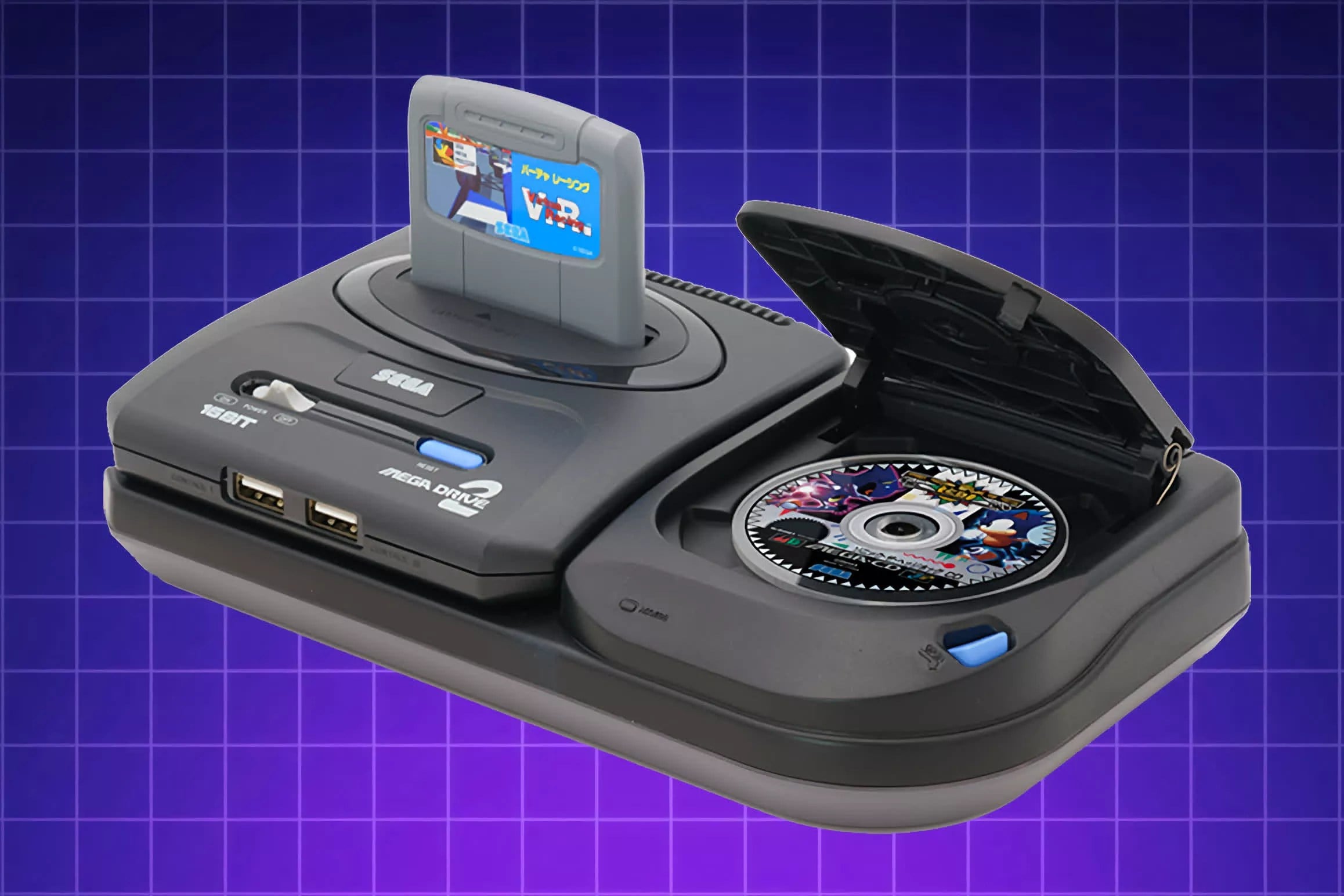
SEGA CD is the curveball here, and that’s exactly why it’s fun to think about. Nintendo Switch Online already includes a SEGA classic library through the SEGA Mega Drive app, so the idea of extending that ecosystem to include SEGA CD has a certain internal logic. From a user perspective, it would feel like “the SEGA corner of Nintendo Classics just got bigger,” rather than a totally random new partnership. It could also give Nintendo a way to add “new” retro titles without relying only on first-party Nintendo platforms, which helps keep updates feeling fresh. Of course, the SEGA CD library has its own quirks – storage-heavy games, FMV titles, and licensing tangles – but as a concept, it’s not out of left field. It’s more like a weird door in a hallway we already walk through.
Licensing and curation – why a SEGA CD lineup would be selective
If SEGA CD ever appeared, the lineup would almost certainly be curated rather than “everything you remember.” That’s not pessimism, it’s just how classic re-releases work once you involve third-party rights, music licensing, and regional publishing deals from decades ago. Some titles are clean and easy to re-license, while others are trapped in paperwork purgatory. That means the most realistic expectation would be a starter lineup of recognizable picks, followed by occasional additions when rights line up. In a way, that’s already the rhythm Nintendo Classics subscribers know: steady updates, not instant libraries. The upside of a curated list is quality control. The downside is that everyone’s personal “must-have” SEGA CD game is different, and somebody will always be yelling, “Where is it?”
How SEGA CD could be positioned next to SEGA Mega Drive
SEGA CD could be presented as a separate app, or as an expansion inside the existing SEGA Mega Drive ecosystem, depending on how Nintendo and SEGA want to keep things tidy. A separate app makes the platform identity clear: you know exactly what you’re launching. A combined approach could reduce clutter and make discovery easier, especially for players who don’t want to juggle too many icons. Either way, the marketing pitch writes itself: “Here’s the next chapter of SEGA classics, now with CD-era experiments and fan favorites.” The real trick would be making it feel cohesive alongside Nintendo’s own legacy libraries, so the service doesn’t turn into a messy attic where you can’t find the box you actually wanted.
What Nintendo could announce first – apps, controllers, and rollout pacing
If any part of this rumor ever becomes real, the most realistic “first step” would be Nintendo announcing the framework before the flood of games. That could mean revealing a Wii app and a DS app for Nintendo Classics, showing UI mockups, explaining control options, and confirming whether dedicated peripherals exist. Nintendo has a history of making accessories feel like part of the fun rather than a chore, so a controller reveal would be a natural headline moment. For DS, even a short demonstration of screen layouts would answer the biggest question people have: “Will this feel usable?” For Wii, showing how pointer controls work without a sensor bar would be the make-or-break detail. A paced rollout also fits how Nintendo Switch Online tends to evolve: the platform arrives, then the library grows over time.
What we should treat as solid – and what we should treat as noise
Here’s the clean way to keep our feet on the ground. It’s solid that Nintendo is actively using the Nintendo Classics brand and expanding classic libraries over time, because that’s already happening through the service itself. It’s also solid that Wii and Nintendo DS are the next “obvious” platforms fans point to, because they’re major eras with huge libraries and strong nostalgia pull. What’s not solid is any specific promise that Wii, DS, and SEGA CD are definitely coming soon, because that has not been officially confirmed. The controller and second-screen ideas are especially easy to misread, because they sit right at the intersection of real product planning and internet telephone. So, we can enjoy the speculation, we can map out what would make it work, and we can stay disciplined about what’s actually been announced versus what’s being claimed.
Conclusion
We’re staring at a rumor that’s catchy for a reason: it mixes three legacy platforms with three very modern questions about usability. Wii is less about “can it run” and more about “can it feel right,” especially if Nintendo wants pointer-heavy games to work without a sensor bar. Nintendo DS is the classic two-screen puzzle, where the best solution is the one that feels effortless, not just technically possible. SEGA CD is the fun wildcard that could slot neatly into the existing SEGA Mega Drive corner of Nintendo Classics, assuming licensing and curation line up. The smartest posture is simple: treat the claims as unconfirmed, but use them to think clearly about what Nintendo would have to solve. If any of this ever gets announced, the real story won’t just be the game lists – it’ll be the way Nintendo makes old hardware ideas feel natural in your hands again.
FAQs
- Is Wii officially confirmed for Nintendo Switch Online’s Nintendo Classics?
- No. The current discussion is based on claims attributed to a leaker, not an official Nintendo announcement.
- Why is the “no sensor bar” Wii Remote detail such a big deal?
- Because many Wii games rely on pointing and calibration that originally used the sensor bar as a reference. Removing it changes how aiming and cursor control would need to work.
- How could Nintendo DS games work on a single-screen system?
- Common options include showing both screens in a split layout, swapping between screens with a button, and using touch in handheld mode with alternate cursor controls when docked.
- Why does SEGA CD sound plausible next to the current SEGA library?
- Nintendo Switch Online already includes a SEGA Mega Drive classic library, so SEGA CD could be positioned as a natural extension of that partnership and app structure.
- What’s the safest takeaway right now?
- Nintendo Classics is an active, expanding part of Nintendo Switch Online. Any talk of Wii, DS, and SEGA CD joining it should be treated as unconfirmed until Nintendo announces it.
Sources
- Classic games – Nintendo Switch Online, Nintendo (UK), accessed February 12, 2026
- New Nintendo Classics update!, Nintendo (US), November 25, 2025
- Leaker claims Wii, Nintendo DS, and SEGA CD coming to Nintendo Switch Online, My Nintendo News, February 11, 2026
- Nintendo Switch Online Leak Hints at the Wii and Two Other Consoles Coming in the Future, VICE, February 11, 2026
- Nintendo Switch Online To Add DS And Wii, Claims Leaker, TheGamer, February 11, 2026