














Summary:
We’ve all imagined it at some point: standing on the Great Plateau, looking over Hyrule, and feeling that view in our gut instead of on a flat screen. BetterVR turns that daydream into something we can actually do. This mod adds a true PC VR mode to The Legend of Zelda: Breath of the Wild through the Cemu Wii U emulator, with full stereo rendering and 6DOF head tracking, meaning the world has real depth and you can naturally lean, peek, and look around like you’re there. It also goes beyond “cool camera trick” territory by supporting hands and arms, gesture-based actions for things like equipping and throwing weapons, and motion-control interaction for puzzles and those classic Zelda moments where fire is both a tool and a temptation.
The best part is how it respects what makes Breath of the Wild special. We still get that wide-open freedom, the physics sandbox, the improvisation, and the constant feeling that the game is quietly daring us to try something slightly reckless. BetterVR simply changes how we inhabit it. We can play in first-person VR for that “Link’s eyes” vibe, and there’s also an optional third-person mode when we want a more familiar layout while still being inside the world. BetterVR is designed to be broadly compatible with other mods because it modifies code and doesn’t ship any game data, which matters for anyone who already has a carefully tuned setup. If we’re ready to handle the realities of emulation performance and VR comfort, this is one of those rare projects that makes an old favorite feel brand new without rewriting what we loved in the first place.
What BetterVR changes about Breath of the Wild
BetterVR takes Breath of the Wild and swaps the “window” for a “door.” Instead of watching Link run across a hill, we’re standing on that hill with depth, scale, and distance that feels real. The mod is built around full stereo rendering and 6DOF head tracking, which is the difference between “VR-looking” and actual VR presence. It also adds support for hands and arms, so we’re not just moving a camera through Hyrule, we’re interacting with it. That means weapons and tools can be handled in a way that feels closer to a native VR game, including gestures for equipping and throwing. On top of that, BetterVR includes an optional third-person mode, which is handy when we want comfort or familiarity while still keeping the world around us. The core adventure is still Breath of the Wild, but the way we inhabit it is completely different, and that’s the magic trick.

What we need before we start
Before we get excited and start swinging an imaginary sword in the living room, we need to be honest about prerequisites. BetterVR is a PC VR mod designed to run Breath of the Wild via the Cemu Wii U emulator, so we’re dealing with emulation plus VR, which is a heavier lift than either one alone. We need the Wii U version of the game legally, because the mod does not provide game files and is meant to work with our own dumped copy. We also need a VR headset that works with OpenXR, because BetterVR uses OpenXR as its VR interface. Finally, we need a Windows PC and a Cemu setup that can run Breath of the Wild smoothly at high frame rates, because VR comfort lives and dies on stability. If our rig struggles on a normal monitor, VR will not magically fix that. It will just make the struggle more personal.

Legal copy, emulator basics, and why the Wii U version matters
BetterVR targets the Wii U build of Breath of the Wild because Cemu is the Wii U emulator it’s designed around, and that determines the whole pipeline. The practical takeaway is simple: we need a legal Wii U copy of Breath of the Wild and a proper method of dumping it for use with Cemu. Nothing about BetterVR changes that expectation, and it’s a big reason the project is framed as a mod that doesn’t ship game data. On the emulator side, we want Cemu set up cleanly first, running Breath of the Wild on a normal display at stable performance before we even touch VR. Think of it like learning a bike route in daylight before trying it at night in the rain. Once we know Cemu is stable, BetterVR becomes an extra layer we add, not a mystery box we hope will solve everything.
PC performance expectations and the comfort reality check
VR is brutally honest about frame pacing. Small hitches we might shrug off on a monitor can feel like the world is tugging the rug out from under our inner ear. With BetterVR, we’re combining VR rendering with CPU-heavy emulation, which means we should expect higher system demands than a native PC VR game. A strong CPU matters, and not just “good overall,” but specifically good single-threaded performance, because emulation workloads often lean that way. Comfort also depends on our settings, our tolerance, and how we approach early sessions. We should plan shorter play windows at first, use comfort options when needed, and avoid turning a first night into a three-hour “prove it” marathon. VR doesn’t reward stubbornness. It rewards smart pacing, like training for a hike instead of sprinting up a mountain in flip-flops.
Setting up BetterVR the sane way
We want a setup process that’s boring, predictable, and reversible. That’s not a joke, that’s survival. The best path is to start from a working Cemu configuration, then add BetterVR, then test in small steps. BetterVR is distributed as a mod package intended to hook into Breath of the Wild running through Cemu, and the project includes installation instructions and known-issues notes we should actually read instead of pretending we’re above reading. Once installed, we verify the game boots, verify we can reach gameplay, and only then move on to VR-specific tweaks. If something breaks, we want to know exactly which change caused it. This is where “one thing at a time” stops being advice and becomes a lifestyle choice.
Installing BetterVR and flipping the right switches
Installation is easier when we treat it like assembling a kit rather than improvising. We place the BetterVR files where the instructions specify, confirm Cemu sees what it needs to see, and then launch using the intended method so the VR hook initializes correctly. After that, we do a simple test: can we get into the world and look around with stable tracking? If yes, we keep going. If no, we stop and fix the base issue instead of stacking more settings on top. We also want to keep our original Cemu setup backed up, because it’s painful to rebuild a tuned emulator configuration from scratch. The goal is not to “get it working once,” but to get it working in a way we can repeat after updates, after driver changes, or after we inevitably break something while experimenting.
OpenXR runtimes, headset support, and controller bindings
BetterVR uses OpenXR, which is great because it’s the common language a lot of headsets speak. The catch is that “OpenXR supported” doesn’t always mean “perfect controller bindings out of the box.” BetterVR’s own notes point out that controller bindings may be better for some controllers than others, and that mappings can vary depending on whether we’re running through SteamVR or another OpenXR runtime. The smart move is to confirm our headset and controllers are working properly in other OpenXR apps first. Then we launch BetterVR and test the basics: menu navigation, grabbing or weapon handling, and simple movement. If something feels off, we adjust bindings or runtime settings before blaming the mod. It’s like tuning a guitar: you don’t replace the strings before you check if you’re simply out of tune.
Quick checklist before launch
We can save ourselves a lot of frustration with a quick pre-flight list. First, confirm Breath of the Wild runs in Cemu smoothly on a normal display, ideally at a frame rate that’s comfortable for VR use. Second, confirm our OpenXR runtime is set correctly for our headset and that the headset is recognized and stable. Third, close unnecessary background apps that steal CPU time, because emulation plus VR is not the moment for twenty browser tabs and a surprise update. Fourth, make sure our play space is clear, because swinging a torch in-game shouldn’t end with us high-fiving a bookshelf in real life. Finally, keep our first session short and simple: load in, move around, test a few interactions, and call it a win. We’re building a reliable setup, not trying to speedrun a tech demo.
How VR controls feel in Hyrule
This is where BetterVR earns the hype. Breath of the Wild is already a playground of physics, improvisation, and “what if we try this,” and VR makes those moments feel immediate. Looking around becomes natural instead of stick-driven, and scale finally clicks. Cliffs feel tall. Shrines feel like real spaces. Even standing next to a Bokoblin camp can feel different because distance is no longer an abstract number. The mod’s support for hands and arms adds to that presence, because actions feel tied to our body rather than a floating cursor. It won’t feel identical to a built-from-scratch VR title every second, but when it clicks, it really clicks. The best moments are the quiet ones, like holding still and listening to the wind, then realizing our brain is treating this place like a place.
Hands, arms, and gestures for everyday play
BetterVR’s hands and arms support changes the day-to-day rhythm of play. Instead of thinking purely in button prompts, we start thinking in motions and intent. Gestures to equip and throw weapons can make inventory actions feel quicker and more physical, and that matters because Breath of the Wild is constant micro-decisions. Do we toss a weapon that’s about to break? Do we switch to a torch? Do we grab something fast and keep moving? VR makes those choices feel like we’re doing them, not just selecting them. There’s also something hilarious about the idea of dressing Link up in the fanciest outfits while we’re standing there in socks, holding controllers, pretending we’re a heroic adventurer. It’s fashion and fantasy colliding, and it works because Breath of the Wild has always been a little silly in the best way.
Combat, puzzles, and the “yes, we can start fires” moment
Combat in VR can feel more intense because spacing and timing become more instinctive. Swinging, blocking, and reacting can feel immediate, and even simple encounters can spike our adrenaline in a way the flatscreen version rarely does. Puzzles also benefit because motion controls let us interact with the world in a more tactile way, which suits shrines that already feel like physics experiments. And then there’s fire. Breath of the Wild treats fire like a Swiss Army knife: cooking, warmth, wind tricks, and chaos. BetterVR’s motion-based interactions make those “light it up” moments feel like we’re actually setting a plan in motion. Just keep it responsible, yeah? The game will happily let us do something clever, but it will also happily let us accidentally set ourselves on fire. Hyrule doesn’t judge. It just burns.
First-person vs optional third-person mode
First-person VR is the headline experience, because it’s the closest thing to stepping into Link’s boots. It’s also the mode where scale and presence shine the most. That said, third-person mode can be a real comfort tool, especially for players who want VR immersion without the full intensity of first-person movement. Third-person can make navigation and combat feel more familiar, and it may reduce discomfort for some people because our viewpoint is less tied to “being the body” in the world. BetterVR includes this option, and that flexibility matters because VR tolerance varies wildly from person to person. Some of us can paraglide for an hour and feel fine. Others will do one quick spin and immediately regret every life choice that led to VR legs not being installed at birth. Having both modes means we can choose what works, session by session.
Mod compatibility and keeping the setup clean
If we’ve ever modded Breath of the Wild before, we know the slippery slope: one tweak becomes five, then suddenly we’re troubleshooting a problem we caused three months ago and forgot about. BetterVR is designed with broad mod compatibility in mind, and the key detail is that it modifies code and does not include game data. That tends to play nicer with other mods because we’re not swapping out core game assets in the package itself. Still, “compatible” doesn’t mean “everything always works forever,” especially when we mix emulator settings, graphics packs, and multiple mods. The smart approach is to keep a clean baseline profile, then add changes gradually. If we want to experiment, we do it in a separate setup folder or profile so our main build stays stable. Think of it like cooking: we don’t dump every spice in the pot at once and then act surprised when it tastes like confusion.
Why code-only matters and how we avoid breaking everything
When a mod avoids bundling game data, it reduces the risk of distributing copyrighted assets and it also often reduces conflicts with other mods that adjust visuals, performance, or mechanics. That’s part of why BetterVR’s approach is appealing. But cleanliness still depends on us. We want to document what we changed, keep downloads organized, and avoid stacking fixes on top of fixes without understanding what they do. If we install a performance graphics pack, we should know which setting it changes. If we add another mod, we should confirm it still behaves in VR. The biggest favor we can do ourselves is to treat our setup like a small project rather than a junk drawer. A tidy setup makes updates easier, troubleshooting faster, and the whole experience less stressful, which matters because VR should feel like adventure, not tech support.
Comfort and safety tips for longer sessions
Even if everything runs perfectly, VR comfort is its own skill. We should start with shorter sessions, take breaks, and stop the moment we feel “off.” That’s not weakness, that’s wisdom. Breath of the Wild has climbing, gliding, sudden drops, and fast camera movement, which can be intense in VR. We can reduce discomfort by keeping movement smooth and predictable, using any comfort options BetterVR provides, and avoiding wild spins early on. Hydration helps, fresh air helps, and a small fan can help because it gives our brain a steady real-world reference point. Also, clear the play space. Yes, it’s obvious, but so is “don’t touch a hot pan,” and we still have to tell people that. We’re going to swing, reach, and step. Make sure the only thing we hit is a Bokoblin, not a lamp.
Troubleshooting the common headaches
When something goes wrong, we want to diagnose, not panic. The most common issues tend to fall into a few buckets: performance instability, shader compilation stutter, controller mapping weirdness, and hardware-specific quirks. The fix often starts with reducing variables. We test in a simple area, we disable extra mods temporarily, and we verify our emulator settings and VR runtime are stable. We also keep expectations grounded: emulation plus VR can be demanding, and some jank can exist while projects evolve. The goal is to make it playable and comfortable, not to chase perfection on day one. If we approach troubleshooting like a checklist, we’ll spend more time exploring Hyrule and less time staring at settings menus like they personally offended us.
Performance dips, shader stutter, and frame pacing
Breath of the Wild on Cemu can stutter during shader compilation or when new effects appear, and VR makes those hiccups feel bigger. A practical approach is to ensure our Cemu configuration is optimized and that we’re using settings that prioritize consistent frame pacing over flashy extras. We also want to avoid constantly changing graphics settings mid-session, because that can introduce new shader compilation events. If we get stutter spikes, we test whether they correlate with new areas, new effects, or specific actions. Then we adjust one setting at a time. Frame interpolation features can sometimes help perceived smoothness, but the best foundation is stable performance from the emulator side first. In VR, smooth is king. Fancy comes second. Hyrule will still be pretty, even if we’re not pushing every setting to the ceiling.
GPU and driver quirks (including known rough edges)
Hardware quirks are real, and BetterVR’s early notes and reporting around launch have pointed out that some GPU setups can be trickier than others, including driver-related issues on certain AMD configurations. The practical takeaway is that if we’re seeing consistent crashes or black screens, we should check the mod’s known-issues notes and recent release notes, then confirm our GPU drivers are up to date and stable. If an update introduced a problem, rolling back to a known stable driver can sometimes help, but we should do that carefully and intentionally. We also want to watch BetterVR’s release updates, because fixes can land quickly and change what’s possible on different hardware. The good news is that active projects tend to improve fast. The better news is that we don’t have to guess wildly when the release notes tell us what changed.
Why this matters for Zelda fans and VR fans
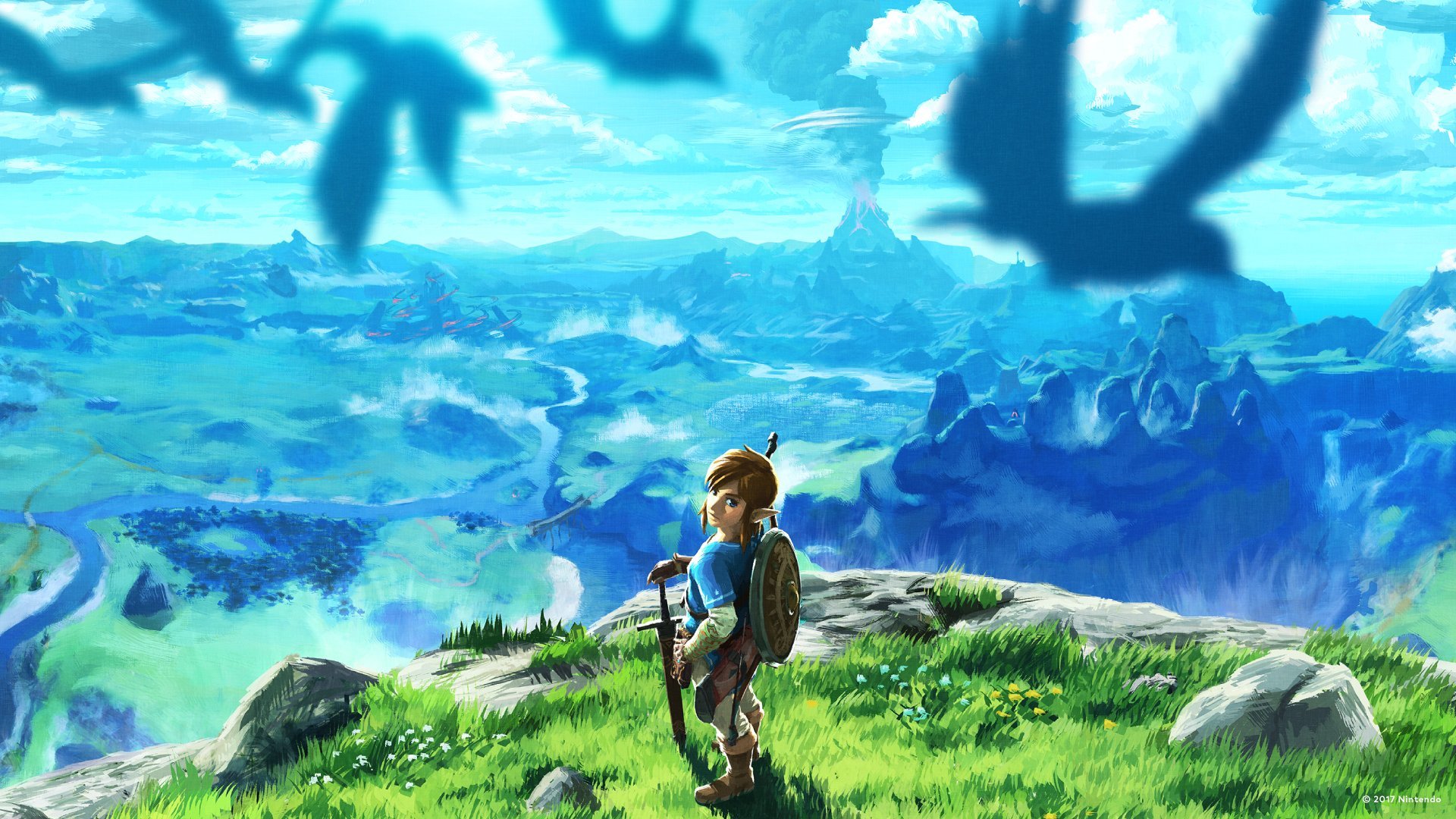
Breath of the Wild has always been about presence. Not “presence” as a buzzword, but the feeling of being in a place where the weather matters, where the terrain shapes your plan, and where curiosity is the main quest. VR amplifies that. The Great Plateau feels like a real overlook. Forests feel denser. Shrines feel like rooms you can inhabit instead of puzzles you observe. For Zelda fans, it’s a fresh way to experience familiar moments, and for VR fans, it’s a reminder that big, systemic worlds hit differently when you’re inside them. BetterVR also shows what dedicated creators can do when they focus on the details that make VR feel right: stereo depth, 6DOF, motion interaction, and flexibility like third-person mode. It’s not just a novelty. It’s a serious attempt to translate a massive adventure into a different medium without flattening what made it special.
Where we follow updates and patch notes
BetterVR is the kind of project that benefits from keeping an eye on updates, because bug fixes and improvements can roll in quickly, especially around launch windows. The best habit is to check official release notes and installation instructions when new versions drop, because changes can affect performance, compatibility, and controller bindings. If we treat updates like “just replace files and hope,” we’ll eventually step on a rake. If we treat updates like a small routine, we stay stable. Keep backups of a working version, read the notes, and only change one variable at a time when testing. That way we can enjoy the improvements without turning every update into a full rebuild. And honestly, that’s the dream: spend our time in Hyrule, not in troubleshooting purgatory.
Conclusion
BetterVR turns Breath of the Wild into something that feels surprisingly natural in VR: a world built for curiosity, now experienced with real scale and presence. The feature set tells the story, from stereo 6DOF to hands and arms, gesture actions, motion interaction, and the option to switch into third-person when comfort or familiarity matters. The practical reality is that we need the right setup, a legal Wii U copy, a solid Cemu configuration, and the patience to tune performance and comfort like we actually want to enjoy this long-term. If we approach it step by step, BetterVR isn’t just a neat experiment, it’s a genuinely new way to revisit one of Nintendo’s most memorable worlds. And yes, standing on a cliff in VR and looking out over Hyrule really does hit different. It’s the kind of “oh wow” moment that reminds us why we fell in love with games in the first place.
FAQs
- Do we need the Wii U version of Breath of the Wild for BetterVR?
- Yes. BetterVR is built to work with Breath of the Wild running through the Cemu Wii U emulator, so a legal Wii U copy is part of the requirement.
- Does BetterVR include any Breath of the Wild game files?
- No. BetterVR is designed to modify code behavior and does not ship game data, which is why we still need our own legal copy.
- Can we play in third-person, or is it only first-person?
- BetterVR includes an optional third-person mode, which can be useful for comfort or preference while still keeping the VR immersion.
- What kind of VR headset works with BetterVR?
- BetterVR uses OpenXR, so headsets that support OpenXR are the target. Controller bindings can vary depending on hardware and runtime configuration.
- What’s the biggest reason people feel sick in BOTW VR, and how do we reduce it?
- Frame pacing and movement intensity are the usual culprits. Start with short sessions, aim for stable performance, avoid rapid spins early, and use comfort-friendly settings where available.
Sources
- ‘Zelda: Breath of the Wild’ is Getting an Unofficial VR Mod with Full Motion Controller Support, Road to VR, Dec 29, 2025
- This New Legend Of Zelda: Breath Of The Wild VR Mod Is Awesome [Update], Kotaku, Dec 30, 2025
- Zelda Breath of the Wild has been modded to be fully playable in Virtual Reality, My Nintendo News, Dec 30, 2025
- Zelda: Breath of the Wild VR conversion mod with full 6DOF is imminent, NotebookCheck, Dec 28, 2025
- Releases · Crementif/BotW-BetterVR, GitHub, Jan 2, 2026