

Summary:
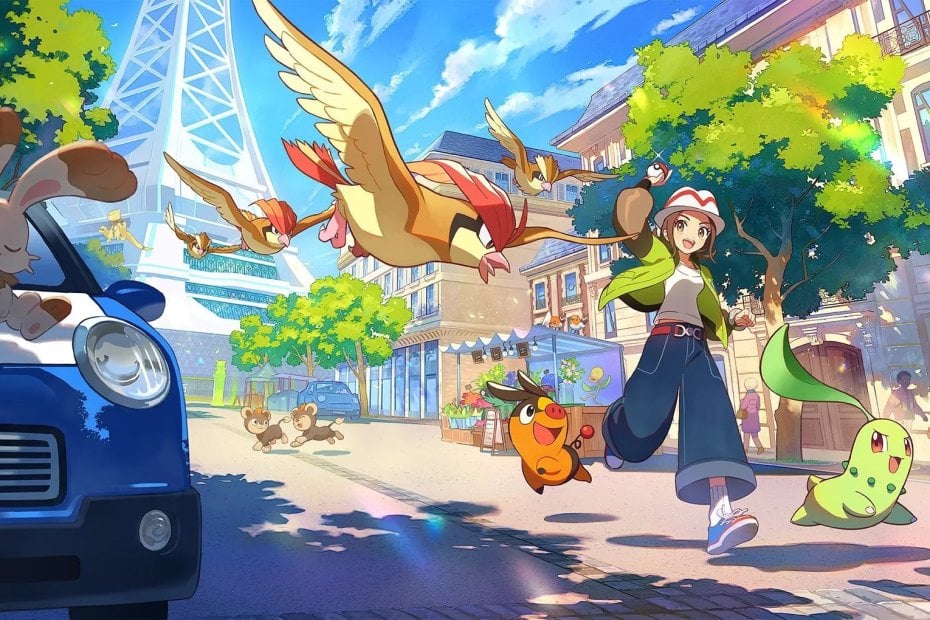
Pokemon Legends Z-A has landed on Nintendo Music, bringing 114 tracks and roughly four hours and 17 minutes of music from the Kalos-set adventure to the app. For Nintendo fans who prefer listening to game soundtracks while working, commuting, or relaxing, this addition makes it easier to stream or download favorite themes straight to a phone or tablet when you have an active Nintendo Switch Online membership. The release joins earlier Pokémon entries already on the service and follows physical soundtrack news out of Japan. We highlight how to access the music, which tracks stand out, why this matters for collectors and listeners, and tips for using Nintendo Music to build playlists, loop tracks, and enjoy offline listening.
Pokemon Legends Z-A was added to Nintendo Music and why it matters
On October 29, 2026 Nintendo Music added the full Pokemon Legends Z-A soundtrack to its library, listing 114 individual tracks that together run for about four hours and 17 minutes. That’s a sizable package for anyone who loved exploring Lumiose City in the game or who just wants more Pokémon music to soundtrack their day. For fans, the arrival is more than just another album drop – it’s a convenient way to relive memorable encounters, battle themes, and area music without booting the game. Because Nintendo Music is tied to Nintendo Switch Online, a lot of the company’s music ecosystem becomes portable and shareable, which helps the franchise reach listeners beyond the usual in-game experience.
Highlights from the tracklist and standout themes
Among the 114 tracks you’ll find familiar cues like city ambiances, battle themes, victory fanfares, and character motifs that originally played throughout Pokemon Legends Z-A. Standouts include the Lumiose City themes, several distinct battle tracks – including trainer, wild encounter and major-battle variations – plus emotionally charged pieces tied to key story beats. The soundtrack’s variety gives listeners everything from short loops that work great as background music to longer compositions that reward attentive listening. If you’ve ever wanted a playlist of only battle themes or just the chill exploration songs, the breadth of this upload makes that possible; you can cherry-pick tracks or simply let Nintendo Music queue the whole soundtrack for a full re-listen of the game’s musical journey.
How to access Nintendo Music and subscription details
Accessing this soundtrack requires the Nintendo Music app and an active Nintendo Switch Online membership. Nintendo Music is available for iOS and Android and can also be used through a web interface in supported regions. Download the app free of charge, sign in with your Nintendo Account, and as long as your Switch Online subscription is active you’ll be able to stream or download the soundtrack for offline listening. Nintendo’s official announcement from October 31, 2024 explains the service’s core functions and membership requirements, and the Z-A addition is the latest of many libraries Nintendo has continued to roll out to subscribers.
Supported platforms and offline listening tips
Nintendo Music supports smartphones and tablets on iOS and Android, and it also offers a browser version for those who prefer desktop playback. Once you add Pokemon Legends Z-A to your library inside the app you can download selected tracks for offline playback – handy for long commutes or when you don’t want to eat through mobile data. The app also supports looping and extended playback lengths for certain tracks, so you can stretch a favorite theme into a longer background track while working or studying. Keep in mind that region availability can vary, and the app requires a linked Nintendo Account as well as a valid Switch Online subscription to unlock the full feature set.
Why NintendoReporters covers Nintendo Music additions
At NintendoReporters we focus on Nintendo-first coverage, and new soundtrack drops are part of what many fans care about – from classic rereleases to modern soundtracks tied to Switch and Switch 2 titles. When a soundtrack like Pokemon Legends Z-A appears on Nintendo Music it affects collectors, streamers, and casual listeners alike: collectors note differences between digital and physical releases, streamers can use licensed music to set a mood for videos, and players get a simple way to enjoy game music outside the console. Our aim is to flag these updates quickly so fans don’t miss out – and to link them to deeper resources like related guides or news on hardware such as the Nintendo Switch 2 when it’s relevant.
How this compares to other Pokémon soundtracks on Nintendo Music
Pokemon Legends Z-A joins earlier Pokémon soundtracks that Nintendo has added to Nintendo Music, following titles such as Pokémon Legends: Arceus and Pokémon Scarlet and Violet uploads. The Z-A package is notable for its track count and the inclusion of both short utility cues and longer thematic pieces, which mirrors Nintendo’s approach with other big additions. Fans who follow soundtrack releases will notice differences in how tracks are grouped, whether they are extended or loop-friendly, and whether entire DLC additions get bundled. Comparing tracklists across Pokémon uploads is useful for collectors who want to identify unique versions or remasters exclusive to the app.
Physical releases and official soundtrack bundles
While the Nintendo Music upload offers a streaming and download ready option for listeners, Pokemon Legends Z-A also received a physical soundtrack announcement in Japan. The Pokemon Super Music Collection edition bundles the base game and Mega Dimension DLC music across multiple discs. Physical releases like that tend to be of interest to collectors who want liner notes, full-length masters, or the tactile experience of owning the soundtrack. Digital availability on Nintendo Music doesn’t replace those editions, but it does make the music more accessible to listeners who aren’t buying CDs – and it often acts as a preview for anyone deciding whether they want the physical set.
Getting the most out of the soundtrack – playlists, loops and sharing
If you’re jumping into Nintendo Music for the first time or returning to build a collection, a few quick tips help you get the most from Pokemon Legends Z-A. Start by creating separate playlists for exploration tracks, battle themes, and emotional cues so you can pick a mood quickly. Use the app’s loop or extended playback where available to stretch short tracks into longer background pieces. Download your favorite tracks for offline listening, and make use of sharing features or screenshots when you want to show friends which themes you love. These simple steps turn a big soundtrack upload into a set of ready-made listening experiences tailored to how you play or relax.
Where to check for future music updates
Soundtrack additions arrive regularly on Nintendo Music, so keeping an eye on reliable news outlets and official Nintendo announcements is the fastest way to know when more games are added. Nintendo’s own news hub is where the service and its major changes are announced, but fan and news sites often list track counts, standout songs, and release dates as soon as a library goes live. For ongoing coverage and related Nintendo-first stories check our Nintendo News section where we highlight additions and context for Switch and Switch 2 players who want to stay informed about music, releases, and related guides.
Conclusion
Pokemon Legends Z-A’s arrival on Nintendo Music gives players and music fans a quick, portable way to enjoy a large, well-curated soundtrack without needing to load the game. Between streaming, offline downloads, and playlist features, the app is a practical addition for anyone who loves Nintendo music. If you’re a fan of Kalos-era themes or you just want a steady supply of game music on the go, this upload is worth a listen. Keep an eye on Nintendo Music and official announcements for the next soundtrack drops, and use the tips above to shape your ideal listening setup.
FAQs
- Do I need a Nintendo Switch Online subscription to use Nintendo Music?
- Yes – an active Nintendo Switch Online membership and a linked Nintendo Account are required to stream or download soundtracks via Nintendo Music.
- How many tracks are included for Pokemon Legends Z-A on Nintendo Music?
- The Nintendo Music upload for Pokemon Legends Z-A contains 114 tracks with a total runtime of roughly four hours and 17 minutes.
- Can I download tracks for offline listening?
- Yes – Nintendo Music allows subscribers to download tracks to their devices for offline playback, which is great for commutes and flights.
- Is the full soundtrack identical to the Japanese physical release?
- Not always – physical releases sometimes include extras, different mastering, or DLC bundles. The Japan CD set and the digital Nintendo Music upload may differ in presentation or track grouping.
- Where can I find official announcements for future Nintendo Music additions?
- Official Nintendo news pages and trustworthy Nintendo-focused outlets are the best places to watch for new soundtrack additions and service updates.
Sources
- Nintendo Music, a new smart-device app for Nintendo soundtracks, is available today!, Nintendo, October 31, 2024
- Nintendo Music adds! 114 Pokémon Legends: Z-A tracks to the service this week, Nintendo Wire, October 29, 2026
- 『ポケモンレジェンズ Z-A』楽曲が『Nintendo Music』で配信開始。カナリィ、カラスバ、ユカリ戦BGMなど114曲, Famitsu, October 29, 2026
- Pokemon Legends Z-A added to Nintendo Music, My Nintendo News, October 29, 2026