














Summary:
Diablo IV arrives on Nintendo Switch 2 with two distinct display presets that let you choose between higher-resolution visuals or smoother frame pacing. Quality Mode targets 30 frames per second with native 1080p in handheld and 1440p when docked, while Performance Mode aims for a smoother 40 frames per second at 1080p in handheld and docked play. Docked 40fps requires a display that supports 120Hz or higher, which helps with frame pacing and low-framerate compensation. The Switch 2 release also brings touch controls, USB mouse and keyboard support, and cross-progression across platforms, with some limitations like the lack of Joy-Con 2 mouse mode. Below you’ll find clear breakdowns of each mode, technical notes on why 40fps works on 120Hz displays, practical tips for choosing the right setting, and answers to common questions for players planning to run Diablo IV on Nintendo Switch 2.
What performance modes Diablo IV offers on Nintendo Switch 2
Blizzard gives Switch 2 owners two easy choices: Quality Mode and Performance Mode. Quality Mode prioritizes visual detail and pushes the docked output to 1440p while keeping the game locked at 30 frames per second, which preserves fidelity during slower moments and spectacle-heavy scenes. Performance Mode instead favours responsiveness and targets 40 frames per second at 1080p in both handheld and docked play, but the docked 40fps option is gated behind a compatible 120Hz-capable display. That means if you plug your Switch 2 into an older 60Hz TV, docked play will default to the 30fps Quality behaviour or a capped 30fps performance instead. The choice is yours: sharper image or smoother motion. Either way, the Switch 2 build keeps the core Diablo IV experience intact, including online features and cross-progression across platforms.
Quality Mode: resolution-first settings
Quality Mode is the go-to if you prefer a crisper picture over higher frame rates. In handheld mode this setting runs at 1080p and aims for a steady 30fps, which gives you clear visuals on the Switch 2 screen without trying to push extra frames. When docked, Quality Mode increases the output to 1440p while retaining the 30fps cap, so the world, character models and effects look sharper on larger displays. This mode is ideal if you enjoy the spectacle of Diablo IV – the lighting, shadows and particle work benefit from the extra resolution. Expect slightly heavier load on the system, which is why the framerate is held at 30 to maintain consistent presentation and avoid frame drops during intense encounters.
Performance Mode: smoother framerate and the 120Hz requirement
Performance Mode prioritizes responsiveness and frame delivery, hitting a target of 40fps at 1080p on handheld and docked play. The docked version’s 40fps capability requires a TV or monitor that accepts 120Hz input, because 40 divides cleanly into 120 and allows the display to hold each frame for an even number of refresh cycles. That reduces judder and improves perceived smoothness compared with running 30fps on a 60Hz display, where frame timing can feel uneven. If your docked display cannot run at 120Hz, Performance Mode will fall back to 30fps when docked. For action-heavy fights where hit detection and quick movement matter, Performance Mode can feel noticeably snappier despite the modest 40fps figure.
Why 40fps on a 120Hz TV matters for action RPGs
At first glance 40fps might seem like an odd target, but on a 120Hz display it’s a practical compromise between 30 and 60 frames per second. A 120Hz panel refreshes 120 times a second, and 40fps neatly divides that refresh rate into three evenly timed frames. That even division helps maintain stable frame pacing, which means the game feels smoother and less jittery than a 30fps presentation on a 60Hz TV where frames do not always align cleanly with refresh cycles. For Diablo IV, which often throws dozens of enemies, particles and effects on screen, consistent timing is crucial to avoid stutter and input lag. So while 40fps isn’t 60, paired with a 120Hz display it can offer a superior feeling of responsiveness for many players, particularly in chaotic endgame encounters.
How VRR and refresh rates help frame pacing
Variable refresh rate – VRR – and displays that support custom refresh ranges can further smooth the experience by letting the screen adapt to the game’s output. When VRR is available and the TV supports a low enough minimum refresh, the display can sync to the game’s actual framerate and avoid tearing or uneven frames. However, not all TVs expose a minimum refresh rate that includes 40Hz, which is why Blizzard notes a 120Hz requirement for the docked 40fps option. On compatible displays, VRR combined with the Switch 2’s output can reduce perceived stutter during dips, maintain consistent input response, and provide better frame pacing than a fixed 60Hz or 30Hz target. Players should check their TV’s VRR and low-framerate compensation specs to know whether they’ll benefit from Performance Mode docked.
Switch 2 features supported in the Age of Hatred Collection
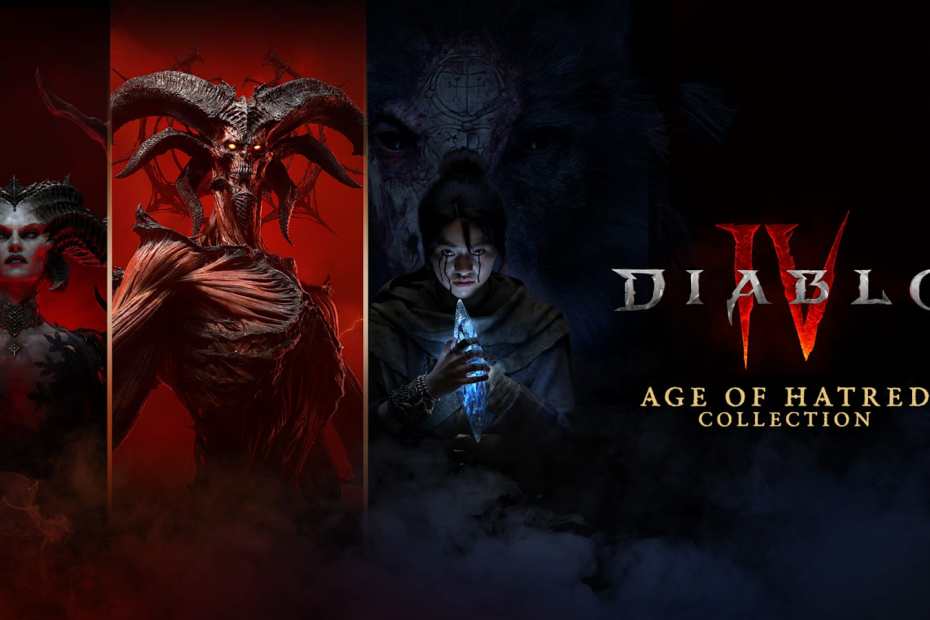
The Switch 2 edition of Diablo IV brings several platform-specific features to the table. Touchscreen navigation is supported for menus, maps and inventory screens, making quick management easier in handheld sessions. Players can also plug in a USB mouse and keyboard for a more traditional ARPG setup, which some will prefer for inventory management and hotkeys. Controller rumble is supported for tactile feedback, and a suite of accessibility features – like text-to-speech in chat and speech-to-text – are included to help more players join in. Cross-progression and cross-play are supported too, so your progress and many purchases can carry across linked platforms. These additions help make Diablo IV on Nintendo Switch 2 feel integrated with how people already play the game elsewhere.
What’s not supported and practical considerations
There are a few limitations you should know. Joy-Con 2 mouse mode is not supported, so wireless motion-to-mouse input is off the table. Some online features still require an internet connection even if a Nintendo Switch Online membership is optional for single-player activities, and certain cross-play functionality may require an active Switch Online subscription to join others online. Storage demands can be substantial – major releases like this often require large downloads – so consider a high-capacity microSD card if you plan on keeping multiple big games. Finally, if you plan to game docked at 40fps, confirm your TV supports 120Hz input and, ideally, VRR with a low minimum refresh rate to get the smoothest experience.
How NintendoReporters recommends choosing a mode
Picking a mode comes down to your priorities and your setup. If you mostly play handheld, Performance Mode at 1080p and 40fps is an appealing default: it gives snappy gameplay without sacrificing too much visual clarity. If you play docked on a TV that supports 120Hz, Performance Mode can also be the best choice for smoother combat. But if you prefer a crisper picture and don’t have a 120Hz display, Quality Mode’s 1440p docked output at 30fps is the way to go. Consider the types of encounters you enjoy – exploration and story-heavy sections may look better in Quality Mode, while high-action endgame runs benefit from Performance Mode. Either way, the Switch 2 version offers flexibility, and NintendoReporters suggests testing both presets briefly to see which one matches your eyes and your TV setup.
Conclusion
Diablo IV on Nintendo Switch 2 gives players meaningful choices: sharper visuals with Quality Mode or smoother motion with Performance Mode, the latter unlocking docked 40fps only on 120Hz-capable displays. The Switch 2 version also brings features like touchscreen controls, USB mouse and keyboard support, controller rumble and cross-progression, while leaving out Joy-Con 2 mouse mode. Whether you want a polished picture for exploration or smoother frame pacing for action-packed battles, the options and caveats are clear. If you own a 120Hz TV, Performance Mode is worth trying; if you value image detail or lack a 120Hz display, Quality Mode will deliver the more detailed visuals. In short, Blizzard’s implementation gives Switch 2 players solid ways to tailor Diablo IV to their preferences and hardware.
FAQs
- What resolutions and framerates does Diablo IV run at on Switch 2?
- Quality Mode: 1080p handheld at 30fps, 1440p docked at 30fps. Performance Mode: 1080p handheld at 40fps, 1080p docked at 40fps when using a 120Hz-capable display; otherwise docked will use 30fps.
- Do I need a Nintendo Switch Online membership to play?
- No for solo campaign and many features – you can play campaign, open-world activities and local co-op without a membership, but some online multiplayer features and cross-play require an active membership.
- Will the Switch 2 version support mouse and keyboard?
- Yes, USB mouse and keyboard are supported when connected to the Switch 2, but Joy-Con 2 motion-to-mouse mode is not available.
- Why does docked Performance Mode need a 120Hz TV?
- Because 40fps divides evenly into 120Hz, which allows the display to hold each frame for a consistent number of refresh cycles and improves frame pacing; many 60Hz displays cannot match that behavior, so the feature requires 120Hz input.
- Which mode should I choose if I care about competitive responsiveness?
- Performance Mode is generally better for responsiveness and faster input feel, especially in hectic fights. If you play docked, make sure your TV supports 120Hz to get the full benefit.
Sources
- Diablo IV Switch 2 Performance And Resolution Officially Revealed, Nintendo Life, September 15, 2026
- Diablo IV on Nintendo Switch 2 runs at 30fps quality mode and 40fps performance with HDMI 2.1 TV, My Nintendo News, September 15, 2026
- Diablo IV: Age of Hatred Collection on Nintendo Switch 2 – Frequently Asked Questions, Blue Tracker (Blizzard forum mirror), September 14, 2026
- Diablo 4 Switch 2 Targets 40 FPS in Performance Mode, Blizzard Confirms, DiabloZ, September 15, 2026