


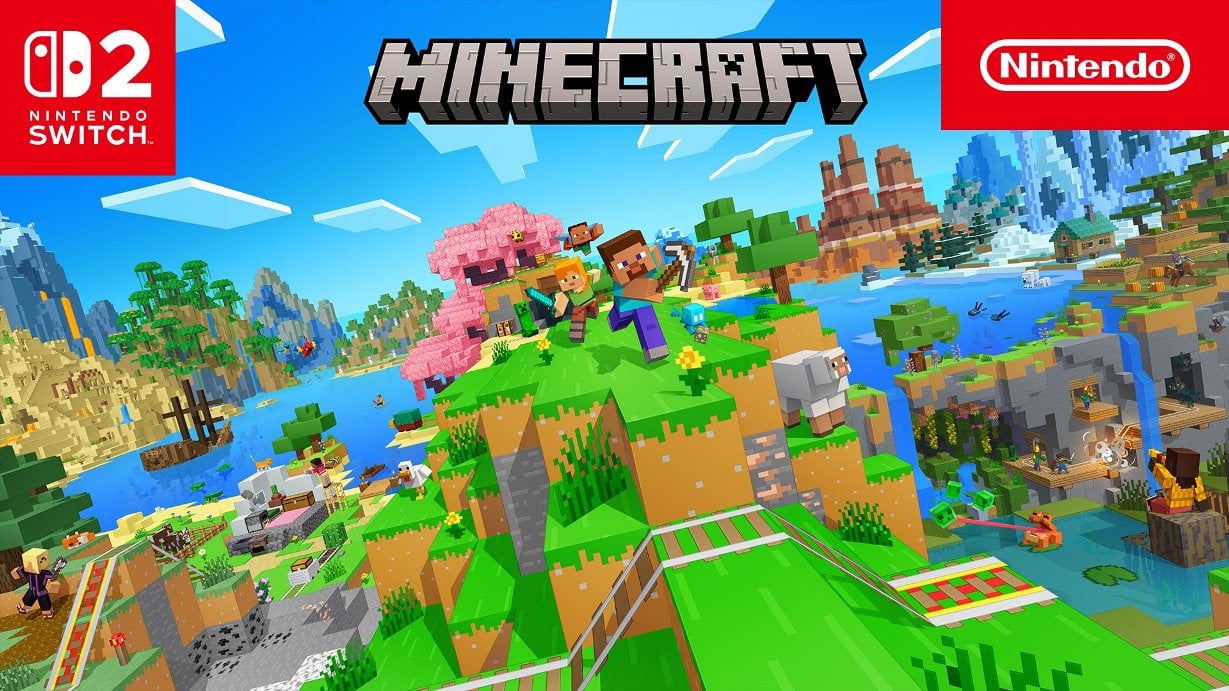
Summary:
Minecraft on Nintendo Switch 2 now includes Joy-Con 2 mouse controls in the closed beta, giving players a new way to aim, build, and navigate menus using either Joy-Con 2 as a pointer. The beta adds a dedicated mouse controls menu where you can pick left or right Joy-Con 2 for mousing, adjust cursor and camera sensitivity independently, and remap buttons like ZL and ZR for place and break actions. This update brings the Switch 2 edition closer to a PC-like control feel while keeping console-friendly options, and it sits alongside Vibrant Visuals and the Nintendo-exclusive Super Mario Mash-Up Pack. Expect the feature to remain in beta for now, with a wider rollout later when Mojang finalises polish and compatibility fixes.
What the Switch 2 beta adds to Minecraft – Joy-Con 2 mouse controls explained
The recent closed beta for Minecraft on Nintendo Switch 2 introduces a proper Joy-Con 2 mouse mode, and it changes how aiming and menu navigation feel on the console. Instead of relying solely on an analog stick for camera movement, the Joy-Con 2 can act as a pointer on a flat surface like a table or even your lap, translating motion into precise cursor movement in menus and while playing. This is a big deal for players who prefer the finer control of a mouse when placing tiny blocks, lining up builds, or targeting enemies. The beta includes a clear settings section where you enable mouse mode, pick which Joy-Con 2 acts as the pointer, and tweak sensitivity – all useful for matching the controls to your play style. If you follow NintendoSwitch 2 news and updates, this feature is one of the more requested additions since the new edition launched with Vibrant Visuals and the Super Mario Mash-Up Pack; it helps bridge the gap between console convenience and PC precision for many players.
How Joy-Con 2 mouse mode works in Minecraft
Mouse mode uses the Joy-Con 2’s sensor array to detect movement across surfaces and translate that into cursor motion inside Minecraft. In the beta build you can choose the left or right Joy-Con 2 as the mouse controller, and the system treats the chosen controller like a pointing device. Movement is smooth and responsive on suitable flat surfaces, and the game separates cursor sensitivity from camera sensitivity so you can fine-tune each independently. The triggers act like mouse clicks so ZL places blocks and ZR breaks them by default, while other face buttons still handle actions like flying or crouching depending on the control scheme. If the cursor interferes with inventory navigation, there’s an option to hide it in inventories for cleaner menus. That makes the Joy-Con 2 mouse mode practical for both crafting menus and in-world aiming, and it feels especially useful when building detailed structures or lining up precise redstone components.
Button mapping, defaults, and customization options
One of the most helpful additions is the dedicated button mapping tab for mouse controls. Out of the box the beta assigns ZL to place and ZR to break, and flying is handled with A while B moves you down if you’re airborne. That default layout mirrors how many players expect mouse clicks and motion to behave, but the beta lets you change those mappings in settings, which is a relief for players who prefer different button ergonomics. Sensitivity sliders let you tune cursor and camera separately, and there’s also an option to reset every mouse option back to defaults if you want a quick do-over. These choices are important because Joy-Con 2 mouse mode will feel different depending on your surface, handedness, and whether you combine it with motion controls or stick-based movement. The ability to remap keys and adjust sensitivity reduces friction for players switching from analog sticks or from a PC setup, and it means you can tailor the experience to casual play, competitive building sessions, or creative mode precision work.
Settings you should check first when trying mouse mode
Before you start using Joy-Con 2 mouse mode in a live session, check a few key settings to get the best experience. First, choose which Joy-Con 2 you want to act as the pointer – the right one is commonly the default, but left-handed players will appreciate the option. Next, set your cursor and camera sensitivity independently: a lower cursor sensitivity helps with fine block placement while a higher camera sensitivity speeds up looking around. If the cursor is distracting in inventories, toggle the option to hide it there. Also verify that button mapping suits your playstyle – you might want ZL/ZR reversed or a different button for interactions. Finally, test the surface you’re using: glossy or reflective surfaces can interfere with the sensor, so a matte table or other non-reflective area usually gives the most consistent tracking. These small tweaks will take a few minutes but dramatically improve the mouse-mode experience.
First impressions – how the Joy-Con 2 mouse feels in gameplay
Early hands-on footage and beta impressions show the Joy-Con 2 mouse controls feel intuitive for menu navigation and surprisingly capable for in-world tasks. On the right surface, aiming to place small blocks feels closer to a PC mouse than a thumbstick, and camera movement becomes much smoother when you need precision. That said, the Joy-Con 2 are still physically smaller than a regular mouse, so prolonged building sessions may feel different ergonomically; some players might prefer a Pro Controller or an external mouse when docked. The triggers-as-clicks idea maps neatly to Minecraft’s place-and-break rhythm, and the separate sensitivity sliders help make the controls useful whether you’re building a micro-detail project or scouting with a bow. Community videos show promising results, though real-world comfort will vary by hand size and surface choice – which is why Mojang kept this feature in beta to gather feedback and iron out edge cases before wide release.
Compatibility, beta limits, and known issues
The Joy-Con 2 mouse controls are currently restricted to the closed beta and aren’t in the public release yet, so availability depends on being part of Mojang’s test program or watching for the official rollout. Some beta reports mention occasional control confusion when the game switches between stick and mouse input – that’s why players sometimes see the control scheme swap unexpectedly, and it’s being tracked in Mojang’s issue reports. Other limitations include the fact that certain gameplay modes like split-screen or specific Marketplace worlds may not support Vibrant Visuals, and similarly some content or multiplayer setups could treat input differently. Because the Joy-Con 2 mouse leverages console-level sensors and specific software hooks, expect Mojang to prioritise stability and compatibility before pushing this feature broadly. For now the safest assumption is that mouse mode will stay in testing until patch notes indicate a public release.
How this fits with Vibrant Visuals and Nintendo Switch 2 features
The Joy-Con 2 mouse support complements the Switch 2 edition’s broader enhancements, such as Vibrant Visuals and exclusive content like the Super Mario Mash-Up Pack. Minecraft’s Switch 2 release already introduced enhanced lighting, volumetric fog, and improved shadows that make builds look more dramatic, and a more precise control option helps players take advantage of those visuals when placing decorative blocks or fine details. If you want background on the hardware and the Switch 2 edition, check our Nintendo Switch 2 page for system details and coverage. The mouse controls also align with Nintendo’s official Joy-Con 2 support – the controllers can act as mouse devices on the system level, and games that opt in can take advantage of that functionality to offer menu and in-game pointer controls. Overall, this update makes the Switch 2 release feel more like a platform-tailored version of Minecraft rather than just a straightforward port.
When to expect a public rollout and what to watch for
Mojang hasn’t given a firm date for when Joy-Con 2 mouse controls will reach the public build, and that’s normal for features that arrive during closed beta testing. The best indicators are Mojang’s beta notes, community reports, and coverage from outlets tracking the switch from test to live releases. Keep an eye on official patch notes and the Nintendo eShop notifications if you own the Switch version and plan to claim the free upgrade window that runs for a limited period after launch. Community reaction in forums and beta feedback threads will likely shape final tweaks to sensitivity defaults, button mappings, and compatibility behaviour. Given how integral input is to playability, Mojang will probably prioritise fixing any control-scheme conflicts and ensuring the feature behaves consistently across single-player, split-screen, and online modes before a wide release.
Conclusion
The Joy-Con 2 mouse controls arriving in Minecraft’s Switch 2 closed beta bring a long-requested feature to a major console release, improving precision for building and menu navigation while keeping customization front and centre. It’s still in testing, so expect tweaks based on player feedback and stability fixes, but the initial implementation looks promising and shows how the Switch 2’s Joy-Con 2 capabilities can meaningfully enhance a major title.
FAQs
- Can I use either Joy-Con 2 as the mouse?
- Yes – the beta lets you choose left or right Joy-Con 2 to act as the pointer, and you can switch in settings.
- Are mouse controls available in the public version right now?
- No – currently Joy-Con 2 mouse mode is only in the closed beta. Mojang has not announced a public release date yet.
- What buttons do I use to place and break blocks?
- The beta defaults to ZL for placing and ZR for breaking, but those mappings can be changed in the mouse controls settings.
- Will mouse mode work on any surface?
- Not always – glossy or highly reflective surfaces can interfere with tracking. Matte, non-reflective surfaces tend to work best.
- Does this change save transfer or Vibrant Visuals behaviour?
- No – mouse controls are an input option only. Save transfers and Vibrant Visuals are separate Switch 2 features and remain available as documented.
Sources
- Minecraft getting Nintendo Switch 2 Joy-Con 2 mouse controls, here’s a first look, NintendoEverything, November 14, 2026
- Minecraft’s Switch 2 beta adds Joy-Con 2 mouse controls, Tech Prolonged, November 15, 2026
- Experience Vibrant Visuals in Minecraft for Nintendo Switch 2!, Nintendo, October 27, 2026
- Joy-Con 2 mouse controls coming to Minecraft on Switch 2, My Nintendo News, November 15, 2026