


Summary:
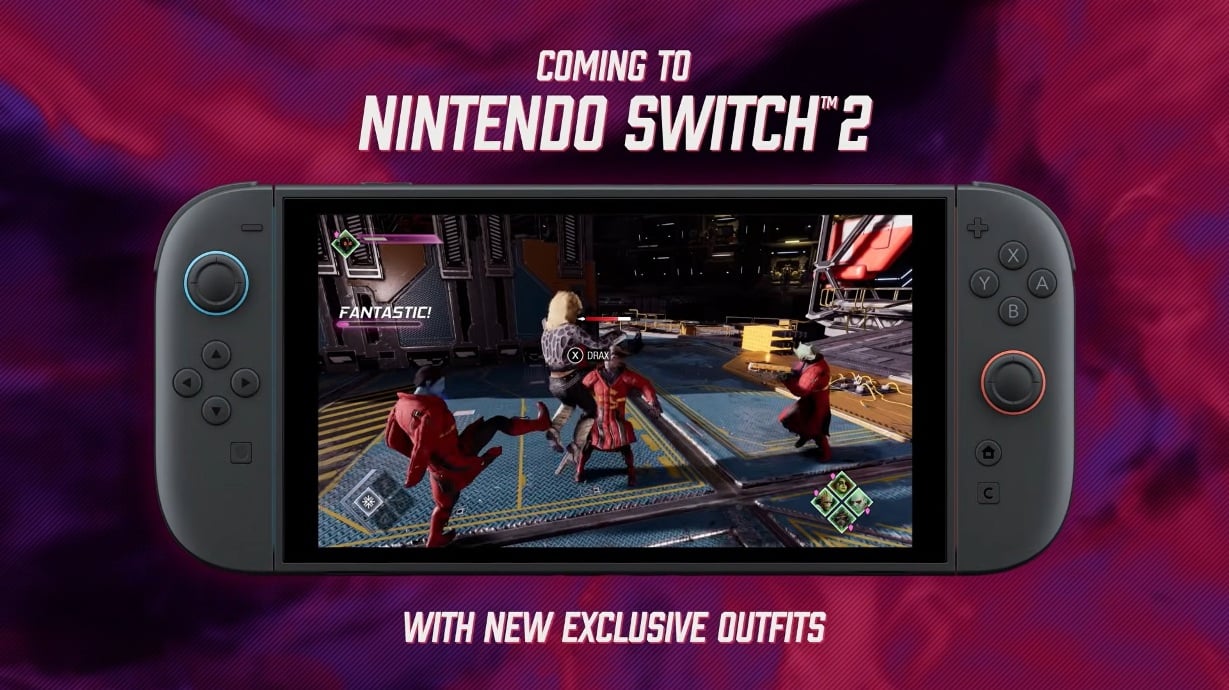
Marvel’s Guardians of the Galaxy: Encore Edition has landed on Nintendo Switch 2 with a fresh launch trailer and a handful of Switch 2-specific improvements that matter to fans. The Encore Edition packages the complete, award-winning single-player adventure with five exclusive 1980s glam rock outfits for Star-Lord, Drax, Gamora, Rocket and Groot, plus dedicated mouse and gyroscope controls, a range of performance options for TV and handheld play, and other platform optimizations. Whether you missed the original 2021 release or played the cloud version on the first Switch, this native Switch 2 version aims to make the game easier to play on the go and more comfortable on TV. Read on for a clear breakdown of what’s new, how it performs, and practical tips for getting the most out of Encore Edition on Nintendo Switch 2.
Guardians of the Galaxy: Encore Edition – What Switch 2 Players Are Getting
The Encore Edition is more than a simple re-release – it’s an optimized Switch 2 build that bundles the base game, previously released digital add-ons, and a small set of new exclusive extras. The headline items are five unique glam rock outfits that style each Guardian in flashy 1980s-inspired gear, plus new input options tailored to Switch 2 hardware. On the technical side, the port offers explicit performance targets for TV and handheld play, native HDR support, and quality or performance display modes that adjust resolution and frame rate to match your setup. The release also adds mouse support for menus and aiming, and gyroscope motion controls to enhance certain gameplay moments like guiding the Milano or handling zero-gravity sequences. For NintendoReporters readers, this means a non-cloud experience that keeps the game portable while leaning on Switch 2 power to offer a smoother playthrough than the earlier streaming option.
Exclusive Glam Rock Outfits for the Guardians
One of the most visible additions is a set of five brand-new outfits – one for each Guardian – that lean into an over-the-top 1980s glam rock aesthetic. These skins are exclusive to the Encore Edition on Switch 2 and are meant as fun, cosmetic additions rather than gameplay-changers. If you enjoy customizing your crew or simply want to roll into battles looking like a retro rock band, these costumes are a neat bonus. They give classic character models a fresh coat of personality and can be a small motivator to replay or revisit sections of the game for screenshots and weird roleplaying choices. Fans who already liked the original art direction will appreciate the playful callback to ’80s pop culture, while newcomers get an easy visual cue that this is the Switch 2-specific edition worth checking out.
Mouse and Gyro Controls – How They Change Play
Encore Edition adds two control options that take advantage of Switch 2 hardware – full mouse support and gyroscope motion. Mouse mode lets you use the console’s built-in pointer for menus and aiming, which will feel immediately familiar to anyone who plays shooters on PC or prefers finer camera control. Gyroscope support lets you tilt the controller to steer the Milano, nudge camera movement while sliding, or handle zero-gravity moments. Both features are presented as optional layers to the core control scheme – you can mix and match if you prefer traditional stick aiming. These modes don’t rewrite combat, but they do give players more personal control over aiming and movement, and they can reduce friction for players who found the cloud version awkward to control on the original Switch hardware.
Performance Modes – Quality, Performance and Handheld Targets
The Switch 2 build offers distinct visual and frame-rate targets that matter once you plug into different setups. In TV mode the game provides a Quality option aimed at 30 frames per second at 1440p and a Performance option geared toward 40 frames per second at 1080p on compatible 120Hz TVs. Handheld play targets 30 frames per second to keep motion smooth while on the move. HDR is supported, and loading times and stability have been improved relative to earlier streaming attempts. These settings let you prioritize sharper visuals or smoother motion depending on whether you value cinematic presentation or more responsive combat. Expect some trade-offs – higher frame targets can lower visual detail – but having the choice means you can tune the game to match your preferences and display hardware.
Why This Release Matters for Nintendo Fans
This Encore Edition is an important release for Nintendo audiences because it replaces a cloud-only Switch experience with a native Switch 2 version that respects offline play and portable convenience. Many Switch owners who tried the previous cloud port found the reliance on streaming frustrating, especially for a narrative-driven single-player adventure. By bringing a native build to Switch 2, developers are acknowledging that some players still prefer owning a local copy and being able to play without an internet connection. For fans of modern third-party releases on Nintendo platforms, Encore Edition is a reminder that Switch 2 is being treated as a first-class home for premium single-player games, combining portability with reasonable performance options that can suit different setups and playstyles.
Story, Awards and the Core Experience
It’s worth remembering what made the original game stand out – its strong writing, voice performances, and the bond between characters. The title won Best Narrative at The Game Awards in 2021, and those storytelling strengths are intact in Encore Edition. The Switch 2 release packages the same story-driven campaign, so players who skipped the original have the same emotionally sharp beats, character moments, and punchy set pieces to look forward to. If you value single-player experiences with humour, heart, and well-timed beats, Encore Edition delivers. The new outfits and control options are tasteful add-ons, but the core reason to play remains the same – a well-crafted narrative and character relationships that anchor the action.
How the Switch 2 Port Compares to the Old Cloud Version
The cloud version on the original Switch had constant caveats – latency, image quality that depended on your connection, and the nagging need for stable internet. The Switch 2 Encore Edition aims to remove those limitations by running natively, which fixes the biggest usability problems for many players. Performance still varies depending on the settings you pick, and some reviewers noted occasional hitches even in docked modes, but the overall experience is far more consistent and portable than a streaming-only release. For completionists and players who want to keep saves offline, this native port is an obvious improvement. Think of it like swapping a rental car for your own vehicle – you get the freedom to drive where you want without worrying about the network.
Practical Tips for Getting the Most Out of Encore Edition
Before diving in, consider which mode matches your priorities and hardware. If you mostly play on a big TV and want smoother combat, try Performance mode on a 120Hz TV and see how 40 fps feels for you. If visual fidelity and sharper screens matter more, Quality mode targets higher resolution at a stable 30 fps. For handheld gamers, the game targets 30 fps – pair it with a charged controller and breathe-room in your memory card for the roughly 46 – 50 GB file size. Enable mouse mode if you prefer precise aiming for certain encounters, and experiment with gyroscope nudges for sections where subtle camera adjustments help. Finally, check our Switch 2 hub for more tips and related coverage if you want hardware-specific advice or troubleshooting steps for saves and updates – Nintendo Switch 2.
Best Settings and Accessibility Options to Try First
If you’re unsure where to start, begin with Performance mode in TV if you want snappy combat, and switch to Quality when you’re exploring for screenshots or quieter sections of the story. Handheld mode default is a safe bet for on-the-go sessions. Look through accessibility options for camera sensitivity and aim assist settings if you want a gentler learning curve, and use the mouse mode for menus if navigating with sticks feels slow. If you own the previous cloud version, watch for discount options in the eShop, but note that save transfers are not supported between platforms. If you want to compare impressions from reviewers, NintendoReporters has a Switch 2 review published recently that covers performance and control feel in detail.
Using Mouse Mode and Gyroscope – Quick How-To
Mouse mode is straightforward – activate it in the control options and use the right Joy-Con or compatible input as a pointer for camera movement and aiming. It’s handy for precision targeting or when you’re swapping weapons mid-fight. Gyroscope aims give you a more tactile feel – a light tilt nudges the camera or spaceship steering in a way that feels intuitive once you get used to small motions. Both systems are optional, so take a few minutes in a safe area of the game to toggle settings and get comfortable. If you play competitively or prefer classic sticks, these features are not mandatory. If you do adopt them, fine-tune sensitivity to avoid overcorrection and keep a steady, controlled movement for best results.
Conclusion
Encore Edition on Switch 2 offers a satisfying second chance for Guardians of the Galaxy to shine on Nintendo hardware. The Switch 2-specific extras – five glam rock outfits, mouse and gyro controls, and performance profiles for TV and handheld – all add up to a more accessible and flexible package than the earlier cloud-only attempt. While some technical compromises remain, the move to a native Switch 2 build restores portability and gives players more control over how the game looks and feels. If you love strong narratives and character-driven single-player adventures, this Encore Edition is worth checking out on Nintendo Switch 2 – and NintendoReporters will keep tracking updates, tips, and player reactions as patches roll out.
FAQs
- Is Encore Edition exclusive to Nintendo Switch 2?
- Yes – Encore Edition is released as a Switch 2 exclusive edition that bundles the full game and previous DLC into an optimized native build for the console.
- When did Encore Edition release?
- Encore Edition launched on November 5, 2026, with both digital and physical availability on Nintendo Switch 2.
- Does the game support mouse and gyro controls?
- Yes – the Switch 2 version includes full mouse support for menus and aiming plus gyroscope motion controls for steering and subtle camera movement.
- Are the new glam rock outfits purely cosmetic?
- Correct – the five glam rock outfits are cosmetic additions that change the Guardians’ appearance but do not alter gameplay mechanics.
- Can I transfer save data from other platforms or the cloud version?
- No – Encore Edition does not offer save data transfer from other platforms or from the previous cloud version on the original Switch.
Sources
- MARVEL’S GUARDIANS OF THE GALAXY: ENCORE EDITION OUT NOW ON NINTENDO SWITCH 2, PLAION Press Server, November 5, 2026
- Encore Edition FAQ, Eidos-Montréal Support, 2026
- Marvel’s Guardians of the Galaxy Encore Edition coming to Switch 2 on November 5, Gematsu, September 9, 2026
- Marvel’s Guardians of the Galaxy: Encore Edition review for Nintendo Switch 2, NintendoEverything, November 2, 2026