



Summary:
Minecraft’s native release on Nintendo Switch 2 brings Vibrant Visuals and platform-specific improvements that change how the game looks and runs compared with the PS5 build. This write-up breaks down what those changes mean for you: how Vibrant Visuals affects lighting, reflections and draw distance; why performance and quality modes exist and when to pick each; real-world frame-rate behaviour players are reporting; and how Nintendo-exclusive features like the Super Mario Mash-Up pack integrate with the new visuals. You’ll also find upgrade info, practical tips for smoother gameplay, and guidance to help decide whether the Switch 2 version or your PS5 copy better matches your priorities. Expect a friendly, practical look that keeps the sandbox spirit front and center while focusing on measurable differences players care about.
How the Switch 2 version of Minecraft differs from the PS5
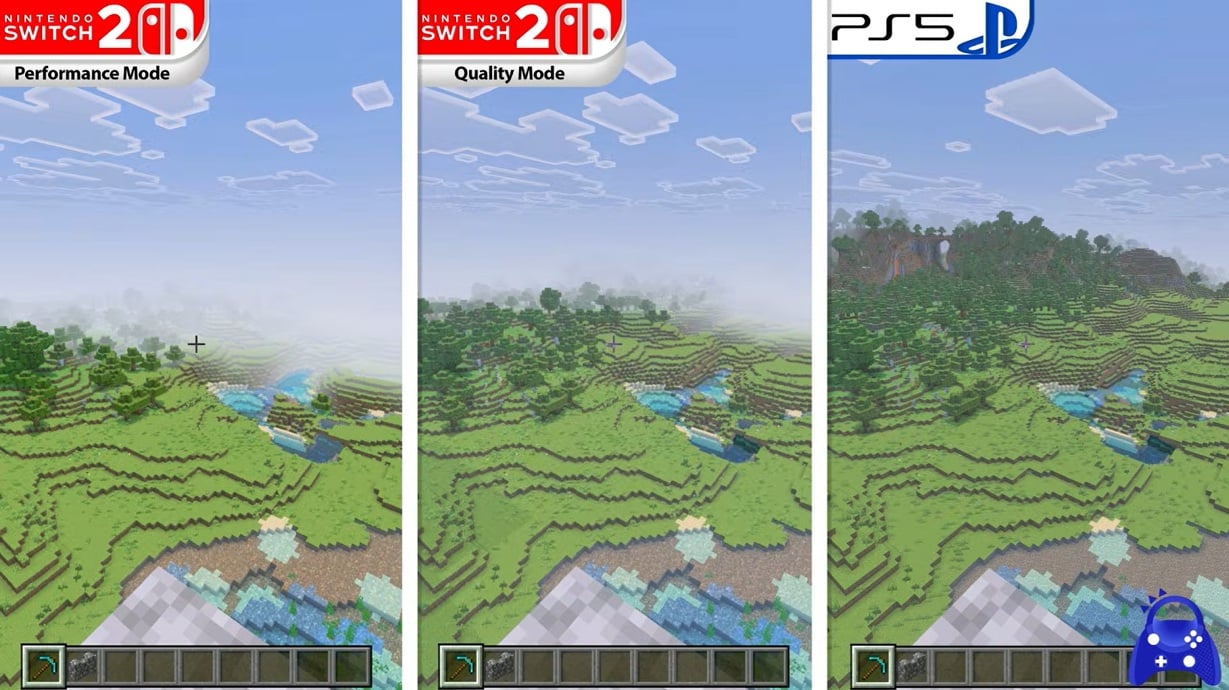
At a glance the core Minecraft experience remains identical across platforms – you still build, explore, and survive in procedural worlds – but the Switch 2 version is a native port that unlocks modern graphical features and platform integration. Unlike the PS5 build which focuses on steadier, high-resolution rendering on a home console, the Nintendo Switch 2 release emphasizes a balance between visuals and mobility: Vibrant Visuals adds directional lighting, volumetric fog, and more complex reflections, while Nintendo-specific bundles like the Super Mario Mash-Up get updated to take advantage of the new pipeline. That means you’ll notice richer skies and deeper shadows on Switch 2 compared with previous Switch releases, and compared with PS5 you may see differences in shader complexity, draw distance and how the game prioritizes frame-rate versus detail in various modes. Those trade-offs matter depending on whether you value visual polish or ultra-smooth frame delivery.
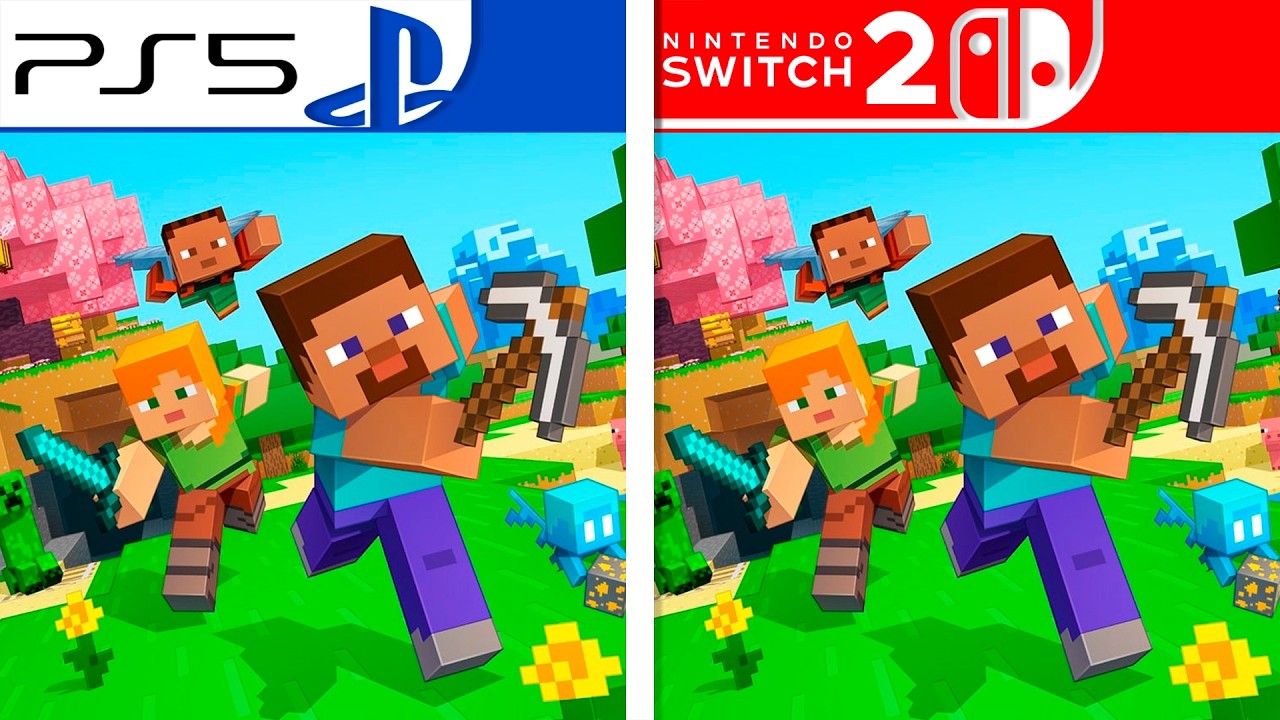
Vibrant Visuals explained
Vibrant Visuals is the headline feature for the Switch 2 edition and it’s more than a simple shader toggle – it’s a bundled graphics pipeline that modernises Minecraft’s presentation across environments. Expect cleaner water reflections, moving shadows, and volumetric light that reacts to weather and time of day. The effect is cosmetic – it doesn’t change gameplay mechanics – but it reshapes how environments read at a glance: biomes feel more atmospheric and structures gain subtle depth cues. Importantly, Vibrant Visuals is optional and has performance implications: on Switch 2 you can enable it for a markedly prettier world, or disable it if you prefer higher frame rates and longer draw distances. The official announcements from Mojang and Nintendo also confirm that Marketplace content, including the Super Mario Mash-Up, has been updated to support these enhancements so those packs look noticeably different when Vibrant Visuals is active.
Quality vs Performance modes on Switch 2
The Switch 2 build introduces clear graphical presets aimed at giving players control over the visual versus smoothness trade-off. Quality mode pushes fidelity – brighter skies, fuller shadows and more stable visual detail – but it usually sacrifices frame-rate when many effects are active. Performance mode trims some of that detail in favour of steadier frames and faster chunk streaming. Practically, that means if you’re exploring dense builds or large draw distances, performance mode will likely feel more consistent, while quality mode is great for screenshots or slower-paced building sessions. Player reports and early reviews note that Vibrant Visuals interacts with these modes: performance mode plus Vibrant Visuals often hits a stable 60 frames per second in many situations, while quality mode with Vibrant Visuals can dip toward the 40 FPS range during demanding scenes. Choosing between them depends on whether you prefer silky motion or richer lighting.
Real-world frame-rate observations
Hands-on comparisons and community videos show the Switch 2 can reach impressively smooth frame-rates under certain settings, but results vary with world complexity and render distance. On Vibrant Visuals plus performance mode many players report reaching and maintaining 60 FPS in typical play scenarios, especially on fresh worlds with moderate chunk settings. However, the same combination can exhibit drops in busy areas, near active redstone contraptions, or inside heavily populated servers. Quality mode with Vibrant Visuals often trades those frames for image quality, bringing averages down into the 30-45 FPS range in more intense scenes. Comparisons against the PS5 show the home console often produces steadier high-resolution output, but the Switch 2’s unique mix of Vibrant Visuals and portable playability makes it a strong alternative if you care about visuals on the go.
Mario Mash-Up and Marketplace content on Switch 2
One of the Switch 2’s perks is how Marketplace and Nintendo-exclusive packs are woven into the new visuals: the Super Mario Mash-Up pack has been updated to support Vibrant Visuals, so you’ll see Peach’s Castle, Delfino Plaza and themed skins with enhanced lighting and reflections that suit the Mario art direction. Marketplace creators can also publish Vibrant Visuals enabled content, which means certain user-made worlds and skin packs will look better on Switch 2 without breaking cross-platform play for other systems. If you subscribe to services like Realms Plus or buy Marketplace packs on Nintendo, expect those items to render with improved shading and ambient effects when Vibrant Visuals is active. That adds real value for players who spend time in themed worlds or enjoy curated community maps on the go.
World carryover and upgrade paths
Mojang and Nintendo confirmed that Nintendo Switch worlds can be carried over to Nintendo Switch 2, so if you’ve invested time into builds or multiplayer saves you won’t lose progress. Digital owners often have an upgrade window to claim the Switch 2 edition without extra cost, while physical owners may see discounted upgrade offers through an in-game message during a limited period around launch. The official notices also outline collection editions – Standard, Deluxe and Ultimate – which bundle optional extras and Minecoins differently, so check the eShop or Nintendo’s announcement pages to see which option fits you. Those upgrade choices and the ability to bring forward existing worlds make the decision to move to Switch 2 less risky for long-time players.
When to choose Switch 2 over PS5
Deciding between your PS5 or a Nintendo Switch 2 purchase comes down to priorities. Choose Switch 2 if you value portability, Nintendo-exclusive content updates like the Mario Mash-Up, and modernised visuals that work well on handhelds. Switch 2 is also compelling if you prefer to play on the couch or while traveling without losing much in visual fidelity. On the other hand, if absolute resolution and the most stable home-console frame-rate are your top concerns, PS5 still has the edge in many technical comparisons. That said, with Vibrant Visuals enabled and performance mode active, Switch 2 narrows the gap significantly, delivering a visually upgraded Minecraft that’s uniquely portable. Consider how much you play away from home and whether Mario-themed or Marketplace worlds are important to your experience.
Tips to get the best experience on Switch 2
Want smoother gameplay? Start in performance mode with Vibrant Visuals enabled if you like both visuals and a higher frame-rate – it often hits the sweet spot. Lower render distance when you enter complex builds or multiplayer servers to reduce hitches, and avoid extremely large redstone farms while you’re exploring if you want steadier frames. If you prefer image quality, switch to quality mode for photo-friendly scenes but expect more frame variance. Keep your system firmware and the game updated – launch patches addressed a number of stability issues – and consider using local multiplayer or smaller realms if online lag affects your run. Finally, if you own the Switch version digitally, check Nintendo’s upgrade window so you don’t miss the free or discounted path to the Switch 2 edition linked from the eShop.
Conclusion
Minecraft on Nintendo Switch 2 is a meaningful refresh that pairs modern graphics with the platform’s portability and Nintendo-exclusive extras. Whether Switch 2 or PS5 is the right pick depends largely on whether you want mobility and updated visual flair or maximum home-console resolution and steadier frame pacing. Both versions preserve Minecraft’s open-ended fun, but Switch 2’s Vibrant Visuals and smart performance presets give players a fresh way to enjoy the game without losing the sandbox heart. Try performance mode first if you value smoothness, and don’t forget to carry over your worlds so the hours you’ve invested keep paying off on the new system.
FAQs
- Can I carry my existing Switch worlds to Switch 2?
- Yes – Nintendo and Mojang confirmed world carryover so you can continue your saves on Nintendo Switch 2 without losing progress.
- Does Vibrant Visuals force lower frame-rates?
- It can, depending on the mode and scene complexity – Vibrant Visuals improves lighting and reflections but may lower average FPS in quality mode; performance mode mitigates that impact.
- Will PS5 look better than Switch 2?
- PS5 often produces steadier high-resolution output on a TV, but Switch 2 narrows the visual gap with Vibrant Visuals and offers portability that PS5 cannot match.
- Is the Super Mario Mash-Up pack included or updated?
- The Mario Mash-Up is updated for Vibrant Visuals on Nintendo platforms and is included or available through Marketplace bundles depending on the edition you buy.
- Which mode should I pick first – quality or performance?
- Start with performance mode if you prefer smooth gameplay; switch to quality mode for visual fidelity when you want screenshots or a slower-paced building session.
Sources
- Minecraft is coming to Nintendo Switch 2, Minecraft.net, June 9, 2026
- Experience Vibrant Visuals in Minecraft for Nintendo Switch 2!, Nintendo, October 27, 2026
- Video: Minecraft Nintendo Switch 2 vs. PS5 comparison, NintendoEverything, October 30, 2026
- Minecraft Nintendo Switch 2 vs PS5 Performance: Vibrant Visuals, Quality Mode, and Frame-Rate Breakdown, NintendoNewsHub, October 30, 2026