














Summary:
Mouse P.I. for Hire has received one of its most substantial updates yet, with version 1.2.0 now available for Nintendo Switch 2. The update introduces several requested features, including a new 40 FPS Balanced graphics mode, uncapped Variable Refresh Rate support and the ability to revisit previously completed levels. These additions should give players more freedom to choose how the stylish first-person shooter looks and performs while making it considerably easier to return for missed collectibles and unfinished side quests.
Developer Fumi Games has also completed a wider optimization pass across the game. The lengthy patch notes cover crashes, camera stuttering, frame-rate drops, broken quest triggers, incorrect collisions, teleport loops and dozens of progression blockers. Several fixes specifically address situations where players could become trapped, lose access to weapons, fall through the environment or find themselves unable to continue a mission.
Quality-of-life improvements stretch beyond performance and progression. Weapon upgrade levels are now visible on the Weapon Wheel, its visual states are easier to read, horizontal camera inversion has been added and controller rebinding should behave more reliably. Settings menus now offer clearer feedback as well, with the Apply prompt appearing only after an actual change has been made. Taken together, version 1.2.0 looks less like a routine maintenance patch and more like a broad effort to polish nearly every corner of Jack Pepper’s noir-soaked adventure.
Mouse P.I. for Hire Version 1.2.0 Delivers a Major Switch 2 Upgrade
Mouse P.I. for Hire version 1.2.0 has arrived on Nintendo Switch 2 with a mixture of new features, technical upgrades and an enormous collection of fixes. Calling it a small tune-up would be like calling Jack Pepper’s arsenal a modest collection of office supplies. The update touches graphics modes, level progression, controls, menus, combat, audio, visual effects, localisation and the save system. It also attempts to smooth out several performance problems that could interrupt the game’s fast-paced shootouts or turn an otherwise dramatic chase into an accidental slideshow.
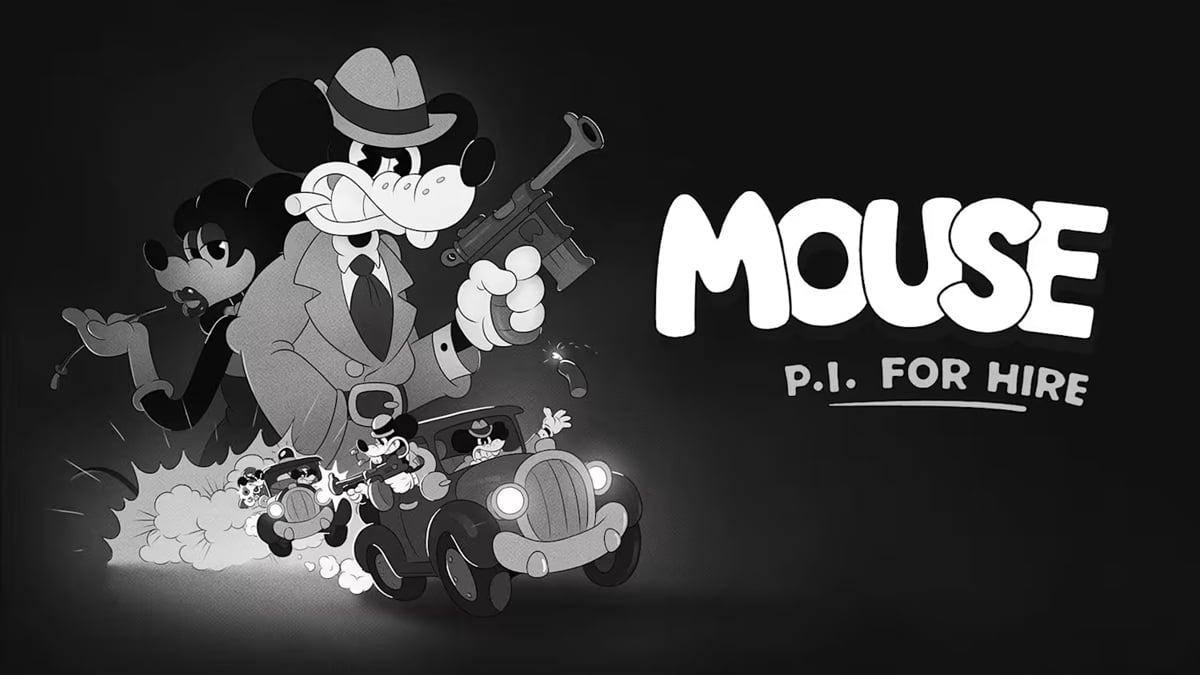
The timing is particularly useful for anyone planning to begin the game on Nintendo Switch 2 or return after an earlier playthrough. Mouse P.I. for Hire launched digitally on April 16, 2026, blending first-person shooting with detective work, side quests and a hand-drawn black-and-white presentation inspired by cartoons from the 1930s. Its distinct rubber hose animation helps every character, weapon and enemy stand out, but that visual identity works best when the technical foundation stays out of the way. Version 1.2.0 is clearly designed to strengthen that foundation while removing many of the rough edges discovered since launch.
Balanced Mode Introduces a New 40 FPS Graphics Option
One of the update’s headline additions is a new Balanced graphics mode targeting 40 frames per second on Nintendo Switch 2. This option sits between the familiar priorities of image quality and higher performance, giving players another way to tailor the experience to their display and preferences. A 40 FPS target can provide noticeably smoother motion than 30 FPS while retaining more visual detail than a mode designed to chase 60 FPS. For a game filled with quick camera turns, airborne enemies and cartoon weapons flying across the screen, that middle ground may prove especially appealing.
The feature should be most relevant when playing on a display that can present 40 FPS correctly. Because 40 divides evenly into a 120 Hz refresh cycle, compatible screens can show each frame consistently rather than relying on uneven frame pacing. That consistency matters more than the number might initially suggest. A steady presentation often feels better than a higher target that fluctuates heavily, particularly during combat encounters where aiming and movement need to remain predictable. Balanced Mode therefore gives players another practical choice instead of forcing everyone into the same visual compromise.
The update also fixes multiple problems associated with changing graphics presets during gameplay. Those corrections should reduce the risk of visual glitches or technical issues appearing after switching between modes. Players may still have their own favourite setting, of course. Some will happily trade extra detail for responsiveness, while others want Mouseburg to look as crisp as possible. The important change is that version 1.2.0 offers more room to choose.
Uncapped VRR Aims to Make Movement and Combat Feel Smoother
Uncapped Variable Refresh Rate support accompanies the new Balanced Mode. VRR allows a compatible display to adjust its refresh timing to the frames being delivered by the game, which can reduce visible tearing and make fluctuations feel less disruptive. Rather than forcing every frame into a rigid refresh pattern, the display and console can work together more closely. It is a little like two dancers following one another instead of stubbornly performing different routines on the same stage.
The addition does not guarantee that every demanding area will suddenly run at a perfectly fixed frame rate. Its purpose is to make variable performance appear smoother when the hardware, display and selected settings support the feature. Players using compatible televisions or monitors may therefore notice cleaner motion during rapid camera movements and larger encounters. Results can differ depending on the display’s supported VRR range, so the feature is most useful when paired with suitable hardware and the correct console settings.
Fumi Games has also addressed a frame-rate drop in the Cheeselegger boss arena when looking back toward the factory in Far Wetlands. Camera stuttering associated with Bluetooth controllers has been fixed as well. These targeted improvements complement the broader optimization pass, suggesting that the team has looked at both rendering pressure and input-related disruptions rather than relying on VRR to hide every wobble.
Level Revisit Makes Collectible Hunting Far More Convenient
Level Revisit is arguably the most important gameplay addition in version 1.2.0. Players can now return to completed levels to collect anything they missed and finish side quests that remain incomplete. The feature is accessed through the overworld map. After driving to a completed location, players can select Revisit and head back inside without needing to restart the entire campaign. That is excellent news for completionists, especially anyone who has spent an evening wondering whether one stubborn collectible is hidden behind a suspicious wall, a stack of crates or some scenery that looks just a little too innocent.
The update also changes what happens after the story ends. Completing the game now transports players to the HUB once the credits have finished, providing immediate access to the overworld map and the new replay option. Existing players have not been forgotten. Anyone who completed the campaign before installing the patch can choose Continue or reload their latest save from the Main Menu. The game should then move them to the HUB, where previously cleared levels can be revisited.
This is more than a convenience for collectible hunters. Mouse P.I. for Hire includes optional objectives and side quests that encourage players to explore its cartoon environments rather than sprint directly toward the next gunfight. Allowing those levels to be replayed means experimentation no longer comes with the concern that an overlooked task could become permanently inaccessible. It also gives players a reason to test upgraded weapons and revised graphics settings in familiar locations after finishing the main story.
Performance Optimizations Target Stuttering, Crashes and Frame Drops
Version 1.2.0 includes a general performance and optimization pass across the game, supported by several specific stability fixes. The patch addresses freezes that could occur when system memory reached its limit and resolves internal errors capable of causing unexpected behaviour. It also fixes a crash on launch, a crash involving fall damage during the introduction to Der Harzerburg and a crash connected to the Boomstick’s idle animation in Mouseburg Grand Opera.
Extended play sessions should be more reliable too. An issue that could corrupt audio while progressing through levels has been corrected, while camera shake effects should no longer stack to excessive levels. That last fix may sound minor until the screen starts behaving like a washing machine with a brick inside it. Camera effects are supposed to sell the impact of combat, not make players question whether Mouseburg has been struck by a permanent earthquake.
Performance work also extends to individual environments. The Cheeselegger boss arena in Far Wetlands should no longer suffer the same drop when players look toward the factory, and Bluetooth controller users should encounter less camera stuttering. Rendering fixes address mismatched display dimensions, visual pop-in, zone culling and objects disappearing at particular distances. These changes cannot be reduced to a single dramatic switch, but together they should help the game feel more stable from one encounter to the next.
Weapon Wheel, Settings and Control Rebinding Receive Useful Improvements
The Weapon Wheel now displays weapon upgrade levels, allowing players to check the state of their equipment without digging through another screen. Its visual presentation has also been improved, with clearer states and better readability. That should make selecting the right tool easier when enemies are closing in and there is little time to admire the menu. A weapon wheel needs to communicate information quickly, after all. It should feel like reaching into a neatly organised holster, not rummaging through a kitchen drawer during a power cut.
Camera controls now include a horizontal axis inversion option. Although inverted horizontal movement is less common than vertical inversion, players who rely on it will no longer need to fight their own muscle memory. The settings interface has received smaller but welcome refinements as well. The Apply prompt now appears only when a setting has actually changed, and an audio cue confirms when adjustments are applied.
Control rebinding has undergone a broader overhaul intended to improve usability and reliability. One corrected issue allowed every action to become bound to a single input after leaving and reopening the rebinding menu. The patch also fixes D-pad controls that stopped working during lockpicking and makes the Screen Bounds option easier to dismiss with a controller or keyboard. These adjustments may not steal the spotlight from a new graphics mode, but they directly affect how comfortable the game feels during every session.
Progression Fixes Remove Blockers Across Mouseburg
A considerable portion of the patch is dedicated to progression blockers. These were situations where a collision, trigger, door, save state or scripted sequence could leave players unable to continue normally. Version 1.2.0 fixes an invisible collider affecting mid-level saves during the flood dive sequence in The Depths, weapons remaining holstered during Circus Ticket events and doors closing too early during Office Ruins. Players should also be able to load their last checkpoint after being killed by a missile in that mission.
Several fixes focus on places where Jack could become physically trapped. These include a sewer room during Shrewd Shrews, a hole after the Movie Sets boss, the area behind a container in Tinsel Avenue and the narrow space between barrels and a fence in Wallop Bay. Other corrections address characters falling through floors, being pushed outside the world or entering infinite fall and teleport loops. Mouseburg is supposed to be dangerous because of gangsters and crooked officials, not because the pavement suddenly forgets how floors work.
The patch also corrects sequence breaks and objectives that could be bypassed by reaching an area too early. Players can no longer skip obtaining the Portable Freezer and complete Bandel’s Mansion without entering through the front door. A staircase jump in The Depths should no longer bypass a quest trigger, while an early Baseball Card route and several unintended section skips have been closed. These fixes help keep mission logic intact without taking away the freedom to search for secrets.
Combat, Weapons and Boss Encounters Become More Reliable
Combat receives a smaller list of fixes, but several of them affect important mechanics. Weapons should no longer fire in unexpected bursts, and damage scaling for certain weapons should not incorrectly carry across separate game sessions. Player armour now reduces explosive damage correctly, while D-namite should continue functioning when thrown during an autosave. An animation problem that could leave D-namite in a broken visual state has also been corrected.
The Ze Professor encounter receives multiple adjustments. The final fuel tank should now deal damage, hit registration on the tanks has been improved and players can no longer shoot them during the boss introduction. The Hellrazor is also supposed to receive infinite ammunition during the finale as intended. These changes should make major encounters feel more consistent and prevent victories or failures from depending on a scripted object refusing to cooperate.
Other combat-related corrections include enemies properly using their zap ability, barrels behaving more naturally after being thrown and revived enemies animating correctly. The Grappling Tail should no longer stop working after saving and loading in Tinsel Avenue, while players carrying the Golden Monkey in Bandel’s Mansion can once again interact with health items. Individually, these bugs may affect very different moments. Collectively, they reinforce the same goal: weapons, tools and combat rules should behave consistently whenever players depend on them.
Visual, Audio, Interface and Localisation Problems Are Addressed
The patch tackles a broad selection of presentation issues across Mouseburg. Film Grain should now work correctly, and disabling Lens Distortion will no longer disable it at the same time. Missing textures, flickering sprites, occlusion errors and objects disappearing at certain distances have been fixed in locations such as Wallop Bay, Tinsel Avenue, Quagmire, Far Wetlands, Clergyrow and Bandel’s Mansion. Weapon sprites should also be less likely to become jumbled or pixelated.
Interface corrections cover Baseball Card menus, Screen Bounds, interaction prompts and cutscenes. Rapidly buying newspapers or Baseball Cards should no longer cause softlocks or blank screens. Boss and mini-boss portraits now use animations instead of static sprites, and several sequences correctly hide Jack’s weapon and interface. The Directional Helper known as Detective Brush should also point toward the proper objectives in situations where it previously became confused. Even a detective’s brush can apparently lose the plot now and then.
Audio improvements address looping vehicle horns, missing music, disappearing swamp audio, lockpicking interactions and incorrectly triggered boss themes. Localisation fixes correct missing or corrupted text in several languages, including level names, recipes, keys, cards and lockpicking information. Voice-over and subtitle mismatches involving the Stage Designer and Tammy Tumbler have been resolved too. These details may not change the campaign’s structure, but they are essential to maintaining the atmosphere and making objectives understandable across supported languages.
Conclusion
Mouse P.I. for Hire version 1.2.0 is a substantial update for the Nintendo Switch 2 edition. Balanced Mode and uncapped VRR give players more control over presentation, while Level Revisit makes it much easier to recover missing collectibles and complete unfinished side quests. Those are meaningful additions rather than decorative extras, particularly for anyone who wants to continue exploring Mouseburg after the credits.
The enormous collection of fixes is equally important. Crashes, progression blockers, collision problems, faulty triggers, graphical oddities and control issues can all interrupt the rhythm of a first-person shooter. By addressing problems spread across so many levels and systems, Fumi Games is working to make Jack Pepper’s investigation more dependable from beginning to end. No patch can make every crooked corner of Mouseburg respectable, but version 1.2.0 appears determined to keep its corruption inside the story where it belongs.
FAQs
- What does the Mouse P.I. for Hire version 1.2.0 update add?
- The update adds a 40 FPS Balanced graphics mode on Nintendo Switch 2, uncapped VRR support, Level Revisit, performance optimizations, Weapon Wheel improvements, horizontal camera inversion and a revised control-rebinding system.
- How do you revisit completed levels in Mouse P.I. for Hire?
- Open the overworld map, drive to a level that has already been completed and select the Revisit option. This allows you to search for missing collectibles and finish incomplete side quests.
- Can players revisit levels after completing the game?
- Yes. Finishing the story now returns players to the HUB after the credits. Players with an older completed save can select Continue or load their latest save to access the HUB and overworld map.
- What is Balanced Mode on Nintendo Switch 2?
- Balanced Mode is a new graphics setting targeting 40 frames per second. It is intended to offer a middle ground between visual quality and the responsiveness of a higher frame rate.
- Does update 1.2.0 improve performance and stability?
- Yes. It includes a general optimization pass alongside fixes for crashes, memory-related freezes, Bluetooth controller camera stuttering, frame-rate drops, visual pop-in and numerous progression blockers.
Sources
- MOUSE: P.I. For Hire – Update v1.2.0 (Switch 2), MOUSE: P.I. For Hire, July 9, 2026
- Mouse: P.I. For Hire Gets Massive Switch 2 Update With New 40fps Mode, Nintendo Life, July 9, 2026
- Mouse: P.I. for Hire Gets a New 40fps Mode, My Nintendo News, July 9, 2026
- MOUSE: P.I. For Hire FAQ, MOUSE: P.I. For Hire, April 2026
- MOUSE: P.I. For Hire – Out Now!, PlaySide Studios, April 16, 2026