



Summary:
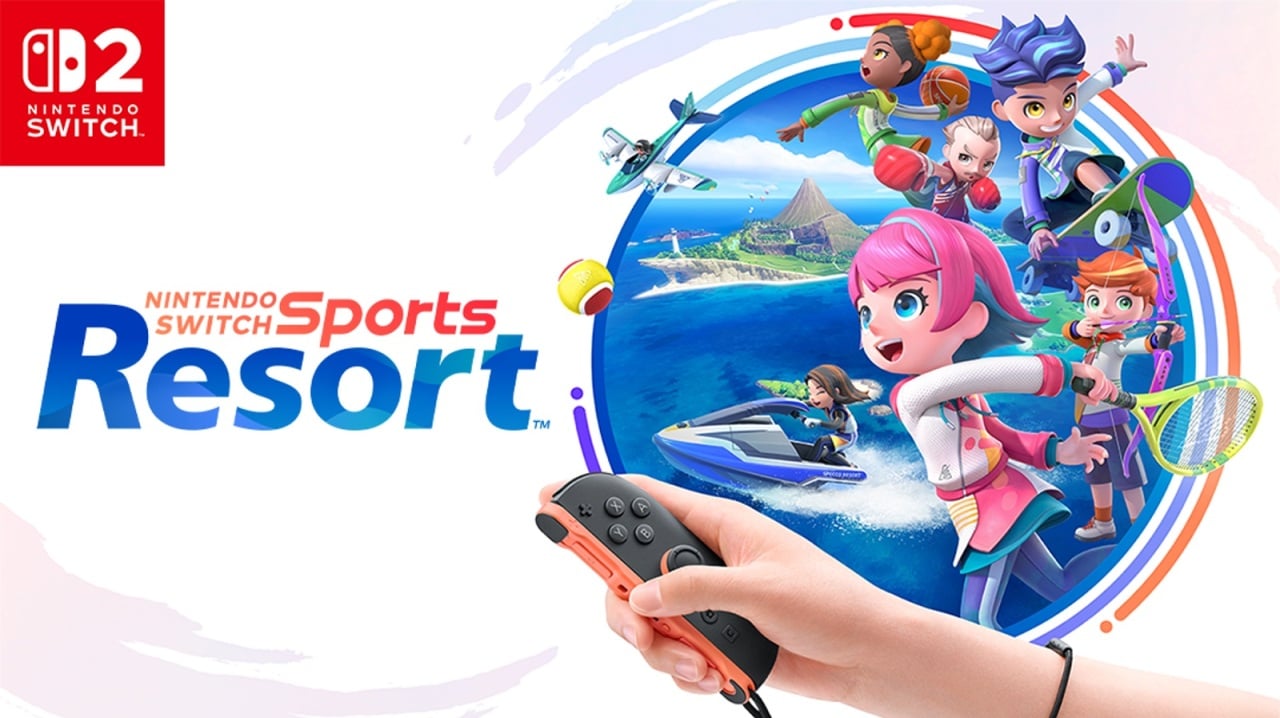
Nintendo Switch Sports Resort’s mandatory version 1.1.0 update, released on October 21, 2026, unlocks the game’s online features and adds a useful Mii appearance frequency setting for offline competitive matches. This launch patch lets players access Online Match and Casual Online, compete in nine competitive sports online, and use Friend Lobby and Pair with Friend options to team up with distant friends. The update also introduces a Join ID feature to join temporary matches with non-friends and fixes multiple issues to smooth gameplay. At NintendoReporters we walk through the key settings, how to install the update, why it matters for local and online play, and practical tips so you can jump in fast and enjoy Nintendo Switch Sports Resort on October 22, 2026.
What the Nintendo Switch Sports Resort 1.1.0 launch update adds and why it matters
The day-one 1.1.0 update, released on October 21, 2026, is more than a simple bug-fix – it flips the switch on online features that are required to play with others over the internet and it gives you control over how often Miis appear during offline competitive matches. For many players the headline is obvious: Online Match and Casual Online are now active, which means ranking up in Pro Leagues is possible and casual, no-pressure matches are an option too. But the Mii frequency toggle is a welcome quality-of-life change for folks who either love seeing system Miis on the field or prefer a cleaner, Sportsmate-filled background. NintendoReporters recommends updating before you try to play online – the patch is mandatory for internet features and also addresses stability and multiplayer matchmaking improvements so first sessions go smoother.
How the Mii appearance frequency option works
One of the tidiest additions in 1.1.0 is the Mii appearance setting found under Options – User Settings – Other. It controls how often Mii characters registered on your Nintendo Switch 2 show up in offline competitive sports, and choosing Always will make registered and guest Miis appear as CPU-controlled participants every match. This only affects offline competitive modes, so online sessions still show real players and their avatars. If you play with multiple local players the system uses the most frequently chosen setting among those players, which helps prevent conflicting preferences when several people are sharing the same console. For collectors and nostalgia fans, this is a great way to populate the resort with familiar faces; for others it’s a nice way to reduce visual clutter and focus purely on gameplay.
Online matches, Casual Online and Pro Leagues explained
With the update live, Online Match and Casual Online give two distinct experiences – one competitive and ladder-driven, the other relaxed and unrecorded. Online Match lets you challenge players around the world and aim for promotions through Pro League ranks in the competitive sports roster, while Casual Online removes recorded wins and losses so you can practice or play purely for fun. According to the patch notes, nine competitive sports are available online, giving a solid chunk of the game’s events to play against strangers and friends alike. NintendoReporters suggests trying Casual Online first if you’re still getting comfortable with motion controls or the game’s aiming systems – it’s the safest place to learn without risking your Pro League placement.
Friend Lobby, Pair with Distant Friend and Join ID – how to team up
The 1.1.0 update also unlocks friend-focused multiplayer. Friend Lobby supports up to eight players online, letting you split into groups and play different sports at the same time – ideal for parties and groups who want variety. Pair with Distant Friend (also called Play with a distant friend) lets two local players team up with someone far away and face other teams online, which is perfect for co-op sessions spanning different households. Join ID provides a temporary way to invite players who aren’t on your friends list into matches, which is handy for community-run events or ad-hoc games with stream viewers. These options broaden how you can gather people for matches, and they echo community requests for more flexible online lobbies.
Which sports you can play online and what’s offline-only
The patch notes make clear there are nine competitive sports available online and a total of twelve sports including recreational options like Power Cruising and Prop Plane. Nintendo has left a few events offline-only at launch, while the competitive core – including returning favorites like Tennis and Bowling and several new or reimagined events – is ready for online play. If you want a precise list of which sports are competitive and which are leisure, check the in-game menus after updating; NintendoSupport outlines the online availability and we link to their update page below. For players who care about practicing specific sports before hitting ranked matches, Casual Online and local play remain excellent training grounds so you can refine mechanics and timing without rank pressure.
How to download version 1.1.0 and what you need
Downloading the 1.1.0 patch is straightforward – make sure your Nintendo Switch 2 is connected to the internet and the system will download and install the update automatically if you have automatic updates enabled. If not, select the game icon on the HOME Menu, press + or – and choose Software Update – Over the Internet to fetch the patch manually. Keep in mind that a Nintendo Switch Online membership is required to use the game’s online features, so confirm your subscription is active before trying to access Online Match or Friend Lobby. NintendoSupport specifically notes this update must be applied to use internet features, and it was released on October 21, 2026 to ensure online play is available when the game launches on October 22, 2026.
Practical tips to get the most out of the update
First, verify you have storage space and a stable Wi-Fi connection before downloading so you don’t run into interrupted installs. Next, set your Mii appearance preference quickly – if you’re hosting local play with multiple people, talk through preferences beforehand so the most-used setting is applied consistently. For online matchmaking, try Casual Online to get a feel for timing, then move to Online Match once you’re comfortable. If you plan to play with friends who live elsewhere, use Pair with Distant Friend and set up a Join ID for anyone joining last-minute. Finally, if you hit connection issues, check NintendoSupport for troubleshooting steps and error codes before assuming it’s a wider problem; often the fix is a simple router restart or reconnection.
How NintendoReporters recommends you prepare for launch day
If you preordered or plan to pick up Nintendo Switch Sports Resort on October 22, 2026, make sure your console has the latest system firmware and that you download the 1.1.0 patch the evening before or early on launch day. Update your Nintendo Switch Online subscription if it’s near expiry so you won’t be blocked from online modes, and consider adding some familiar Miis to your system if you want a nostalgia-forward resort full of known faces. If you prefer Sportsmates and a less cluttered player roster, set Mii frequency to a lower option. NintendoReporters also recommends coordinating with friends in advance – set a time, decide which sports to play, and exchange Join IDs if needed so you can jump into multiplayer quickly.
Conclusion
The 1.1.0 launch patch for Nintendo Switch Sports Resort, released October 21, 2026, is a necessary and welcome update that enables online modes, introduces the Mii appearance frequency setting, and adds friend-friendly lobby tools like Friend Lobby and Join ID. Whether you’re chasing Pro League promotions, playing casually with strangers, or teaming up with friends across the country, this update gets the game ready for online life when the title launches on October 22, 2026. Update early, pick your Mii settings, and enjoy the blend of modern conveniences and classic resort charm NintendoReporters expects fans to appreciate.
FAQs
- Do I need to download the 1.1.0 update to play online?
- Yes – the update, released October 21, 2026, is required to access Online Match, Casual Online and other internet features, and you must have a Nintendo Switch Online membership to use them.
- Where do I find the Mii frequency option?
- Go to Options – User Settings – Other in the game and choose how often Miis registered on your system appear during offline competitive matches.
- How many sports are playable online?
- There are nine competitive sports available online, and a total of twelve sports including recreational events. The in-game menus list which are online-enabled.
- Can I play with friends who live far away?
- Yes – Pair with Distant Friend and Friend Lobby let you team up or host groups of up to eight players, and Join ID allows temporary matches with non-friends.
- Where can I get help with update or connection problems?
- Check the official Nintendo Support update page for step-by-step instructions and troubleshooting tips, including how to manually update the game from the HOME Menu.
Sources
- Nintendo Switch Sports Resort Has Been Updated To Ver. 1.1.0, Here Are The Full Patch Notes, Nintendo Life, October 21, 2026
- How to Update Nintendo Switch Sports Resort, Nintendo Support, October 21, 2026
- Nintendo Switch Sports Resort for Nintendo Switch 2 launches on 22 October, Nintendo, June 12, 2026