














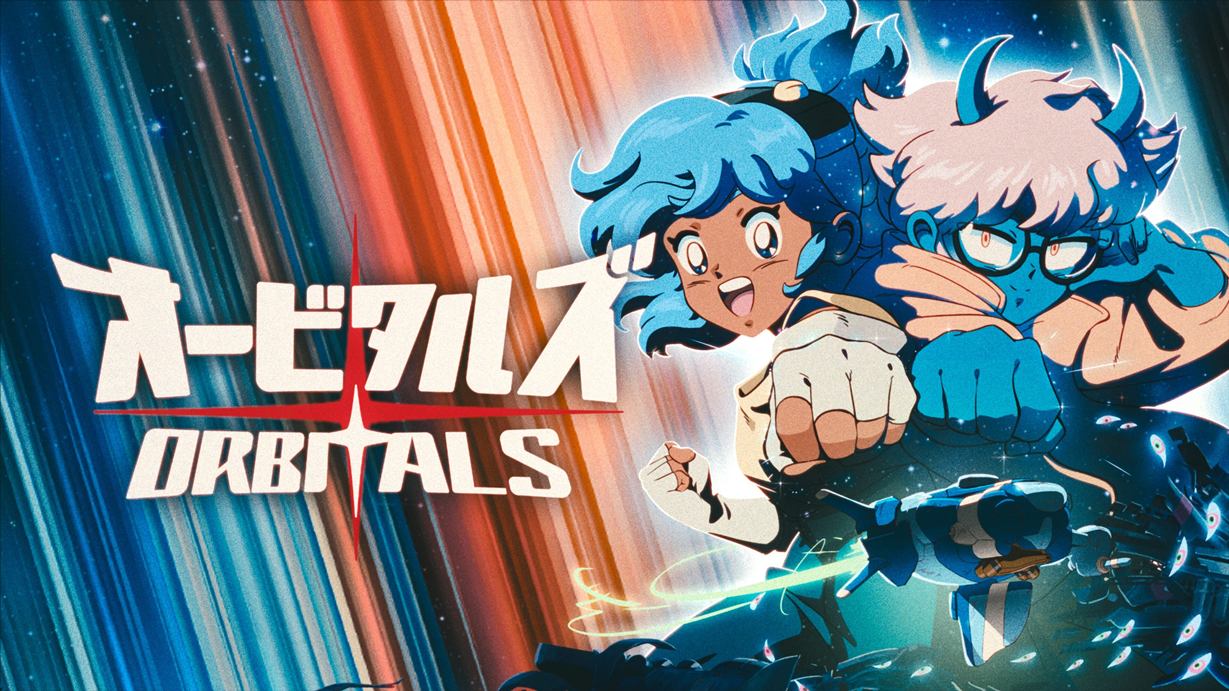
Summary:
The Orbitals 1.0.5 update brings a laundry list of bug fixes and practical tweaks designed to make cooperative runs feel smoother and less frustrating. Players will notice collision and camera fixes across multiple levels, shorter load times in the Asteroid Core and Frozen Depths, and a handful of puzzle adjustments that clarify progression. Multiplayer-related fixes address emotes, online score syncing, respawn visual effects, and issues where players could get stuck in seats or experience text remaining on the wrong screen. Audio changes boost dialogue during boss fights and stop certain lines from repeating endlessly. Overall this patch cleans up many rough edges, boosts clarity in a few tricky puzzles, and improves the online and local co-op experience for Orbitals on Nintendo Switch 2, making sessions more reliable and enjoyable for teams.
What the Orbitals 1.0.5 Patch Covers
The 1.0.5 patch for Orbitals is mostly focused on fixes that remove friction during play. That covers a wide set of issues from collision problems to camera glitches that could ruin a perfectly timed jump or puzzle solution. Several localisation corrections also made it into the build, which helps players who rely on those translations to follow story beats and instructions. Load times in later levels were addressed to cut down on downtime between attempts, and specific puzzles that previously behaved oddly have been tweaked so players understand what to do sooner. These are the kind of fixes that don’t change the premise of the game but significantly improve day-to-day playability, especially when you’re teaming up with a friend and want fewer interruptions and less guesswork.
Major bug fixes affecting gameplay
This section details the most impactful gameplay fixes. Orbitals 1.0.5 fixes collision issues that could trap characters, camera problems that harmed visibility during platforming, and a handful of level-specific softlocks. Notable items include preventing the player from being sent to the main menu instead of the credits after finishing the game, resolving a case where a player could remain stuck in a gunner seat after installing the Push Cannon, and correcting an issue in the Capy rescue section where the oxygen meter would deplete without actually causing a player to die. Those fixes reduce the need to restart sections or reload saves, which is especially valuable in a game built around asymmetric co-op and tight puzzle timing.
Audio and dialogue fixes
Audio tweaks in 1.0.5 make boss fights feel more immediate and stop repetitive lines from breaking immersion. The patch raises the volume of character dialogue during boss encounters, so the team cues you expect are clearer when things get hectic. It also fixes an issue where Maki could repeat the line “Well, that won’t fit… time for a diet, Mr. Snowball!” on loop, which pulled players out of the moment. Fixing repeated lines and balancing dialogue volume helps communication between players and improves narrative flow, particularly in sequences where timing and callouts are important for success. These changes show the developer is listening to feedback about polish and presentation.
Load times, performance and level-specific improvements
Long load screens can kill momentum, so one of the patch’s wins is shorter load times in the Asteroid Core levels and Frozen Depths. The update also resolves a laser movement issue in the Frozen Depths hot floor section and fixes odd mushroom behavior in Secret Gardens that could hinder progression. A few visual and animation bugs were corrected as well, such as an animated pile of junk showing wrongly inside the ship and respawn VFX appearing at invalid locations. Each of these fixes reduces jarring moments that used to force retries or confusion, giving you more uninterrupted time to enjoy the puzzles and co-op mechanics.
Multiplayer and online sync fixes
Since Orbitals is built with co-op in mind, fixes targeting online play are particularly important. The 1.0.5 update addresses emote bubbles and character icons disappearing after returning from Forge sections, corrects slap-stick score sync issues in online matches, and prevents confetti from appearing on the first hit instead of the 100th. It also patches a problem where Jump-pack text could remain stuck on another player’s screen and fixes cases where leaving the ship would make half of the host’s screen turn black. These changes help avoid frustrating miscommunications and misleading visuals during shared sessions, so matches feel fairer and more coherent.
Puzzle adjustments and quality-of-life fixes
Some puzzles in Orbitals caused more head-scratching than intended, and 1.0.5 makes targeted changes to reduce confusion. The start of Frozen Depths had a puzzle that players found unclear; the developers adjusted it to guide players toward the intended solution without holding hands. The Liquid launcher spawning on the top floor in a hot floor puzzle was fixed, preventing impossible situations. Other tweaks include fixing ground pound buttons in Forge levels and ensuring Reactor Cassettes can’t be grabbed after returning to the Settlement once Frozen Depths is completed. Combined with localisation fixes and menu-related corrections, these updates clean up rough edges and improve the flow from one challenge to the next.
How to get the 1.0.5 update on Nintendo Switch 2
Getting the patch is straightforward: make sure your console is connected to the internet, highlight Orbitals on your Nintendo Switch 2, press the + or – button to open the options, and select Software Update to check for the latest version. If automatic updates are enabled, the patch may already be installed. The game’s developer also posted the patch notes and a small giveaway announcement on the official Orbitals site, so it’s worth checking that page for any additional instructions. If you run into an issue where your friend shows a different version number, both players should confirm they have updated to 1.0.5 before attempting online co-op to avoid matchmaking or sync issues.
What this patch means for players and next steps
This update is largely about polish, stability, and smoothing out the co-op experience. For players, that translates to fewer crashes, clearer puzzles, less confusing audio behaviour, and more reliable online sessions. If you had been avoiding a particular level because of a strange bug or long load times, now’s a good time to jump back in. Keep an eye on developer posts and community channels for any follow-up fixes or notes on platform-specific rollouts. NintendoReporters will keep tracking further updates, so if anything else pops up, we’ll highlight it and point to official notes and developer messages for clarity.
Conclusion
Orbitals 1.0.5 is a solid polish update that fixes many annoying edge cases and improves the multiplayer experience without changing core mechanics. If you play on Nintendo Switch 2, install the update and jump back into co-op – fewer interruptions and clearer puzzles make the game feel closer to what it should have been at launch. Keep an eye on the official Orbitals channels for any follow-up patches and community news.
FAQs
- How do I know if I have version 1.0.5 installed?
- Check the game icon on your Nintendo Switch 2, press + or – to open Options, then view the software version in the game details to confirm you are on 1.0.5.
- Does the patch improve online performance?
- Yes, it fixes several multiplayer sync issues and visual glitches that could interfere with online matches, though it does not add network features beyond stability improvements.
- Are any new levels or content added in 1.0.5?
- No, this update focuses on bug fixes, puzzle adjustments, audio tweaks, and performance improvements rather than new content.
- Will these fixes change achievements or progression?
- The patch resolves issues that could block progression or cause incorrect behaviour, but it does not alter how achievements or save progression are earned.
- Where can I read the official patch notes?
- Official patch notes were published on the Orbitals website and covered by multiple Nintendo news outlets; links to those pages are listed in the Sources section below.
Sources
- V1.0.5 Patch Notes & Giveaway Competition!, Orbitals, October 6, 2026
- The Switch 2 Exclusive Orbitals Has Received A New Game Update, Nintendo Life, October 6, 2026
- Orbitals 1.0.5 update out now, patch notes, NintendoEverything, October 5, 2026