














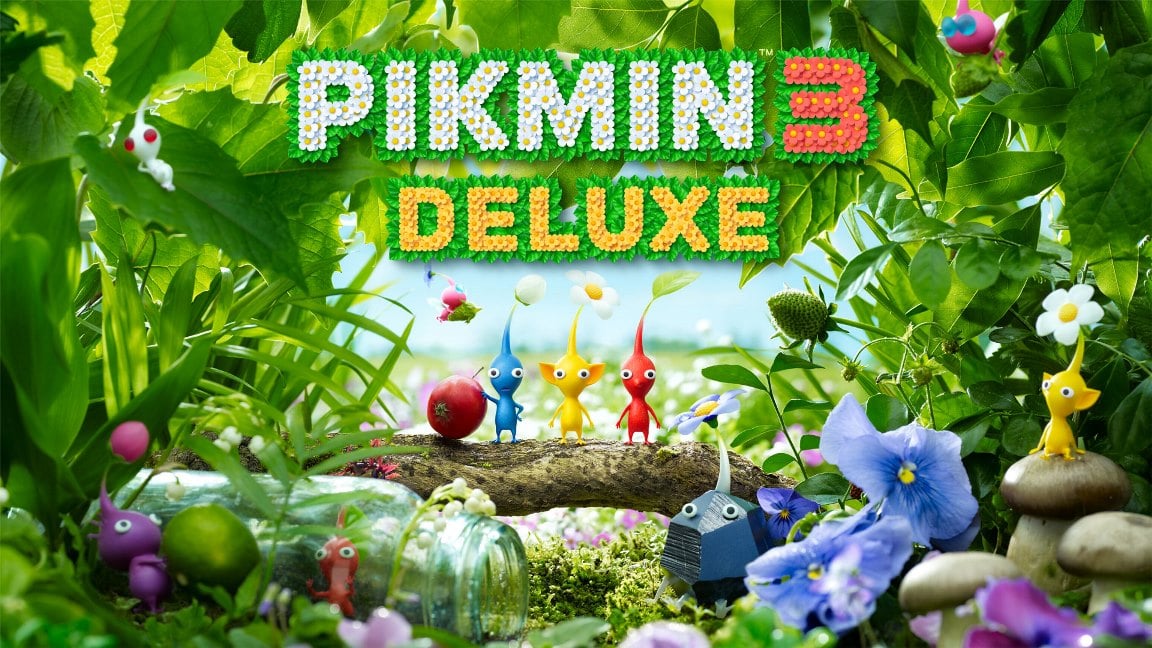
Summary:
NintendoReporters is reporting on Pikmin 3 Deluxe version 1.2.0, a surprise update that targets Nintendo Switch 2 players with a sharper image and GameShare support for Bingo Battle. The update improves how the game displays on the Switch 2 console and on high-resolution TVs, affecting both handheld and docked play. It adds GameShare options on the title screen so you can choose between local play and GameChat for Bingo Battle, while the original Switch build sees no changes. This piece explains what changed, how it affects different players, how to install and verify the patch, and whether it’s worth booting the game up again. We also point you toward related updates and provide quick FAQs so you can get back to playing faster.
What the 1.2.0 update changes for Pikmin 3 Deluxe
The 1.2.0 update for Pikmin 3 Deluxe is small in scope but meaningful in practice, especially for those on Nintendo Switch 2 hardware. At its core the patch adds official support for the Switch 2 display and high-resolution televisions, meaning the game renders at a higher resolution and looks noticeably sharper in both handheld and docked modes. The update also introduces GameShare functionality specifically for Bingo Battle, letting players invite nearby friends or join matches via GameChat. Importantly, NintendoReporters confirms that the update does not alter the experience for players on the original Switch system – the patch is aimed at improving visuals and multiplayer convenience for Switch 2 owners while preserving the existing Switch version unchanged.
Switch 2-specific improvements: sharper visuals and display support
On Switch 2 the most visible change is the resolution bump and better display handling. Games patched for Switch 2 can take advantage of the console’s higher internal resolution and improved output to modern TVs, which means textures and UI elements can appear cleaner and less soft compared with the original Switch presentation. For Pikmin 3 Deluxe players this results in clearer foliage, sharper character outlines, and a more defined HUD during hectic moments. While Nintendo’s patch notes don’t list exact technical figures, the practical effect is obvious when the game runs on Switch 2 hardware or a high-resolution TV. If you care about picture clarity and want Pikmin’s tiny details to pop more, the 1.2.0 update delivers that improvement without altering gameplay.
GameShare support for Bingo Battle explained
GameShare has become a handy way to let others jump into local or online sessions without complicated setup, and Pikmin 3 Deluxe now uses it for Bingo Battle. From the title screen you can select Bingo Battle and then pick between “Play with people nearby” or “Play via game chat,” which opens up local multiplayer with nearby Switch systems or online play through GameChat. This is a nice quality-of-life add for groups who want to quickly set up a match without juggling invites or friend codes. Note that GameShare here is limited to Bingo Battle; the main campaign and mission modes are not gaining co-op GameShare access in this update, so the improvements are focused where they bring the most social value.
How the update affects players on the original Switch
If you’re still on the original Nintendo Switch there’s nothing to worry about, but there’s also nothing to expect from this patch. NintendoReporters observed that the patch notes explicitly list no changes for the Switch model, which means the original Switch version remains functionally identical to what it was before 1.2.0. That said, the patch being deployed mainly for Switch 2 is a positive sign: Nintendo is investing in backward-compatible upgrades that improve how older titles look on newer hardware, and that can sometimes signal future updates for other legacy releases. For now, if you own the original Switch you won’t see the sharper image or GameShare features until and unless Nintendo releases a separate update that targets that hardware.
Why Nintendo is updating older first-party titles for Switch 2
There are a few good reasons Nintendo is quietly patching older first-party games for Switch 2 compatibility rather than issuing full-blown “Switch 2 Edition” remasters across the board. First, smaller patches preserve the original game code while enabling better output on newer hardware, which is faster and cheaper than rebuilding a title from scratch. Second, providing visual and multiplayer enhancements keeps long-running franchises relevant and playable across console generations, giving fans a smoother transition to the new hardware. Lastly, these incremental updates help test how different titles behave on Switch 2, which can reveal issues or opportunities before committing to larger remasters. For players this means continued support for favorite games without waiting years for a new edition.
Should you replay Pikmin 3 Deluxe after this update?
If you own a Switch 2 the answer is an easy yes: the visual boost alone makes returning worthwhile, and the GameShare addition gives Bingo Battle a simpler social hook. For collectors and series fans, it’s an attractive excuse to revisit Pikmin 3 Deluxe and appreciate the levels with crisper visuals. If you’re on the original Switch and love the game, there’s no change beyond the status quo, but the news still matters—updates like this can set a precedent for similar support across the catalog. Ultimately, whether you replay depends on how much you value visual upgrades and quicker multiplayer setup; for many fans the combo is enough to fire up the game again.
Quick install and verification steps for the patch
Installing and checking the 1.2.0 patch is straightforward. First, make sure your console has an active internet connection and that Pikmin 3 Deluxe is updated via the Nintendo eShop or the game’s software update option. After downloading the patch, launch the game and look for the new version number in the title screen or system software info; NintendoWire and NintendoEverything both report that version 1.2.0 should be live on the eShop. Once updated, select Bingo Battle to confirm the GameShare options are visible and test a quick local or GameChat match to ensure GameShare works on your setup. If the visuals still look unchanged on Switch 2, try restarting the console or checking TV display settings to confirm higher-resolution output is enabled.
Related updates and other recent patches
Alongside Pikmin 3 Deluxe’s update, Nintendo has continued to roll out updates for other titles—one recent example being Mario Tennis Fever, which received a free update that added new court and cosmetic content as well as GameShare support in previous weeks. Watching these smaller patches gives a good sense of Nintendo’s ongoing approach to supporting both new and older releases on Switch 2. If you want to keep tabs on similar work, NintendoReporters recommends following the Nintendo Switch 2 coverage hub for news and quick rundowns. These incremental updates rarely change core gameplay, but they cumulatively improve the experience across the platform, especially when a console transition is underway.
Conclusion
Pikmin 3 Deluxe version 1.2.0 is a tidy, fan-friendly update: sharper visuals on Nintendo Switch 2 and GameShare for Bingo Battle make the game feel fresher without altering its core. The original Switch build remains unchanged, but the patch reflects Nintendo’s strategy of enhancing legacy titles for modern hardware. If you own a Switch 2, the update is worth installing for the clearer image and quicker multiplayer setup; if you’re on an original Switch, keep an eye out for future updates. NintendoReporters will keep an eye on any follow-up patches and whether other Pikmin games get similar treatment.
FAQs
- Is the 1.2.0 update free?
- Yes. The Pikmin 3 Deluxe version 1.2.0 update is a free download distributed through the Nintendo eShop, aimed at improving the game on Switch 2 hardware and adding GameShare for Bingo Battle.
- Will my original Switch get the same visual upgrade?
- No. The patch notes explicitly list no changes for the original Switch; the resolution and display improvements in 1.2.0 are targeted at Nintendo Switch 2 devices only.
- How do I use GameShare in Bingo Battle?
- From the title screen select Bingo Battle and choose either “Play with people nearby” for local GameShare or “Play via game chat” to use GameChat. That will let friends join quickly without complex invites.
- Does the update change campaign gameplay or missions?
- No. The update focuses on display improvements for Switch 2 and GameShare for Bingo Battle. Campaign and mission gameplay remains the same in this patch.
- Where can I find more news about Switch 2 updates?
- Follow NintendoReporters’ Switch 2 coverage and the official Nintendo news pages for patch rundowns and update announcements. You can also check the Nintendo eShop update history for each game.
Sources
- Pikmin 3 Deluxe gets surprise free Switch 2 patch with a resolution boost and GameShare support, Nintendo Wire, September 1, 2026
- Pikmin 3 Deluxe 1.2.0 update out now, patch notes – new benefits for Nintendo Switch 2 players, NintendoEverything, August 31, 2026
- Mario Tennis Fever is getting a free update. A Super Mario Galaxy-themed tennis court and the new Fever Racket are coming to Mario Tennis Fever, Nintendo, July 16, 2026
- 「ピクミン3 デラックス」更新データが配信開始。Switch2でよりくっきりとした表示に, GAME Watch, September 1, 2026