



Summary:
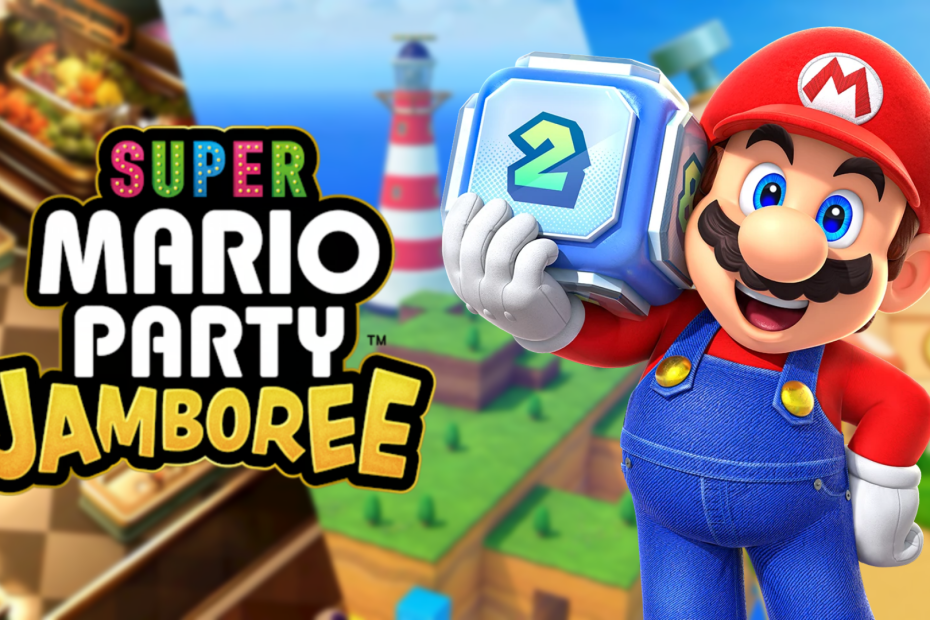
Version 2.4.0 of Super Mario Party Jamboree brings a meaningful multiplayer upgrade for players on Nintendo Switch 2 by adding GameShare via GameChat, letting friends join online sessions even if they don’t own the game. The update also adds maps and rule options for GameShare sessions on the Switch 2 Edition and applies general fixes across both Switch 2 and the original Switch. That means hosts on Switch 2 can now pick GameShare from the title screen and invite “Friends via GameChat,” expanding the ways you can party with pals, family, or new faces online. For players on the original Switch, the update is mostly under-the-hood fixes, so expect stability improvements but not the Switch 2-specific sharing features. If you want to set up a GameShare session, you’ll need a Switch 2, a stable internet connection and a Nintendo Switch Online membership – and knowing the limits and best practices will help your group get the most out of it.
What’s new in version 2.4.0 of Super Mario Party Jamboree
Version 2.4.0 clearly focuses on expanding how people can play together without asking everyone to buy a copy. On Nintendo Switch 2, the headline change is support for GameShare via GameChat – a feature that allows one Switch 2 owner to invite friends into a shared online session, even if those friends don’t own Super Mario Party Jamboree themselves. The update also adds the ability to choose maps and rules for GameShare sessions on the Switch 2 Edition, giving hosts more control over the party setup. For both Switch 2 and the original Switch, Nintendo lists general fixes intended to improve the gameplay experience, which typically means bug fixes, stability improvements, and minor quality-of-life tweaks. Overall, this release is about making it easier to pull friends into a party on Switch 2 while tightening up the experience across both consoles.
How GameShare via GameChat actually works on Switch 2
GameShare via GameChat is designed to be simple for the host and friendly for guests. The host boots the Switch 2 Edition and selects “GameShare” from the title screen, then chooses the new option labeled “Friends via GameChat” to invite people from a GameChat session. That means you can start a voice or video-enabled GameChat room, then send invites to friends in that chat so they can join the host’s party online without buying the game. The shared session remains active only while GameShare is running, so guests can play during the session but will not retain access to the game afterward. The feature is tailored to Switch 2’s GameChat system and is intended for casual sit-down sessions where one person acts as the host and the others join in remotely. It’s a neat way to bridge players who haven’t picked up the game yet and get a quick multiplayer meetup going.
What players on the original Switch should expect
If you’re still on the original Nintendo Switch, don’t expect GameShare via GameChat to appear for your console with this update. Nintendo’s patch notes specifically name the Switch 2 Edition as the platform gaining GameShare via GameChat and the new maps/rules options for GameShare. For the original Switch, the update delivers “fixed other issues to improve the gameplay experience,” which usually means smaller bug fixes and stability patches rather than new online sharing features. So you’ll likely notice fewer crashes, smoother matchmaking, or minor corrections, but not the Switch 2-exclusive sharing tools. If you’re curious about the Switch 2 differences and hardware-specific improvements, check the Switch 2 overview page for background on what that hardware adds to first-party releases like this.
How to start a GameShare session step-by-step
Starting a GameShare session on Switch 2 is straightforward once you know the sequence. First, make sure the host is running the Nintendo Switch 2 Edition update (Ver. 2.4.0). Then, from the host’s title screen, select “GameShare,” and pick the newly added “Friends via GameChat” option. The host should have a GameChat session open or start one from the HOME Menu, invite the friends they want, and then send the GameShare invite to participants in that chat. Guests must be on Switch 2 consoles, have stable internet, and have a Nintendo Switch Online membership if the session requires online play. Remember that GameShare sessions are temporary – guests play while the session is active but will lose access afterward. If you need a refresher on general sharing features across Nintendo systems, our linked how-to explains share-and-play mechanics for Switch platforms and offers tips on avoiding common setup pitfalls.
Limits, rules and practical considerations for GameShare
There are important limits to understand before you host a GameShare party. GameShare won’t let guests permanently keep the game – access only lasts for the duration of the shared session. Minigames or specific modes may also be restricted depending on how Nintendo configured GameShare for each release – the Switch 2 Edition’s product notes mention playable boards and selected minigames while excluding some minigame-only access. Bandwidth and latency matter a lot – if your guests have weak connections, input lag or disconnects can spoil the experience. A Nintendo Switch Online subscription is generally required for online features, so double-check everyone has active memberships. Hosts should also be mindful of who’s joining – if you allow public or loosely-invited sessions, unfamiliar players might change game rules or maps mid-session if host controls aren’t set carefully. In short, GameShare is a powerful way to gather friends online but it works best with a responsible host and decent network conditions.
Why this update matters for Nintendo fans
For Nintendo fans who love quick, social gaming, this change feels like lowered friction – fewer barriers between you and a group game night. Not everyone buys every Nintendo release, and GameShare via GameChat makes it easier for a friend who owns the game to act as host and bring others in for a round of boards and minigames. That’s especially handy for families, newcomers, and players who want to try before they buy. The addition of map and rules options also gives hosts more flexibility to tailor sessions to the group’s mood, whether you want chaotic mayhem or more strategic board play. For collectors and long-time fans, the update shows Nintendo continuing to refine online features for Switch 2-era releases, and it nudges the ecosystem toward easier social play rather than locking multiplayer behind multiple purchases.
Community tips for hosting a smooth GameShare party
If you’re planning to host, a little prep goes a long way. Make sure the host does a quick update check and confirms they’re on Ver. 2.4.0 before inviting anyone. Start a GameChat session first, test audio so everyone can hear each other, then send the GameShare invite once everyone is ready. Limit background downloads and other heavy network usage on your Wi-Fi to reduce lag. If you expect younger players or large groups, set clear rules for turn-taking and map choices before the session starts – use the newly added map and rules options to lock in preferred settings. Keep an eye on battery levels for handheld play, and have a backup plan – a local pass-and-play game or a different party title if GameShare hiccups. Treat it like hosting a real party: a little organization saves a lot of interruptions.
Technical requirements and troubleshooting
To use GameShare via GameChat you’ll need a Nintendo Switch 2 for the host and participants, stable internet connections for everyone, and typically a Nintendo Switch Online subscription for online features. If someone can’t join, check game versions on each console and ensure the host is running the Switch 2 Edition updated to Ver. 2.4.0. Confirm GameChat permissions and that the host has invited the correct user from the chat session. For persistent lag or disconnects, restarting the console, switching routers from crowded 2.4 GHz to 5 GHz where possible, or temporarily pausing other devices on the network can help. If crashes or unexplained errors persist, applying system updates, reinstalling the software, or consulting Nintendo’s support page will be the next steps. Remember that guests do not retain access after the session ends, so any troubleshooting that requires reinstalling should be coordinated with the host.
Conclusion
Version 2.4.0 sharpens Super Mario Party Jamboree’s social focus on Switch 2 by letting one owner invite friends into a shared online session through GameChat and adding map and rule options for those sessions. For original Switch owners, the patch cleans up a handful of issues that should make online play steadier. The practical gains – less friction for gathering friends and more host control – will be immediately useful for players who want to organize quick parties without asking everyone to buy the game. If you plan to try GameShare, make sure everyone’s software is up to date, set expectations with your group, and enjoy the easier way to party online on Nintendo’s newer hardware.
FAQs
- Can friends who don’t own Super Mario Party Jamboree play via GameShare?
- Yes – friends on Nintendo Switch 2 can join a shared session hosted by someone with the Switch 2 Edition while the GameShare session is active; they don’t keep the game afterward.
- Do guests need Nintendo Switch Online to join a GameShare session?
- In most cases yes – online play and GameChat features generally require a Nintendo Switch Online membership, so make sure guests have active subscriptions.
- Is GameShare via GameChat available on the original Switch?
- No – version 2.4.0 adds GameShare via GameChat specifically for the Nintendo Switch 2 Edition; the original Switch only receives general fixes in this update.
- Which maps and rules can I choose for GameShare?
- The update adds the option to select maps and rules for GameShare on the Switch 2 Edition; the exact list is shown in the game’s menus when you host a session. Hosts should review available options before inviting players.
- Where can I find the official patch notes and installation steps?
- Nintendo’s support page lists the full Ver. 2.4.0 patch notes and provides steps to update the software on your console; follow those official instructions to ensure everyone is on the same version.
Sources
- How to Update Super Mario Party Jamboree, Nintendo Support, November 9, 2026
- Super Mario Party Jamboree version 2.4.0 update now available, adds GameShare using GameChat on Switch 2, Gematsu, November 9, 2026
- Super Mario Party Jamboree: how to play online with GameShare via GameChat on Switch 2?, Playnews, November 10, 2026