














Summary:
Wo Long: Fallen Dynasty Complete Edition brings notable graphical options to Nintendo Switch 2: two separate modes for framerate and resolution that are only available when you use the console in the dock. In this piece we explain what those modes do, what effects they have on gameplay and image quality, and which choice we recommend for fast fights. You’ll also read about concrete technical points we encountered, like shadows, LOD behavior and inconsistencies in framepacing, plus practical tips to improve the experience. If you want to play the game on Switch 2, this explanation helps you pick a sensible setting faster and avoid unpleasant surprises during the first hours.
What the new graphical modes for Wo Long: Fallen Dynasty on Switch 2 actually are
The Switch 2 version of Wo Long: Fallen Dynasty Complete Edition introduces two clear choices in the settings menu: Prioritize FPS and Prioritize Resolution. Both are aimed at balancing performance and image quality, but they work differently depending on whether you play docked or in handheld mode. On Switch 2 those options are only available when the console is docked; in handheld the game falls back to a single fixed mode that practically prioritizes framerate. That means on the big screen you have real choices: either you go for smoother frames and fewer drops, or for a sharper image with possible extra input lag and dips in framerate during busy scenes.
How Prioritize FPS and Prioritize Resolution differ
Prioritize FPS focuses on stability of frames per second and can dynamically lower the internal resolution to achieve that. As a result the controls generally feel tighter and the game responds more consistently during fast fights, but the image can sometimes look softer because the internal resolution is sacrificed. Prioritize Resolution sticks to a higher internal resolution when possible, resulting in sharper textures and clearer distant detail, but that comes at the cost of framepacing and can lead to stutter or short drops when many enemies and effects appear at once. Which you should choose therefore depends on what you value more: responsiveness or visual clarity.
Technical observations on Switch 2 – shadows, LOD and framerate behavior
During our play sessions we noticed a mix of issues that affect the overall picture. Shadows and some textures seem less detailed than on other platforms, and level-independent LOD (level of detail) is fairly aggressive: enemies and objects sometimes only get animation and detail when they come closer. This causes odd visual jumps where NPCs suddenly speed up in animation when they’re a few meters away. We also saw inconsistent framepacing in the resolution mode when docked: despite the mode trying to maintain a higher internal resolution, input lag and short frame drops occur once multiple enemies and effects combine. In performance mode the framerate is generally more stable, but there are no guarantees — we saw enough situations where 30FPS isn’t always held constant.
Docked versus handheld: differences and limitations
An important limitation on Switch 2 is that both graphical modes are only available in docked. Handheld practically uses a single setting that prioritizes framerate and a lower resolution. That means anyone playing on the go automatically gets a compressed image with softer visuals but generally better responsiveness. At home on the TV you then have the choice, but that’s exactly where the tradeoff gets trickier: on a big screen a lower resolution is more noticeable, while input lag in resolution mode feels much more intrusive during intense fights. The practical result is simple: handheld is reliable for consistency, docked has options but requires choosing based on personal preference and screen size.
Recommendation for which mode you should choose
For most players who enjoy fast, reflex-driven combat, we recommend docked with Prioritize FPS. The framerate stability gives you control during combos and dodges, and prevents enemies and effects from throwing off your timing. If you mainly care about screenshots or have a large TV and can accept slight frame dips, Prioritize Resolution offers a nicer image — but be prepared for input lag and stuttering in busy sections. Handheld is the least impressive in terms of image quality, but it usually feels better than the resolution mode on the TV because the low resolution is less distracting on a small screen than on a large display.
Practical tips to improve the experience on Switch 2
Bought the game for Switch 2? A few things you can do: play docked with Prioritize FPS if you want to get through bosses competitively or efficiently; turn off in-game options that add extra effects if you’re seeing frame drops; make sure your system software and the game are up to date; and consider a direct HDMI connection to your TV with stable power and few background applications. If you use a microSD, install the game on internal storage ideally for faster load times. And don’t forget to check the official notes from KOEI TECMO and Team NINJA about target values and updates via official channels or the game FAQ.
Comparisons and what to expect visually
Again: resolution mode usually delivers the nicest results in still frames, with better textures and sharper distant rendering. Performance mode, on the other hand, can sacrifice detail but gives smoother animations. In some levels we saw that shadows and lighting on Switch 2 are less consistent, especially in densely wooded areas where textures and shadows switch over. That makes certain environments harder to navigate and sometimes unclear where enemies are exactly. If you care about visual finesse, compare screenshots and gameplay footage before making a final choice — and keep in mind that patches can change a lot quickly.
What KOEI TECMO and Team NINJA officially report
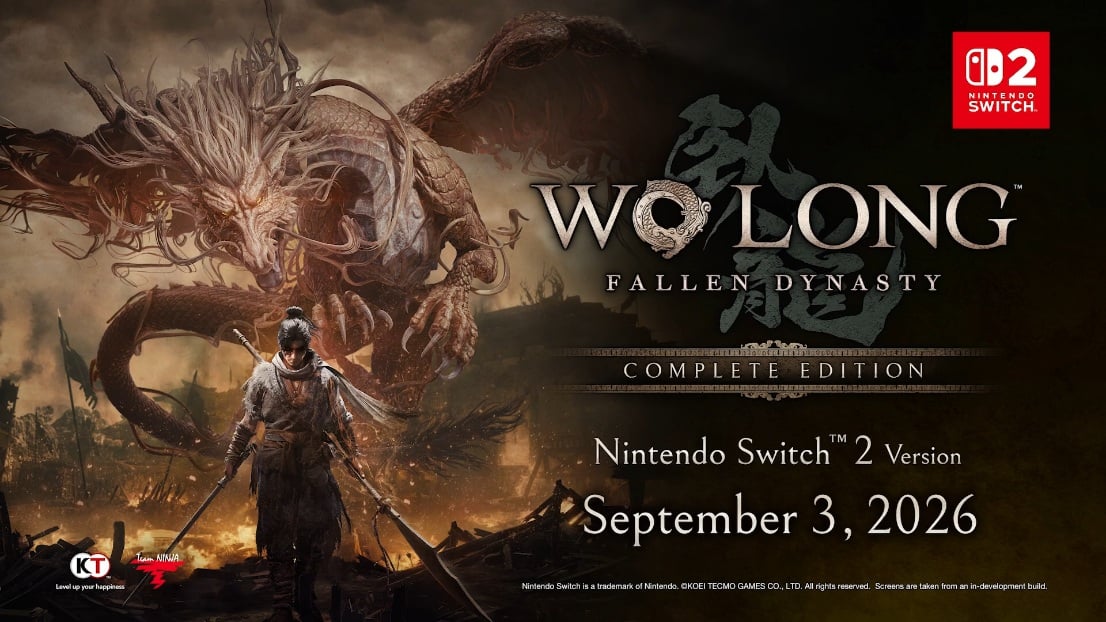
KOEI TECMO announced the Switch 2 release of Wo Long: Fallen Dynasty Complete Edition and explicitly named the release date as September 3, 2026. Team NINJA’s FAQ and specifications for Wo Long describe general mode names like Prioritize Resolution and Prioritize FPS and state that resolution and framerate can change per mode. These official sources confirm the modes are part of the Switch 2 release, but leave room for additional optimizations via patches. For up-to-date details and any patches it’s smart to watch the official pages and publisher news posts, and you can find more background about the Switch 2 via our Switch 2 section.
Conclusion
Wo Long on Nintendo Switch 2 brings useful choices for players: you can opt for smoother gameplay or a sharper image, but no mode is without trade-offs. For lightning-fast, precise fights Prioritize FPS is the safest choice, while Prioritize Resolution is more appealing if image quality matters more than perfect stability. Handheld remains a practical, less impressive option. Expect patches in the coming weeks and months to still bring changes; the current experience is playable, but clearly has room for improvement. So choose stability first if you want to make quick progress and keep an eye on updates.
FAQs
- Which modes are available on Nintendo Switch 2?
- On Switch 2, “Prioritize FPS” and “Prioritize Resolution” are available in docked mode; handheld uses a framerate-focused mode.
- Is handheld worse than docked?
- Handheld generally has lower resolution and less visual sharpness, but often feels more consistent in terms of input and frametiming than the resolution mode when docked.
- Which mode should I choose for bossfights?
- For fast bossfights we recommend Prioritize FPS due to a more stable framerate and better input response.
- Will patches improve performance?
- Yes, KOEI TECMO and Team NINJA have released updates for other platforms before, so future patches could bring optimizations for Switch 2.
- Where can I find official details and updates?
- Official announcements and FAQs from KOEI TECMO and Team NINJA are the best sources for target values and patch information; also check the Nintendo page for release details.
Sources
- KOEI TECMO Announces Wo Long: Fallen Dynasty Complete Edition, Coming to Nintendo Switch™ 2 Sept. 3, 2026!, KOEI TECMO America, June 10, 2026
- Wo Long: Fallen Dynasty has frame rate and resolution modes on Nintendo Switch 2, NintendoEverything, September 2, 2026
- Wo Long: Fallen Dynasty: Complete Edition for Nintendo Switch 2 is too rough to recommend right now, RPG Site, September 1, 2026
- FAQ: Game Mode – Wo Long: Fallen Dynasty, Team NINJA, February 10, 2023