














Summary:
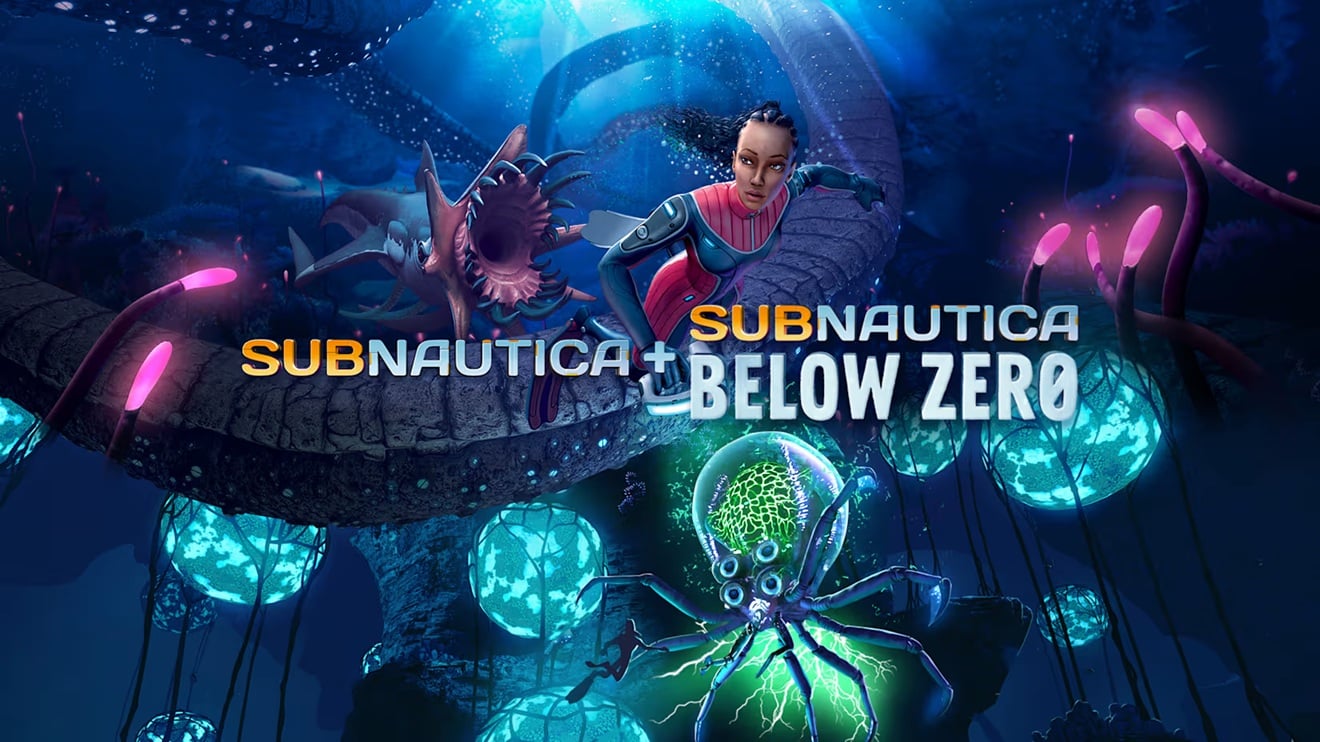
Subnautica and Subnautica: Below Zero have received new updates on Nintendo Switch 2, giving players much more control over how both underwater survival adventures look and perform. Unknown Worlds Entertainment has introduced three selectable graphics presets named Balanced, High Framerate, and High Quality. Each mode makes a different compromise between resolution, shadows, and frame rate, allowing players to choose the experience that best suits their preferences.
Balanced remains the default option and targets up to 60 frames per second while keeping shadows enabled. It runs at 1080p in handheld mode and 1440p while docked. High Framerate lowers the resolution and disables shadows to pursue the highest possible frame rate, reaching 720p during portable play and 1080p on a television. High Quality takes the opposite approach by delivering a steady 30 frames per second with shadows enabled at 1080p handheld and 1440p docked.
The updates also address several smaller issues across both games. These include corrected Joy-Con 2 terminology, a wording change on the feedback page, repaired visual details on stacked Multipurpose Rooms, and a fix for Scanner Drone camera clipping after the player character dies. Unknown Worlds has additionally removed unintended access to a debug menu and corrected the dimensions of save-file screenshots created after switching between handheld and docked play. Together, these changes make the Nintendo Switch 2 editions more adaptable and polished without altering the survival experiences at their core.
Subnautica and Below Zero Receive New Nintendo Switch 2 Updates
Unknown Worlds Entertainment has released new Nintendo Switch 2 updates for Subnautica and Subnautica: Below Zero. Both patches are available now and focus on giving players greater control over the presentation of each adventure. Rather than locking everyone into a single technical configuration, the games now offer several ways to balance image quality and performance. That is a welcome change for two experiences where smooth movement and environmental detail can both matter enormously. One moment you may be gliding peacefully through a sunlit reef, and the next you may be fleeing something large enough to regard your submarine as a snack. A responsive frame rate helps during those tense encounters, while a sharper image makes the strange ecosystems of planet 4546B easier to appreciate. The update lets you decide which side of that equation deserves priority.
These options arrive after the dedicated Nintendo Switch 2 editions of both games launched earlier in 2026. Those releases already took advantage of the newer hardware with improved resolutions and performance compared with the original Nintendo Switch versions. The latest patches build on that foundation instead of radically rebuilding it. Players who were satisfied with the original Switch 2 presentation can retain a similar setup through the default Balanced preset, while those who want a different experience can now change it. It is a practical update, but sometimes practical improvements are the ones you notice most. A graphics menu may not be as dramatic as discovering an unknown leviathan in the darkness, yet it affects every minute you spend exploring, collecting resources, constructing habitats, and trying not to run out of oxygen.
Three Graphics Presets Give Players More Control
The new graphics settings are divided into Balanced, High Framerate, and High Quality presets. Their names make the basic choices easy to understand, even if you would rather spend your time building a base than studying technical specifications. Balanced sits between visual clarity and speed. High Framerate reduces selected graphical features in pursuit of smoother performance. High Quality limits the game to 30 frames per second while preserving shadows and higher rendering resolutions. Each preset is available in both Subnautica and Subnautica: Below Zero, so you do not have to accept a different configuration simply because you have travelled from the warmer waters of the first game to the frozen environments of its follow-up.
The addition also makes the Switch 2 versions more suitable for different play styles. Some players spend hours carefully decorating underwater habitats and observing alien wildlife through reinforced windows. Others move quickly, gather only what they need, and treat every deep-water expedition like an aquatic sprint. A single graphics configuration cannot perfectly serve both groups. The new presets acknowledge that players value different things, while avoiding an intimidating list of individual settings. Instead of adjusting shadows, resolution, and frame-rate limits separately, you can select one option and return to the ocean. It is simple, direct, and unlikely to leave you wondering whether one misplaced toggle has turned your Seamoth into a slideshow.
Balanced Mode Targets Smooth Gameplay With Sharper Visuals
Balanced is the default preset and represents the presentation originally shipped with the Nintendo Switch 2 editions. It targets up to 60 frames per second, keeps shadows enabled, and runs at 1080p resolution in handheld mode. When the system is connected to a compatible display through the Nintendo Switch 2 Dock, the resolution increases to 1440p. This combination makes Balanced the natural starting point for most players because it attempts to retain the stronger visual features of the Switch 2 releases without imposing a 30 frames per second limit.
The phrase “up to 60fps” is important because it describes a target rather than a promise that every scene will remain locked at that number. Subnautica can place considerable pressure on hardware as the game streams terrain, creatures, constructed habitats, vehicles, lighting, and environmental effects. A busy base packed with rooms and equipment is a very different workload from swimming across an empty stretch of open water. Balanced aims to keep movement fluid while preserving shadows and higher resolutions, but particularly demanding scenes may behave differently. Even so, it is likely to remain the best all-purpose choice for people who want to enjoy the improved Switch 2 presentation without strongly favouring either maximum performance or a fixed visual profile.
High Framerate Mode Prioritizes the Fastest Possible Performance
High Framerate mode is designed for players who value responsiveness above shadows and maximum image sharpness. It disables shadows and reduces the rendering resolution to 720p in handheld mode and 1080p while docked. Those reductions give the system more room to pursue the highest possible frame rate. Unknown Worlds does not attach a fixed frame-rate figure to this preset in the patch notes, so it should not be interpreted as a guaranteed locked target. Its purpose is simply to direct more of the hardware’s resources toward performance.
This setting may be especially appealing when exploring complicated areas, piloting vehicles, or moving through environments where quick reactions matter more than subtle lighting. Subnautica is not a competitive action game, but responsiveness still influences how good it feels to turn, swim, manage equipment, and escape danger. Anyone who has heard an unsettling roar from somewhere behind them knows that visual elegance can suddenly become a secondary concern. Shadows may add atmosphere, but they are less comforting when a hostile creature is closing the distance. High Framerate mode provides a straightforward way to reduce graphical demands without asking players to manage a long list of technical switches.
The trade-off is visible image quality. A 720p handheld presentation will generally appear softer than the 1080p output used by Balanced and High Quality, particularly around distant objects, vegetation, base structures, and fine interface details. Disabling shadows can also make environments look flatter. Whether that matters depends on personal taste. Some players notice resolution changes immediately, while others care far more about consistent movement. High Framerate mode exists for the latter group, and its inclusion means they no longer need to accept a heavier visual configuration chosen on their behalf.
High Quality Mode Offers a Stable 30 FPS Presentation
High Quality mode takes the opposite approach. It targets a steady frame rate of 30 frames per second, retains shadows, and uses the same listed resolutions as Balanced: 1080p in handheld mode and 1440p while docked. By lowering the frame-rate target, this preset aims to provide a more controlled presentation with stronger visual settings. Players who prefer sharper scenery and consistent frame pacing over the responsiveness of a 60 frames per second target may find it the most attractive option.
This mode should suit slower, observation-focused sessions particularly well. Much of Subnautica involves absorbing the environment rather than rushing through it. Bioluminescent plants glow in dark caves, sunlight filters through shallow water, enormous creatures move across the distance, and player-built habitats cast shapes across the seabed. Shadows contribute to that sense of depth and place. When you are scanning wildlife, arranging storage lockers, or watching an alien sunset through the surface, a stable 30 frames per second can be a perfectly reasonable compromise for keeping those visual details intact.
High Quality is not necessarily the best mode simply because its name includes the word “quality.” Graphics preferences are personal, and fluid motion is also part of perceived quality. Players accustomed to 60 frames per second may find the change noticeable, especially while turning the camera or travelling quickly in a vehicle. Others may appreciate the predictable 30 frames per second target and higher resolution. The useful part is that neither group has to win the argument. The menu settles it quietly, which is more civilised than asking two survival-game fans to debate frame rates while a Reaper Leviathan circles nearby.
Handheld and Docked Resolutions Vary Between Presets
The resolution figures clearly show how the three presets distribute the available hardware resources. Balanced and High Quality both run at 1080p in handheld mode and 1440p when docked. High Framerate lowers those figures to 720p handheld and 1080p docked. In practical terms, the more performance-focused option renders fewer pixels so the system can devote more effort to producing frames. The other two modes maintain a sharper base image, with Balanced pursuing a higher frame-rate target and High Quality using a lower, steadier limit.
Docked players with larger televisions may notice the difference between 1080p and 1440p more clearly than someone playing on the built-in screen. Fine environmental geometry, distant creatures, base edges, and underwater vegetation can appear cleaner at the higher resolution. Handheld players may be less sensitive to the drop because the display is smaller, although the transition from 1080p to 720p can still affect clarity. Screen size does not magically turn every pixel into a tiny invisibility cloak.
The right choice may also change depending on where you play. You could prefer Balanced or High Quality on a television, where visual sharpness has more room to shine, but switch to High Framerate during portable sessions. The presets are not lifelong vows. They are tools, and you can use whichever one matches the current situation. Someone exploring a beautiful biome may favour stronger visuals, while the same player may choose performance before entering a demanding area or returning to a heavily expanded base.
Bug Fixes Improve Terminology, Bases, Drones, and Saved Games
Although graphics presets are the headline feature, the patches include six bug fixes and text corrections. The first terminology update changes relevant wording to “Joy-Con 2,” ensuring the game uses Nintendo’s official name for the newer controllers. A separate adjustment changes the instruction on the Submit Feedback page from “Click” to “Press.” It is a small difference, but “Press” makes more sense for a controller button and avoids language typically associated with a computer mouse. These edits do not transform the experience, yet clear interface wording prevents unnecessary confusion.
A visual problem affecting round Multipurpose Rooms has also been corrected. When these rooms were stacked vertically, the lower edge could be missing its metal trim. Bases are a major part of both games, and construction errors tend to stand out precisely because players spend so much time designing their personal underwater homes. A missing strip of metal may sound harmless, but once you notice a broken detail in a carefully assembled habitat, it can become harder to ignore than a warning alarm. The fix restores the intended appearance when multiple round rooms are placed above one another.
The Scanner Drone has received a more functional correction. Its camera could clip into the surrounding environment if the player character died while controlling the drone. Camera clipping can obscure visibility or leave the viewpoint in an unintended position, so this fix should make that unusual sequence behave more reliably. The developers have also removed a debug menu that was incorrectly accessible. Debug tools are useful during development, but they are not generally intended for regular players because they may expose unfinished functions, alter game behaviour, or create situations the normal interface was never designed to handle.
Finally, the update corrects the screenshots attached to saved games after players move between handheld and docked modes. Those images could previously be generated at the wrong dimensions after the display configuration changed. Save thumbnails help players recognise individual files, especially when maintaining multiple worlds, so correctly sized screenshots make the save selection screen look more consistent. None of these fixes is as eye-catching as a new graphical preset, but together they remove several rough edges from menus, construction, drone use, and save management.
The Update Makes Both Switch 2 Editions More Flexible
When the Nintendo Switch 2 editions arrived, Unknown Worlds highlighted support for up to 60 frames per second at 1080p in handheld mode and 1440p while docked. The new update does not abandon that original presentation. Balanced mode preserves it as the default configuration while adding alternatives around it. That distinction matters because existing players should not suddenly find the familiar experience replaced by a completely different technical setup. Anyone who preferred the launch configuration can continue using it, while the other presets expand the range of choices.
Both games benefit from these settings despite their visual differences. The original Subnautica features bright tropical shallows, dark trenches, volcanic regions, and large open spaces. Below Zero combines underwater biomes with icy surfaces, frozen structures, snowfields, and more enclosed environments. A graphics profile that looks ideal in one location may feel different elsewhere. Strong shadows can enhance a cave or constructed habitat, while a higher frame rate may feel more useful when travelling quickly through a dense biome. Applying the presets to both games ensures that the feature remains consistent across the series.
The update is also a good fit for the hybrid nature of Nintendo’s hardware. Switch 2 owners regularly move between a portable display and a television, sometimes during the same session. A fixed setup must account for two very different screen sizes and playing conditions. Selectable presets let players respond to those differences rather than accepting a compromise designed for every possible scenario. That flexibility is valuable in long survival experiences, where a single save can contain dozens of hours of exploration and construction.
Which Graphics Preset Should Subnautica Players Choose?
Balanced is the safest recommendation for anyone unsure where to begin. It keeps shadows active, uses the higher listed resolutions, and targets up to 60 frames per second. Because it matches the default shipped experience, it also provides the clearest reference point when comparing the other modes. Play with Balanced first, explore a familiar location, and pay attention to motion, image sharpness, and any performance changes in demanding areas. You can then test the alternatives under the same conditions rather than judging them in completely different parts of the map.
High Framerate is the stronger candidate when responsive controls and smoother motion are your priorities. It may also be useful for complex bases or locations where the standard mode feels less consistent. The cost is a lower resolution and the removal of shadows, so expect a softer and somewhat simpler image. High Quality is better suited to players who prefer a stable 30 frames per second presentation with shadows and the higher resolution settings. It can be particularly appealing during slower exploration, base construction, or docked play on a larger screen.
No preset can be declared universally superior because each one solves a different problem. Balanced seeks a middle ground, High Framerate favours speed, and High Quality favours a controlled visual presentation. Your preferred option may even change between the two games or between handheld and docked play. The best approach is to experiment for a few minutes in an area you know well. Technical numbers are useful, but your eyes and hands will tell you more quickly which compromise feels right.
Conclusion
The latest Subnautica and Subnautica: Below Zero updates make both Nintendo Switch 2 editions more adaptable by adding three clearly defined graphics presets. Balanced retains the default experience with shadows, higher resolutions, and a target of up to 60 frames per second. High Framerate lowers the resolution and disables shadows in pursuit of the smoothest possible performance. High Quality keeps shadows and the higher resolutions while targeting a steady 30 frames per second. That selection gives players meaningful control without burying them beneath complicated technical menus.
The accompanying fixes improve several smaller aspects of both games, including Joy-Con 2 terminology, feedback-page wording, stacked Multipurpose Room visuals, Scanner Drone camera behaviour, debug-menu access, and save screenshot dimensions. Together, the changes provide a cleaner and more flexible experience for returning explorers and newcomers alike. Whether you care most about fluid movement, crisp underwater scenery, or a compromise between the two, Switch 2 now lets you choose how the depths of planet 4546B should be presented.
FAQs
- What graphics presets were added to Subnautica on Nintendo Switch 2?
- The update adds Balanced, High Framerate, and High Quality presets to both Subnautica and Subnautica: Below Zero.
- What resolution does Balanced mode use?
- Balanced mode runs at 1080p in handheld mode and 1440p while docked. It keeps shadows enabled and targets up to 60 frames per second.
- How does High Framerate mode improve performance?
- High Framerate mode disables shadows and lowers the resolution to 720p handheld and 1080p docked, allowing the system to pursue the highest possible frame rate.
- Does High Quality mode run at 60 frames per second?
- No. High Quality mode targets a steady 30 frames per second with shadows enabled. It runs at 1080p handheld and 1440p docked.
- What bugs are fixed in the latest Switch 2 update?
- The patches correct controller terminology, feedback-page wording, missing room trim, Scanner Drone camera clipping, unintended debug-menu access, and incorrectly sized save screenshots.
Sources
- Subnautica & Below Zero Switch 2 Update, Unknown Worlds Entertainment, July 21, 2026
- Subnautica and Below Zero Coming to Switch 2, Unknown Worlds Entertainment, February 10, 2026
- Subnautica and Subnautica: Below Zero Update Out Now, Patch Notes, Nintendo Everything, July 24, 2026
- Subnautica, Subnautica: Below Zero Reveal New Nintendo Switch 2 Editions, Nintendo Everything, February 10, 2026
- Subnautica And Subnautica: Below Zero Switch 2 Editions Launch With 60 FPS, Game Informer, February 11, 2026