














Summary:
Nintendo Switch 2 has introduced a small setting with surprisingly big consequences. Handheld Mode Boost lets original Nintendo Switch software run in handheld play as if the system were using TV mode, and that changes the feel of a lot of older games right away. For players who spent years switching between a cleaner docked image at home and a softer portable presentation on the go, this is the kind of upgrade that feels instantly practical. It is not flashy in the same way as a brand-new exclusive, but it solves a real annoyance that many players quietly accepted for far too long.
What makes this especially interesting is how broad the impact can be. Older titles that looked blurry, soft, or a little rough around the edges in portable play now have room to breathe on Switch 2’s screen. In some cases, the improvement is visual. In others, it can also help performance feel steadier. Dragon Quest XI S is already being used as a standout example because its softer handheld presentation on the original Switch made the difference between docked and portable play easy to notice. With the new setting enabled, that gap looks far smaller.
There is a practical side to this too. The feature is tucked into the system settings, which means plenty of people may not even realize it is there. Once enabled, it can make revisiting a library full of original Switch releases feel fresh again. It also says something useful about Nintendo’s approach with Switch 2. Rather than leaving older software behind, the system is finding new ways to make familiar games feel better without asking players to buy them all over again. That is a smart move, and for handheld fans, it is one of the most welcome quality-of-life additions the platform has seen so far.
Why Handheld Mode Boost matters on Nintendo Switch 2
Handheld Mode Boost matters because it tackles one of the most obvious compromises from the original Nintendo Switch era. A lot of games looked noticeably softer in portable play than they did on a television, and while players accepted that trade-off for the sake of convenience, it was never ideal. You would dock the system, see a cleaner image, and then go back to handheld mode thinking, well, that is a bit rough around the edges. Nintendo Switch 2 changes that equation in a very direct way. Instead of treating portable play like the lesser version, this setting helps original Switch software behave more like it is running in TV mode even while you are playing in your hands. That creates a better first impression, but more importantly, it can make older games easier to enjoy for longer sessions. When text looks clearer, environments appear less muddy, and movement feels steadier, the whole experience feels less compromised. It is the kind of upgrade that does not scream for attention, yet once you see it in action, it becomes hard to ignore.

What the new setting actually changes for original Switch games
The core idea is simple, and that is part of why it feels so clever. Handheld Mode Boost allows original Nintendo Switch games on Switch 2 to run in handheld mode with the performance profile they would normally use in TV mode. In plain English, that means many games can target the higher-resolution docked presentation while you are still playing portably. For a system with a 1080p display, that matters a lot. Games that were previously limited to a softer handheld output can look significantly cleaner, and titles that tied certain performance behavior to docked mode may also feel better in motion. This does not mean every single game suddenly transforms into a miracle port, because software still behaves according to its own design and limits. Still, it gives many older releases a better shot at showing themselves in a stronger light. Think of it like finally letting a stage actor perform under proper lighting instead of a dim bulb in the corner. The same performer is there, but now you can actually appreciate the details.
Why older Nintendo Switch games stand out the most
Older Nintendo Switch games are often the biggest winners because many of them were built during a period when developers had to make harder sacrifices for portable play. Some titles dropped resolution quite aggressively in handheld mode, and others felt less stable because the hardware budget was tighter away from the dock. Those decisions made sense at the time, but they also left behind a whole library of games that never looked as strong on the go as they did on a television. Handheld Mode Boost gives those games another chance. It is especially noticeable in releases where image softness was part of the package rather than a rare exception. If you have ever gone back to an earlier Switch game and thought the art direction was lovely but the portable presentation looked like someone had smeared a light film over the screen, this feature is aimed right at that feeling. It does not rewrite history, but it absolutely improves how that history is experienced on newer hardware.
Dragon Quest XI S is one of the clearest examples
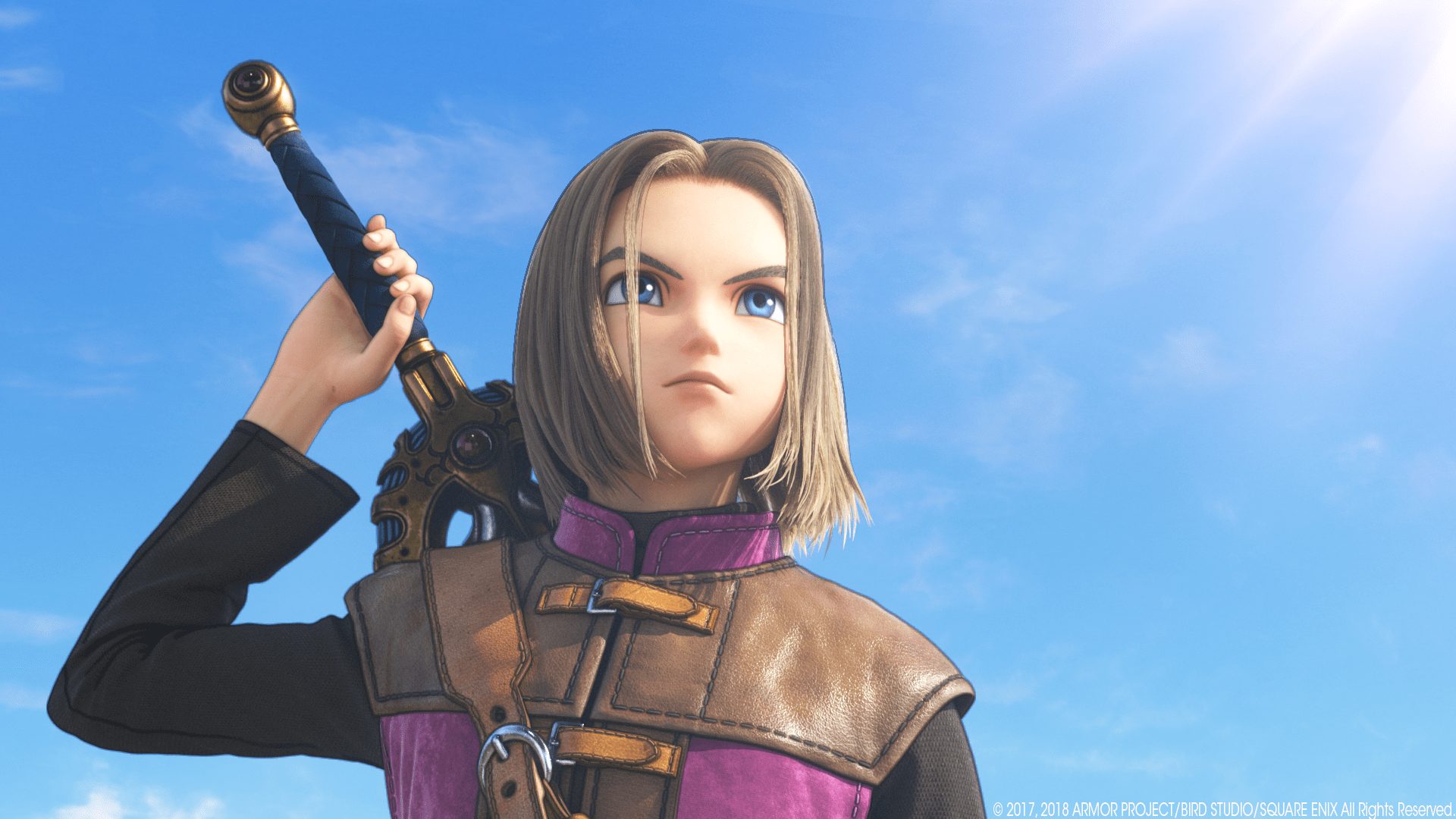
Dragon Quest XI S makes for such a good showcase because it has always been a charming, richly designed adventure that deserved a stronger portable presentation than it sometimes received on the original Switch. The game itself is easy to love. Its world is colorful, its character designs pop, and its towns feel warm and inviting, like little storybook spaces you want to linger in. Yet in handheld mode, the image could look softer than many players wanted, which dulled some of that visual appeal. With Handheld Mode Boost enabled on Nintendo Switch 2, that softer look can be reduced in a way that makes the game feel more alive again. Details look more settled, cleaner, and more confident on the screen. That matters for a long role-playing game where you spend dozens of hours staring at landscapes, menus, battle effects, and towns packed with personality. When one of the first standout examples is a game this beloved, it becomes much easier for players to understand why the feature matters.
Why sharper handheld image quality changes the experience
Sharper handheld image quality is not just a technical talking point for people who like staring at comparison screenshots. It changes how comfortable and enjoyable a game feels in regular play. Portable gaming is intimate. The screen is right in front of you. You notice shimmering edges, fuzzy textures, and soft details much faster when they are inches from your face. A cleaner image makes characters easier to read, menus easier to scan, and environments more inviting to explore. That improvement may sound subtle on paper, but in practice it can be the difference between a game feeling merely playable and genuinely pleasant. It also helps preserve the mood developers were aiming for. Fantasy towns look more charming, dramatic vistas look more dramatic, and art styles stop fighting against hardware limits quite so much. It is like cleaning a window you did not realize had gathered dust over the years. The view was always there, but now it finally looks the way it should have looked all along.
Why frame rate stability can matter just as much
Visual sharpness tends to grab attention first because it shows up immediately in screenshots and video comparisons, but frame rate stability can be just as important once you start playing. A game that looks clearer but still stutters its way across the finish line will not suddenly feel transformed. The appeal of Handheld Mode Boost is that it can help some original Switch titles feel steadier as well, especially where docked settings were tied to stronger overall behavior. That is a big deal for action games, open-world adventures, racing titles, and anything that asks you to react quickly. Even in slower games, steadier motion makes camera movement feel smoother and overall play feel less rough. Players may not always describe that improvement in technical terms, but they notice it. They feel it in the hands. It is the difference between a game that seems to drag its feet and one that finally walks with a bit of swagger. Nobody wants a heroic adventure that moves like it forgot its sword at home.
The trade-offs you should know before turning it on
As useful as this feature is, it is not magic and it is not completely free of compromises. Nintendo has noted that results vary by game, which is important because expectations need to stay grounded. Some titles will show obvious gains, while others may only improve slightly or not in a meaningful way. There are also practical trade-offs. Running original Switch games in a more demanding mode while handheld can increase battery use, which makes perfect sense when you think about it. More work from the system usually means more power draw. In addition, because games are being treated more like they are running in TV mode, certain software behaviors may not line up exactly the way players expect in handheld play. That does not make the setting a bad idea. It just means it is best viewed as an option, not a universal commandment. Flip it on, test your favorite games, and see what feels right. In a way, it is like adding hot sauce to a meal. For some dishes it is brilliant, for others you may decide the original flavor was already just fine.
How to enable Handheld Mode Boost in settings
The good news is that Nintendo did not bury this behind some bizarre secret handshake or a ten-step ritual involving the moon and a left Joy-Con. Once your Nintendo Switch 2 is updated to the required system software, enabling the feature is straightforward. Open System Settings from the HOME Menu, scroll down to System, then head into Nintendo Switch Software Handling and toggle Handheld Mode Boost on. That is it. The simplicity is part of the appeal because it turns a meaningful improvement into something players can access in seconds. The only downside is that many people will not know the setting exists unless they hear about it elsewhere. Features like this have a habit of hiding in plain sight. They are tucked neatly into a menu, doing something genuinely useful while half the audience marches past them on the way to brightness controls. Once you know where it is, though, it becomes one of those settings you are very likely to recommend to friends who still spend most of their gaming time in handheld mode.
Which types of games are most likely to benefit
Not every original Switch game will respond the same way, but certain categories are easy bets. Big role-playing games, open-world adventures, and visually rich third-party titles are often among the most obvious candidates because they were more likely to show a clear difference between docked and handheld modes in the first place. Games with detailed environments, small text, and elaborate menus also tend to benefit because sharper presentation makes those elements easier to read and appreciate. Titles that once looked noticeably blurry on the original hardware are especially worth revisiting. That is where the feature can feel like a quiet rescue mission for games that deserved better on the go. It is also valuable for players with large backlogs. Suddenly, old favorites and unfinished adventures are not just sitting there as relics of another system generation. They feel fresh enough to tempt a return trip. There is something oddly satisfying about a library upgrade that does not ask for new packaging, a new edition, or a second purchase. It just says, here, your old games can breathe a little easier now.
What this feature says about Nintendo Switch 2 as a platform
Handheld Mode Boost says something encouraging about Nintendo Switch 2 beyond the setting itself. It suggests the platform is being shaped not only around new releases, but also around making the existing Nintendo Switch library feel better and more worthwhile. That matters because backwards compatibility is only half the story. Being able to launch an older game is nice, but being able to enjoy it in a meaningfully better way is what actually changes player behavior. It turns preservation into improvement. It turns familiarity into curiosity. You start wondering which games in your collection might surprise you now. That is a powerful thing for any console, especially one following a machine with such a huge and varied library. Nintendo did not need to make this feature feel dramatic to make it valuable. In fact, its quiet practicality is probably why it lands so well. It respects the time and money players have already invested in their libraries. For handheld-first players in particular, it makes Nintendo Switch 2 feel less like a simple successor and more like a cleanup crew that finally arrived with the right tools.
Why this quiet update could have a long tail
Some hardware features explode onto the scene with huge marketing campaigns and glossy trailers. Others slip in through a system update and gradually earn a reputation through word of mouth. Handheld Mode Boost feels like the second kind. It has the potential to keep mattering for a long time because the original Switch library is massive, and players revisit older games constantly. Every recommendation thread, every backlog discussion, and every sale on the eShop becomes a new chance for this setting to matter. Someone rediscovers an old role-playing game and notices it looks cleaner. Someone finally starts a port they skipped years ago because the handheld version felt too soft. Someone loads up a favorite and realizes it now feels more comfortable to play on the sofa, in bed, or on a train. That is how quiet features build staying power. They become part of the everyday texture of using the system. No fireworks needed, just repeated little moments of, oh wow, this actually feels better.
Why players should test their own libraries right away
The smartest response to this feature is not just reading about it, but using it. Every library is different, and players know their own pain points better than anyone else. Maybe you have a role-playing game whose text always felt a little cramped in portable play. Maybe you have a third-party action game that looked muddy in handheld mode. Maybe you simply want your older favorites to feel a bit fresher without buying anything new. Handheld Mode Boost invites exactly that kind of experimentation. Turn it on, revisit a few familiar games, and compare how they feel. Some differences will jump out instantly. Others may reveal themselves after half an hour of regular play, when you realize your eyes feel less strained and the overall presentation feels more settled. That is where the real value lives. It is not just in screenshots or side-by-side clips. It is in the moment a game you already liked suddenly feels easier to love.
Conclusion
Handheld Mode Boost on Nintendo Switch 2 is the kind of feature that solves an old problem with refreshing simplicity. By letting original Nintendo Switch games run in handheld mode more like they would in TV mode, Nintendo has made portable play feel less like a compromise and more like the experience many players wanted from the start. Dragon Quest XI S is already proving how visible the improvement can be, but the bigger story is what this means for the broader library. Older games that once looked soft, rough, or slightly held back in handheld mode now have a better chance to show their strengths. It is a practical upgrade, an easy setting to enable, and a reminder that sometimes the smartest console improvements are the ones that make your existing collection feel exciting again.
FAQs
- What is Handheld Mode Boost on Nintendo Switch 2?
- It is a system setting that lets original Nintendo Switch games run in handheld play using the kind of performance profile they would normally use in TV mode, which can improve image quality and sometimes overall smoothness.
- Does Handheld Mode Boost work with every game?
- No. Nintendo says results vary depending on the game. Some titles can show a clear improvement, while others may only change slightly or may not benefit in a noticeable way.
- Why are older Switch games often the biggest winners?
- Many older games made larger sacrifices in handheld mode on the original Switch, especially with resolution. That means the difference can be easier to spot when Switch 2 allows them to behave more like they are docked.
- How do I turn Handheld Mode Boost on?
- On Nintendo Switch 2, open System Settings, go to System, then Nintendo Switch Software Handling, and switch Handheld Mode Boost on after making sure your system software is up to date.
- Are there any downsides to using it?
- There can be. Battery use may increase, some games may not benefit much, and a few software behaviors can differ because the game is effectively being treated more like it is running in TV mode.
Sources
- Nintendo Switch 2 update adds ‘Handheld Boost Mode’ for original Switch games, The Verge, March 17, 2026
- How to enable Handheld Boost Mode on Nintendo Switch 2, Video Games Chronicle, March 17, 2026
- Switch 2 system update adds Handheld Boost Mode for original Switch games, Polygon, March 17, 2026
- PSA: Switch 2 Update Adds Handheld Mode Boost, Here’s How To Use It, Nintendo Life, March 17, 2026
- Switch 2 software update adds ‘Handheld Mode Boost’ for your old games, Engadget, March 17, 2026
- Video: Nintendo Switch 2 Handheld Mode Boost comparison, Nintendo Everything, March 18, 2026
- New video shows Switch games running on Nintendo Switch 2 with boost mode on, My Nintendo News, March 17, 2026
- Switch 2 Handheld BOOST MODE 20 GAMES TESTED, GVG, March 17, 2026